Hello,
Please look at the screenshot:
https://s3.amazonaws.com/fvd-data/notes/168674/1426094792-6HFesP/screen.png
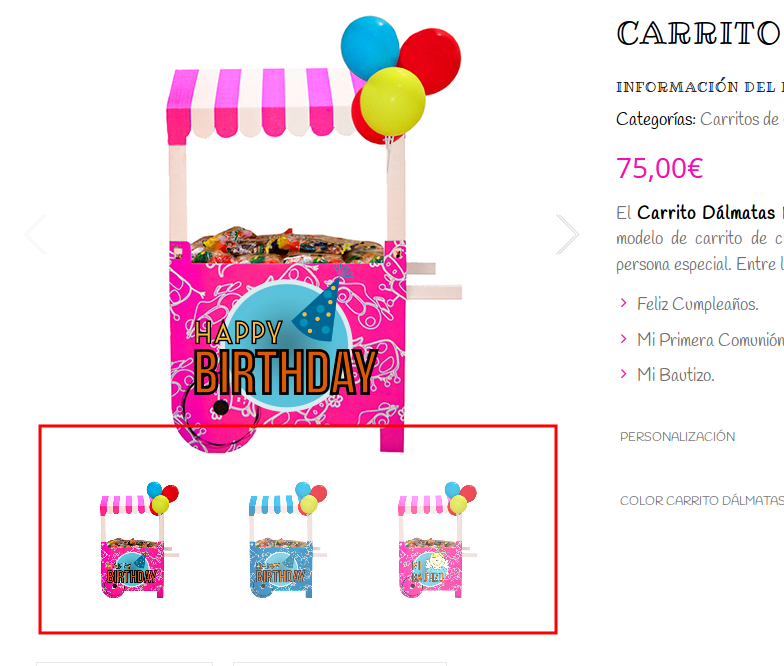
Gallery images are also shown.
Please clear browser cache and check again.
Thank you.
Regards,
Eva Kemp.

Hello,
Please look at the screenshot:
https://s3.amazonaws.com/fvd-data/notes/168674/1426094792-6HFesP/screen.png
Gallery images are also shown.
Please clear browser cache and check again.
Thank you.
Regards,
Eva Kemp.
Hello,
Sorry, but I don’t see any message near “Sale” icon.
Could you please show a screenshot? Also clear browser cache and check again.
Thank you.
Regards,
Eva Kemp.
Hello,
Please update the theme to the latest version and don’t create multiple theme folders, just overwrite old files with new ones as shown in our tutorial:
https://www.youtube.com/watch?v=KdWESIIPU1k
Don’t forget to create back up of the files and database before update!
Also update all required plugins:
https://www.8theme.com/download-plugins/
Thank you.
Regards,
Eva Kemp.
Hello,
Please confirm you have a back up of the files and database and after that we’ll start updating the theme.
Thank you.
Regards,
Eva Kemp.
Hello,
Please provide us with full permissions to be able to view all settings in wp-admin panel and FTP credentials.
Thank you.
Regards,
Eva Kemp.
Hello,
As I see now 2.6.2 version is shown in the Theme Options.
Have you reuploaded the theme?
Please clarify the issue with the footer. What images are you talking about?
Also we can’t connect to FTP getting an error:
Error: Authentication failed.
Please check the credentials.
Thank you.
Regards,
Eva Kemp.
Hello,
1. Please take our apologies but image dimensions can’t be changed on a single product page in theme options as they can be distorted. It can be edited only in the theme file legenda/woocommerce/single-product/product-image.php. Also changes in custom.css need to be made.
2. As I see you didn’t add any widgets in “Single product page Sidebar” area in Appearance > Widgets, that’s why sidebar isn’t shown.
Regards,
Eva Kemp.
Hello,
I’ve updated some files.
Please check Checkout page now.
Thank you.
Regards,
Eva Kemp.
Hello @ropagda,
Could you please clarify your question with more details?
Thank you.
Regards,
Eva Kemp.
Hello,
Please update WordPress, Legenda theme and the required plugins to the latest versions.
The plugins can be found at this link: https://www.8theme.com/download-plugins/
Don’t forget to create a back up of your database and files before update!
Thank you.
Regards,
Eva Kemp.
Hello,
The issue has been fixed.
Please check your site now.
Thank you.
Regards,
Eva Kemp.
Hello,
The issue has been fixed.
Please check your site now and clear browser cache before.
Thank you.
Regards,
Eva Kemp.
Hello,
Woocommerce plugin is for free https://wordpress.org/plugins/woocommerce/ .
Please contact their support concerning this issue.
Thank you.
Regards,
Eva Kemp.
Hello @ethena,
Please clarify your problem.
Also please provide us with wp-admin panel credentials in Private Content.
Thank you.
Regards,
Eva Kemp.
Hello @onderozkoc,
As I see your Checkout page is working properly.
Please clear browser cache and check again or describe the issue with more details.
Thank you.
Regards,
Eva Kemp.
Hello,
Please provide us with a link where you’re getting 404 error.
Thank you.
Regards,
Eva Kemp.
Hello,
1. You can use shortcodes https://www.8theme.com/demo/docs/idstore/index.html#!/idstore_shortcodes to show products on the home page, for example: [etheme_product id="" sku=""] shows a single product by ID or SKU. Add that code in a product text editor and write the ids of the products you want to display.
2. Please provide us with FTP and wp-admin panel credentials in Private Content.
3. You can enable guest checkout in Woocommerce > Settings > Checkout tab > tick “Enable guest checkout”.
4. Concerning the sales you need contact Woocommerce support.
5. This query is also related to Woocommerce configuration.
6. All plugins are external extensions which are included into theme because for each product we purchase “Extended license” and that’s why we are able to include it into them. This plugin works fine without activation and you can always get actual version if you want directly from us. The plugins can be downloaded from this link https://www.8theme.com/download-plugins/ . We update plugins with theme updates from time to time so plugins will be also updated with each next theme update. The option with registering of the plugins has been already added to plugin and this only allows you to get automatic updates and support for this plugin directly from an author if you need. You don’t need to register this product because it is not required but if you want to get those features, then you need to purchase this plugin directly from the author. This is how it works for all themes on Themeforest and not only in our case.
Thank you.
Regards,
Eva Kemp.
Hello,
Please provide us with a link to variable product and wp-admin panel credentials in Private Content.
Thank you.
Regards,
Eva Kemp.
Hello,
Please read this article how to mark featured products:
http://support.8theme.com/index.php?/Knowledgebase/Article/View/9/0/how-to-mark-products-as-featured-and-new-ones
Thank you.
Regards,
Eva Kemp.
Hello,
You can remove the second footer with this code in custom.css file:
.footer-menu-wrap { display: none;}
How to create custom.css you can watch in this tutorial (it’s for Legenda theme but the process is the same).
Thank you.
Regards,
Eva Kemp.
Hello,
We’re sorry for a delay.
Did you change wp-admin panel credentials? We can’t log in now.
Please provide us with the correct details.
Thank you.
Regards,
Eva Kemp.
Hello,
Aren’t the links translated now? They don’t have default titles as on our demo.
Please clarify your issue with more details.
Thank you.
Regards,
Eva Kemp.
Hello @bharatk,
Does the problem still persist?
I’ve checked your site and haven’t found any problems.
Regards,
Eva Kemp.
Hello @garywatson,
Sorry for a delay, but we still can’t connect to FTP getting this error:
Error: Connection timed out
Error: Could not connect to server
Are you using any Firewall or restrictions?
Please edit the file wp-content/themes/idstore/code/woo.php file (line 487) and replace the code $woocommerce->get_image_size with wc_get_image_size.
Thank you.
Regards,
Eva Kemp.
Hello,
You can change the text in wp-content/themes/idstore/woocommerce/myaccount/form-login.php file.
Concerning “to have the clients name instead of the generic”, unfortunately this is impossible. Sorry.
Regards,
Eva Kemp.
Hello,
Sorry for a delay.
Please provide us with wp-admin panel and FTP credentials in Private Content.
Thank you.
Regards,
Eva Kemp.
Hello,
Please provide us with wp-admin panel credentials in Private Content.
Thank you.
Regards,
Eva Kemp.
Hello,
Sorry for a delay.
The bug with mobile menu will be fixed in the next theme update. Please take our apologies for inconveniences.
The update will be produced very soon.
Thank you for your patience and understanding.
Regards,
Eva Kemp.
Hello,
Please try to use this code in custom.ss file:
@media only screen and (min-width: 992px) {
.header-type-12 .shopping-container .shopping-cart-widget .cart-bag {
  background-color: pink !important;
}}
Thank you.
Regards,
Eva Kemp.
Hello,
You’re welcome.
Regards,
Eva Kemp.