Hello,
You’re welcome.
Regards,
Eva Kemp.

Hello,
You’re welcome.
Regards,
Eva Kemp.
Hello,
We’re glad you’ve found the solution.
Have a nice day!
Regards,
Eva Kemp.
Hello,
Please provide us with FTP and wp-admin panel credentials in Private Content.
Regards,
Eva Kemp.
Hello,
1. Sorry, but there is a conflict with that plugin. You may try to disable “Ajax “Add to Cart”” option in Theme Options > Single Product page and check it again.
2. Yes, you can, the same file needs to be edited.
3. You can even disable it in Theme Options > Single Product page > Ajax “Add to Cart” > Off.
4. You can use header type with top bar in Theme Options > Header, for example header type 1, 2, 3, 4, 5 or others and add [share] shortcode in Text widget and place it in “Place in header top bar” area in Appearance > Widgets.
5. May we reupdate the theme for you?
Thank you.
Regards,
Eva Kemp.
Hello,
Now your wp-admin panel is showing blank page.
Please check your configurations.
Thank you.
Regards,
Eva Kemp.
Hello @Jimbo,
You need edit the file wp-content/themes/woopress/woocommerce/content-single-product.php (line 64).
Regards,
Eva Kemp.
Hello,
You need select Custom Query in Posts Grid settings and add this code in the custom query section:
post_type=etheme_portfolio
Thank you.
Regards,
Eva Kemp.
Hello,
Please provide us with wp-admin panel credentials in Private Content.
Thank you.
Regards,
Eva Kemp.
Hello,
Please provide us with wp-admin panel and FTP credentials in Private Content.
Also specify what exactly you need translate.
Thank you.
Regards,
Eva Kemp.
Hello,
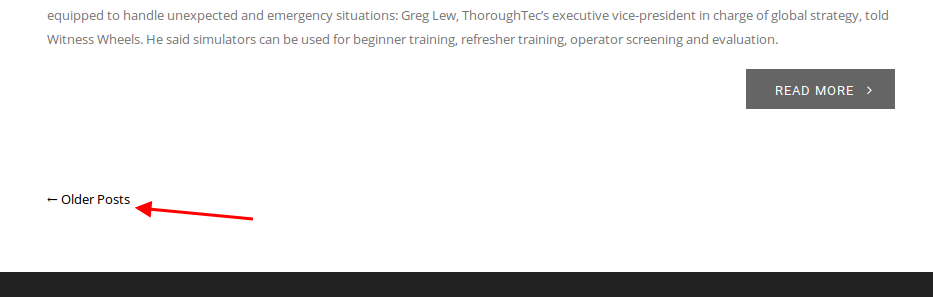
There are links “Older Posts” and “Newer Posts” for pagination on Blog page:
https://s3.amazonaws.com/fvd-data/notes/168674/1426067168-vbSeXv/screen.png
If you want to use pages numbers you need find some plugin in this case. Sorry.
Regards,
Eva Kemp.
Hello @chsafterdark,
I’ve added this code in init.php file:
if ( function_exists( ‘add_theme_support’ ) ) {
add_theme_support( ‘post-thumbnails’ );
}
Please clear the cache and check products editor now.
Regards,
Eva Kemp.
Hello @Ardi,
As I see featured image option is shown in a product editor.
Please clear browser cache and check again.
Thank you.
Regards,
Eva Kemp.
Hello,
Please read our documentation how to enable registration page:
https://www.8theme.com/demo/docs/royal/#!/4_registration_page
Thank you.
Regards,
Eva Kemp.
Hello,
You’re welcome.
Regards,
Eva Kemp.
Hello,
To change tabs titles you need refer to Woocommerce documentation:
http://docs.woothemes.com/document/editing-product-data-tabs/
To remove the title from tabs content use this code in custom.css file:
.tabs .tab-content h2 {
  display: none;
}
How to create custom.css you can watch in this tutorial (it’s for Legenda theme but the process is the same).
Thank you.
Regards,
Eva Kemp.
Hello,
This problem persists with default WordPress theme too.
You need contact Woocommerce support concerning this issue.
Thank you.
Regards,
Eva Kemp.
Hello,
At first I’ve installed required plugins and then base demo content.
Please check your site.
Thank you.
Regards,
Eva Kemp.
Hello,
Please provide us with wp-admin panel credentials in Private Content.
Thank you.
Regards,
Eva Kemp.
Hello,
This requires additional customization in php files. If you have necessary knowledge you may edit them.
Thank you.
Regards,
Eva Kemp.
Hello,
Unfortunately there is no such possibility.
Sorry.
Regards,
Eva Kemp.
Hello,
I’ve moved other code to “Footer Links” area.
Please check now.
Thank you.
Regards,
Eva Kemp.
Hello,
We didn’t receive login credentials.
Could you please resend them?
Thank you.
Regards,
Eva Kemp.
Hello,
You’re using old plugins versions.
Please update them. You can download the latest versions here:
https://www.8theme.com/download-plugins/
Thank you.
Regards,
Eva Kemp.
Hello,
To create button for “Contact” item use this code in custom.css file:
li.menu-item.menu-item-type-post_type.menu-item-object-page.menu-item-15260.item-level-0 {
  border: 1px solid black;
  background-color: green;
}
li.menu-item.menu-item-type-post_type.menu-item-object-page.menu-item-15260.item-level-0:hover {
  background-color: red;
}
li.menu-item.menu-item-type-post_type.menu-item-object-page.menu-item-15260.item-level-0 a {
color: white !important;
}
li.menu-item.menu-item-type-post_type.menu-item-object-page.menu-item-15260.item-level-0 a:hover {
color: grey;
}Change color values to yours.
How to create custom.css you can watch in this tutorial (it’s for Legenda theme but the process is the same).
Thank you.
Regards,
Eva Kemp.
Hello,
As I see you’ve already added product categories slider on the home page:
http://imgur.com/1mirNuc
Please clarify what exactly you’re trying to achieve.
Thank you.
Regards,
Eva Kemp.
Hello,
Please provide us with wp-admin panel credentials to be able to view your site.
Thank you.
Regards,
Eva Kemp.
Hello,
Sorry, but in this case you have to use some 3rd-party plugins to add your own labels.
Regards,
Eva Kemp.
Hello,
As I see fixed header is activated on your site.
Could you please clarify with more details?
Thank you.
Regards,
Eva Kemp.
Hello,
Ok. Let us know if further assistance is required.
Thank you.
Regards,
Eva Kemp.
Hello,
You’re welcome.
Regards,
Eva Kemp.