Forum Replies Created

Viewing 30 posts - 29,881 through 29,910 (of 30,337 total)
  • Avatar: Olga Barlow
    Olga Barlow
    Participant
    October 8, 2015 at 14:22

    Hello, Ali Akil,

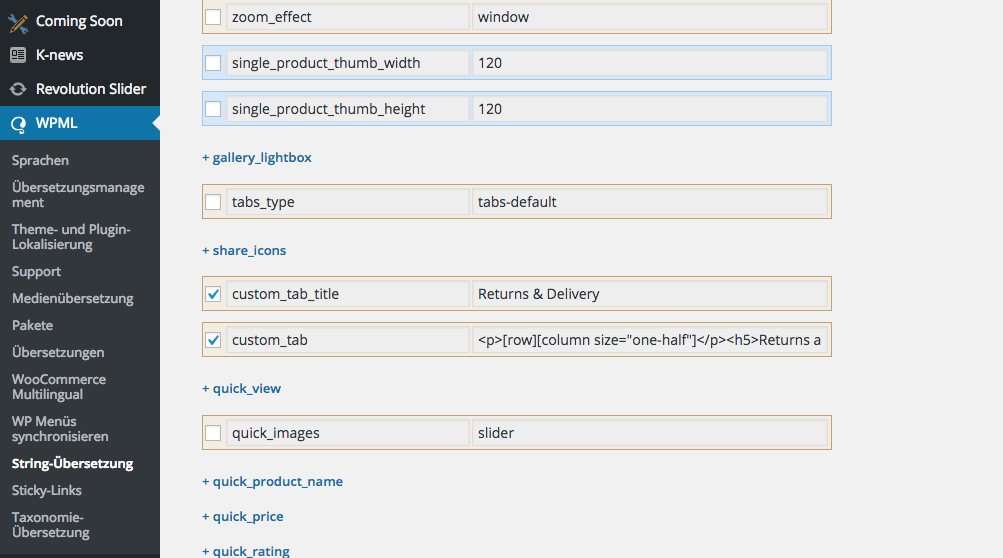
    We have already used all the recommendations from WPML. Your problem is not related to theme! You just did not translate necessary fields. See here
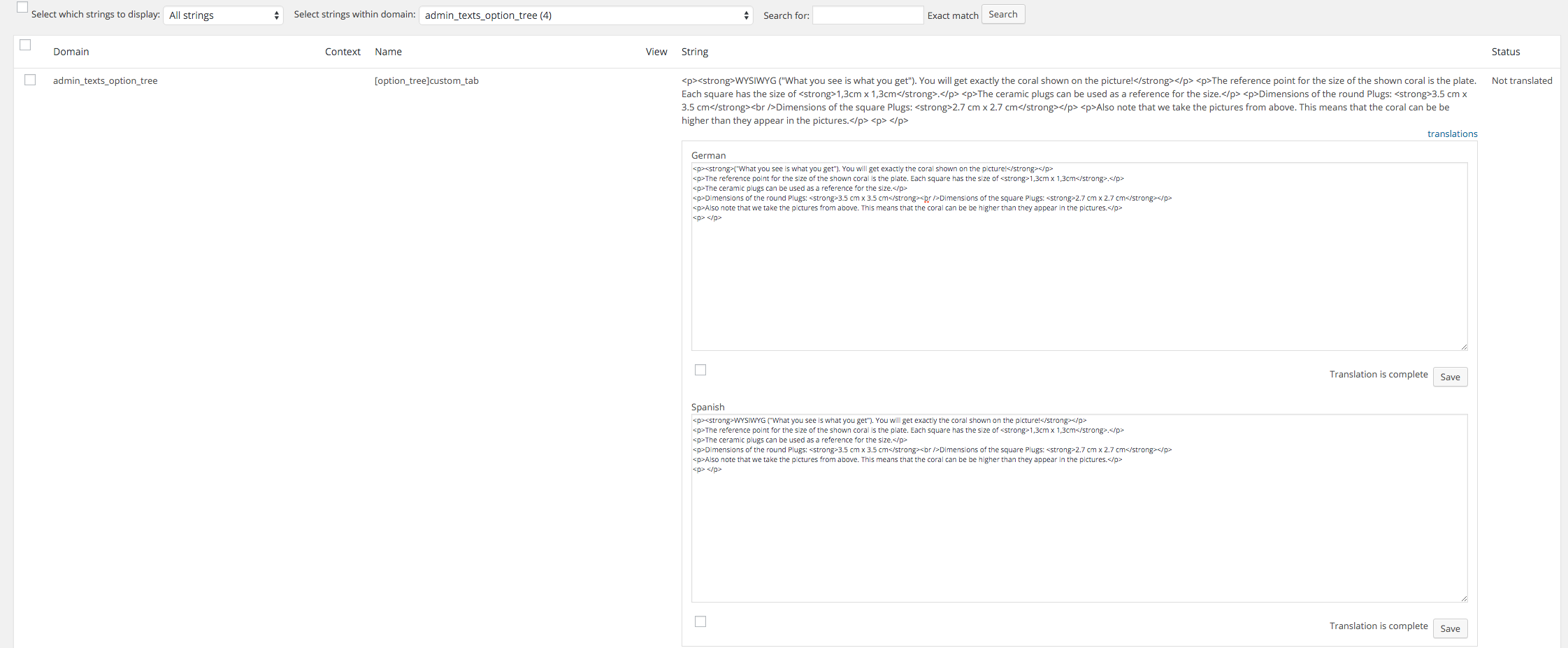
    Please, go to WPML > String Translation > select admin_texts_option_tree from “Select strings within domain:” drop-down list and translate necessary strings.

    Regards,
    Olga Barlow
    Avatar: Olga Barlow
    Olga Barlow
    Participant
    October 6, 2015 at 13:11

    Hello,

    If you need additional features for any of included plugins you need to contact with plugin authors. Our support is limited to questions regarding the features of our theme or problems with it. We are not able to provide support for code customizations or third-party plugins.

    Regards,
    Olga Barlow

    Avatar: Olga Barlow
    Olga Barlow
    Participant
    October 6, 2015 at 12:51

    Hello,

    Is there anything else we could help you with or this topic can be closed?

    Regards,
    Olga Barlow

    Avatar: Olga Barlow
    Olga Barlow
    Participant
    October 5, 2015 at 15:40

    Hello,

    .po file you can find in wp-content/themes/woopress/languages/ folder https://www.8theme.com/demo/docs/woopress/#!/2_how_to_translate
    Use it to translate necessary strings related to registration and save as da_DK.po and da_DK.mo into the same folder. Actually necessary strings should be available also via the string translation, but not sure why they are not shown there on your site. But we checked and it 100% works if you translate .po file.

    Regards,
    Olga Barlow

    Avatar: Olga Barlow
    Olga Barlow
    Participant
    September 28, 2015 at 08:48

    Hello,

    We checked and see that your problem was caused by compatibility between WPML plugin and Essential grid. We would recommend to contact with plugin authors to solve the problem.

    Regards

    Avatar: Olga Barlow
    Olga Barlow
    Participant
    September 26, 2015 at 12:03

    Hello,

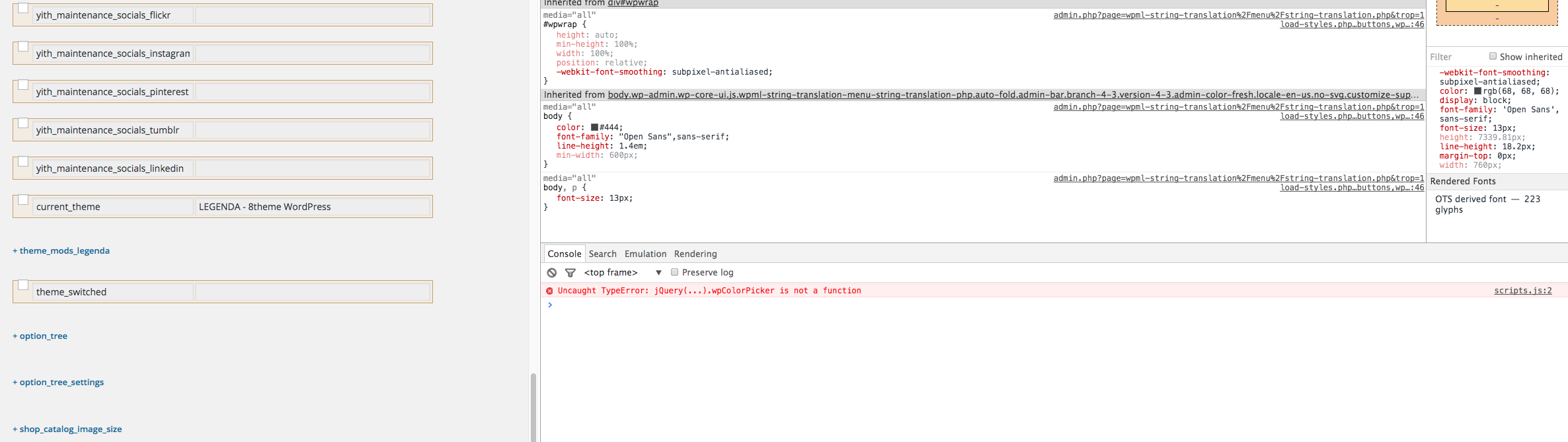
    It’s not related to our theme, you may activate Storefront and check. Very likely you have installed some third-party plugin that caused compatibility problem with Visual Composer, because there are some errors in console if you open it. Try to disable all the third-party plugins except included in our theme and check if problem still persists. We are able to help you if problem exist with our theme only, but if you have issues with WP installation or third-party plugin we can do nothing, because it is beyond the scope of our support.

    Keep in mind Ultimate Addons update message can’t be the reason of your problem!

    Regards

    Avatar: Olga Barlow
    Olga Barlow
    Participant
    September 26, 2015 at 11:40

    Hello,

    Very likely you did not translate Registered page into English. Please, check if English version of this page exists on your site.

    Regards

    Avatar: Olga Barlow
    Olga Barlow
    Participant
    September 26, 2015 at 09:26

    Hello,

    Your problem was related to old version of Revolution Slider. We have updated plugin and it works. The latest version of plugins included in our theme you can find here https://www.8theme.com/download-plugins/

    Here you can find Revolution Slider documentation to understand all the features plugin has http://www.themepunch.com/revslider-doc/slider-revolution-documentation/ If you check your email you’ll find default Revolution Slider examples (http://revolution.themepunch.com/examples/)

    Languages and currency is just default content. In case you want to place your own go to Appearance > Widgets > Left top bar widget area (add empty text widget to remove default content).

    Regards

    Avatar: Olga Barlow
    Olga Barlow
    Participant
    September 15, 2015 at 13:02

    Hello,

    Here they are

    You need to export them to translate.

    Regards

    Avatar: Olga Barlow
    Olga Barlow
    Participant
    September 14, 2015 at 10:29

    If you don’t understand where exactly you need to translate necessary content, then provide list of untranslated sentences with necessary translations and we’ll add them.

    Regards,
    Olga Barlow

    Avatar: Olga Barlow
    Olga Barlow
    Participant
    September 14, 2015 at 10:27

    Hello,

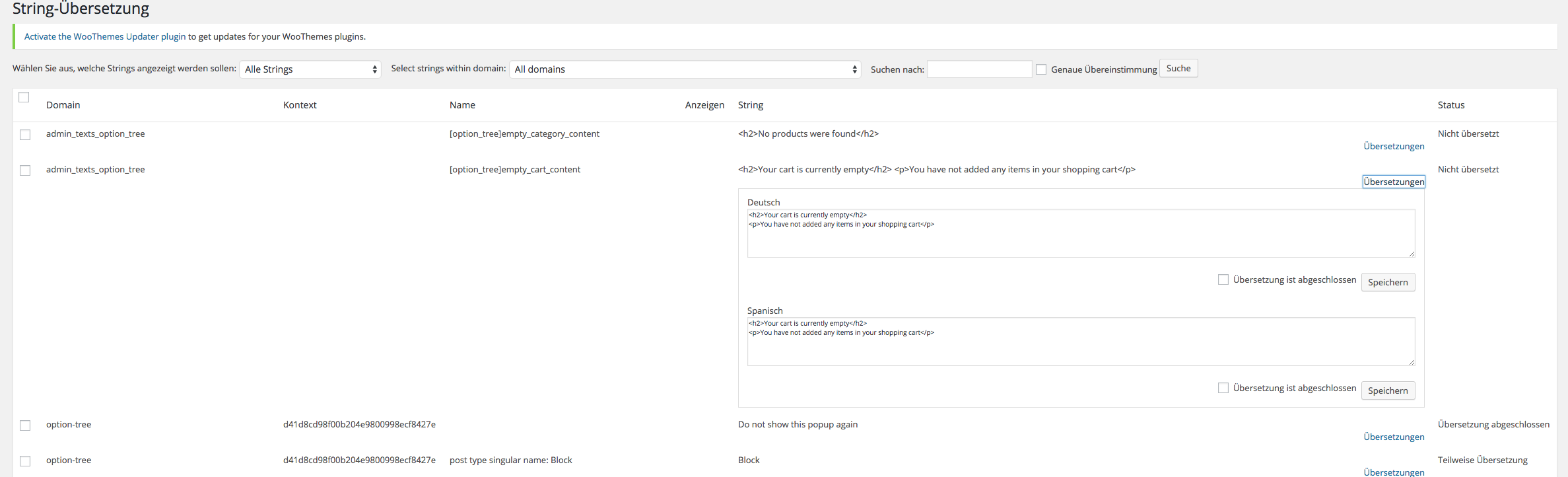
    As I can see empty cart text still is not translated

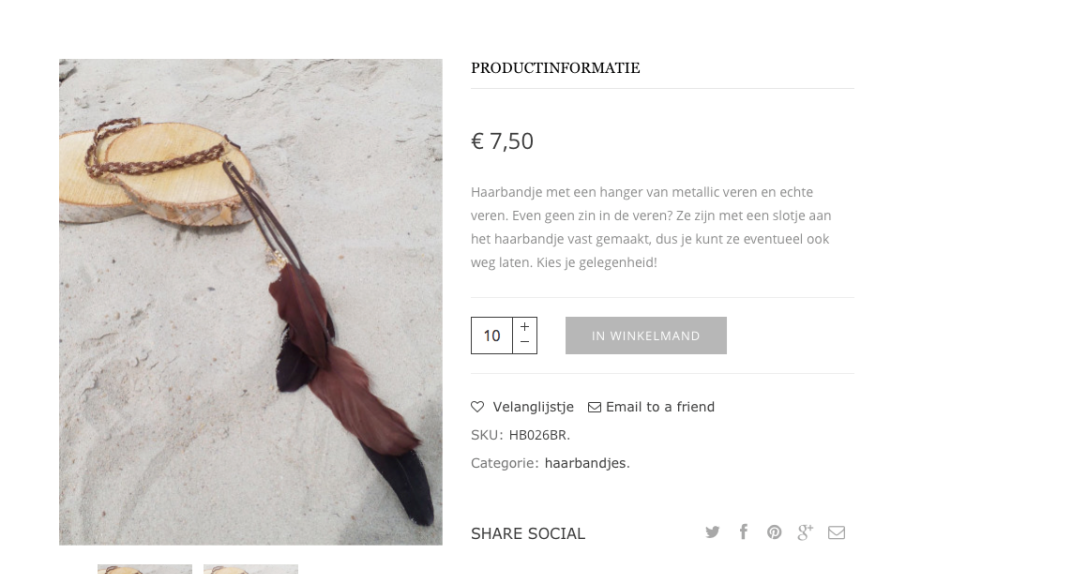
    The same with untranslated words, for example de_DE.po file:

    Please, be sure you saved your translations and replaced existing .po, .mo files!

    Regards

    Avatar: Olga Barlow
    Olga Barlow
    Participant
    September 11, 2015 at 10:15

    Hello,

    Some words were untranslated because of out of date translation files. We have updated them and now you should find and translate the strings in .po files.

    To translate empty cart text go to WPML > String Translation > Translate texts in admin screens > find option_tree > empty_cart_content

    Regards

    Avatar: Olga Barlow
    Olga Barlow
    Participant
    September 11, 2015 at 09:25

    Hello,

    As we can see you did not find solution. Reply back when problem with WPML will be solved. Thanks.

    Regards

    Avatar: Olga Barlow
    Olga Barlow
    Participant
    September 8, 2015 at 14:58

    Hello,

    We tried to check if you have translated admin options correctly but faced the problem on translation page

    Please, solve the issue with WPML script first and contact us again, then we’ll be able to check your problem.

    Regards

    Avatar: Olga Barlow
    Olga Barlow
    Participant
    September 8, 2015 at 10:30

    Hello,

    We are able to help in case the problem is present with our theme only! If you see the same bug with default WooCommerce theme it means that not our theme is the reason of the problem. You are using default WooCommerce widget to display categories, not our theme widget, so, don’t think our theme may cause issues with it. Any way, could you send us link to topic with your conversation with WPML support, we’ll join the conversation to sort out.

    Regards,
    Olga Barlow

    Avatar: Olga Barlow
    Olga Barlow
    Participant
    September 8, 2015 at 08:29

    Hello,

    Take our apologies for the delay in answering.
    We have fixed the problem with loader and sidebar position on iOS devices, but you have enabled the cache plugin and the old version of file was cached. Anyway check your site now, please.

    Regards

    Avatar: Olga Barlow
    Olga Barlow
    Participant
    September 7, 2015 at 14:44

    Hello,

    Next theme update will be available within next 2-3 weeks.

    Regards

    Avatar: Olga Barlow
    Olga Barlow
    Participant
    September 7, 2015 at 08:44

    Hello,

    We are glad you sorted out problems with footer. As a rule we fix the issues related to theme functionality in every theme update. Sometimes new problems could appear because of implementation of some additional features, but we try to solve them ASAP. Theme support does not include services to modify or extend the item beyond the original features, style and functionality.

    What element did you use to add twitter code? Use Raw HTML VC element. Twitter widget works without any problems on our installations.

    Regards,
    Olga Barlow

    Avatar: Olga Barlow
    Olga Barlow
    Participant
    September 4, 2015 at 14:00

    Hello,

    We noticed that with default theme top cart shows incorrect price on shop page too https://gyazo.com/15a83518dbd0783e02f77df4fb87f871
    But default cart widget works with ajax on cart page that’s why it has correct price on cart page https://gyazo.com/31b6317e35de41a9f34e82af65cb44e3

    Our cart widget does not use ajax. We’ll are working on improvement of our theme and next theme update we’ll add ajax for cart widget. Until this happened you can disable cart widget in header in theme options to avoid problem with customers.

    Regards

    Avatar: Olga Barlow
    Olga Barlow
    Participant
    August 31, 2015 at 07:51

    Hello,

    Could you also provide admin panel access, because your site is Under Construction and we can’t check it.

    Regards

    Avatar: Olga Barlow
    Olga Barlow
    Participant
    August 1, 2015 at 08:16

    Hello,

    We took into account your comment about constant instead of string in our theme. We’ll work on improvement. At present, to translate necessary strings of our theme use .po file and Poedit as mentioned in theme documentation https://www.8theme.com/demo/docs/legenda/index.html#!/how_to_translate

    Regards,
    Olga Barlow

    Avatar: Olga Barlow
    Olga Barlow
    Participant
    July 15, 2015 at 10:52

    Hello,

    Take our apologies for the inconvenience. Have you sorted out or you problem still persists?

    Regards, Olga Barlow

    Avatar: Olga Barlow
    Olga Barlow
    Participant
    July 15, 2015 at 09:12

    Hello,

    Header and IE problem fixed. Check your site. Also this fix will be included in next theme update.

    To fix the problem with products gap we need to see it, but can’t reproduce this issue on our installations. Could you provide link to page where problem persists and we’ll fix it.

    What version of Safari did you use?

    Regards

    Avatar: Olga Barlow
    Olga Barlow
    Participant
    July 14, 2015 at 09:29

    Hello,

    3. To make slider full width you need to set it in slider settings: Revolution Slider > select slider you use on home page > settings > set Force Full Width to Yes.

    4. It’s because of frame
    Check the main site it is fully responsive.

    Regards,
    Olga Barlow

    Avatar: Olga Barlow
    Olga Barlow
    Participant
    July 10, 2015 at 14:16

    Hello,

    We have checked the problems you described. We found only few of them:
    – The filter options price slider and category filter – added .shop-filters-area{display:-webkit-flex;} in custom.css
    – Top bar dividers are lower than the menu – added .top-links li:after{height:auto;}
    – The cart total amount appears under the shopping basket instead of next to it – added .cart-design-2 .shop-text{float:left;}

    We don’t see the problem with product gap, provide, please link to page where we’ll be able to see the issues. The same with search icon

    and product quantity

    Regards

    Avatar: Olga Barlow
    Olga Barlow
    Participant
    July 9, 2015 at 12:54

    Hello,

    We are very sorry if someone from our support team didn’t help you concerning the problem with our theme.
    We’ll definitely discuss and control this question!

    According as to our company politics so to other developers on ThemeForest we don’t provide extending support or bugs fixes for 3rd-party plugins, even if they’re included in our theme. We can help you with different questions if a problem appears only with our theme. But if a problem persists with default WordPress theme and you need the plugin support you should buy a license and contact to their support team. Also we can contact the plugin support and ask about your problem, but in this case you have to understand that solution may take more time rather than you’d contact them directly!

    What about your current problem: the reason was you disabled Optimized CSS, Optimized JS options in the plugin settings (Ultimate > Scripts & Styles). As you can see it isn’t related to our theme directly. Thank you for understanding.

    We hope you won’t experience such difficulties using our product in future!

    Regards,
    Olga Barlow

    Avatar: Olga Barlow
    Olga Barlow
    Participant
    July 8, 2015 at 13:03

    Hello,

    If problem persists with both themes: default Storefront and WooPress it means that not our theme causes translation issue. Because in case problem was only with Royal theme you would have got correct translation with default theme. So, if it’s not happened this is either WPML issue or WooCommerce. In both cases you need to contact plugin authors.

    Regards

    Avatar: Olga Barlow
    Olga Barlow
    Participant
    July 8, 2015 at 10:03

    Hello, @maxdanam,

    Please, clarify, does the translation work fine with default storefront theme?

    Regards,
    Olga Barlow

    Avatar: Olga Barlow
    Olga Barlow
    Participant
    June 26, 2015 at 10:47

    Hello,

    We have fixed the problem and enabled child theme. Check now, please.

    Regards

    Avatar: Olga Barlow
    Olga Barlow
    Participant
    June 9, 2015 at 14:01

    Hello, @lindo_web, @intemail

    Check you sites now, please.

    Regards,
    Olga Barlow

  • 1 2 3 … 996 997 998 … 1,010 1,011 1,012
    Viewing 29,910 results - 29,881 through 29,910 (of 30,337 total)
Viewing 30 posts - 29,881 through 29,910 (of 30,337 total)
We're using our own and third-party cookies to improve your experience and our website. Keep on browsing to accept our cookie policy.