Hello,
Those pages are created for our demo site and aren’t included in the theme package.
You can create any other page using Visual Composer editor.
Thank you.
Regards,
Eva Kemp.

Hello,
Those pages are created for our demo site and aren’t included in the theme package.
You can create any other page using Visual Composer editor.
Thank you.
Regards,
Eva Kemp.
Hello,
We’re sorry for inconveniences, but the issue is caused by Visual Composer update. They deleted portfolio option from Posts Grid element and modified a lot of other elements. They’re going to release a new update where some bugs should be fixed.
Regards,
Eva Kemp.
Hello,
Please specify what Safari version you’re using.
Thank you.
Regards,
Eva Kemp.
Hello,
Please provide us with wp-admin panel and FTP credentials and the page link where you can’t translate those buttons.
Thank you.
Regards,
Eva Kemp.
Hello,
You should contact Woocommerce support concerning this query.
Thank you.
Regards,
Eva Kemp.
Hello,
Unfortunately there is no feature to change it. Sorry. You have to scroll to view product information in the cart.
Regards,
Eva Kemp.
Hello,
You’re welcome.
Regards,
Eva Kemp.
Hello,
Sorry, but there is still the error:
Error: Wrong export slider file format! This could be caused because the ZipArchive extension is not enabled.
Could you please check the issue with your hosting provider?
Thank you.
Regards,
Eva Kemp.
Hello,
Please provide us with the direct category link where you see the issue.
Also please show a screenshot what you’d like to remove.
Thank you.
Regards,
Eva Kemp.
Hello,
The issue has been fixed.
Please check both forms.
Thank you.
Regards,
Eva Kemp.
Hello,
Please add this code in custom.css:
.tabs {
    width: 50%;
}
Regards,
Eva Kemp.
Hello,
To correct all categories you need go to Products > Categories > open category and re-save it. Errors will disappear.
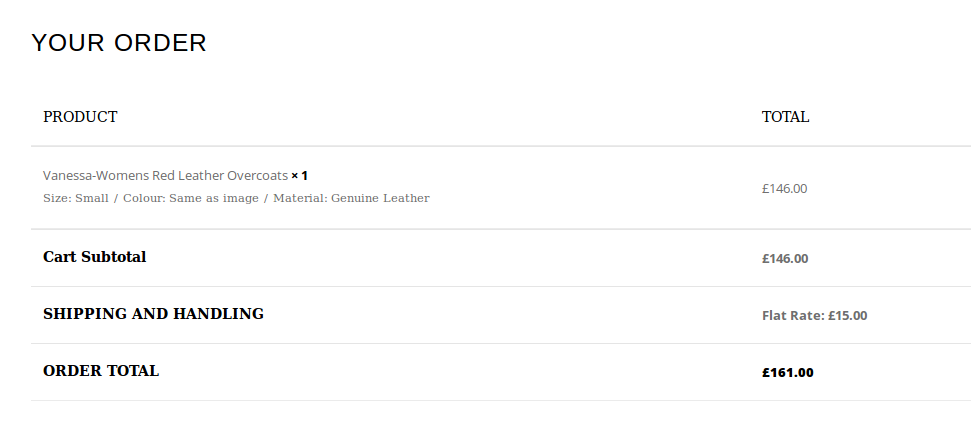
I’ve checked Cart page and it’s showing “Flat Rate: £15.00” for shipping for the product £146.00:
https://s3.amazonaws.com/fvd-data/notes/168674/1426239776-rc1knk/screen.png
Could you please check it once more?
Thank you.
Regards,
Eva Kemp.
Hello,
1. You can remove a page you selected for products page in Woocommerce > Settings > Products tab > Display.
2. Please check Events page now and clear browser cache before. The problem was you had the same slug in the WP Meetup section > Options > Root for custom post type. I’ve changed “events” to “eventsss”.
Thank you.
Regards,
Eva Kemp.
Hello,
Please try to create variable products and add the attribute “Talla calzado” for the products of “Khloe” brand.
Thank you.
Regards,
Eva Kemp.
Hello,
Please contact your host and ask them to increase post_max_size value. After that try to re-import the page.
Thank you.
Regards,
Eva Kemp.
Hello,
The issue in Firefox browser has been fixed. Please check from your side.
What Safari version are you using? We don’t see any problems there.
Thank you.
Regards,
Eva Kemp.
Hello,
Could you please show a screenshot of the issue for better understanding?
Regards,
Eva Kemp.
Hello,
As I see the products are displayed in one line one:
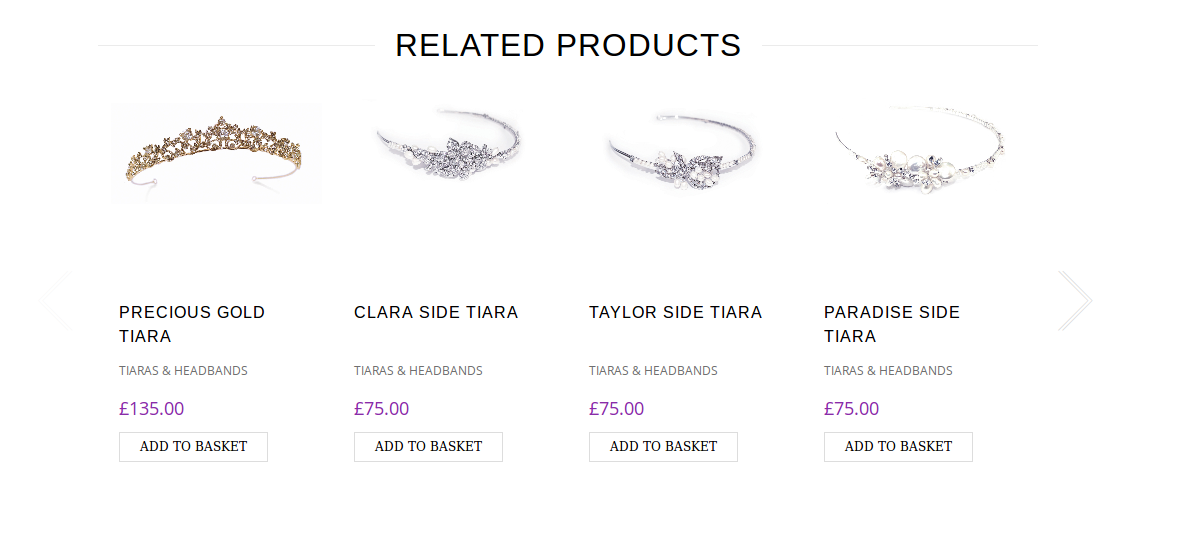
Please clear browser cache and check again.
Thank you.
Regards,
Eva Kemp.
Hello,
You’re welcome.
Regards,
Eva Kemp.
Hello,
Please add this code in custom.css file:
.slide-item .product .product-image-wrapper, .products-grid .product .product-image-wrapper {
   height: 200px;
}
.slide-item .product .product-name, .products-grid .product .product-name {
   height: 50px;
}
Thank you.
Regards,
Eva Kemp.
Hello,
You’re welcome.
Regards,
Eva Kemp.
Hello,
Please provide us with wp-admin panel credentials in Private Content.
Thank you.
Regards,
Eva Kemp.
Hello,
You’re welcome.
Regards,
Eva Kemp.
Hello,
Is your issue resolved?
Thank you.
Regards,
Eva Kemp.
Hello,
Sorry, but FTP credentials are incorrect.
Please provide us the correct FTP host, login and password.
Thank you.
Regards,
Eva Kemp.
Hello,
Please update the theme to the latest version and make changes in the file after that.
Don’t forget to create a back up of your files and database before update!
Also safe header.php file where the changes were made, you’ll be able to reupload it after update.
Thank you.
Regards,
Eva Kemp.
Hello,
Please add this code in custom.css file:
.boxed .login-link .login-popup {
    left: -220px !important;
}
How to create custom.css you can watch in this tutorial (it’s for Legenda theme but the process is the same).
Thank you.
Regards,
Eva Kemp.
Hello,
I’ve added this code in custom.css file:
.bc-type-4 a:hover {
color: black !important;
}
.bc-type-4 a {
color: orange !important;
}
Please clear browser cache and check the site again.
Thank you.
Regards,
Eva Kemp.
Hello,
Please ask your host to change that value in php.ini file.
Thank you.
Regards,
Eva Kemp.
Hello,
You need add the code in functions.php file in wp-content/themes/royal directory.
Regards,
Eva Kemp.