Forum Replies Created

Viewing 30 posts - 30,571 through 30,600 (of 31,366 total)
  • Avatar: Eva
    Eva Kemp
    Participant
    May 16, 2014 at 11:30

    Hello,

    You need customize custom.css file in the theme directory. It requires much customization, so if you have necessary skills you can try doing it yourself. Or our specialists can do this for you, but this service isn’t for free. You’ll find the price in Private Content.

    Regards,
    Eva Kemp.

    Please, contact administrator
    for this information.
    Avatar: Eva
    Eva Kemp
    Participant
    May 16, 2014 at 09:53

    Hello,

    Could you please clarify? Is featured image is displayed on the post page? Please provide us with the link where the problem persists and login credentials to admin panel in Private Content.

    Regards,
    Eva Kemp.
    Avatar: Eva
    Eva Kemp
    Participant
    May 16, 2014 at 09:38

    Hello,

    Thank you very much for kind words.
    You can find the code that needs to be changed using “Inspect element” in Chrome or Firefox browser, just make right click on the element you want to edit and select “Inspect element” from the list.

    Do you mean you want to add a separator to the main navigation menu? I’ve added the code in custom.css, so you can check the menu now.
    Also you can refer to this article: http://www.jackreichert.com/2011/07/31/how-to-add-a-divider-between-menu-items-in-css-using-only-one-selector/

    Regards,
    Eva Kemp.

    Avatar: Eva
    Eva Kemp
    Participant
    May 16, 2014 at 09:12

    Hello,

    We’re glad the issue has been resolved.
    If there are any questions feel free to ask us.

    Regards,
    Eva Kemp.

    Avatar: Eva
    Eva Kemp
    Participant
    May 16, 2014 at 09:09

    You’re welcome.

    I’ve reuploaded the images. Please clear all cache folders and disable cache plugins to check it.

    Regards,
    Eva Kemp.

    Avatar: Eva
    Eva Kemp
    Participant
    May 16, 2014 at 08:33

    Hello,

    We didn’t test our theme with that plugin. Sorry, but we can’t guarantee full compatibility of our theme with all 3rd-party plugins. Perhaps additional customization of plugin or theme is required for proper work. We advise you to contact the plugin developers and find out which hookies the plugin is using to implement them in the theme.
    Thank you.

    Regards,
    Eva Kemp.

    Avatar: Eva
    Eva Kemp
    Participant
    May 16, 2014 at 08:14

    Hello,

    Sorry, but you should contact your hosting provider regarding .htaccess configuration as we provide support only to the issues referred to our theme.

    Regards,
    Eva Kemp.

    Avatar: Eva
    Eva Kemp
    Participant
    May 15, 2014 at 23:01

    Hello,

    1. I’ve replaced the code of our search form with woo predictive search widget. Please check it and clear the cache before.
    2. There is a bug with lightbox in our theme and should be fixed in the next update.
    3. We recommend you to use default wishlist plugin with the theme as Woocommerce Wishlists plugin requires additional customization in the original template files. Or you can create a ticket at https://support.8theme.com/ and our specialists will look into this issue.
    4. The price has been placed below the “Add to cart” button. Please check.

    Regards,
    Eva Kemp.

    Avatar: Eva
    Eva Kemp
    Participant
    May 15, 2014 at 21:10

    Hello,

    1. Please provide us with the link of the product where you’re trying to add variations.
    2. Try to upload high resolution image. This problem happens if image is small in size.
    Please provide us with admin credentials to wp-admin panel in Private Content as I’m unable to check Products page with the ones you’ve given (restricted permissions).
    Thank you.

    Regards,
    Eva Kemp.

    Avatar: Eva
    Eva Kemp
    Participant
    May 15, 2014 at 21:01

    Product Page Layout works for Shop page and you have product categories on the Home page. To make them displayed 4 categories per row you need remove sidebar you currently have enabled (Categories, Brands, Price Range, Archive) on the left side. Woocommerce documentation shows how to change number of products, not categories.

    Regards,
    Eva Kemp.

    Avatar: Eva
    Eva Kemp
    Participant
    May 15, 2014 at 20:09

    You can refer to woocommerce documentation: http://docs.woothemes.com/document/change-number-of-products-displayed-per-page/

    Regards,
    Eva Kemp.

    Avatar: Eva
    Eva Kemp
    Participant
    May 15, 2014 at 20:06

    Hello,

    Please provide us with FTP and admin panel details in Private Content.

    Regards,
    Eva Kemp.

    Avatar: Eva
    Eva Kemp
    Participant
    May 15, 2014 at 20:02

    Hello,

    You’re welcome.

    Regards,
    Eva Kemp.

    Avatar: Eva
    Eva Kemp
    Participant
    May 15, 2014 at 20:00

    You’re welcome.

    Sorry but there is no such function by default.
    Unfortunately it can be done only by removing sidebar from the page.

    Regards,
    Eva Kemp.

    Avatar: Eva
    Eva Kemp
    Participant
    May 15, 2014 at 18:45

    Hello,

    According to display on mobile devices please provide us with FTP and admin panel credentials.
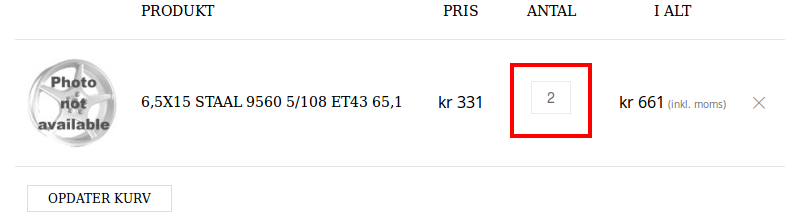
    I’ve tried to add 2 items of one product and the number was displayed:
    number

    and
    cart

    Regards,
    Eva Kemp.

    Avatar: Eva
    Eva Kemp
    Participant
    May 15, 2014 at 18:32

    Could you please provide us with FTP and admin panel login details to investigate the issue?
    Thank you.

    Regards,
    Eva Kemp.

    Avatar: Eva
    Eva Kemp
    Participant
    May 15, 2014 at 18:28

    Hello @bilgenv,

    Please refer to VC documentation how to update the plugin: http://kb.wpbakery.com/index.php?title=Visual_Composer > FAQ > section “There’s a new version of Visual Composer available, how can I get it and update it on my site?”
    Is the license key you’re using correct? Go to Downloads from your account. Then click on the download button of Visual Composer. You’ll see all files & documentation and License certificate and purchase code. Click on the latter one. Open up the downloaded file and you’ll see it written.

    If there is a problem with License Key you should contact Envato support at http://support.envato.com/

    Regards,
    Eva Kemp.

    Avatar: Eva
    Eva Kemp
    Participant
    May 15, 2014 at 17:01

    You can find this in our documentation: https://www.8theme.com/demo/docs/legenda/index.html#!/demo_data_installation > Home page > Home Page full width example, and there you’ll find the code

    [/vc_column_text][/vc_column_inner][/vc_row_inner][vc_row_inner][vc_column_inner width="1/3"][vc_column_text]
    <h3 style="text-align: center;"><span class="active font-large">[counter init_value="1" final_value="8500"]+</span></h3>
    <h4 style="text-align: center;">happy clients</h4>

    The shortcode [counter init_value=”1″ final_value=”8500″] needs to be inserted into Text block element in Visual Composer editor. And you can write some text there as well.
    Here is the example of the code:

    [counter init_value="1" final_value="11000"]+
    happy clients
    
    Lorem ipsum dolor sit amet, consectetur adipisicing elit, sed do eiusmod tempor incididunt ut labore.

    Regards,
    Eva Kemp.

    Avatar: Eva
    Eva Kemp
    Participant
    May 15, 2014 at 16:44

    Hello,

    As I see you have cloudflare enabled. You should disable it. Then find the line <link href='http://fonts.googleapis.com/css?family=<?php echo $font_src; ?>' rel='stylesheet' type='text/css'/> in file et-styles.php and replace it with <link href='https://fonts.googleapis.com/css?family=<?php echo $font_src; ?>' rel='stylesheet' type='text/css'/>
    Clear the cache after that.
    Also there are scripts errors because of incorrect configuration of https and that’s causing the issue with products slider. So you need to check it.

    Regards,
    Eva Kemp.

    Avatar: Eva
    Eva Kemp
    Participant
    May 15, 2014 at 16:36

    Try to update the theme to fix the issue, but before read carefully our instruction, especially the text in red: https://www.8theme.com/demo/docs/legenda/index.html#!/upgrade

    Regards,
    Eva Kemp.

    Avatar: Eva
    Eva Kemp
    Participant
    May 15, 2014 at 16:31

    Hello,

    Sorry, this is a bug, which should be fixed in the future update.
    Now you can translate “Product code” text in wp-content/themes/legenda/woocommerce/content-single-product.php (line 62).
    And to change “Quantity” text edit this file wp-content/themes/legenda/woocommerce/global/quantity-input.php (line 14).

    Regards,
    Eva Kemp.

    Avatar: Eva
    Eva Kemp
    Participant
    May 15, 2014 at 15:55

    Hello,

    Have you installed woocommerce plugin after the theme installation?
    Try to reinstall the theme, but first install woocommerce. Please refer to our documentation: https://www.8theme.com/demo/docs/leader/index.html#!/installation
    https://www.8theme.com/demo/docs/leader/index.html#!/woocommerce (You should install WooCommerce plugin before theme installation).

    Regards,
    Eva Kemp.

    Avatar: Eva
    Eva Kemp
    Participant
    May 15, 2014 at 15:35

    Hello,


    @sportho
    , you’re welcome.


    @ssibaja
    , have you followed the instruction at http://docs.woothemes.com/document/change-number-of-products-displayed-per-page/ ?
    Please try this.

    Regards,
    Eva Kemp.

    Avatar: Eva
    Eva Kemp
    Participant
    May 15, 2014 at 15:33

    Hello,

    Sorry but it requires additional customization of the theme files and unfortunately our developers are unable to assist on this customization for now due to large amount of work.
    Thank you for understanding.

    Regards,
    Eva Kemp.

    Avatar: Eva
    Eva Kemp
    Participant
    May 15, 2014 at 15:29

    Hello,

    Yes, it does. Do you have any problems viewing site on mobile devices?

    Regards,
    Eva Kemp.

    Avatar: Eva
    Eva Kemp
    Participant
    May 15, 2014 at 14:33

    Hello,

    Do you mean you want to change border for newsletters form in footer? If so, please check now if it’s set correctly. Also check how the footer links are displayed now.

    Have you tried uploading high resolution image? Please try it as such problem is caused by small image size.

    Regards,
    Eva Kemp.

    Avatar: Eva
    Eva Kemp
    Participant
    May 15, 2014 at 13:50

    Hello,

    To make filters work you need set sidebar on top for mobile devices. So you do this in Theme Options > Blog Layout > Sidebar position for responsive layout > Top.
    This should fix the filter problem.

    Regards,
    Eva Kemp.

    Avatar: Eva
    Eva Kemp
    Participant
    May 15, 2014 at 13:33

    Hello,

    Please try to upload VC plugin via FTP. It is located in wp-content/themes/legenda/framework/plugins. Just extract the archive js_composer.zip and copy the folder to wp-content/plugins. Then try to activate the plugin via admin panel > Plugins.

    If it doesn’t help please provide us with FTP credentials.

    Regards,
    Eva Kemp.

    Avatar: Eva
    Eva Kemp
    Participant
    May 15, 2014 at 13:27

    Hello,

    Could you please provide us with FTP credentials too?
    Thank you.

    Regards,
    Eva Kemp.

    Avatar: Eva
    Eva Kemp
    Participant
    May 15, 2014 at 13:17

    Hello,

    Sorry but there is still “login incorrect” error. Please provide us with the correct host IP to be able to connect to FTP.
    Thank you.

    Regards.
    Eva Kemp.

  • 1 2 3 … 1,019 1,020 1,021 … 1,044 1,045 1,046
    Viewing 30,600 results - 30,571 through 30,600 (of 31,366 total)
Viewing 30 posts - 30,571 through 30,600 (of 31,366 total)
We're using our own and third-party cookies to improve your experience and our website. Keep on browsing to accept our cookie policy.





