
Hello,
We’re glad the issue is resolved now.
Enjoy your work!
Regards,
Eva Kemp.

Hello,
We’re glad the issue is resolved now.
Enjoy your work!
Regards,
Eva Kemp.
Hello,
You can replace the default template page for 404 error with yours in wp-content/themes/legenda, the file is “404.php”.
Regards,
Eva Kemp.
Hello,
Please provide us with FTP credentials as well.
Thank you.
Regards,
Eva Kemp.
Hello @elisabeth_steger,
You’ve not provided full link of the error.
Please show us a screenshot of it and provide us with wp-admin panel and FTP credentials in Private Content.
Thank you.
Regards,
Eva Kemp.
Hello,
You need download our theme archive http://themeforest.net/item/legenda-responsive-multipurpose-wordpress-theme/5888906 . After you unzip the archive you’ll find the folder “legenda”. The plugins are placed inside of legenda folder under framework/plugins directory.
Thank you.
Regards,
Eva Kemp.
Hello,
Please update the theme to the version 2.4.1 and check the site after that.
Thank you.
Regards,
Eva Kemp.
Hello,
You’re welcome.
Regards,
Eva Kemp.
Hello,
Please provide us with the link to your site and specify color of what items you want to change.
Thank you.
Regards,
Eva Kemp.
Hello,
Let’s clear the situation. If I understood you correctly you want to click the menu item “PLAISIR D’OFFRIR” and the page where you are redirected shows the categories, not products, don’t you?
Please specify what categories should be displayed on the page for this menu item?
Thank you.
Regards,
Eva Kemp.
Hello,
If you want to use Instagram in the footer you can find some plugin or use Text widget and insert Instagram code which can be found at their support.
Thank you.
Regards,
Eva Kemp.
Hello,
We use 4.3.4 version of Visual Composer.
You can check Posts Grid element with default WordPress theme and if it works there then there is some bug in your theme.
Regards,
Eva Kemp.
Hello,
1. As I see the top line is visible for the menu item:

2. I’ve added the following code into custom.css file:
#links {
 margin-top: -60px !important;
}
#top-cart {
    margin-top: 100px !important;
    margin-right: -220px !important;
}
Please check the site header now.
3. The issue has been fixed with this code in custom.css:
li#menu-item-516:hover {
background-color: #262424 !important;
}
Regards,
Eva Kemp.
Hello,
We’ve removed the site name from the reply.
Let us know if you need further assistance.
Regards,
Eva Kemp.
Hello,
You provided us with an empty FTP account. There are no any files.
Please give the access to be able to view site files.
Thank you.
Regards,
Eva Kemp.
Hello,
Yes, you have to translate the file yourself. Sorry.
The message can be edited in the file wp-content/themes/idstore/code/shortcodes.php (lines 178-181).
Thank you.
Regards,
Eva Kemp.
Hello,
I’ve resaved Permalinks settings.
Please check the products now and clear browser cache before.
Regards,
Eva Kemp.
Hello,
Please provide us with the login details to wp-admin panel in Private Content. Also please provide us with the direct link to a product category where image isn’t displayed.
Thank you.
Regards,
Eva Kemp.
Hello,
1. I’ve just deactivated all plugins except Revolution Slider, Woocommerce, Woocommerce Customizer and Visual Composer. After that featured products slider has started working. So some plugin is causing the issue. Deactivate plugins one by one to find it out.
2. I’ve added the following code in style.css of your child theme and the button has appeared^
.single-product .woocommerce-message .button {
    display: block !important;
}
3. To change “Your account” text you need edit the file wp-content/themes/theleader/framework/theme-functions.php (line 611).
Thank you.
Regards,
Eva Kemp.
Hello,
The documentation is included in the theme package.
You can download it and update the theme.
Don’t forget to create back up before update.
Thank you.
Regards,
Eva Kemp.
Hello,
Please note we provide support only for one site with the theme. If you have 2 domains then you have to buy 2 licence keys.
You can try to update the theme to the latest version which have been released today.
Thank you.
Regards,
Eva Kemp.
Hello,
Sorry but you need to buy the screets chat license yourself if you need to contact the developers. Please refer to our documentation: https://www.8theme.com/demo/docs/legenda/index.html#!/external_plugins
The plugin activation option was added in the plugin only for the customers to get automatic updates and support directly from plugin developers. Only in case you need this features you will need to purchase and register the plugin. This is not only our practice but all the theme authors from ThemeForest.
You may try to write your question in comments of the plugin. Perhaps you’ll find the solution.
Please take our apologies but the problem with roles is related to the plugin developers, not to our theme.
Thank you for understanding.
Regards,
Eva Kemp.
Hello,
Please check your site now.
The reason was you had additional ' symbol in the code <a href="mailto:mail@rohstov.de?subject='.$post_title.'&body=Wie%20schauts%20aus:%20'.$permalink.'" target="_blank" class="email-link">'.$label.'</a>';
in this line Wie%20schaut's%20aus:%20. I’ve removed it.
Regards,
Eva Kemp.
Hello,
I’ve reupdated Woocommerce plugin.
Please check your wp-admin panel now and clear browser cache before.
Thank you.
Regards,
Eva Kemp.
Hello @starmila,
Thank you for the link.
Could you please send your credentials to access FTP account as well?
Thank you.
Regards,
Eva Kemp.
Hello,
Please provide us with the access to your FTP account.
Thank you.
Regards,
Eva Kemp.
Hello,
I’ve enabled debug mode in wp-config.php file and now your site is showing the error:
Parse error: syntax error, unexpected T_STRING in /web/1/000/086/509/352527/htdocs/wp-content/themes/royal/framework/woo.php on line 825
Please check woo.php file carefully for the changes you’ve made.
Regards,
Eva Kemp.
Hello,
If you have any difficulties translating the theme, don’t hesitate to contact us.
Thank you.
Regards,
Eva Kemp.
Hello,
You’re welcome.
Regards,
Eva Kemp.
Hello,
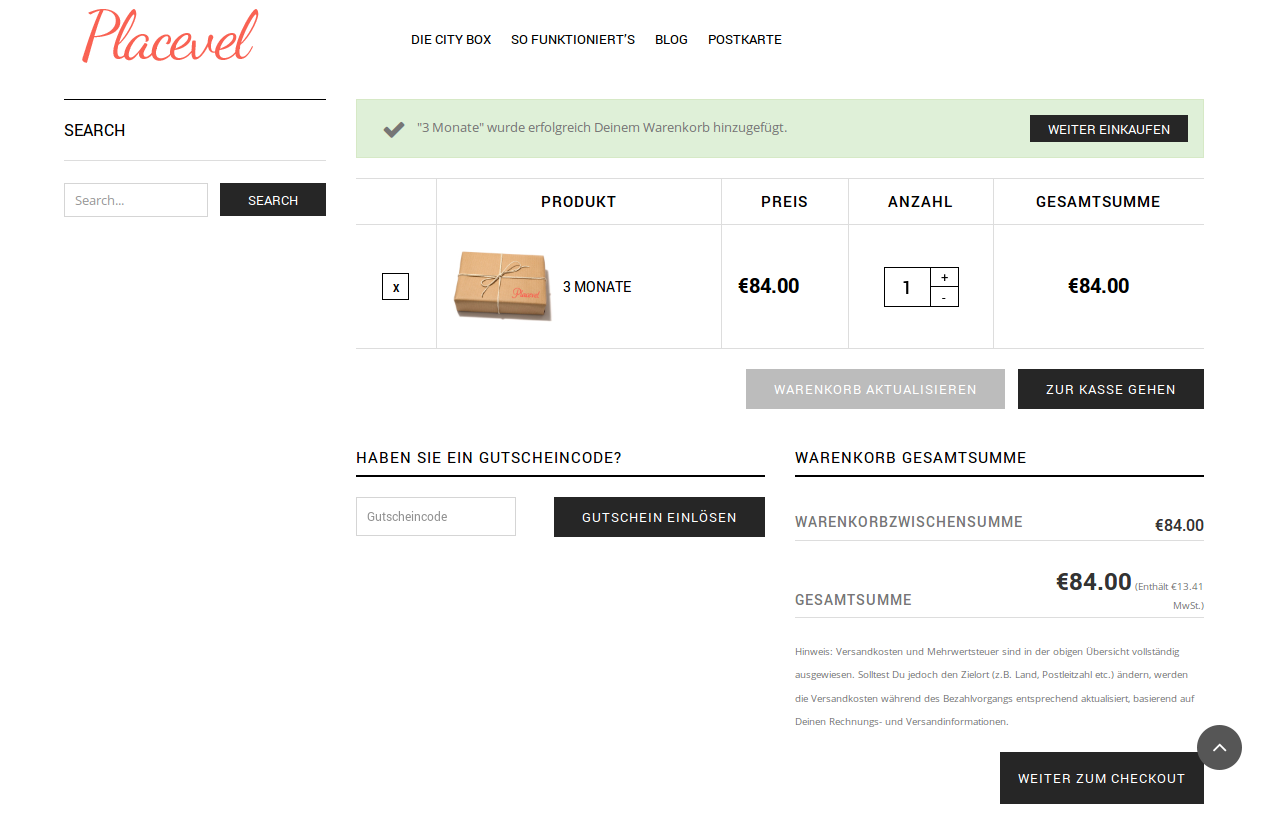
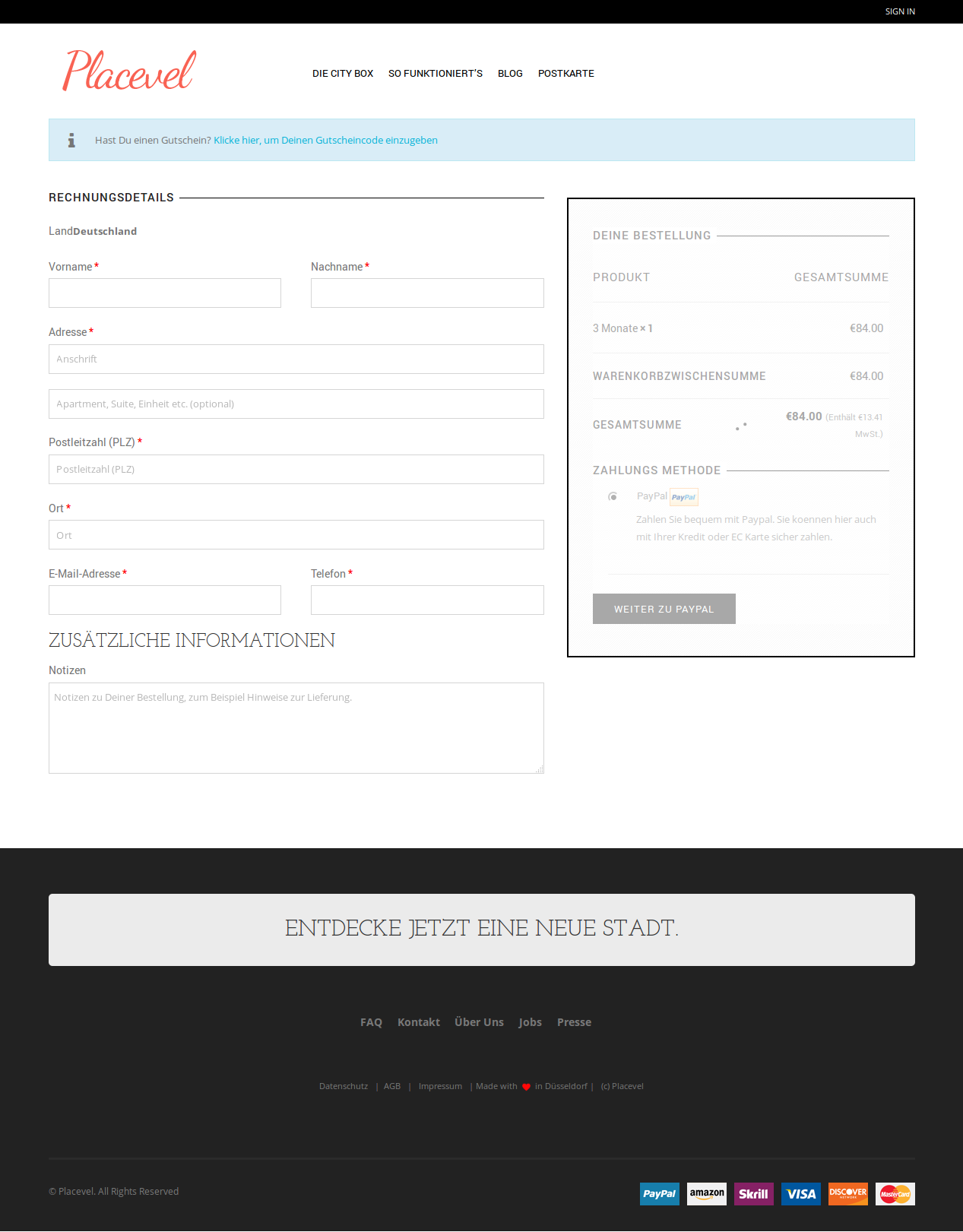
I’ve checked Cart and Checkout pages and they are translated.
Please see screenshots:
Regards,
Eva Kemp.
Hello,
Could you please provide us with the link or show a screenshot of what you’re trying to achieve?
Also please provide us with the credentials to wp-admin panel.
Thank you.
Regards,
Eva Kemp.









