Hello @kinhacura,
We’re looking forward to your reply with the new FTP credentials.
Thank you.
Regards,
Eva Kemp.

Hello @kinhacura,
We’re looking forward to your reply with the new FTP credentials.
Thank you.
Regards,
Eva Kemp.
Hello,
I’ve edited the file woo.php on line 487 and replaced $woocommerce->get_image_size with wc_get_image_size.
Thank you.
Regards,
Eva Kemp.
Hello,
You can try to add this code in custom.css file to increase the slider height and product title height:
.product-slider .carousel {
   height: 430px !important;
}
.product-slider .product-slide .product-name {
    height: 80px;
}
To create custom.css you need rename default.custom.css to custom.css in wp-content/themes/blanco directory via FTP and enable it in Blanco – Theme Settings, tick “Enable Custom CSS file”.
Thank you.
Regards,
Eva Kemp.
Hello @Trendyfeel,
I’ve added this code in custom.css file:
@media (max-width: 480px) {.tp-caption.black14, .black14 {
 width: 150px;
}
.button.white {
 width: 150px;
 font-size: 7px;
}
.tp-caption.medium_bg_orange, .medium_bg_orange {
   margin-top: -10px !important;
}}
But as your buttons are placed in different sections on different slides it’s difficult to set the button correctly.
Please check it now.
Thank you.
Regards,
Eva Kemp.
Hello @Lucaso,
Please add this code in custom.css file:
#payment {
    background-color: transparent !important;
}
How to create custom.css you can watch in this tutorial.
Thank you.
Regards,
Eva Kemp.
Hello,
As I see the same issue persists with default WordPress theme too.
You can check it yourself.
You need contact Woocommerce support concerning this issue.
Regards,
Eva Kemp.
Hello,
The .xml file is called Legenda_demo_data.xml and it’s located in the root of theme package.
If you still have difficulties with importing please provide us with wp-admin panel credentials and don’t forget to create a back of your files and database.
Thank you.
Regards,
Eva Kemp.
Hello,
Please add this code in custom.css file:
.portfolio-item .portfolio-image .portfolio-mask {
  display: none;
}
How to create custom.css you can watch in this tutorial
To edit portfolio projects go to Portfolio in wp-admin panel, edit a project and change featured image and title there.
Thank you.
Regards,
Eva Kemp.
Hello,
1. If you want to add a background image you need use this code in custom.css file:
.page-wrapper {
    background-image: url('http://link_to_your_image');
}
2. As I see there is only one slider on the home page. How can we replicate the issue?
Thank you.
Regards,
Eva Kemp.
Hello @ckronus,
There is an error on your products pages:
Fatal error: Call to undefined method WC_Product_Variable::get_review_count() in /home2/theironf/public_html/www.kronusgolf.com/wp-content/plugins/woocommerce/templates/single-product/rating.php on line 21
You should contact Woocommerce support team as the issue is with their plugin.
Thank you.
Regards,
Eva Kemp.
Hello,
If you’re logged in to the forum you can easily download the plugins https://www.8theme.com/download-plugins/ .
Please check this link.
Thank you.
Regards,
Eva Kemp.
Hello,
I’ve added this code in custom.css file:
.woocommerce-shipping-calculator a {
    color: white;
}
.select2-container .select2-choice {
  border: 1px solid #3D3D3D;
}
Please check the site now.
Thank you.
Regards,
Eva Kemp.
Hello @BrownLeopard,
The reason is your sidebar is longer than blog page content, that’s why last widgets are spread under the page content. You need decrease your sidebar or try to use this code in style.css of your child theme:
ul.si_feed_list {
width: 300px !important;
}

div#text-8 {
width: 30%;
float: right;
}

div#text-10 {
width: 30%;
margin-left: 800px !important;
}
Thank you.
Regards,
Eva Kemp.
Hello,
You can send screenshots using some image storages, just upload your screenshots and provide us with the links, for example http://imgur.com/
Thank you.
Regards,
Eva Kemp.
Hello,
Sorry for misunderstanding.
Please try to use this code:
.page-heading .title {
font-size: 24px !important;
font-weight: 700 !important;
}
Thank you.
Regards,
Eva Kemp.
Hello,
You need edit the file wp-content/themes/woopress/woocommerce/wishlist.php (line 58) and
replace $woocommerce->show_messages(); with wc_print_notices();.
Thank you.
Regards,
Eva Kemp.
Hello,
Please provide us with wp-admin panel credentials in Private Content.
Thank you.
Regards,
Eva Kemp.
Hello,
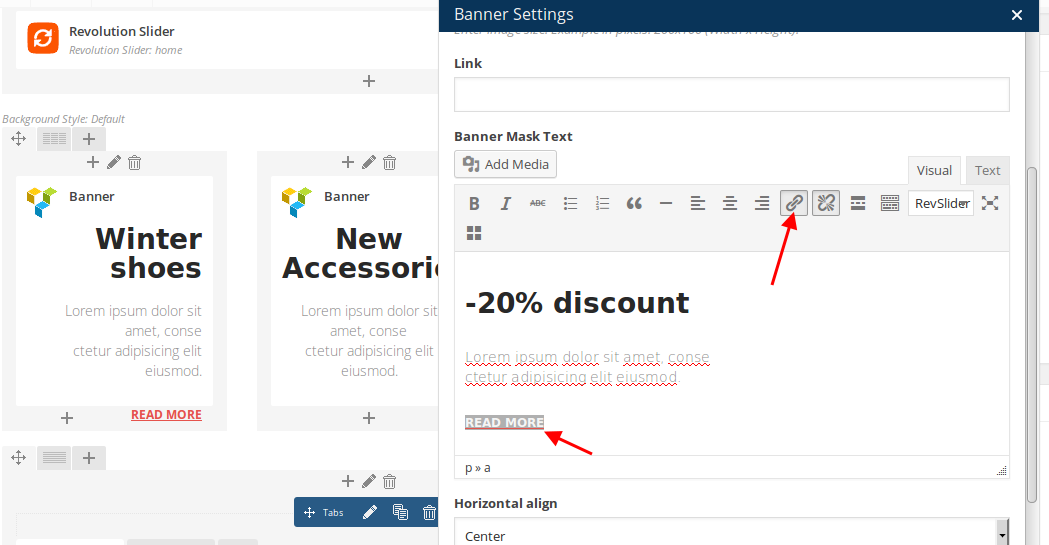
You can select hover effect in Banner element settings > Hover effect.
We added “Read more” as a simple text with a link:
https://s3.amazonaws.com/fvd-data/notes/168674/1425291535-S22RQ7/screen.png
But you can add button using shortcode [button type=" " size=" " icon= " " title=" " url=" "] as shown on our demo:
https://www.8theme.com/demo/woopress/fullwidth/?page_id=15811
If you want to hover effect for Info box element you can try to use this code in custom.css file:
.aio-icon-component:hover {
background-color: #dcdad6;
}
Do you want to change green hover color on buttons?
Please give us direct page link where you want to customize buttons.
Thank you.
Regards,
Eva Kemp.
Hello,
Some plugin is causing the issue.
When I deactivated all 3rd-party plugins the slider appeared.
Please disable the plugins one by one to find it out.
Thank you.
Regards,
Eva Kemp.
Hello,
I’ve edited the file wp-content/themes/woopress/taxonomy-portfolio_category.php and replaced all the content with this code:
<?php if ( ! defined( 'ABSPATH' ) ) exit; // Exit if accessed directly
require_once( 'portfolio.php' );
Please check portfolio categories now and clear browser cache before.
Thank you.
Regards,
Eva Kemp.
Hello,
Sorry but your request is unclear.
Could you please clarify with more details?
Provide us with with a page url or screenshot for better understanding.
Thank you.
Regards,
Eva Kemp.
Hello,
I’ve added this code in style.css file of your child theme:
.banner.valign-middle .banner-inner {
    margin-top: 110px;
}
Please check the banners now.
Thank you.
Regards,
Eva Kemp.
Hello,
You have only 3 attributes: Color, Length, Texture. I’ve added the 3rd one – Color – and it has been saved successfully.
Please note when you add some variations they must be created in Attributes section.
Please try it.
Thank you.
Regards,
Eva Kemp.
Hello,
The brands logos are loaded using Brands element in Visual Composer plugin. To change it requires additional customization which is beyond our support scope.
Why don’t you want to use our default Brands option?
Sorry, but we don’t provide support for 3rd-party plugins.
Regards,
Eva Kemp.
Hello,
Please provide us with wp-admin panel and FTP credentials in Private Content.
Thank you.
Regards,
Eva Kemp.
Hello,
To remove “More details” button add this code in custom.css:
.post-slide .btn_group a {
 display: none !important;
}
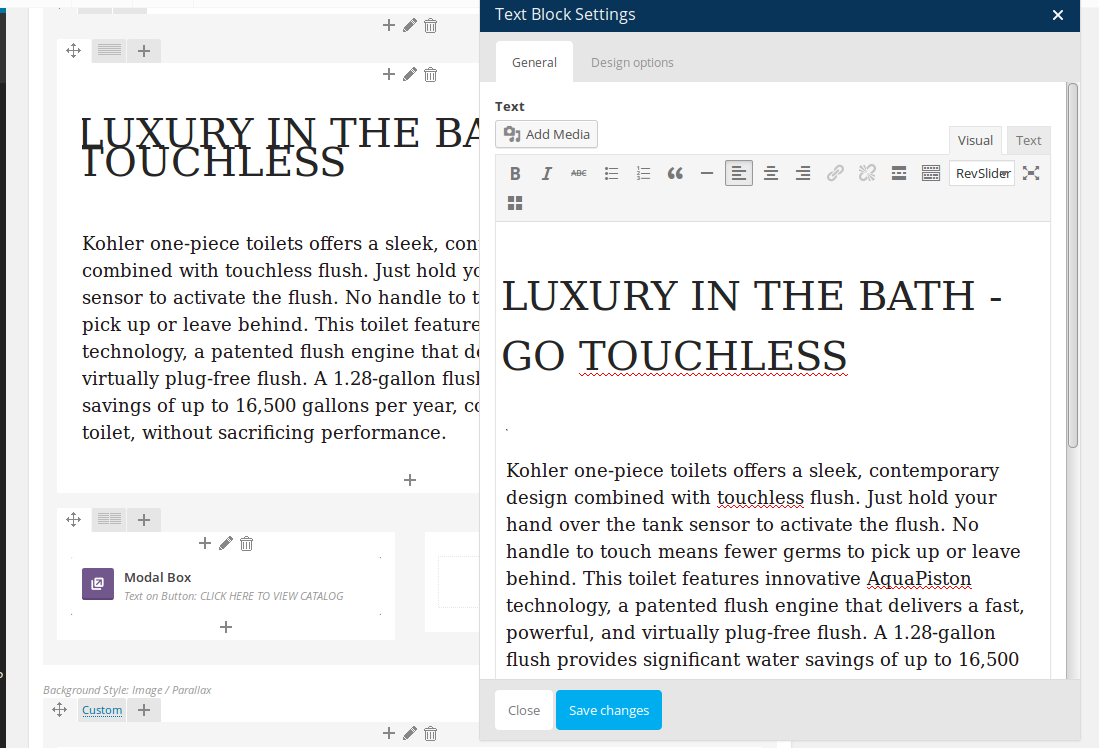
When I edit a Text block of any page I get this (see screenshot):
https://s3.amazonaws.com/fvd-data/notes/168674/1425287007-F6QAO2/screen.png
So there is no default text but the one you have written.
Please clear your browser cache and check again or check it with another browser.
Thank you.
Regards,
Eva Kemp.
Hello,
We’re glad the issue has been fixed.
Have a nice day.
Regards,
Eva Kemp.
Hello,
Please update the theme and Woocommerce plugin to the latest versions.
https://www.8theme.com/demo/docs/royal/#!/installation_upgrade (1.5 Theme Upgrade)
Create a back up of your files and database.
Thank you.
Regards,
Eva Kemp.
Hello,
Could you please show a screenshot of the filter you’re talking about?
Also please provide us with a link to the page.
Thank you.
Regards,
Eva Kemp.
Hello,
I’ve imported slider.
Please check the site now.
Thank you.
Regards,
Eva Kemp.