Hello,
You’re welcome.
Regards,
Eva Kemp.

Hello,
You’re welcome.
Regards,
Eva Kemp.
Hello,
Your logo image is white color and it can’t be changed with css code as it’s a picture, so we can only change background color for header. Add this code in custom.css file:
@media (max-width: 480px) {header {
    background-color: black;
}}
Thank you.
Regards,
Eva Kemp.
Hello,
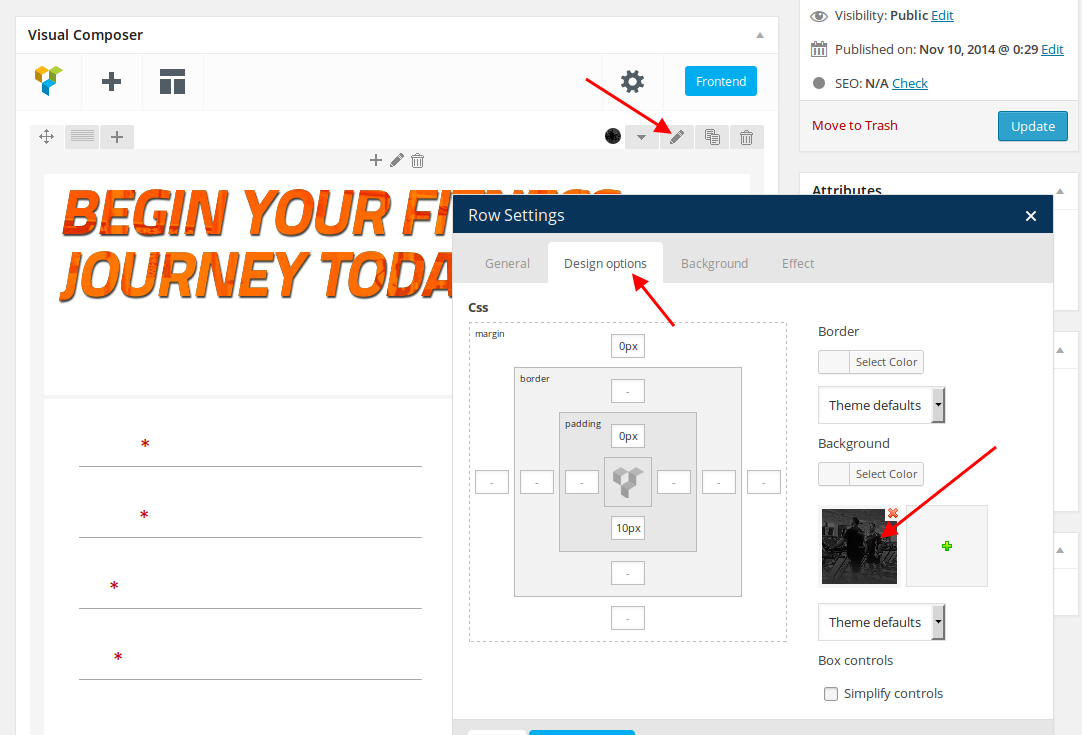
I’ve set background image in Design Options tab of the row settings:
https://s3.amazonaws.com/fvd-data/notes/168674/1427307651-xEaLfQ/screen.png
and added this code in custom.css file:
.ult_modal-body {
    padding: 0px 10px !important;
}
Please check “Try Us Free” button now and clear browser cache before.
Thank you.
Regards,
Eva Kemp.
Hello,
You’re welcome.
Regards,
Eva Kemp.
Hello,
Sorry for misunderstanding. Now I see the issue and it has been fixed.
Please clear browser cache and check Cart page.
Regards,
Eva Kemp.
Hello,
Your original images should have dimensions 1425px × 1900px approximately. Then an image will be scaled to the sizes you set in Woocommerce > Settings > Products tab. Please try to reupload images with higher resolution and don’t forget to regenerate thumbnails.
Thank you.
Regards,
Eva Kemp.
Hello,
The problem was caused by “better-wp-security” plugin.
I’ve renamed its folder to “better-wp-security_old” in wp-content/plugins directory.
Please clear browser cache and check your site.
Thank you.
Regards,
Eva Kemp.
Hello,
Please provide us with FTP credentials.
Thank you.
Regards,
Eva Kemp.
Hello,
Please provide us with a link to your site and wp-admin panel credentials in Private Content.
Thank you.
Regards,
Eva Kemp.
Hello,
We can’t connect to FTP.
Please check the credentials.
Thank you.
Regards,
Eva Kemp.
Hello,
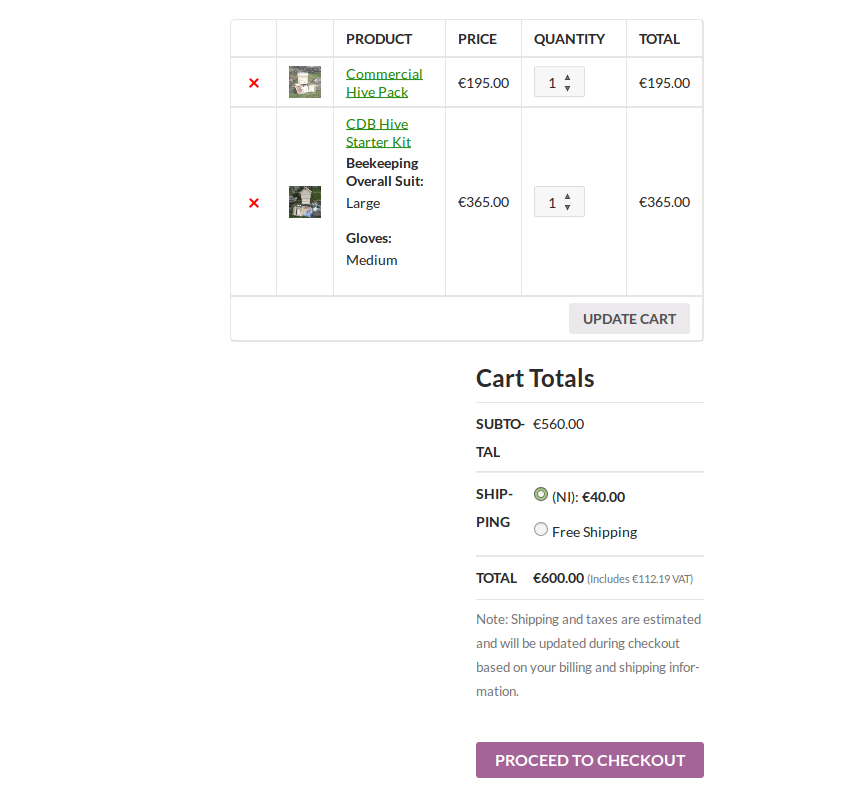
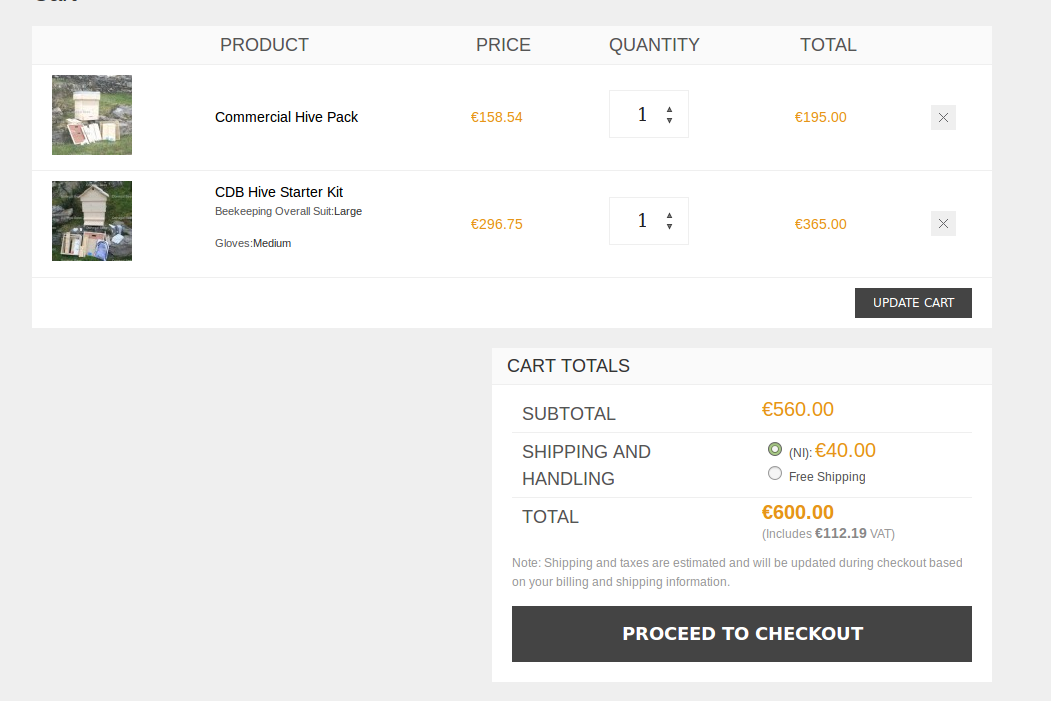
I’ve checked Cart page with default WordPress theme and the prices are shown the same as with our theme. Please compare:
https://s3.amazonaws.com/fvd-data/notes/168674/1427297355-7dkdTh/screen.png and
https://s3.amazonaws.com/fvd-data/notes/168674/1427297574-4EsEct/screen.png
Thank you.
Regards,
Eva Kemp.
Hello,
I’ve selected color for pop up background in Theme Options > Promo Popup > Popup background and now the image isn’t shown.
Please clear browser cache and check.
Regards,
Eva Kemp.
Hello,
You can try to use older version of Wishlist plugin.
We’ve sent 1.1.7 version to your email address. Please check.
You can downgrade the plugin via FTP, extract the archive and upload plugin folder to wp-content/plugins directory.
Thank you.
Regards,
Eva Kemp.
Hello,
As I see your site is working.
Please clarify how we can replicate the issue.
Thank you.
Regards,
Eva Kemp.
Hello,
You’re welcome.
Regards,
Eva Kemp.
Hello,
You can leave a comment at this link http://themeforest.net/item/woopress-responsive-ecommerce-wordpress-theme/9751050/comments (at the bottom of the page).
Regards,
Eva Kemp.
Hello,
Please give us access to wp-admin panel in private content.
Thank you.
Regards,
Eva Kemp.
Hello,
You’re welcome.
Regards,
Eva Kemp.
Hello,
Vertical header and standard desktop header isn’t shown on mobile. Mobile menu is used instead.
I’ve edited the code. Now languages area isn’t shown.
Please check.
Regards,
Eva Kemp.
Hello,
Could you please clarify with more details concerning the headers issue?
Thank you.
Regards,
Eva Kemp.
Hello,
Please specify what template you’d like to use and we’ll help you to install it.
Thank you.
Regards,
Eva Kemp.
Hello,
Please provide us with wp-admin panel credentials in private content.
Thank you.
Regards,
Eva Kemp.
Hello @mercy20,
We’ll look forward to your reply with the credentials.
Thank you.
Regards,
Eva Kemp.
Hello,
You can add this code in custom.css file to fix the issue:
.gform_wrapper .chosen-container {
   width: 270px !important;
}
How to create custom.css you can watch in this tutorial.
Thank you.
Regards,
Eva Kemp.
Hello,
We’ve sent a file to your email address which you can import in wp-admin panel.
Please check your mail.
Regards,
Eva Kemp.
Hello,
I’ve checked Visual Composer editor and Text block is working fine.
Please look at the screenshot:
http://storage2.static.itmages.com/i/15/0325/s_1427277875_4456871_d101842be8.png
Try to clear browser cache and check again.
Thank you.
Regards,
Eva Kemp.
Hello,
Please add this code in custom.css file:
@media (max-width: 480px) {.languages-area {
 display: none;
}}
Regards,
Eva Kemp.
Hello,
We’re glad you’ve found the solution.
Is your problem resolved now?
Thank you.
Regards,
Eva Kemp.
Hello,
You can try to install the templates manually.
We’ve sent an email to your email address. Please check it.
Regards,
Eva Kemp.
Hello,
Please add this code in custom.css file:
.et-gallery .gallery-preview {
   display: none;
}
How to create custom.css you can watch in this tutorial (it’s for Legenda theme but the process is the same).
Thank you.
Regards,
Eva Kemp.