Hello,
Try to increase memory limit on a server and check your site after that.
The problem may be caused by lack of memory.
Thank you.
Regards,
Eva Kemp.

Hello,
Try to increase memory limit on a server and check your site after that.
The problem may be caused by lack of memory.
Thank you.
Regards,
Eva Kemp.
Hello @TeeDev,
Sorry, you need comment the line 1684 and you did it right.
Is your issue resolved?
Regards,
Eva Kemp.
Hello,
You need edit the file wp-content/themes/royal/framework/theme-functions.php (from line 1040 to 1099) and add your code with the link you wish.
Regards,
Eva Kemp.
Hello,
Try to add this code in custom.css file:
.featured-posts .featured-post .post-info {
 display: none;
}
Regards,
Eva Kemp.
Hello,
Please also update the plugins Ultimate VC Addons, Revolution Slider, Essential Grid, Master Slider. You can download them here: https://www.8theme.com/download-plugins/ .
Thank you.
Regards,
Eva Kemp.
Hello,
You created empty FTP account for us.
Please give us permissions to view and edit all site files.
Thank you.
Regards,
Eva Kemp.
Hello,
Please update the theme to the latest version.
Also update all required plugins https://www.8theme.com/download-plugins/ .
Don’t forget to create back up of your files and database before starting update process!
(it’s for Legenda theme but the process is the same).
Thank you.
Regards,
Eva Kemp.
Hello,
What php version are you using?
Without FTP access we can’t provide you with any solution.
Please make sure your php version is 5.3 on a server at your host.
If you don’t know please ask your host what php version is used for your site.
Thank you.
Regards,
Eva Kemp.
Hello,
You can find theme archive here:
https://www.8theme.com/download-plugins/
Don’t forget to create back up of your files and database before starting update process!
Regards,
Eva Kemp.
Hello,
Yes, you need add this code in custom.css file:
.blog-post .post-info {
 display: none !important;
}
How to create custom.css you can watch in this tutorial.
Regards,
Eva Kemp.
Hello,
Legenda theme doesn’t include Ultimate VC Addons plugin by default in the package. If you want to create parallax effect please read our documentation https://www.8theme.com/demo/docs/legenda/index.html#!/visual_composer as well as footer: https://www.8theme.com/demo/docs/legenda/index.html#!/footer
Thank you.
Regards,
Eva Kemp.
Hello,
The problem was caused by the plugin Ultimate Addons for Visual Composer.
I’ve deactivated it and site is working fine.
Please clear browser cache and check.
Regards,
Eva Kemp.
Hello,
Customers’ emails are stored in wp-admin panel > Users section.
All users that are registered are shown there.
Regards,
Eva Kemp.
Hello,
You’re welcome.
Regards,
Eva Kemp.
Hello,
As you can see http://www.webpagetest.org/result/150601_A0_M6X/ images takes much time to load. You need optimize them.
Perhaps you’ll find some solution from these articles:
http://codex.wordpress.org/WordPress_Optimization
http://techtage.com/speeding-up-wordpress-sites/
http://www.sparringmind.com/speed-up-wordpress/
Thank you.
Regards,
Eva Kemp.
Hello,
The problem is you selected variations to show by default on a single product page editor.
We’ll fix it in the next theme update. Meanwhile you can remove default variations and just let your customers to select variations themselves when they want to buy a product.
Sorry for inconveniences.
Regards,
Eva Kemp.
Hello,
Please log in to your hosting control panel and edit database for the site as described in WordPress article:
https://codex.wordpress.org/Changing_The_Site_URL > paragraph “Changing the URL directly in the database”
You need change all urls in the database to a new url.
Thank you.
Regards,
Eva Kemp.
Hello,
1. Quantity arrows were changed by Woocommerce team and they are shown the same with default WordPress theme too. You can check it yourself. If you have questions about those arrows you need contact Woocommerce support.
2. Are you making changes to the theme now?
As I see theme is deleted now.
Regards,
Eva Kemp.
Hello,
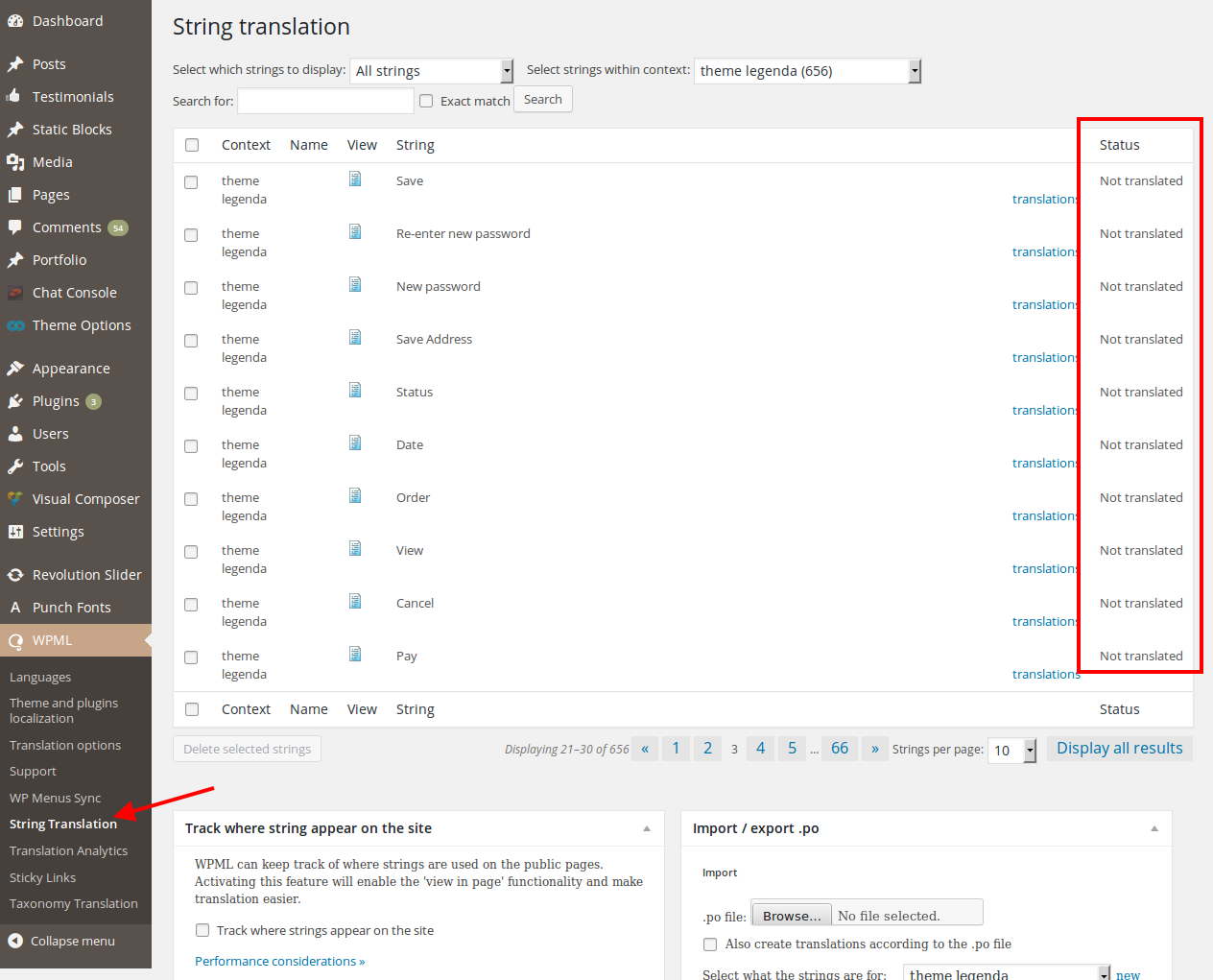
As I see nothing is translated:
https://s3.amazonaws.com/fvd-data/notes/168674/1433165194-DrkMfd/screen.png
Once you translate all strings, languages switcher will appear at the top.
Please read wpml documentation carefully:
https://wpml.org/documentation/getting-started-guide/string-translation/
Thank you.
Regards,
Eva Kemp.
Hello,
We can’t log in to wp-admin panel.
After entering the credentials you provided in the previous posts we’re redirected to “My Account” page instead of dashboard with wp-admin settings. So please give us full permissions.
Also try to disable 3rd-party plugins as some of them may cause issues.
You can download plugins at this link:
https://www.8theme.com/download-plugins/
Regards,
Eva Kemp.
Hello,
1. Please try to use this code:
a)
.main-nav .menu > li.menu-full-width .nav-sublist-dropdown .container > ul > li a {
    color: red;
    font-size: 13px;
    font-family: open sans !important;
}
b)
.main-nav .menu > li .nav-sublist-dropdown .container > ul .menu-item-has-children .nav-sublist li a {
    color: green;
    font-size: 14px;
    font-family: open sans !important;
}
2. Sorry for misunderstanding but there is no such option in the theme. Please take our apologies.
Regards,
Eva Kemp.
Hello,
In the new Wishlist plugin version the settings are in wp-admin panel > YIT Plugins > Wishlist.
Regards,
Eva Kemp.
Hello,
The previous code didn’t work because you forgot to add } in the code before. I’ve added it and the buttons aren’t shown now.
Please check.
To change slider height on mobiles add this code in custom.css file:
@media (max-width: 480px) {.rev_slider_wrapper, .fullwidthbanner-container .fullwidthabanner {
 height: 150px !important;
}}
Regards,
Eva Kemp.
Hello,
Please add this code in custom.css file:
.single-product-page .product-info .sku_wrapper, .single-product-page .product-info .posted_in, .single-product-page .product-info .tagged_as {
    color: grey !important;
    font-family: open sans;
    font-size: 12px !important;
}
Regards,
Eva Kemp.
Hello,
You don’t need to create them.
Go to WPML > String Translation and translate the texts.
Regards,
Eva Kemp.
Hello,
You can change that text in wp-content/themes/legenda/framework/theme-functions.php (line 2943).
Regards,
Eva Kemp.
Hello,
You can import demo pages using .xml files found in the theme package in the folder XML_Data. Please read how to install them:
https://www.8theme.com/demo/docs/legenda/index.html#!/demo_data_installation > How to import Home Page?
If you don’t want to install those pages on the current site, then create a separate folder, install WordPress, our theme and the plugins and after that install demo data.
Dark theme version can be installed using “corporate” demo from “XML_Data” folder and just select dark color in Theme Options > Color Scheme > Main color scheme.
Regards,
Eva Kemp.
Hello,
Sorry for a delay.
Unfortunately administrator can’t receive email if a new user gets registered. We’ll try to fix it in future updates.
Concerning the notification to a user email address is taken from the field “Email Address” in the registration form.
Did your host check mail logs concerning those emails?
Regards,
Eva Kemp.
Hello,
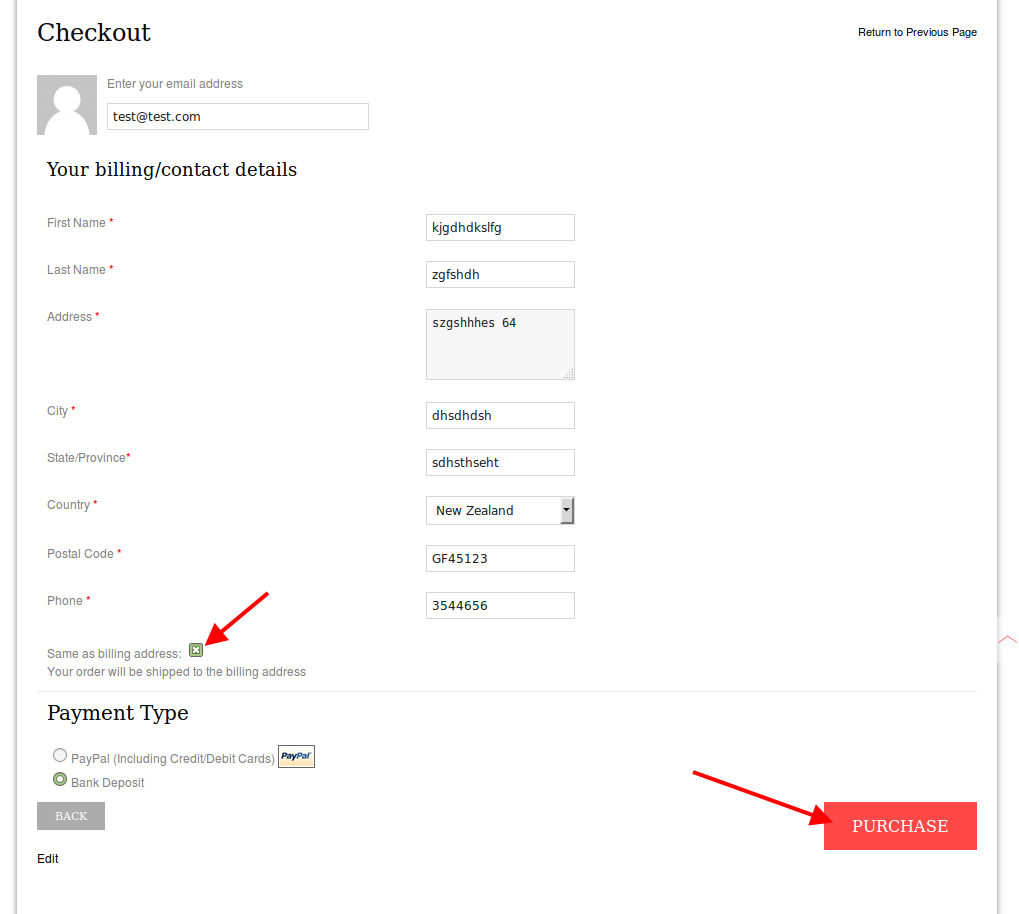
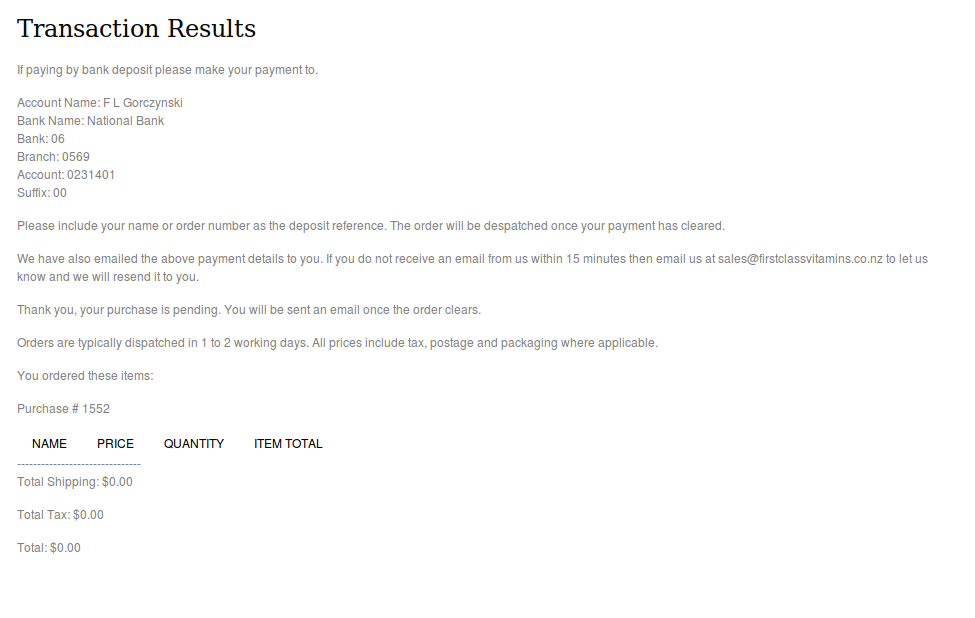
I’ve checked Checkout page and it’s working fine. Please look at screenshot what I’m getting:
https://s3.amazonaws.com/fvd-data/notes/168674/1433160789-cxZEGW/screen.png
https://s3.amazonaws.com/fvd-data/notes/168674/1433160879-G3qT4t/screen.png
Please try to check in another browser.
Thank you.
Regards,
Eva Kemp.
Hello,
Some plugin is causing the issue.
Please deactivate them one by one to find it out.
Also update required plugins to the latest versions:
https://www.8theme.com/download-plugins/
Thank you.
Regards,
Eva Kemp.