hello try

hello try
Dear 8thème support team,
I hope this email finds you well. I am writing to you regarding the Xstore theme that I recently purchased. First and foremost, I want to express my gratitude for the provided explanations and the automatic translations included in the theme.
However, despite carefully following the installation tutorial for both the commerce and Xstore versions, as well as the instructional video available on your website, I am facing difficulties in translating my shopping cart.
I attempted to set up the automatic translations for the cart, but it doesn’t seem to work as expected. The translations do not apply correctly, and I’m unable to achieve the desired results.
To better illustrate my issue, I have recorded a video detailing the steps I took to try and resolve the problem. You will find it attached to this email.
I would be extremely grateful if you could assist me in resolving this matter. Could you please provide me with precise steps to successfully enable the automatic translation for the shopping cart in the Xstore theme?
Thank you in advance for your assistance and prompt attention to this matter. I am confident that your expertise will allow me to fully enjoy all the features of this theme.
Best regards,
In Private Arera my access
Thanks you so much <3
I wanted to add that I’m also having an issue with the “Product Grid” widget on my Elementor page. In my “Protéines” category, which has 230 products, I am trying to create a responsive layout for different devices.
To achieve this, I duplicate the container that has the “Product Grid” widget. I then set the first container to be hidden on phones and tablets, while the second duplicated container is set to be hidden on computers and tablets, thus it should only appear on phones.
I make sure to activate the column mode, but this doesn’t seem to make any difference. Interestingly, in other sections of my site where there are fewer products, the responsive mode works perfectly when I use the same technique. It seems the issue is only present in sections with a higher number of products, such as the “Protéines” category.
Could you please provide some guidance on how I can resolve this issue? It’s important for me to provide a seamless experience for users across all device types, and this current limitation is posing a significant challenge.
Thank you for your continued support.
Best regards,
Hello XStore Support Team,
I hope this message finds you well. I am currently using your XStore theme for my WooCommerce store and I have a question regarding the customization of a product page.
Unfortunately, I cannot directly share the image with you, but I am looking to create a product page that closely resembles the one in this link: https://www.cjoint.com/c/MEioRX3FaYV
I would like to know if it is possible to achieve this specific design using the XStore theme in combination with the single product builder. If so, could you please provide some guidance or tips on how to create a similar layout and design for my product page?
I appreciate any help and advice you can provide. Looking forward to hearing from you soon.
Best regards,
Hello,
Thanks
Hello,
Thanks
Hello
Look the screen, the et-core-plugin doesnt exist :
https://www.veed.io/view/f2b696ea-0342-489c-86b4-de01762f1862?panel=share
Thanks,
Best regards
Hello Rose Tyler
I hope you’re doing well. I’m encountering an issue with my WordPress website and I could really use your help. I managed to remove “Xstore”, but when I go to Appearance > Themes, both “Xstore” and “Xstore Child” themes are still present, although they’re deactivated.
When I try to reactivate the Xstore Core plugin, the installation fails with a message saying “Plugin install failed.” Moreover, when I attempt to deactivate the license key, an error message appears: “Error while deactivating.”
Can you please guide me on how to resolve these issues and properly activate the Xstore Core plugin?
Thank you in advance for your assistance.
Best regards,
how to delete xstore ?
Hello,
I hope this message finds you well. I am reaching out to inform you that I have decided to completely overhaul my current website. In order to do this, I need to remove the existing license from the current site and transfer it to another site of mine.
Could you please let me know if this is possible and provide any guidance on the necessary steps to accomplish this transfer? Your assistance is greatly appreciated.
Thank you in advance for your help.
Best regards,
Dear Rose Tyler
I wanted to inform you that the connection issue you experienced was completely normal, as the hosting platform, “Hostinger,” was dealing with a general problem. However, this issue has now been resolved.
Could you please retry to resolve the plugin issue on your end? If you need any further assistance or have any questions, don’t hesitate to reach out.
Best regards,
Mady
Hello! I don’t understand, the problem still persists:
https://www.veed.io/view/7fb4c0f5-2cba-4694-bf57-362ad427ae9f?panel=share
What can I do to help with this issue?
okay thanks you, i have make another ticket for the big problem
Access FTP
Hello Rose Tyler,
I am currently awaiting a response from Elementor, but I would be grateful if you could provide any direct solutions in the meantime.
Thanks you
Hello Tony Rodríguez,
I am reaching out for assistance with an issue I’m facing on my website using the “Xstore” theme. I have tried clearing my site cache through WordPress and have also watched the video tutorial you provided, but I’m still experiencing problems.
The issue I’m encountering is that the image sizes on my website do not properly adapt to the mobile version. Even after disabling the “Mobile Optimization” option, the problem persists.
I am hoping you could provide some guidance or help in resolving this issue. Any suggestions or solutions would be greatly appreciated, as I am currently at a loss on how to fix this.
Thank you in advance for your assistance.
I try this , to clear CACHE of WordPress look… :
Help me please,
Thanks you
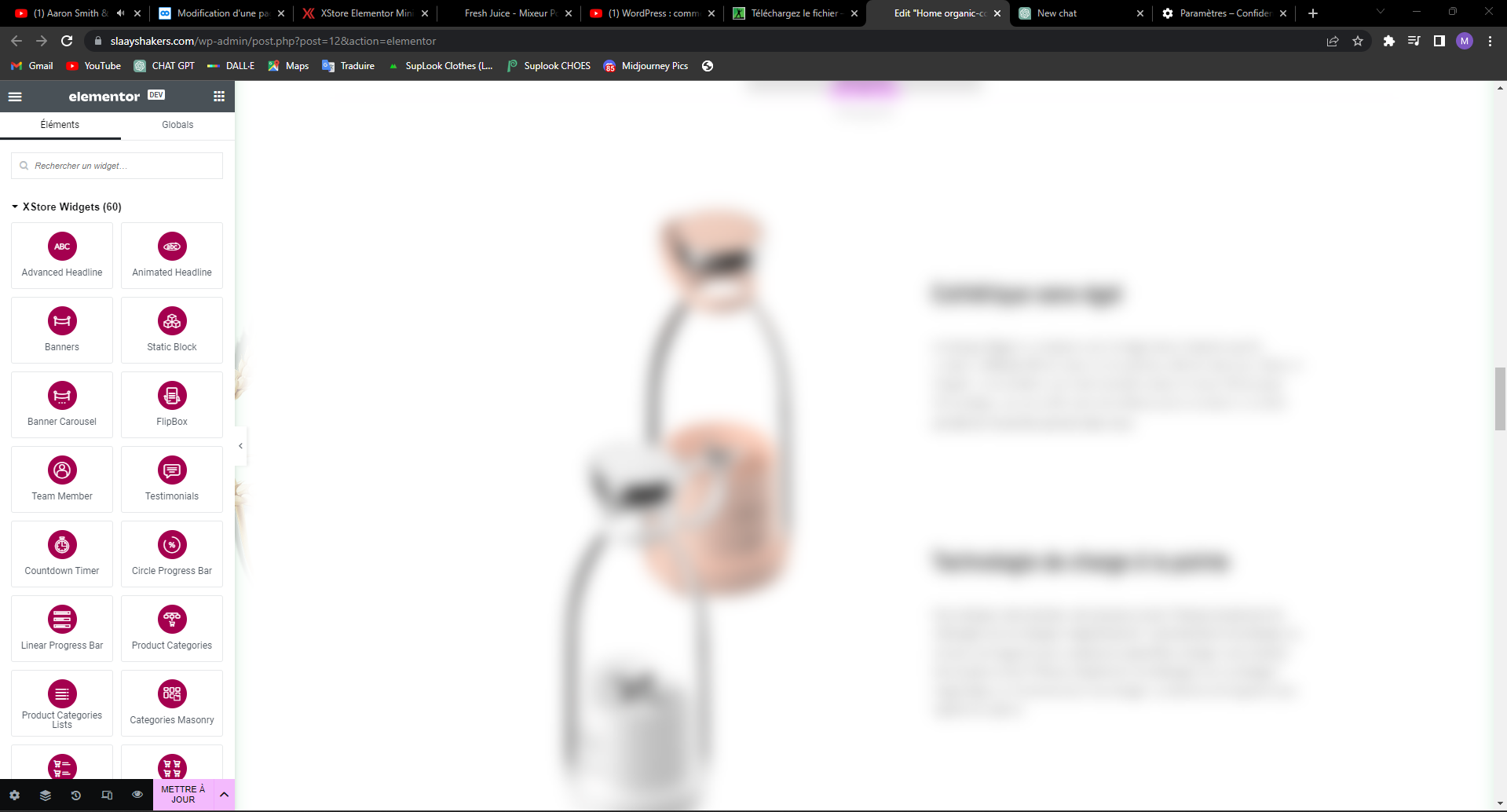
I would like to respond to the previous message about my issue with Elementor. I followed the advice given and cleared my browser cache, but unfortunately, this has not solved my problem. When I try to edit my site using Elementor, everything appears blurry, and I can’t figure out why.
I even went on my Mac to see if the issue was somehow related to my computer, but the problem persists. I’ve attached a screen capture video to help you understand what I’m experiencing. I’m at a loss and quite desperate for a solution, as this could potentially cost me hours and even days of work.
Please, if anyone has any suggestions or has encountered a similar issue, I would really appreciate your help. This issue suddenly appeared, and I don’t understand why. Any assistance would be greatly appreciated.
Thank you in advance!
I’m currently using the XStore theme on my website and I’ve encountered an issue that I’m hoping someone can help me with. Since I changed the product image for one of my products, I’ve been unable to properly edit the product page using Elementor. When I attempt to edit the page, the content appears blurred, as if it is out of focus.
You can see a screenshot of the issue here: https://www.cjoint.com/doc/23_04/MDAqhSf2OdV_flou.png
Has anyone experienced a similar problem or know of any possible solutions? I have already tried clearing my browser cache, disabling browser extensions, and using different browsers, but the issue persists. Any help or suggestions would be greatly appreciated.
Thank you in advance for your assistance.
Best regards,
Hello,
thanks how & where i clear the CDN Cache
Thanks
I recently encountered an issue with the “Sticky Video” feature on my XStore theme in WordPress. I’m happy to report that I’ve managed to resolve that particular problem. However, I’m now experiencing a new issue on the same page.
Since disabling the “Sticky Video” option, the page scrolling has become quite strange and erratic. You can see the issue for yourself on the following page: https://slaayshakers.com/produit/slaay-juice-blender/
At this point, I would like to restore the default scrolling behavior on this page. Has anyone else experienced a similar issue, or could you possibly point me in the right direction for a solution? Any help or suggestions would be greatly appreciated.
Thank you in advance!
Hello,
Look the screen, this user not work ?
Thanks
Hello,
The problem is visible on the two prodcut :
Its ok like this ? :
Thanks,
Best regards,
.
Hello,
Sorry for the late, my FTP Access :
Thanks,
Best regards,
Hello,
I would like to report an issue regarding the Xstore theme. The menu has disappeared from all pages and the only word that appears is “array”. Can you please assist me in resolving this issue?
In order to help with the troubleshooting process, I would like to provide you with my FTP access details (Filezilla)
Thank you for your attention to this matter.
Best regards.
Hello
Thanks for answer,
It’s ok ?
I wait my hostinger answer for FTP
Best regard
Hello,
its ok ?