Forum Replies Created

Viewing 30 posts - 20,821 through 20,850 (of 31,382 total)
  • Avatar: Eva
    Eva Kemp
    Participant
    February 16, 2015 at 17:54

    Hello @Mods,

    Have you uninstalled Woocommerce plugin?
    I don’t see it in your admin panel.
    Also you need update all required plugins: https://www.8theme.com/download-plugins/
    Please update them as well and install Woocommerce plugin.

    Thank you.
    Regards,
    Eva Kemp.

    Avatar: Eva
    Eva Kemp
    Participant
    February 16, 2015 at 17:51

    Hello,

    Unfortunately it’s beyond the scope of our service to configure 3rd-party plugins.
    Sorry.

    Regards,
    Eva Kemp.

    Avatar: Eva
    Eva Kemp
    Participant
    February 16, 2015 at 17:48

    Hello,

    You can use Image Gallery element in Visual Composer editor.

    Regards,
    Eva Kemp.

    Avatar: Eva
    Eva Kemp
    Participant
    February 16, 2015 at 17:42

    Hello,

    This problem with permalinks persists with default WordPress theme too.
    So this is related to WordPress.
    You can refer to these suggestions:
    https://wordpress.org/support/topic/woocommerce-pages-permalinks-404
    https://wordpress.org/support/topic/not-found-error-with-permalinks-and-static-front-page

    Thank you.
    Regards,
    Eva Kemp.

    Avatar: Eva
    Eva Kemp
    Participant
    February 16, 2015 at 16:22

    Hello @Joost van Kempen,

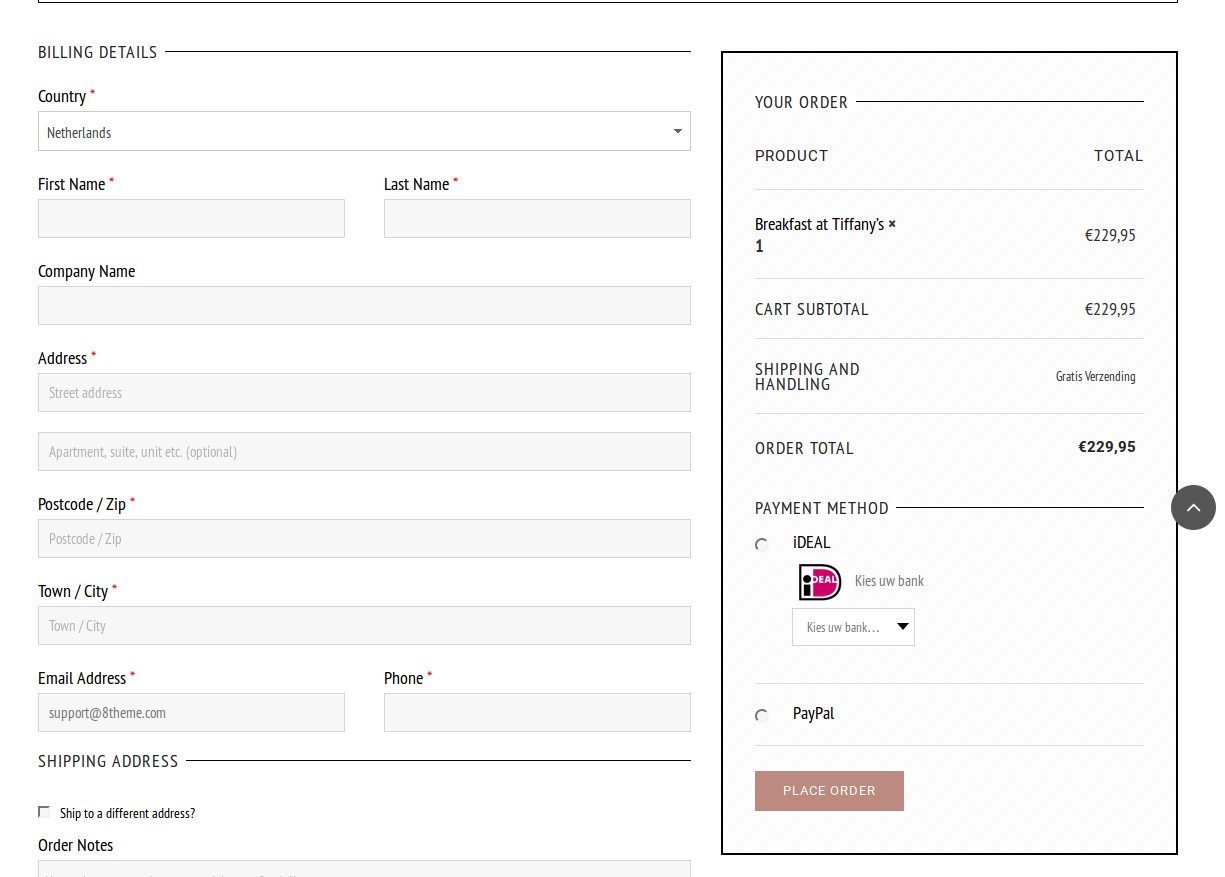
    Sorry but I don’t double buttons on the Checkout page. Please view a screenshot:
    https://s3.amazonaws.com/fvd-data/notes/168674/1424099934-NoevnO/screen.png

    Please clear your browser cache or check with another browser.

    Thank you.
    Regards,
    Eva Kemp.

    Avatar: Eva
    Eva Kemp
    Participant
    February 16, 2015 at 15:47

    Hello,

    Do you have Woocommerce plugin installed?
    To have Products menu in WordPress dashboard you need install Woocommerce plugin.
    http://imgur.com/CGgNV9h

    Thank you.
    Regards,
    Eva Kemp.

    Avatar: Eva
    Eva Kemp
    Participant
    February 16, 2015 at 15:29

    Hello,

    You’re welcome.

    Regards,
    Eva Kemp.

    Avatar: Eva
    Eva Kemp
    Participant
    February 16, 2015 at 15:28

    Hello,

    The link you provided is asking for a password. Please provide us with wp-admin panel credentials.

    Thank you.
    Regards,
    Eva Kemp.

    Avatar: Eva
    Eva Kemp
    Participant
    February 16, 2015 at 15:26

    Hello,

    Could you please allow access to your site for us as we’re getting an error “Your access to this site has been limited”?

    Thank you.
    Regards,
    Eva Kemp.

    Avatar: Eva
    Eva Kemp
    Participant
    February 16, 2015 at 15:25

    Hello,

    Could you please allow access to your site for us as we’re getting an error “Your access to this site has been limited”?
    Do you want to show upsell products in the tab for product description?
    You need use this shortcode [etheme_related_products per_page="4"]

    Thank you.
    Regards,
    Eva Kemp.

    Avatar: Eva
    Eva Kemp
    Participant
    February 16, 2015 at 14:50

    Hello,

    You should have some control panel to be able to access your site files.
    Ask your host about it.

    Thank you.
    Regards,
    Eva Kemp.

    Avatar: Eva
    Eva Kemp
    Participant
    February 16, 2015 at 14:48

    Hello @ztrain727,

    What page do you see that error on?
    I’ve checked your site and haven’t found any issues:
    https://s3.amazonaws.com/fvd-data/notes/168674/1424094381-3SHPaK/screen.png

    Try to clear your browser cache and check again.

    Thank you.
    Regards,
    Eva Kemp.

    Avatar: Eva
    Eva Kemp
    Participant
    February 16, 2015 at 14:44

    Hello,

    I’ve edited Permalinks settings.
    Please check your pages now and clear browser cache before.

    Thank you.
    Regards,
    Eva Kemp.

    Avatar: Eva
    Eva Kemp
    Participant
    February 16, 2015 at 14:08

    Hello,

    Sorry, but we need to see your site to be able to provide you with the correct code.
    Could you please upload it to any web host?

    Thank you.
    Regards,
    Eva Kemp.

    Avatar: Eva
    Eva Kemp
    Participant
    February 16, 2015 at 14:07

    Hello,

    You can use Royal theme either with Woocommerce plugin or without it.

    Regards,
    Eva Kemp.

    Avatar: Eva
    Eva Kemp
    Participant
    February 16, 2015 at 14:05

    Hello,

    Sorry, but this is caused by Visual Composer plugin update.
    They have customized it and some functions were removed.

    You can try to use Posts Slider element in Visual Composer editor.

    Regards,
    Eva Kemp.

    Avatar: Eva
    Eva Kemp
    Participant
    February 16, 2015 at 14:03

    Hello @Christian,

    Please try to disable Nice Scroll option in Theme Options > General and check the site after that.

    Thank you.
    Regards,
    Eva Kemp.

    Avatar: Eva
    Eva Kemp
    Participant
    February 16, 2015 at 14:02

    Hello @plandman72,

    I’ve disabled Nice Scroll in Theme Options > General and the slider is working fine now.
    Please clear browser cache and check Visual Composer editor again.
    Unfortunately front-end editor doesn’t work in Visual Composer, you should use backend editor instead.

    Sorry for inconveniences.
    Regards,
    Eva Kemp.

    Avatar: Eva
    Eva Kemp
    Participant
    February 16, 2015 at 13:39

    Hello,

    I’ve updated the theme for you and reuploaded Visual Composer plugin folder.
    Please check it now.
    To download the theme you need log in to http://themeforest.net/item/legenda-responsive-multipurpose-wordpress-theme/5888906 with your Envato account.

    Thank you.
    Regards,
    Eva Kemp.

    Avatar: Eva
    Eva Kemp
    Participant
    February 16, 2015 at 13:38

    Hello,

    I’ve installed Woocommerce pages.
    Please check now.

    Thank you.
    Regards,
    Eva Kemp.

    Avatar: Eva
    Eva Kemp
    Participant
    February 16, 2015 at 13:30

    Hello,

    Please read our documentation how to create registration page:
    https://www.8theme.com/demo/docs/idstore/index.html#!/registration_page

    Thank you.
    Regards,
    Eva Kemp.

    Avatar: Eva
    Eva Kemp
    Participant
    February 16, 2015 at 13:29

    Hello,

    You need upload your site to some web host. Then we’ll be able to check it.

    Thank you.
    Regards,
    Eva Kemp.

    Avatar: Eva
    Eva Kemp
    Participant
    February 16, 2015 at 13:22

    Hello,

    If you’re using 2.6 theme version then you have to update Woocommerce plugin too.
    Please update it and create a back up of the files and database before update.

    Thank you.
    Regards,
    Eva Kemp.

    Avatar: Eva
    Eva Kemp
    Participant
    February 16, 2015 at 13:19

    Hello,

    Did you update the theme to the latest version as well as Woocommerce plugin?
    Please remove review-order.php file in the directory wp-content/themes/legenda/woocommerce/checkout and and check the Checkout page again.

    Thank you.
    Regards,
    Eva Kemp.

    Avatar: Eva
    Eva Kemp
    Participant
    February 16, 2015 at 13:14

    Hello,

    Please add this code in custom.css file:

    @media (max-width: 992px) { .vc_custom_1418238044391 {
     width: 700px;
    } }

    Thank you.
    Regards,
    Eva Kemp.

    Avatar: Eva
    Eva Kemp
    Participant
    February 16, 2015 at 13:09

    Hello,

    Please update the theme to 2.6 version.
    How to update it you can find in our video tutorial:
    https://www.youtube.com/watch?v=KdWESIIPU1k

    Don’t forget to create a back up before update!

    Thank you.
    Regards,
    Eva Kemp.

    Avatar: Eva
    Eva Kemp
    Participant
    February 16, 2015 at 13:00

    Hello,

    Please remove review-order.php file in wp-content/themes/legenda/woocommerce/checkout directory.

    Thank you.
    Regards,
    Eva Kemp.

    Avatar: Eva
    Eva Kemp
    Participant
    February 16, 2015 at 12:59

    Hello,

    Go to Theme Options > Shop > Product Page Banner and remove the code.

    Thank you.
    Regards,
    Eva Kemp.

    Avatar: Eva
    Eva Kemp
    Participant
    February 16, 2015 at 12:55

    Hello @ijedlickova,

    Sorry for a delay.
    It’s caused by a lot of queries after Woocommerce plugin update. Thank you for your understanding and patience.

    Concerning your issue we need also FTP access which you were asked in the previous posts, not only wp-admin.
    Please provide us with FTP credentials as well. If you don’t know where to find them you should ask your hosting provider.

    Also as I see you have very old version of the theme.
    Please update it http://themeforest.net/item/legenda-responsive-multipurpose-wordpress-theme/5888906
    Don’t forget to create a back up before update!

    How to update the theme is shown in our video tutorial:
    https://www.youtube.com/watch?v=KdWESIIPU1k

    Thank you.
    Regards,
    Eva Kemp.
    Avatar: Eva
    Eva Kemp
    Participant
    February 16, 2015 at 12:50

    Hello,

    Please use Woocommerce layered nav widget to have filters for categories.

    Thank you.
    Regards,
    Eva Kemp.

  • 1 2 3 694 695 696 1,045 1,046 1,047
    Viewing 20,850 results - 20,821 through 20,850 (of 31,382 total)
Viewing 30 posts - 20,821 through 20,850 (of 31,382 total)
We're using our own and third-party cookies to improve your experience and our website. Keep on browsing to accept our cookie policy.




