Hello,
Sorry, but FTP details are incorrect.
Please check them.
Thank you.
Regards,
Eva Kemp.

Hello,
Sorry, but FTP details are incorrect.
Please check them.
Thank you.
Regards,
Eva Kemp.
Hello,
Concerning the price display you need contact Woocommerce support. They should provide you some code to resolve this issue.
Thank you.
Regards,
Eva Kemp.
Hello @guychaimy,
Could you please clarify where you see that warning?
Thank you.
Regards,
Eva Kemp.
Hello,
Please provide us with FTP access.
Are emails not received after registration to customers or to your email address as notification?
Thank you.
Regards,
Eva Kemp.
Hello @viniciuspaginas,
May we update theme for you?
Please create a back up of the files and database.
Thank you.
Regards,
Eva Kemp.
Hello,
We’ve sent IP to your email address.
Please check.
Regards,
Eva Kemp.
Hello @beachfit,
Please provide us with wp-admin panel and FTP credentials.
Thank you.
Regards,
Eva Kemp.
Hello,
This happened because of sidebar.
You need add this code in custom.css file:
.home .banner {
    width: 340px !important;
}
Thank you.
Regards,
Eva Kemp.
Hello,
Did you make any changes in Permalinks settings?
Please provide us with a link where you see errors and wp-admin panel credentials in Private Content.
Thank you.
Regards,
Eva Kemp.
Hello,
There is an error in your error_log file:
PHP Parse error: syntax error, unexpected T_FUNCTION
It means you use low php version.
Please ask your host to increase it to 5.3 version at least. After that your site will start working.
Thank you.
Regards,
Eva Kemp.
Hello,
You’re welcome.
Regards,
Eva Kemp.
Hello,
You’re welcome.
Regards,
Eva Kemp.
Hello,
Some Woocommerce files were modified by our team but originally that block is added by Woocommerce, that’s why you have to contact their support.
Thank you for understanding.
Regards,
Eva Kemp.
Hello,
You’re welcome.
Regards,
Eva Kemp.
Hello,
You can use shortcode [etheme_featured] in text editor of your home page to display featured products https://www.8theme.com/demo/docs/leader/#!/theleader_shortcodes or you can use Products element in Visual Composer editor.
Thank you.
Regards,
Eva Kemp.
Hello,
Could you please show a screenshot or a link what demos you mean?
Thank you.
Regards,
Eva Kemp.
Hello,
You’re welcome.
Regards,
Eva Kemp.
Hello,
You’re using very old theme version. Quantity option for mobiles are added in the latest theme version, so please update it as well as Woocommerce and other required plugins https://www.8theme.com/download-plugins/
Don’t forget to create back up of your files and database before update!
https://www.youtube.com/watch?v=KdWESIIPU1k
Also before update remove “woocommerce” folder in wp-content/themes/legenda/ directory.
Thank you.
Regards,
Eva Kemp.
Hello,
Please give us full permissions for wp-admin panel to be able to view all settings. Also please provide us with FTP access.
Thank you.
Regards,
Eva Kemp.
Hello,
If you use child theme you need make style changes in style.css of the child theme.
I’ve added that code in style.css file in legenda-child folder. Please check sidebar now.
Also you mustn’t copy all content of style.css from the parent theme, you must write only changes you want to make.
Please read more here:
http://codex.wordpress.org/Child_Themes
Thank you.
Regards,
Eva Kemp.
Hello,
In this case you’d rather update .po files not to waste your time.
We’ll inform you as soon as possible.
Thank you.
Regards,
Eva Kemp.
Hello,
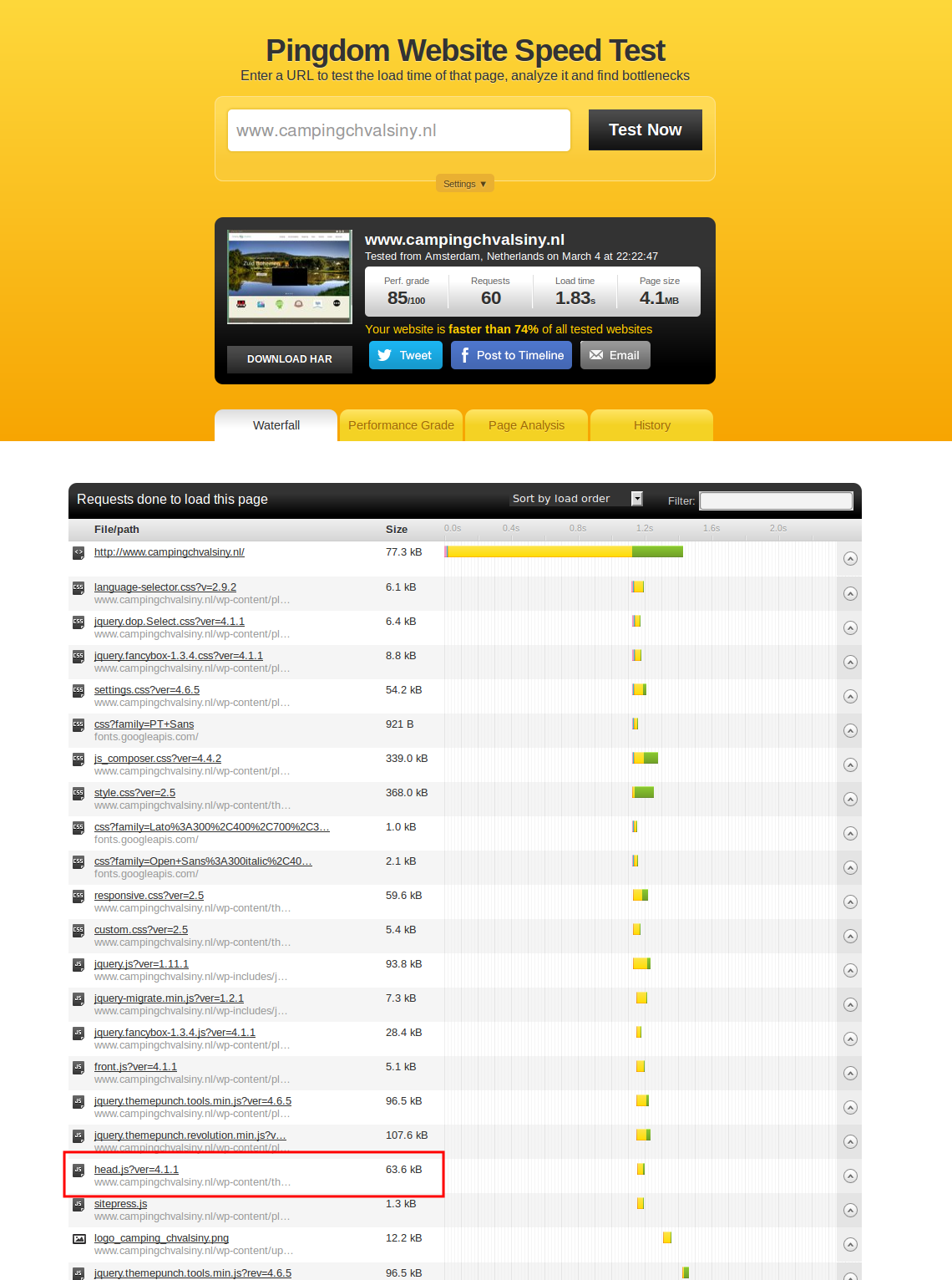
I’ve checked your site and head.js file is loading:
https://s3.amazonaws.com/fvd-data/notes/168674/1425500660-Dp360E/screen.png
Please try to check your site with other Internet provider. Also check error logs on a server where your site is hosted or ask your host to do this. There should be some errors if the problem really exists.
Thank you.
Regards,
Eva Kemp.
Hello,
You added these shortcodes [block id=”841″], [block id=”980″] in the description of the product “Sway-A-Way Baja Blood Shock Oil”. But there are no static blocks with such ids that you specified.
I’ve removed them and now you can add Products element successfully.
Please check.
Thank you.
Regards,
Eva Kemp.
Hello,
Zoom is working, but it shows the whole image because your original image sizes are too small.
The dimensions should be 1425px × 1900px approximately. So please reupload your image in higher resolution.
Thank you.
Regards,
Eva Kemp.
Hello,
Please check if the issue persists with default WordPress theme. If so, then you need contact Woocommerce support concerning this problem.
Thank you.
Regards,
Eva Kemp.
Hello,
1. I’ve resaved products categories and the errors have disappeared. Please clear browser cache and check.
2. I’ve checked adding a product to the cart and it’s added successfully. Please try again.
3. You can refer to this article how to speed up a site:
http://www.elegantthemes.com/blog/tips-tricks/optimize-your-wordpress-website
Thank you.
Regards,
Eva Kemp.
Hello,
There is an error in error_log file of your site:
Fatal error: Allowed memory size of 134217728 bytes exhausted (tried to allocate 523800 bytes)
Please ask your host to increase memory_limit value.
Thank you.
Regards,
Eva Kemp.
Hello,
Yes, you need create a new div.
Have you tried to add a phone number? Can we check it?
Thank you.
Regards,
Eva Kemp.
Hello,
Sorry, but your last post is a bit unclear.
Could you please show a screenshot of the issue or describe step by step how we can replicate it?
Thank you.
Regards,
Eva Kemp.
Hello,
Please check this link http://gtmetrix.com/reports/elvira.co.th/X9wPomS8 . You’ll see that slow loading is caused by plugins and images.
Also refer to this article how to speed up a site:
http://www.elegantthemes.com/blog/tips-tricks/optimize-your-wordpress-website
Thank you.
Regards,
Eva Kemp.