Hello,
Please show us a page link you’re talking about.
Thank you.
Regards,
Eva Kemp.

Hello,
Please show us a page link you’re talking about.
Thank you.
Regards,
Eva Kemp.
Hello @DSNNutrition,
Please download the archive from this link:
https://www.dropbox.com/s/aqkhjdktsvzb22k/Royal-PSD.zip?dl=0
Regards,
Eva Kemp.
Hello,
You can use this class to make style changes for Call To Action button: .cta-block .btn.
Regards,
Eva Kemp.
Hello,
You’ve been already replied in other topic.
Please check.
Regards,
Eva Kemp.
Hello,
You can change links in the file wp-content/themes/royal/framework/shortcodes.php (lines 1727-1765).
Thank you.
Regards,
Eva Kemp.
Hello,
Please add this code in custom.css:
.order-review .shop_table td.product-name, .cart-subtotal th, .shop_table .shipping th, .shop_table .order-total th, .order-review .shop_table td .amount {
  color: black;
}
.shop_table .order-total td .amount{
  color: pink;
}
Regards,
Eva Kemp.
Hello,
Please remove “woocommerce” folder in the directory wp-content/themes/woopress and reupload it from the theme package of a new version.
Regards,
Eva Kemp.
Hello,
Please provide us with wp-admin panel and FTP credentials in Private Content.
Thank you.
Regards,
Eva Kemp.
Hello,
Go to Pages > edit Cart page and select “Without Sidebar” in Page Layout box on the right side of the editor.
Regards,
Eva Kemp.
Hello,
Please add this code in custom.css file:
@media (max-width: 979px) {.single-product-sidebar {
    width: 25% !important;
}
.fb_iframe_widget iframe {
    width: 220px !important;
}
}
Regards,
Eva Kemp.
Hello,
Please use this code as well:
.et-mobile-menu > li > ul li, .et-mobile-menu > li > ul > li a {
  background-color: white;
}
Regards,
Eva Kemp.
Hello,
Could you please clarify your question with more details? Please show us screenshots what you’re trying to achieve.
Thank you.
Regards,
Eva Kemp.
Hello,
The broken layout is caused by one of your plugins.
Try to disable them one by one to find it out.
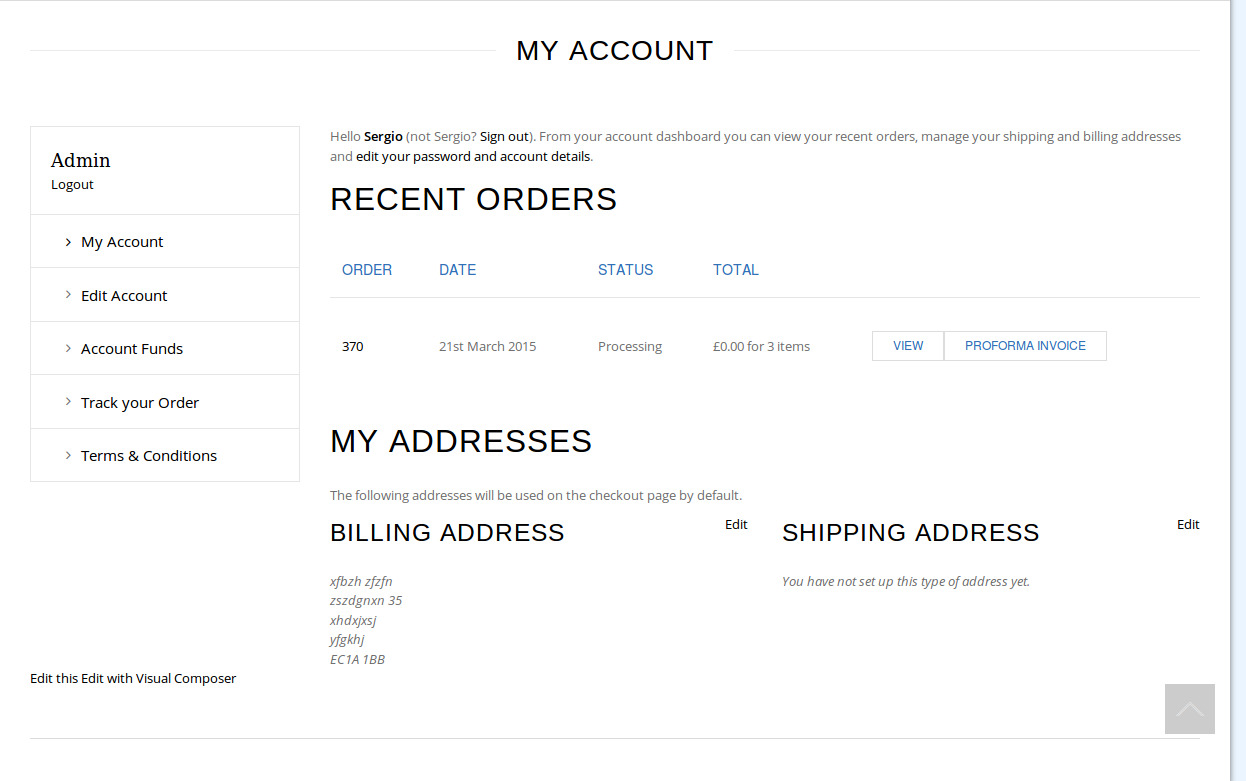
I’ve checked My Account page and haven’t seen any product listings there.
https://s3.amazonaws.com/fvd-data/notes/168674/1426958011-MzZ59I/screen.png
Did you resolve it?
Regards,
Eva Kemp.
Hello,
a) Checkout page is configured by Woocommerce. If you want to customize it you need contact their support.
b) The pop up window can be closed. There is a “close” icon:
http://storage3.static.itmages.com/i/15/0321/s_1426956090_2104112_596b94c9bd.png
c) Please specify what the page is that is difficult to see. I’ve checked home page and it’s shown fine.
d) Concerning the error “Fatal error: Call to undefined function addfilter()” you can try this suggestion https://wordpress.org/support/topic/fatal-error-call-to-undefined-function-add_filter . Other errors are referred to plugins and you need contact their authors.
Thank you.
Regards,
Eva Kemp.
Hello,
“My account” page is configured by Woocommerce.
Please try to update the theme and all required plugins https://www.8theme.com/download-plugins/ .
Thank you.
Regards,
Eva Kemp.
Hello,
I’ve checked your site and I logged out and opened the site again I wasn’t logged in anymore.
This issue may be caused by your browser cache. Try to clear the cache before opening the site for the second time.
Thank you.
Regards,
Eva Kemp.
Hello,
Sorry, but still your query is unclear. If you want to make style changes in a child theme you need edit style.css of the child theme. How to create it you can read here:
http://codex.wordpress.org/Child_Themes
Please specify step by step what you’re trying to achieve.
Thank you.
Regards,
Eva Kemp.
Hello,
The Products section in wp-admin panel doesn’t depend on the theme. If you select default WordPress theme you’ll see the same issue. This is WordPress configuration.
To fix the errors you need edit files via FTP, open the file wp-content/themes/carrolBoyesNZ/woocommerce/cart/shipping-calculator.php on line 67 and replace $woocommerce->nonce_field with wp_nonce_field and the file wp-content/themes/carrolBoyesNZ/woocommerce/checkout/form-checkout.php on line 3 and replace $woocommerce->show_messages(); with wc_print_notices();.
Thank you.
Regards,
Eva Kemp.
Hello,
We really appreciate your feedback!
Thank you a lot.
If there are any questions feel free to contact us.
Regards,
Eva Kemp.
Hello,
Did you receive my previous post with the screenshot where changes were made?
I’ve added this code in custom.css file:
.menu-social-icons i {
width: 28px;
height: 28px;
}.header-vertical-enable .page-wrapper .header-type-vertical .header-custom-block .menu-social-icons {
margin-right: 70px;
}Please check social media icons now.
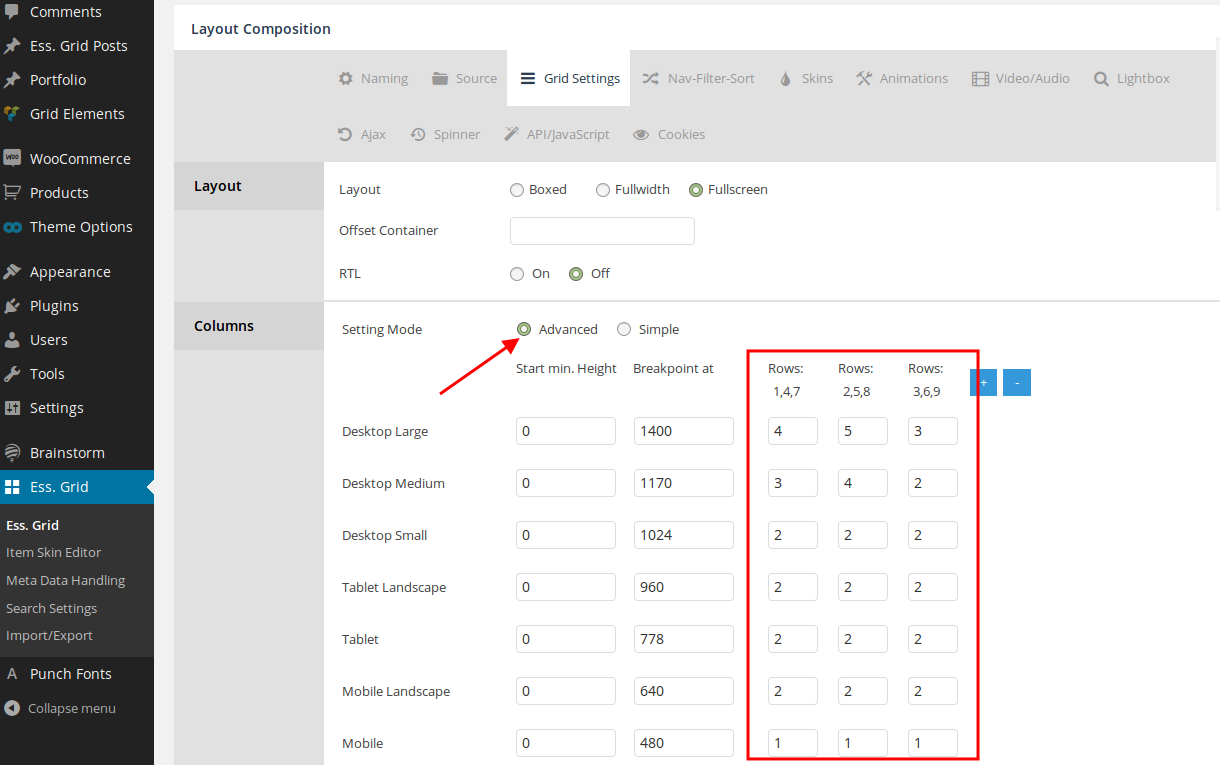
Also I’ve changed ess. grid settings and set how many items to show per row:https://s3.amazonaws.com/fvd-data/notes/168674/1426867641-nlsPhD/screen.png
Regards,
Eva Kemp.
Hello,
Please use this code as well:
@media (max-width: 480px) {.address-company .sfsi_wicons {
  margin-left: 30px;
}}
Thank you.
Regards,
Eva Kemp.
Hello,
Please add this code in custom.css file:
.fixed-header-area #menu-main-1.menu > li.lastItem {
    position: relative !important;
}
Regards,
Eva Kemp.
Hello,
I’ve selected “My Account” page in Woocommerce > Settings > Accounts tab > My Account Page.
Please check the link now and clear browser cache before.
Thank you.
Regards,
Eva Kemp.
Hello,
I’ve deactivated cache plugin and removed cache from your site via FTP.
Also I’ve reuploaded “woocommerce” folder in the directory wp-content/themes/woopress.
Now please clear your browser cache or check the site in another browser.
Thank you.
Regards,
Eva Kemp.
Hello,
1. a) Please add this code in custom.css file:
@media (max-width: 480px) {.navbar-right .navbar-right {
    left: 18px !important;
}}
How to create custom.css you can watch in this tutorial (it’s for Legenda theme but the process is the same).
b) There is a scroll bar to view all information:
http://storage3.static.itmages.com/i/15/0321/h_1426930953_4680101_03a96ad378.png
2. a) If you check our demo site https://www.8theme.com/demo/woopress/fullwidth/?page_id=8 you’ll see there are no borders by default.
If you still want borders you need add this code in custom.css file:
.shop-table .table-bordered {
    border-left: 1px solid rgb(221, 221, 221);
    border-right: 1px solid rgb(221, 221, 221);
}
b) To remove “Proceed to Checkout” button use this code in custom.css:
input.checkout-button.btn.big.alt.wc-forward {
  display: none !important;
}
3. Please provide us with FTP credentials to check this issue.
Thank you.
Regards,
Eva Kemp.
Hello,
Unfortunately there is no such possibility.
Sorry.
Regards,
Eva Kemp.
Hello,
You need use this code in custom.css file:
.widget_layered_nav ul li a {
  font-size: 15px !important;
}
.widget_layered_nav ul li a {
    padding-bottom: 0px;
    padding-top: 0px !important;
}
.widget_layered_nav ul li .count {
    display: none;
}
To increase box size you need edit the icon with some image editor wp-content/themes/legenda/images/tick-icon.png as it’s loading from this picture.
Regards,
Eva Kemp.
Hello,
There is a bug with “portfolio” slug. I’ve changed it to “our_portfolio”:
http://storage1.static.itmages.com/i/15/0321/s_1426927465_8357574_d169d6dfbe.png
Also I’ve recreated projects as the text content was added incorrectly.
Please clear browser cache and check Portfolio page.
Regards,
Eva Kemp.
Hello @gaz,
We can’t log in to wp-admin panel. The credentials are incorrect. Please check them.
Thank you.
Regards,
Eva Kemp.
Hello,
I’ve checked your site and products are shown on mobile devices:
http://storage3.static.itmages.com/i/15/0321/h_1426926834_4132613_49504ae498.png
Please show us screenshots of the problem and specify what devices you’re checking in.
Thank you.
Regards,
Eva Kemp.