Hello,
Please provide us with a direct link where background image should be added and specify for which element on a page.
Thank you.
Regards,
Eva Kemp.

Hello,
Please provide us with a direct link where background image should be added and specify for which element on a page.
Thank you.
Regards,
Eva Kemp.
Hello,
Sorry, but your query is a bit unclear.
Please show a screenshot what the problem is with a:hover?
Also give a page link where boxes aren’t lining up.
Thank you.
Regards,
Eva Kemp.
Hello,
We still can’t log in to wp-admin panel.
Also please update Visual Composer plugin to the latest version https://www.8theme.com/download-plugins/ .
Thank you.
Regards,
Eva Kemp.
Hello @UomoMacchina,
The issue has been fixed.
Please check.
Regards,
Eva Kemp.
Hello,
That calendar is added in the editor of “News” page. Go to wp-admin panel > Pages > edit News page and remove the content.
Do you mean “contact us” section at the bottom of the page? If so you need go to wp-admin panel > Chat Console > Options > Offline Messages > fill your email address in the field “Where should offline messages go?”.
Regards,
Eva Kemp.
Hello,
I’ve added Woocommerce Product Categories widget into “Shop Sidebar” area and selected order type in the widget settings.
Please check the sidebar on your shop page now.
Regards,
Eva Kemp.
Hello,
Please give us a page link where you want to make modification.
Thank you.
Regards,
Eva Kemp.
Hello,
The credentials are incorrect.
Please check them and provide us with FTP access as well.
Thank you.
Regards,
Eva Kemp.
Hello,
You’re welcome.
Regards,
Eva Kemp.
Hello,
You’re welcome.
Regards,
Eva Kemp.
Hello,
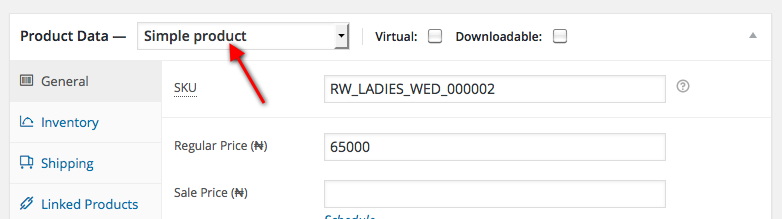
If you want to show variations for a product you need select “Variable product” in “Product Data” instead of “Simple Product”
https://s3.amazonaws.com/fvd-data/notes/168674/1430922965-0pT0xM/screen.jpeg
Concerning the Twitter, the links, for example http://t.co/qdlqDYdXxv , are your tweets. Sorry, but we don’t know why they are shown this way. If you open the link it’ll redirect to your tweet.
You should contact Tweeter support concerning this issue.
Regards,
Eva Kemp.
Hello,
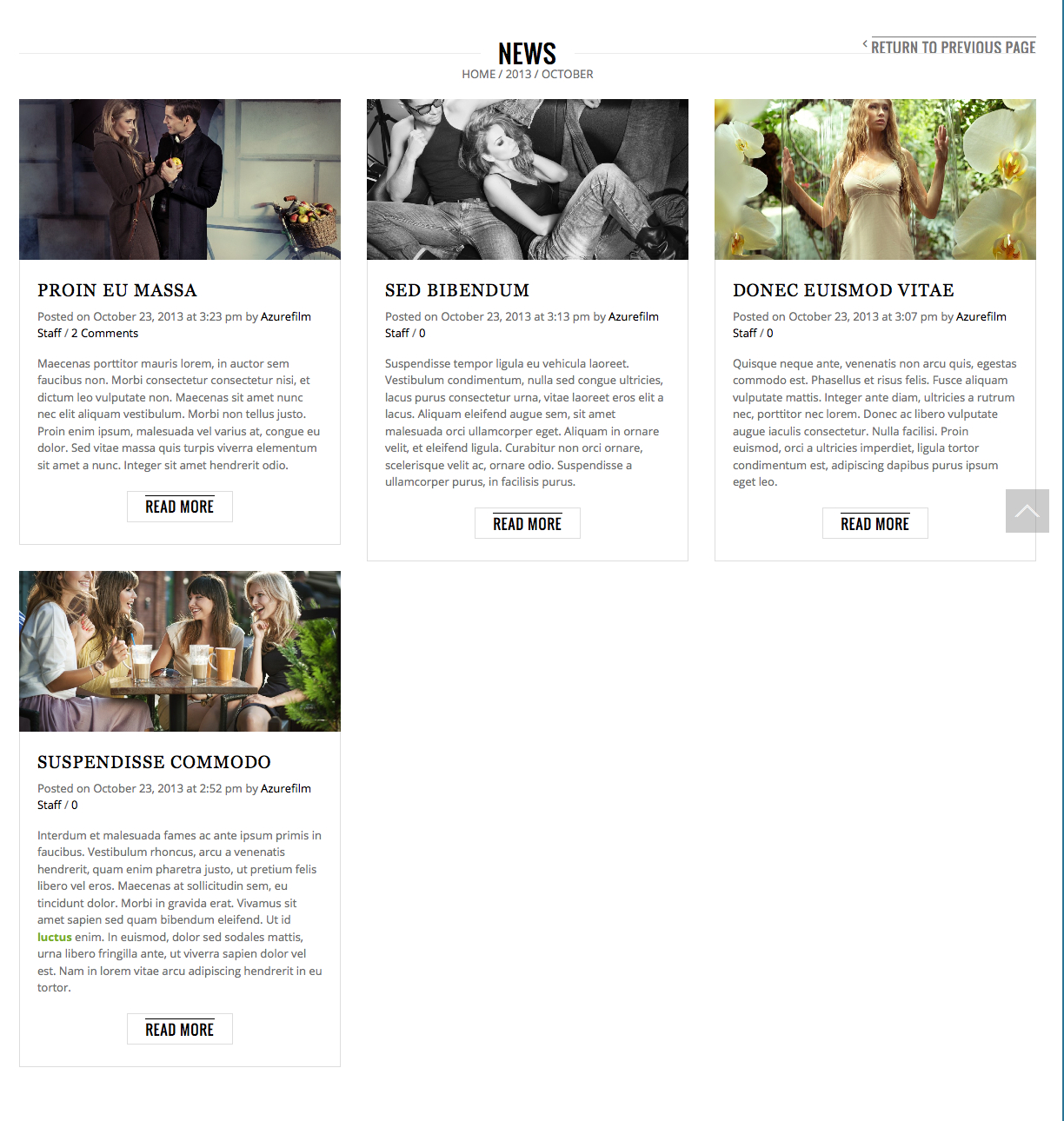
As I see border is shown for posts:
https://s3.amazonaws.com/fvd-data/notes/168674/1430922487-oxlC8T/screen.jpeg
Please check it again.
Also I’ve published posts that were in drafts to be able to view them on blog page.
Regards,
Eva Kemp.
Hello,
To rename tabs refer to Woocommerce documentation:
http://docs.woothemes.com/document/editing-product-data-tabs/ (add code to functions.php file).
As I told you in the previous post:
The reason is your side gallery on single product pages.
Try to use this code in custom.css file:.thumbnails { margin-top: -80px !important; }
Or revert back standard thumbnails under main image instead of vertical gallery.
Regards,
Eva Kemp.
Hello @UomoMacchina,
What directory are your site files located in?
Also please provide us with wp-admin panel credentials and a page link where you have issue with VC Message Box element.
Thank you.
Regards,
Eva Kemp.
Hello,
We can’t connect via FTP.
Please check the credentials.
Also please update all required plugins to the latest versions https://www.8theme.com/download-plugins/ .
Thank you.
Regards,
Eva Kemp.
Hello,
Could you show on a screenshot what you want to edit and provide us with a link to your site?
Thank you.
Regards,
Eva Kemp.
Hello,
I’ve added this code in style.css of the child theme:
@media (max-width:992px) {.header-logo {
   left: 20% !important;
}
.header_text_style {
width: 350px !important;
}
.header_text h1 {font-size: 20px !important;}
.header_text p {font-size: 11px !important}}
Please check site on iPad now.
Regards,
Eva Kemp.
Hello,
Did you install base demo content?
You should have demo projects imported in wp-admin panel > Portfolio > Projects.
Regards,
Eva Kemp.
Hello,
Thank you for looking into this.
We’ll wait for your further replies.
Regards,
Eva Kemp.
Hello,
Do you want to remove borders or change their color?
Please show a screenshot what you want to achieve.
Thank you.
Regards,
Eva Kemp.
Hello,
Please clarify where you want to change order type. Could you show a screenshot?
Thank you.
Regards,
Eva Kemp.
Hello,
Please change your code to this one:
.menu > li.current-menu-item > a {
background-color: white !important;
color: black !important;
}
Write your color values.
Regards,
Eva Kemp.
Hello @Mailjet,
We wrote to plugins@mailjet.com email address but nobody answered us.
We asked to tell us more about the problem and what you did when trying to fix it.
So we’re still waiting for your reply.
Thank you.
Regards,
Eva Kemp.
Hello,
I’ve edited the code.
Please clear browser cache and check.
Regards,
Eva Kemp.
Hello,
Please use this code:
.fa-search::before {
    content: url("https://custom.captac.co/wp-content/themes/royal/images/search_icon.png") !important;
}
Regards,
Eva Kemp.
Hello,
Do you mean you want to add filters to sidebar on the Shop page?
Regards,
Eva Kemp.
Hello,
I’ve checked single product page and image has been loaded properly:
https://s3.amazonaws.com/fvd-data/notes/168674/1430914176-z90uGM/screen.jpeg
What browser are you checking in?
Regards,
Eva Kemp.
Hello,
Please use this code in style.css of your child theme or custom.css of the parent theme:
@media (max-width:480px) {.header_text {
    display: none;
}}
Regards,
Eva Kemp.
Hello,
Please provide us with a direct link where you have issue and give us access to FTP and wp-admin panel.
Thank you.
Regards,
Eva Kemp.
Hello,
Please take our apologies but there is no such feature in the theme and we can’t recommend 3rd-party plugins as we didn’t test them (as you know there are plenty of plugins and we can’t test all of them). You have to look for a plugin yourself.
Sorry for inconveniences.
Regards,
Eva Kemp.