
Our GDPR & cookies option is the perfect solution for website owners who want to ensure they are operating in accordance with EU privacy laws.
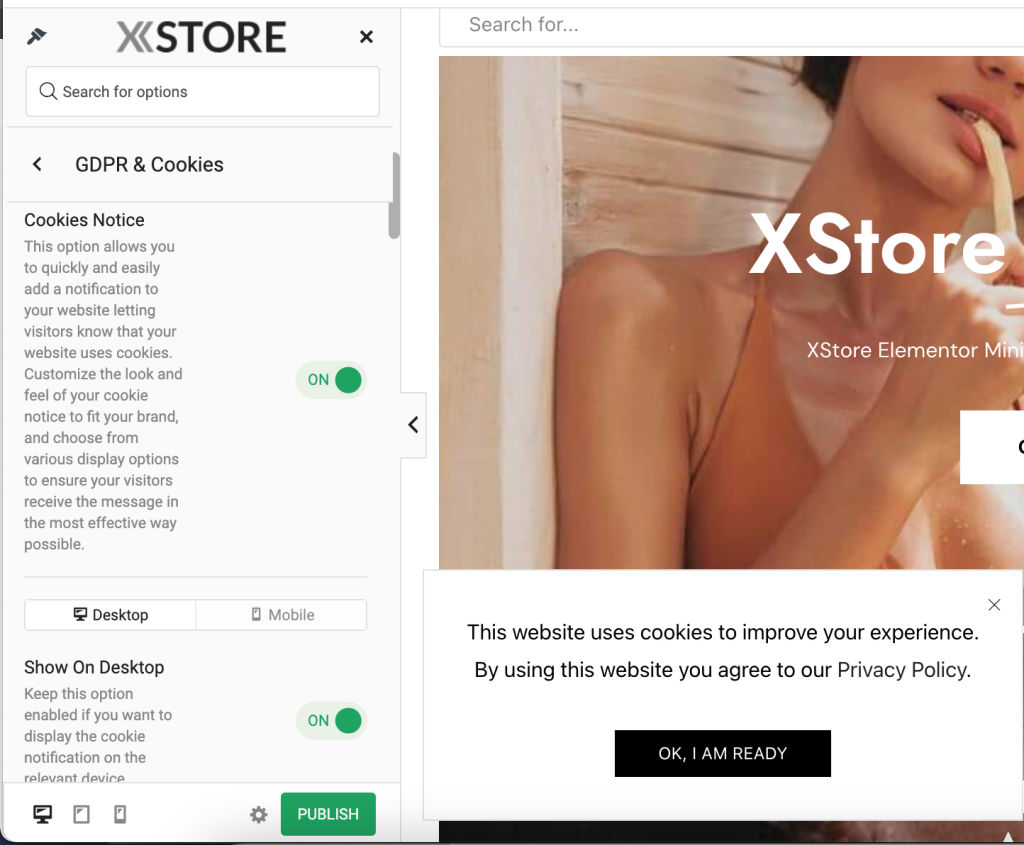
Available Settings:
Cookies notice – This option allows you to quickly and easily add a notification to your website letting visitors know that your website uses cookies. Customize the look and feel of your cookie notice to fit your brand, and choose from various display options to ensure your visitors receive the message in the most effective way possible.
Show on Desktop / Mobile – Keep this option enabled if you want to display the cookie notification on the relevant device.
Position – Choose the position of cookie notification.
Animation type – You can select the animation from a variety of customizable animations to create a cookie notification that is consistent with your brand and website design. Our animations are smooth and seamless, making notification easy for your visitors.
Cache lifespan – The customer’s agreement choice will be stored for a days limit you set in this option. Note: the value will be kept in the cache for the time you set in this option or until the browser cookies are cleared. This will add an additional cookie to the customer’s browser with the following parameters: name: “etheme_cookies”, purpose: “Keep customer agreement value”, expiry: “3 days by default”.
Note: Please remember to include this in the security policy (GDPR).
Content – Here, you can write your own custom HTML using the tags in the top bar of the editor. However, please note that not all HTML tags and element attributes can be used due to Theme Options safety reasons.
Page details – With this option, you can select a page link to redirect your customers to your GDPR policy on your website.
Use static block – This option allows you to easily add custom content to your website without needing to code. With this feature, you can add custom images, text, and multimedia content to any page on your website, helping you to create a unique and engaging user experience for your visitors.
Choose static block – By selecting specific static block for [different areas of your website], you can tailor your content to suit the needs of your audience, creating a more personalized and immersive user experience. Additionally, this option allows you to easily update and modify your content as needed, giving you complete control over your website’s design and functionality.
Button text – You can customize the text on your button.
Popup style:
Alignment – Using this option, you can choose an alignment value for this element.
Dimensions – Choose which dimensions should be applied for the “Cookies notice” popup. Select “Custom” to configure the custom dimensions in the form below.
WCAG Background control – WCAG control is designed to be used by webdesigners, web developers or web accessibility professionals to compute the contrast between two colors (background color, text color)
Background Color
Background Image
WCAG Color – Select the text color for your content. Please choose auto color to ensure readability with your selected background-color, or switch to the “Custom Color” tab to select any other color you want.
Computed box – You can select the margin, border width, and padding for the element.
Border style – This controls border style of this element.
Border color – Choose the border color to be applied to this element.
Info: You must first set the border width using the Computed box. To have an invisible border, please set the alpha channel to 0.