
Hello,
Please add this code in custom.css file:
@media (max-width: 480px) { .tp-caption a.btn {
    font-size: 8px;
}}
Thank you.
Regards,
Eva Kemp.

Hello,
Please add this code in custom.css file:
@media (max-width: 480px) { .tp-caption a.btn {
font-size: 8px;
}}Thank you.
Regards,
Eva Kemp.
Hello,
As I see the wishlist icon is removed:
http://imgur.com/PtWS5j5
Please clear your browser cache and check again.
Thank you.
Regards,
Eva Kemp.
Hello,
In custom.css file you had the code that prevents languages bar from displaying:
.top-bar .languages-area {display: none;}
I’ve removed it and now phone number is shown in the top bar.
Please check.
Thank you.
Regards,
Eva Kemp.
Hello,
Sorry, but we’re not experiencing the problems you described on your site.
Please try to clear browser cache and check again.
Also try to check with some other Internet provider.
Thank you.
Regards,
Eva Kemp.
Hello,
Could you please clarify with more details?
Please show a screenshot where you want to change “Cart” text.
Thank you.
Regards,
Eva Kemp.
Hello,
Please add this code in custom.css file:
@media (max-width: 979px) {
.banner img {
height: 100%;
}
.banner.valign-bottom .banner-inner {
padding: 18px;
}
}
Thank you.
Regards,
Eva Kemp.
Hello,
Please read this article:
http://codex.wordpress.org/I_Make_Changes_and_Nothing_Happens
It may help you.
Thank you.
Regards,
Eva Kemp.
Hello @ecoofficegals,
Sorry, but the credentials to FTP are incorrect.
Please check them.
Thank you.
Regards,
Eva Kemp.
Hello,
Please add this code in custom.css file:
@media (max-width: 480px) { input[type=submit] {
width: 100px;
height: 20px;
font-size: 8px !important;
}
input[type="text"] {
width: 100px;
}
}
Thank you.
Regards,
Eva Kemp.
Hello,
The arrows are black now:
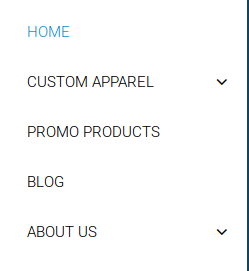
Clear the cache and check again.
I’ve updated etheme.js file. Please check the tabs now and clear browser cache before.
Thank you.
Regards,
Eva Kemp.
Hello,
Please check if the issue persists now and clear browser cache before.
Thank you.
Regards,
Eva Kemp.
Hello,
Please provide us with wp-admin panel credentials in Private Content.
Thank you.
Regards,
Eva Kemp.
Hello,
To check this issue we need to see your site, because from our side there is no such problem.
Please provide us with wp-admin panel credentials and FTP access.
Did you made any changes in original theme files?
Thank you.
Regards,
Eva Kemp.
Hello,
As I see buttons on the first site are shown fine:
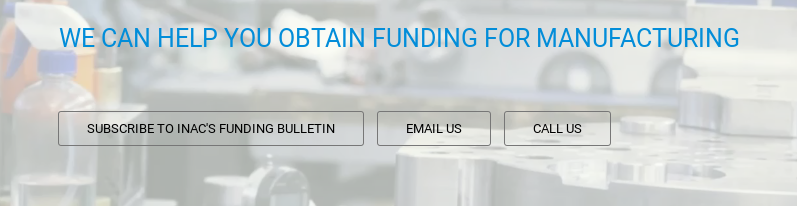
as well as on the second site:
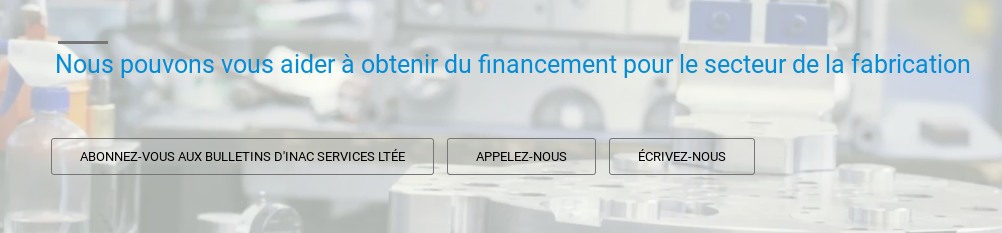
Could you please clarify your issue?
Thank you.
Regards,
Eva Kemp.
Hello,
As I see Visual Composer editor is shown in your home page:
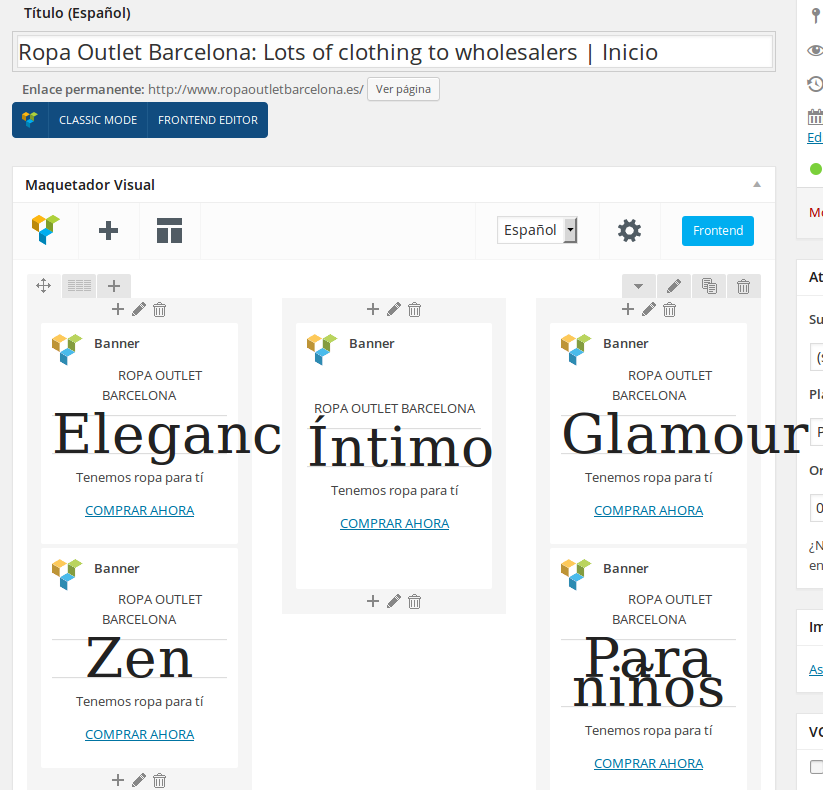
Try to clear browser cache and check again.
Thank you.
Regards,
Eva Kemp.
Hello,
What theme version are you using?
We recommend you to update Woocommerce plugin and the theme to the latest versions.
Don’t forget to create a back up before update.
Thank you.
Regards,
Eva Kemp.
Hello,
The problem with blank page persists with default WordPress theme too, so this is not related to our theme. You’d rather contact WordPress support concerning this issue.
Thank you.
Regards,
Eva Kemp.
Hello,
Yes, please provide us with wp-admin panel credentials.
Thank you.
Regards,
Eva Kemp.
Hello,
Does the issue persist when you use our default theme and not a child theme?
If the issue persists there too please provide us with FTP credentials.
Thank you.
Regards,
Eva Kemp.
Hello,
The credentials are incorrect.
We’re getting an error:
Response: 530 Login authentication failed
Please provide us with the correct login details.
Thank you.
Regards,
Eva Kemp.
Hello,
You’re welcome.
Regards,
Eva Kemp.
Hello,
There is an error in your error_log file:
[26-Jan-2015 18:57:02 UTC] PHP Fatal error: Class ‘WC_Widget’ not found in /home/diamondsourcew29/public_html/wp-content/plugins/woocommerce/includes/widgets/class-wc-widget-product-categories.php on line 16
Please try to reupload Woocommerce and Wishlist plugins folders via FTP.
Create a back up before making changes.
Thank you.
Regards,
Eva Kemp.
Hello,
Please provide us with FTP credentials.
Thank you.
Regards,
Eva Kemp.
Hello,
Are you using the latest version of browser?
Thank you.
Regards,
Eva Kemp.
Hello,
You need remove all elements you added to your Blog page and select your blog page in Settings > Reading > Posts page.
Then go to Theme Options > Blog Layout and select Grid for “Blog Layout”.
Also you need add Read More button as shown in the article:
http://www.wikihow.com/Add-Read-More-to-Wordpress
Thank you.
Regards,
Eva Kemp.
Hello,
Unfortunately there is no such option in our theme for the menu.
You can use only the features that are described in our documentation.
Please take our apologies for inconveniences.
Thank you.
Regards,
Eva Kemp.
Hello,
We’ve checked your site and haven’t seen the issue you described.
Are you using the latest browser version?
Thank you.
Regards,
Eva Kemp.
Hello,
Ok. Let us know the result.
Thank you.
Regards,
Eva Kemp.
Hello,
CSS code was modified for some elements. Please don’t worry. Old style.css will be rewritten in the theme update so you won’t lose the changes.
Thank you.
Regards,
Eva Kemp.
Hello @inetb italia,
Could you please provide us with access to your hosting control panel to be able to view File Manager?
Thank you.
Regards,
Eva Kemp.









