Hello,
Could you please provide us with a page link where you use Advanced Carousel element?
Thank you.
Regards,
Eva Kemp.

Hello,
Could you please provide us with a page link where you use Advanced Carousel element?
Thank you.
Regards,
Eva Kemp.
Hello,
We have already created and included child theme in theme package. You just need to find royal-child folder in the theme package and upload it to /wp-content/themes/ folder.
More information concerning child theme you can find here:
http://codex.wordpress.org/Child_Themes
Thank you.
Regards,
Eva Kemp.
Hello,
Unfortunately there is no such possibility. Sorry.
Regards,
Eva Kemp.
Hello,
You’re welcome.
I’ve edited the file woo.php and replaced the code $woocommerce->get_image_size with wc_get_image_size (line 395).
Thank you.
Regards,
Eva Kemp.
Hello,
Please check the site now and clear browser cache before.
Thank you.
Regards,
Eva Kemp.
Hello,
You’re welcome.
Regards,
Eva Kemp.
Hello,
You’re welcome.
Regards,
Eva Kemp.
Hello,
Did you update Blanco theme too?
Please provide us with FTP and wp-admin panel credentials in Private Content?
Thank you.
Regards,
Eva Kemp.
Hello,
We can’t access the folder Khadee, there is an error:
Response: 550 Access is denied.
Error: Failed to retrieve directory listing
Please provide us with permissions.
Thank you.
Regards,
Eva Kemp.
Hello,
Could you please clarify what you want to change?
Do you wish to remove the tick and change background color?
Thank you.
Regards,
Eva Kemp.
Hello,
As I see now there is one line:
http://storage4.static.itmages.com/i/15/0221/h_1424552936_6396247_100fec832b.png
Is your issue resolved?
Thank you.
Regards,
Eva Kemp.
Hello,
Then please enable debug mode in wp-config.php file and give us permissions to access parent theme directory.
How to enable debugging is described here:
http://codex.wordpress.org/Debugging_in_WordPress
Thank you.
Regards,
Eva Kemp.
Hello,
I’ve added this code in custom.css file:
.product-grid .product-name-price {
    text-align: left;
    white-space: initial;
}

.rows-count4 .product-grid .product-information .price {
    margin-top: 0px;
    margin-bottom: 0px;
}

.product-grid .product-image img {
 height: 150px;
}

.product-grid .product-information {
 padding: 0px 15px 15px 10px;
}
Also I’ve disabled “Template Debug Mode” in Woocommerce > System Status > Tools tab that was causing the issue with content display.
Please clear your browser cache and check the site now.
Thank you.
Regards,
Eva Kemp.
Hello @robertstaddon,
Sorry, but we need full FTP access to investigate the problem.
Thank you.
Regards,
Eva Kemp.
Hello,
Please try to use this code in custom.css file to remove those lines:
.copyright-3 .container .row-copyrights, .copyright .container .row-copyrights {
   border-top: none;
}
Thank you.
Regards,
Eva Kemp.
Hello,
1. To enable registration form on My Account page go to Woocommerce > Settings > Account tab, tick “Enable registration on the “My Account” page”.
2. Please provide us with FTP credentials to check the issue with Wishlist page.
3. Please give us correct login details to wp-admin panel to check the link issue. The ones you provided don’t match.
4. You need remove review-order.php file in the directory wp-content/themes/woopress/woocommerce/checkout.
Thank you.
Regards,
Eva Kemp.
Hello,
Could you please describe your issue with more details and provide us with a site url?
Thank you.
Regards,
Eva Kemp.
Hello,
Please add this code in custom.css file:
.products-grid .product-title {
    margin-top: 10px;
}
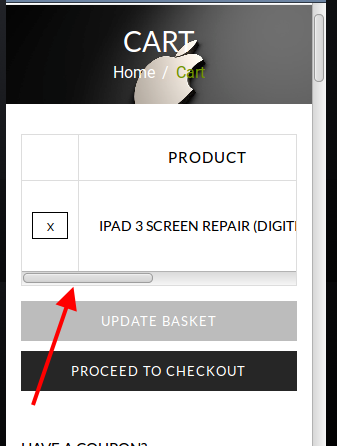
When viewing a product on mobile device there is a scroll bar that gives an opportunity to scroll product horizontally:
https://s3.amazonaws.com/fvd-data/notes/168674/1424543233-8Marnd/screen.png
Also Returns tab is shown on iPad from our side.
Could you please show a screenshot for us?
Thank you.
Regards,
Eva Kemp.
Hello,
Please read attentively our documentation how to translate the theme:
https://www.8theme.com/demo/docs/woopress/#!/1_how_to_translate
Thank you.
Regards,
Eva Kemp.
Hello,
Sorry, but we need FTP credentials to enable debug mode and check error logs. Or you can ask your host to check error logs to find out what is causing the issue.
Also please ask Woocommerce team to provide more details concerning this issue. Did they tell you what elements in the theme prevents plugin from working?
Thank you.
Regards,
Eva Kemp.
Hello,
You provided us only with wp-admin panel credentials.
Please give us access to FTP as well.
Thank you.
Regards,
Eva Kemp.
Hello,
Footer Copyright is shown on the site:
https://s3.amazonaws.com/fvd-data/notes/168674/1424534110-e3kqsT/screen.png
Please check it again.
Thank you.
Regards,
Eva Kemp.
Hello,
Please add this code in custom.css file:
.post-images .blog-mask {
    display: none;
}
How to create custom.css you can watch in this tutorial (it’s for Legenda theme but the process is the same).
Thank you.
Regards,
Eva Kemp.
Hello,
Please check product category now and clear browser cache before.
Thank you.
Regards,
Eva Kemp.
Hello,
As I see footer is shown on the site.
Please check it and clear browser cache.
Thank you.
Regards,
Eva Kemp.
Hello @DiegoSSC,
Concerning these issues they are being investigated by our developers and should be fixed in the next theme update.
We’re sorry for inconveniences.
Thank you.
Regards,
Eva Kemp.
Hello,
Try to change products number in Settings -> Reading -> “Blog pages show at most” and try yo set 8.
Thank you.
Regards,
Eva Kemp.
Hello,
You’re welcome.
Regards,
Eva Kemp.
Hello,
You’re welcome.
Regards,
Eva Kemp.
Hello,
I’ve updated the plugins and the theme for you.
Please check your site.
Thank you.
Regards,
Eva Kemp.