Hello,
You need use this code:
hr {display:table !important;}
Regards,
Eva Kemp.

Hello,
You need use this code:
hr {display:table !important;}
Regards,
Eva Kemp.
Hello,
As I see demo data is imported (blog posts, portfolio projects, Blog, Contact, Portfolio pages).
Are you unable to install a template variant in Theme Options > Import/Export?
Regards,
Eva Kemp.
Hello,
Please add this code in custom.css:
.menu-item-100 {
  margin-right: 0px !important;
}
Regards,
Eva Kemp.
Hello,
You need contact your host concerning this issue and ask them to increase memory_limit value.
Regards,
Eva Kemp.
Hello,
There was syntax error in php file.
The fix will be included in the next theme update.
Please don’t worry.
Regards,
Eva Kemp.
Hello,
Please update the theme to the latest version and remove “woocommerce” folder in wp-content/themes/legenda directory before update.
https://www.8theme.com/demo/docs/legenda/index.html#!/installation_upgrade > Theme Upgrade
Thank you.
Regards,
Eva Kemp.
Hello,
Please update theme to the latest version as well as the required plugins https://www.8theme.com/download-plugins/ .
Don’t forget to create a back up before update!
Thank you.
Regards,
Eva Kemp.
Hello,
I’ve imported slider.
Please check it now.
Regards,
Eva Kemp.
Hello,
Please add this code in custom.css file:
.fixed-header-area .menu {
   float: right;
}
How to create custom.css you can watch in this tutorial (it’s for Legenda theme but the process is the same).
Thank you.
Regards,
Eva Kemp.
Hello,
Do you want to change background color of the active menu item or for the whole menu?
Regards,
Eva Kemp.
Hello,
Unfortunately single image can’t be expanded the way you want, it’ll be expended if you set it as background for the row. Sorry.
Regards,
Eva Kemp.
Hello,
Please add this code in custom.css file:
.st-container {
   margin-top: -35px !important;
}
Thank you.
Regards,
Eva Kemp.
Hello,
Please edit Shop page in Pages section of wp-admin panel and select “Without Sidebar” for “Sidebar Position” in “Page Layout” box on the right side.
If the sidebar is still there provide us with wp-admin panel credentials in Private Content.
Thank you.
Regards,
Eva Kemp.
Hello,
The issue has been fixed.
Please check single product pages now and clear browser cache before.
Thank you.
Regards,
Eva Kemp.
Hello,
As I see the price including VAT is shown on Cart page:
http://storage4.static.itmages.com/i/15/0324/s_1427206436_5848400_3c4c345fd1.png
Please check it once more.
Thank you.
Regards,
Eva Kemp.
Hello,
You’re welcome.
Regards,
Eva Kemp.
Hello,
Please provide us with a page link where we can see zoom issue and give us wp-admin panel credentials in Private Content.
Thank you.
Regards,
Eva Kemp.
Hello @mercy20,
Sorry, but to investigate the issue we need to view your site.
As a solution you can try to remove “woocommerce” folder in the directory wp-content/themes/legenda and reupload it from the theme package of a new version.
Also try to disable 3rd-party plugins as they may cause conflicts.
Thank you.
Regards,
Eva Kemp.
Hello,
Sorry, but we can’t log in to wp-admin panel. Please check the login details.
Also please provide us with FTP credentials.
Thank you.
Regards,
Eva Kemp.
Hello,
Please specify what Visual Composer element you’re using where you can’t set borders for an image.
Thank you.
Regards,
Eva Kemp.
Hello,
I’ve checked our demo site and haven’t seen any problems.
Could you please describe with more details how we can replicate the issue?
Thank you.
Regards,
Eva Kemp.
Hello,
We’ve passed this issue to our developers.
As soon as there is a result we’ll let you know.
Thank you for your understanding and patience.
Regards,
Eva Kemp.
Hello,
Please add this code in custom.css file:
.breadcrumbs {
   display: none !important;
}
Thank you.
Regards,
Eva Kemp.
Hello @mercy20,
Please give us access to wp-admin panel and FTP to check the issue.
Thank you.
Regards,
Eva Kemp.
Hello,
WooCommerce has removed that feature in the recent update and replaced it with the number input type. And now there is no overrides in Woopress for this. Sorry.
Regards,
Eva Kemp.
Hello,
Please use this code in custom.css file:
.navbar {
    padding: 10px 0px !important;
}
Regards,
Eva Kemp.
Hello,
To get default search you need edit the file wp-content/themes/royal/woosearchform.php (line 15 ) and remove the code <input type="hidden" name="post_type" value="product" />.
To have possibility to sort products categories by order you can edit the file wp-content/themes/royal/framework/vc.php (line 1468), uncomment the code from line 1468 to 1491, remove /* and */ accordingly.
Then you’ll be able to select order type in Products Categories element in Visual Composer editor.
Thank you.
Regards,
Eva Kemp.
Hello,
1. I’ve added this code in custom.css to fix the issue with fixed header:
.admin-bar .fixed-header-area.fixed-already {
    top: 0px;
}
2. Concerning the links you should contact a plugin author.
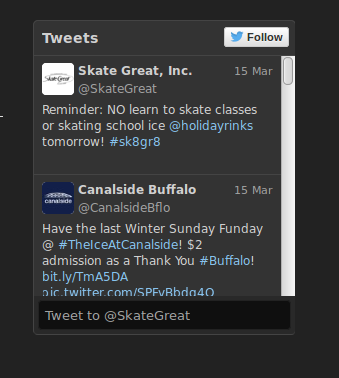
3. As I see the tweets are working:
https://s3.amazonaws.com/fvd-data/notes/168674/1427193608-KOJRRO/screen.png
Also try to disable 3rd-party plugins as they may cause a conflict with other plugins.
Regards,
Eva Kemp.
Hello,
1. Please add this code for the button hover in custom.css file:
button.btn.border-grey.progress-button:hover {
  color: black !important;
}
2. Could you please show a screenshot what the problem is with “Js animation” when adding a product to the cart? I’ve checked it and haven’t seen any problems.
3. Sorry, but in this case you need check your modifications as we can’t know what you customized.
4. This is the configuration of qTranslate plugin.
You should contact their support concerning this issue.
Please take our apologies.
Regards,
Eva Kemp.