Forum Replies Created

Viewing 30 posts - 17,161 through 17,190 (of 31,382 total)
  • Avatar: Eva
    Eva Kemp
    Participant
    April 22, 2015 at 20:03

    Hello,

    The problem is caused by your hosting settings.
    Image is loaded from the path that is defined in “DOCUMENT_ROOT” variable. On a server where your site is located the path for DOCUMENT_ROOT is written:
    _SERVER["DOCUMENT_ROOT"] /var/chroot/home/content/53/10559053/html
    but your site is located in /var/chroot/home/content/53/10559053/html/provideobackgrounds and this path is written for variable “REAL_DOCUMENT_ROOT”.
    So to fix the issue I’ve changed the code $file_path = $_SERVER['DOCUMENT_ROOT'] . $file_path['path']; to $file_path = $_SERVER['REAL_DOCUMENT_ROOT'] . $file_path['path']; on line 118 in the file wp-content/themes/legenda/framework/images.php.

    Please clear browser cache and check hover image now.

    Regards,
    Eva Kemp.

    Avatar: Eva
    Eva Kemp
    Participant
    April 22, 2015 at 19:20

    Hello,

    The same has been done for “Register” link.
    To enable registration go to wp-admin panel > Settings > General. I’ve already enabled it:
    http://storage4.static.itmages.com/i/15/0422/s_1429726404_7535090_af06e2657b.png
    Also I’ve created “Register” page in wp-admin > Pages. Now it’s shown in the header. Please check.
    To change hover color add this code in custom.css in Appearance > Editor:

    .top-bar a:hover {
      color: red;
    }

    Regards,
    Eva Kemp.

    Avatar: Eva
    Eva Kemp
    Participant
    April 22, 2015 at 19:09

    Hello,

    Shop page is configured by Woocommerce and unfortunately it can’t have the same transparent header as home page. You can’t add style css code in VC editor for Shop page as it won’t take an effect because it uses Woocommerce template and not standard WordPress template for pages.

    Regards,
    Eva Kemp.

    Avatar: Eva
    Eva Kemp
    Participant
    April 22, 2015 at 19:06

    Hello,

    The credentials to wp-admin panel are incorrect. Please check them and provide us with FTP login details as well.

    Thank you.
    Regards,
    Eva Kemp.

    Avatar: Eva
    Eva Kemp
    Participant
    April 22, 2015 at 19:03

    Hello,

    Now your site is giving a database error. Are you making any changes there?

    Regards,
    Eva Kemp.

    Avatar: Eva
    Eva Kemp
    Participant
    April 22, 2015 at 19:00

    Hello @leo,

    You can follow the instruction in our documentation how to create footer:
    https://www.8theme.com/demo/docs/woopress/#!/9_footer

    To be able to choose size and color for products you need create attributes in wp-admin > Products > Attributes and then create variable products:
    http://docs.woothemes.com/document/variable-product/
    Also you can watch video tutorial at this link.

    Regards,
    Eva Kemp.

    Avatar: Eva
    Eva Kemp
    Participant
    April 22, 2015 at 18:51

    Hello @WaniCreative,

    I’ve commented the code <?php do_action( 'woocommerce_cart_collaterals' ); ?> in the file wp-content/themes/legenda/woocommerce/cart/cart.php on line 162. Now there is only one button “Proceed to Checkout” on Cart page. Please clear browser cache and check.

    Thank you.
    Regards,
    Eva Kemp.

    Avatar: Eva
    Eva Kemp
    Participant
    April 22, 2015 at 17:36

    Hello,

    You’re welcome.

    Regards,
    Eva Kemp.

    Avatar: Eva
    Eva Kemp
    Participant
    April 22, 2015 at 17:34

    Hello,

    Please give us access to wp-admin panel.

    Thank you.
    Regards,
    Eva Kemp.

    Avatar: Eva
    Eva Kemp
    Participant
    April 22, 2015 at 17:07

    Hello,

    Use this code in custom.css file to change header background:

    .header-vertical-enable .page-wrapper .header-type-vertical {
       background-color: blue !important;
    }

    Please provide us with wp-admin panel credentials in Private Content to check the issue with the white space.

    Thank you.
    Regards,
    Eva Kemp.

    Avatar: Eva
    Eva Kemp
    Participant
    April 22, 2015 at 17:04

    Hello,

    Sorry, but login details are incorrect.
    Please check them. Also provide us with FTP credentials.

    Thank you.
    Regards,
    Eva Kemp.

    Avatar: Eva
    Eva Kemp
    Participant
    April 22, 2015 at 16:14

    Hello,

    Sorry, but to provide you with the solution we need to see the issue on your site to be able to give you the correct code.

    Thank you for understanding.

    Regards,
    Eva Kemp.

    Avatar: Eva
    Eva Kemp
    Participant
    April 22, 2015 at 16:11

    Hello,

    I’ve added this code in style.css of the child theme:

    .footer-product .yith-wcwl-add-button a.add_to_wishlist, .footer-product .yith-wcwl-wishlistexistsbrowse.show a  {
    font-size: 10px !important;
    }

    Please check.

    Regards,
    Eva Kemp.

    Avatar: Eva
    Eva Kemp
    Participant
    April 22, 2015 at 16:02

    Hello @leo,

    The problem was only in template. You need use default template for all Woocommerce pages.

    Thank you.
    Regards,
    Eva Kemp.

    Avatar: Eva
    Eva Kemp
    Participant
    April 22, 2015 at 15:59

    Hello,

    I’ve also removed href="" for “Sign In” in theme-functions.php file.
    Please check now.

    Thank you.
    Regards,
    Eva Kemp.

    Avatar: Eva
    Eva Kemp
    Participant
    April 22, 2015 at 15:52

    Hello,

    If you want to modify styles for menu items or for header you need write them in custom.css file in Appearance > Editor. Changes for header won’t take any effect if you write them in CSS block in VC editor.

    Regards,
    Eva Kemp.

    Avatar: Eva
    Eva Kemp
    Participant
    April 22, 2015 at 15:48

    Hello,

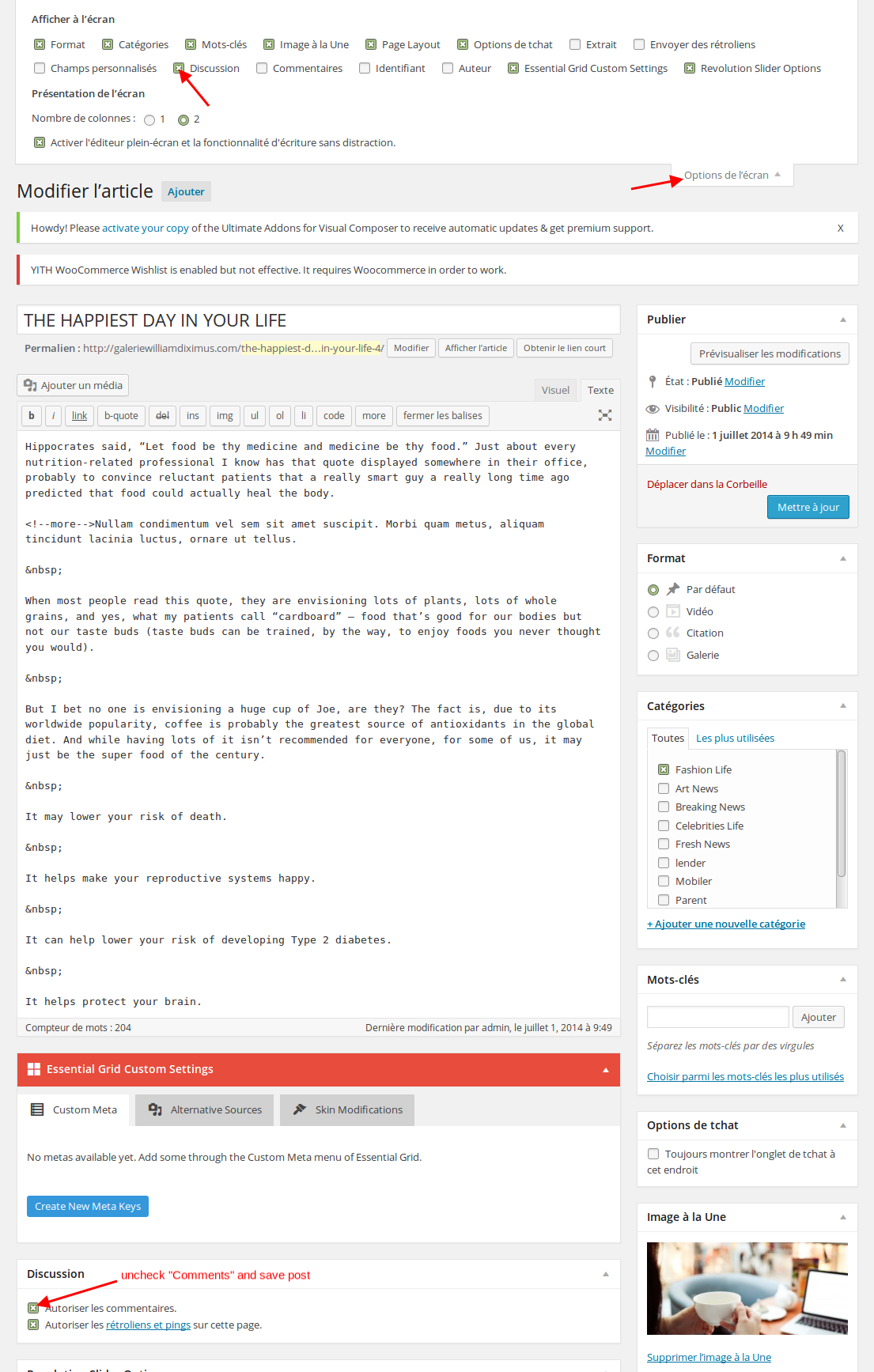
    1. You can remove comments box in posts editor https://s3.amazonaws.com/fvd-data/notes/168674/1429713829-HX44NQ/screen.png or use this code in custom.css file:

    #commentform, .comment-reply-title {
     display: none;
    }

    How to create custom.css you can watch in this tutorial (it’s for Legenda theme but the process is the same).

    2. That text can be translated in the file wp-content/themes/royal/framework/theme-functions.php (line 3333).

    3. As I see only image is shown now:
    http://storage3.static.itmages.com/i/15/0422/s_1429714043_7576275_668b68c34d.png
    Did you resolve the issue?

    Regards,
    Eva Kemp.

    Avatar: Eva
    Eva Kemp
    Participant
    April 22, 2015 at 15:37

    Hello,

    As I see “New” text is translated.
    I’ve copied the code into functions.php file in royal-child directory for “Cart” translation.
    Now the text is translated.
    Please clear browser cache and check.

    Regards,
    Eva Kemp.

    Avatar: Eva
    Eva Kemp
    Participant
    April 22, 2015 at 15:09

    Hello @mielnikus,

    You’re welcome.

    Regards,
    Eva Kemp.

    Avatar: Eva
    Eva Kemp
    Participant
    April 22, 2015 at 15:09

    Hello,

    Could you please provide us with a link where you want to change font and show us a screenshot?

    Thank you.
    Regards,
    Eva Kemp.

    Avatar: Eva
    Eva Kemp
    Participant
    April 22, 2015 at 15:07

    Hello,

    5. Unfortunately there is no such option. Sorry.

    6. Sorry, but it’s not added in royal theme. As you can see that icon isn’t added on our demo site as well.

    7. I’ve already provided you with the code for spacing in the 2nd item of the previous post:

    .mobile-nav-heading i {
     margin-top: 10px !important;
    }
    .mobile-nav .links li a {
     padding: 5px 0px 15px 10px !important;
    }

    8. You need edit the file wp-content/themes/royal/header.php (line 34, edit the code <?php _e('Account', ETHEME_DOMAIN); ?> and edit “Account” text).

    9. You can get the image from this link https://www.8theme.com/wp-content/themes/legenda/images/small-plus.png .

    Regards,
    Eva Kemp.

    Avatar: Eva
    Eva Kemp
    Participant
    April 22, 2015 at 14:49

    Hello,

    You can remove custom tab in Theme Options > Single Product Page > Custom Tab Title and remove the content.
    Please clarify the issue with images. Please give us a direct link where the problem persists.

    Thank you.
    Regards,
    Eva Kemp.

    Avatar: Eva
    Eva Kemp
    Participant
    April 22, 2015 at 14:31

    Hello @Voguefare,

    Please add this code in custom.css file:

    @media only screen and (max-width: 992px){
    .header-logo img {
      width: auto !important;
    }}

    Regards,
    Eva Kemp.

    Avatar: Eva
    Eva Kemp
    Participant
    April 22, 2015 at 14:27

    Hello,

    Your site shows a blank page.
    Please check it.

    Thank you.
    Regards,
    Eva Kemp.

    Avatar: Eva
    Eva Kemp
    Participant
    April 22, 2015 at 14:26

    Hello,

    Your site isn’t accessible. It shows only a blank page. Please check it.
    Concerning Visual Composer, make sure you marked “Static Block” in Settings > Visual Composer > Content Types.

    Regards,
    Eva Kemp.

    Avatar: Eva
    Eva Kemp
    Participant
    April 22, 2015 at 14:21

    Hello @mielnikus,

    Please provide us with your site url.

    Thank you.
    Regards,
    Eva Kemp.

    Avatar: Eva
    Eva Kemp
    Participant
    April 22, 2015 at 14:18

    Hello,

    Our IP isn’t in CBL list, but your host may restrict access only to some IPs, so please ask them to whitelist the IP address that has been sent to your email address. Please check it.

    Thank you.
    Regards,
    Eva Kemp.

    Avatar: Eva
    Eva Kemp
    Participant
    April 22, 2015 at 14:14

    Hello,

    Concerning the plugins you need update them via FTP downloading from the link you were provided in the previous post. Also you had notices and not errors. They were shown because debug mode was enabled in wp-config.php file. I’ve disabled it. Please check the site now and clear browser cache before.

    Thank you.
    Regards,
    Eva Kemp.

    Avatar: Eva
    Eva Kemp
    Participant
    April 22, 2015 at 13:58

    Hello,

    May we reupload the theme?

    Thank you.
    Regards,
    Eva Kemp.

    Avatar: Eva
    Eva Kemp
    Participant
    April 22, 2015 at 13:45

    Hello,

    Seems they didn’t include css code in the default WordPress theme.
    I’ve described how you can check it from your side:
    Activate Twenty Fifteen theme in Appearance > Themes and add the code .single_variation_wrap {display: block !important;} to style.css file of the activated theme in Appearance > Editor.
    You’ll see the button behaves the same as in our theme.

    Please check it yourself at first.

    Thank you.
    Regards,
    Eva Kemp.

  • 1 2 3 572 573 574 1,045 1,046 1,047
    Viewing 17,190 results - 17,161 through 17,190 (of 31,382 total)
Viewing 30 posts - 17,161 through 17,190 (of 31,382 total)
We're using our own and third-party cookies to improve your experience and our website. Keep on browsing to accept our cookie policy.