Forum Replies Created

Viewing 30 posts - 30,661 through 30,690 (of 31,366 total)
  • Avatar: Eva
    Eva Kemp
    Participant
    May 13, 2014 at 16:06

    Hello,

    We’ve separated the plugin from the theme due to the necessity. The theme update won’t crash all your pages. Perhaps you’ll need to recreate just some of them, but only those ones where you use Parallax effect and “Sections” element.
    According to the queries we’ll contact the plugin support team regarding your request and wait for their reply.

    Regards,
    Eva Kemp.

    Avatar: Eva
    Eva Kemp
    Participant
    May 13, 2014 at 16:00

    Hello,

    1. To change footer title add the following code in custom.css file:
    .footer_title {color: color_name;}
    Don’t forget to enable the file in Theme Options > Custom CSS > On.

    2. To change the color for “Add to cart” button use this code in custom.css:
    product-grid .button {background: green;} and to change the hover color:
    .product-grid .button:hover {background: grey;}

    3. Please provide us with the link to the product “new banner” you want to change color for.

    4. You can change color only for one menu item. Go to Appearance > Menus, open the menu tab of “Sale” and below “CSS Classes (optional)” write your css class (for example: my_class):
    menu
    You can enable CSS classes at the top of admin panel, just click “Screen Options”:
    screen options

    Then you should edit custom.css file, add the code:
    .my_class a {color: red !important;}

    Regards,
    Eva Kemp.

    Avatar: Eva
    Eva Kemp
    Participant
    May 13, 2014 at 15:07

    Hello,

    It would be better if you provide us with the credentials as it will help us to find the solution faster.
    Thank you.

    Regards,
    Eva Kemp.

    Avatar: Eva
    Eva Kemp
    Participant
    May 13, 2014 at 14:59

    Hello @Donmiat,

    Please provide us with FTP credentials too.
    Thank you.

    Regards,
    Eva Kemp.

    Avatar: Eva
    Eva Kemp
    Participant
    May 13, 2014 at 14:58

    Hello,

    Ok, if you still need our help feel free to contact us.

    Regards,
    Eva Kemp.

    Avatar: Eva
    Eva Kemp
    Participant
    May 13, 2014 at 14:56

    You’re welcome.

    Regards,
    Eva Kemp.

    Avatar: Eva
    Eva Kemp
    Participant
    May 13, 2014 at 14:53

    Hello,

    Do you mean you want to remove Register button on the top header?
    If so you can do this in Theme Options > Header > Enable top links > Off.

    Could you please clarify your second question? Do you want to use cars demo site? If so you can find demo data in the theme archive > “XML_Data” folder.

    Regards,
    Eva Kemp.

    Avatar: Eva
    Eva Kemp
    Participant
    May 13, 2014 at 14:45

    Hello,

    Could you please provide us with the FTP and admin panel credentials in Private Content?

    Regards,
    Eva Kemp.

    Avatar: Eva
    Eva Kemp
    Participant
    May 13, 2014 at 14:40

    Hello,

    1. Please provide us with FTP credentials as well to be able to create files in the child theme.

    2. Try to add the following code in functions.php file:

    wp_dequeue_script( 'prettyPhoto' );
    wp_dequeue_script( 'prettyPhoto-init' );

    3. Is Woocommerce Wishlists plugin working with default theme? We’d recommend you to contact Woocommerce support regarding this issue.

    4. The price block has been moved to the left as you requested.

    5. To fix this issue you have to disable Ajax filter in Theme Options > Shop > Enable Ajax Filter > off.

    6. We provide plugins of the latest versions with the theme archive when a new release is produced. But if there is an update for some plugin you have to buy it yourself or wait for the future theme release which will have all updated plugins implemented.

    Regards,
    Eva Kemp.

    Avatar: Eva
    Eva Kemp
    Participant
    May 13, 2014 at 14:03

    Hello,

    We’re glad you was able to resolve that issue.
    Thank you for the suggestion. We’ll take it into our account.

    Regards,
    Eva Kemp.

    Avatar: Eva
    Eva Kemp
    Participant
    May 13, 2014 at 14:02

    Hello,

    You’re always welcome.

    Regards,
    Eva Kemp.

    Avatar: Eva
    Eva Kemp
    Participant
    May 13, 2014 at 14:00

    You’re welcome.

    Regards,
    Eva Kemp.

    Avatar: Eva
    Eva Kemp
    Participant
    May 13, 2014 at 13:42

    Hello,

    This instruction https://www.8theme.com/demo/docs/legenda/index.html#!/visual_composer was updated due to the new theme version 2.2. You can upgrade the theme but before read our notification carefully: https://www.8theme.com/demo/docs/legenda/index.html#!/upgrade

    Regards,
    Eva Kemp.

    Avatar: Eva
    Eva Kemp
    Participant
    May 13, 2014 at 13:37

    Hello,

    The problem was you didn’t select Sidebar position in Theme Options > Single Product Page. As you can see you have “Location of upsell products” set in Sidebar, so you had to choose sidebar position. Also cross-sell products are also displayed on the Cart page.
    Please check.

    Regards,
    Eva Kemp.

    Avatar: Eva
    Eva Kemp
    Participant
    May 13, 2014 at 13:09

    Hello @Jonasurs,

    Could you please provide us with the link to your google map and admin panel credentials in Private Content?

    Regards,
    Eva Kemp.

    Avatar: Eva
    Eva Kemp
    Participant
    May 13, 2014 at 13:06

    Hello,

    You have to contact Woocommerce support team regarding this question. They should advise you how it can be done.

    Regards,
    Eva Kemp.

    Avatar: Eva
    Eva Kemp
    Participant
    May 13, 2014 at 12:58

    Hello,

    Sorry but your question is unclear for me.
    Could you please clarify with more details and provide us with the link/screenshot to have more understanding in what you’re talking about?
    Thank you.

    Regards,
    Eva Kemp.

    Avatar: Eva
    Eva Kemp
    Participant
    May 13, 2014 at 12:55

    Hello,

    What theme version do you use? If you upgraded to 2.2 version then some pages may be corrupted and should be recreated. Please read our notification: https://www.8theme.com/demo/docs/legenda/index.html#!/upgrade

    If the problem isn’t related to the theme version please provide us with FTP and wp-admin credentials in Private Content.

    Regards,
    Eva Kemp.

    Avatar: Eva
    Eva Kemp
    Participant
    May 13, 2014 at 12:49

    Hello,

    Have you installed the plugin of the latest version or the one that was provided with our theme in the archive?

    Regards,
    Eva Kemp.

    Avatar: Eva
    Eva Kemp
    Participant
    May 13, 2014 at 12:32

    Hello,

    You’re welcome.

    Best regards,
    Eva Kemp.

    Avatar: Eva
    Eva Kemp
    Participant
    May 13, 2014 at 12:30

    Hello,

    Please refer to woocommerce documentation http://docs.woothemes.com/document/using-the-appropriate-product-image-dimensions/ , especially to the video tutorial at the end of the page.

    Regards,
    Eva Kemp.

    Avatar: Eva
    Eva Kemp
    Participant
    May 13, 2014 at 11:56

    Hello,

    You need add the following code in css file:
    .owl-carousel {display: block;}

    Regards,
    Eva Kemp.

    Avatar: Eva
    Eva Kemp
    Participant
    May 13, 2014 at 11:53

    Hello,

    Could you please specify what and where everything should be displayed?
    Please provide us with admin panel credentials in Private Content.

    If you want to use your own template for single-product page this article may help you: http://docs.woothemes.com/document/template-structure/
    Or if you want to create a new template you may refer to http://wp-types.com/learn/create-an-ecommerce-wordpress-site/single-product/

    Regards,
    Eva Kemp.

    Avatar: Eva
    Eva Kemp
    Participant
    May 13, 2014 at 11:33

    Hello,

    Do you mean “sale” icon?
    If so you can disable it in Blanco – Theme Settings > Product Page, untick “Enable “Sale” icon”.
    If you want to remove some other icon please provide us with the link in Private Content.

    Regards,
    Eva Kemp.

    Avatar: Eva
    Eva Kemp
    Participant
    May 12, 2014 at 20:15

    Please provide us with FTP and admin panel credentials in Private Content.

    Regards,
    Eva Kemp.

    Avatar: Eva
    Eva Kemp
    Participant
    May 12, 2014 at 20:12

    Hello,

    I’ve edited style.css in the child theme. Please check the footer now.

    Regards,
    Eva Kemp.

    Avatar: Eva
    Eva Kemp
    Participant
    May 12, 2014 at 19:42

    Hello,

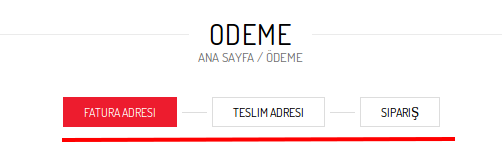
    You have it already enabled in Theme Options > Shop > Checkout page > Step by step and it’s shown on your page:
    checkout

    Regards,
    Eva Kemp.

    Avatar: Eva
    Eva Kemp
    Participant
    May 12, 2014 at 19:37

    You’re welcome.

    Regards,
    Eva Kemp.

    Avatar: Eva
    Eva Kemp
    Participant
    May 12, 2014 at 18:25

    Hello,

    I’ve updated the files and the issue has been fixed.
    Please check.

    Regards,
    Eva Kemp.

    Avatar: Eva
    Eva Kemp
    Participant
    May 12, 2014 at 18:11

    Hello,

    This is a bug and should be fixed in future updates.

    Regards,
    Eva Kemp.

  • 1 2 3 … 1,022 1,023 1,024 … 1,044 1,045 1,046
    Viewing 30,690 results - 30,661 through 30,690 (of 31,366 total)
Viewing 30 posts - 30,661 through 30,690 (of 31,366 total)
We're using our own and third-party cookies to improve your experience and our website. Keep on browsing to accept our cookie policy.