

Hello,
unfortunately third-party plugins are not supported by our theme. If you have problems with that plugin – please contact plugin developer.
Regards,
Stan Russell.

Hello intelisystems,
please provide us with admin credentials for your site in private content.
Regards,
Stan Russell.
Hello,
unfortunately third-party plugins are not supported by our theme. If you have problems with that plugin – please contact plugin developer.
Regards,
Stan Russell.
Hello mumbomedia,
please provide us with link to your site.
Regards,
Stan Russell.
Hello EDavis99,
is your problem solved now?
Regards,
Stan Russell.
Hello juanideas,
we can not reach that page using link you provided us with. Please check it.
Regards,
Stan Russell.
Hello Jens,
please provide us with admin credentials for your site jensengrill.com in private content.
Regards,
Stan Russell.
Hello chrisgent80,
please provide us with admin and FTP credentials for your site in private content.
What problems do you have with old theme version? Have you edited theme files?
Regards,
Stan Russell.
Hello gversion,
please navigate to Dashboard > Settings > Permalink menu. You can configure the URL structure for your shop and product pages there.
Regards,
Stan Russell.
Hello,
we have updated your theme. Please update plugins too and check your site.
Plugins can be downloaded here: http://www.8theme.com/download-plugins/
Regards,
Stan Russell.
Hello Webacto,
please try following css code:
.meta-title {
display:none;
}
Regards,
Stan Russell.
Hello LindaMendible,
unfortunately we can not connect to your FTP. Please check its address.
Regards,
Stan Russell.
Hello lbbdesigns,
you are welcome! Have a nice day!
Regards,
Stan Russell.
Hello LindaMendible,
we need your FTP address, FTP login and FTP password too. If you do not know them, please ask your hosting provider.
Regards,
Stan Russell.
Hello robertlangius,
please provide us with admin and FTP credentials for your site in private content.
Regards,
Stan Russell.
Hello,
please use following css code:
.top-bar .topbar-widget {
padding-top:3px
}
Regards,
Stan Russell.
Hello juanideas,
please check link to your site you gave us as we can not reach it.
Regards,
Stan Russell.
Hello alonl,
we are happy that your problem is solved! Have a nice day!
Regards,
Stan Russell.
Hello,
unfortunately our theme does not have such feature. Sorry.
Regards,
Stan Russell.
Hello Ninimette,
you are welcome! Have a nice day!
Regards,
Stan Russell.
Hello alonl,
we need Admin and FTP credentials for your site to check this issue. Would you kindly provide us with them?
Regards,
Stan Russell.
Hello roshan.zakky@gmail.com,
we need admin credentials to check your site as it is protected by coming soon page.
Regards,
Stan Russell.
Hello Eric,
please show on screenshot where do you want to add icon.
Regards,
Stan Russell.
Hello Mia Maq,
would you kindly provide us with admin credentials for your site so we will be able to check it?
Regards,
Stan Russell.
Hello,
please update theme and all required plugins to latest version. If this will not help – upload screenshot of “my account” page to any image hosting site and provide us with link.
Regards,
Stan Russell.
Hello katejones,
please provide us with admin credentials for your site in private content. In addition please temporary switch to default WordPress theme and check, will this problem appear too?
Regards,
Stan Russell.
Hello,
we have disabled all third-party plugins and your site become displayed correct:
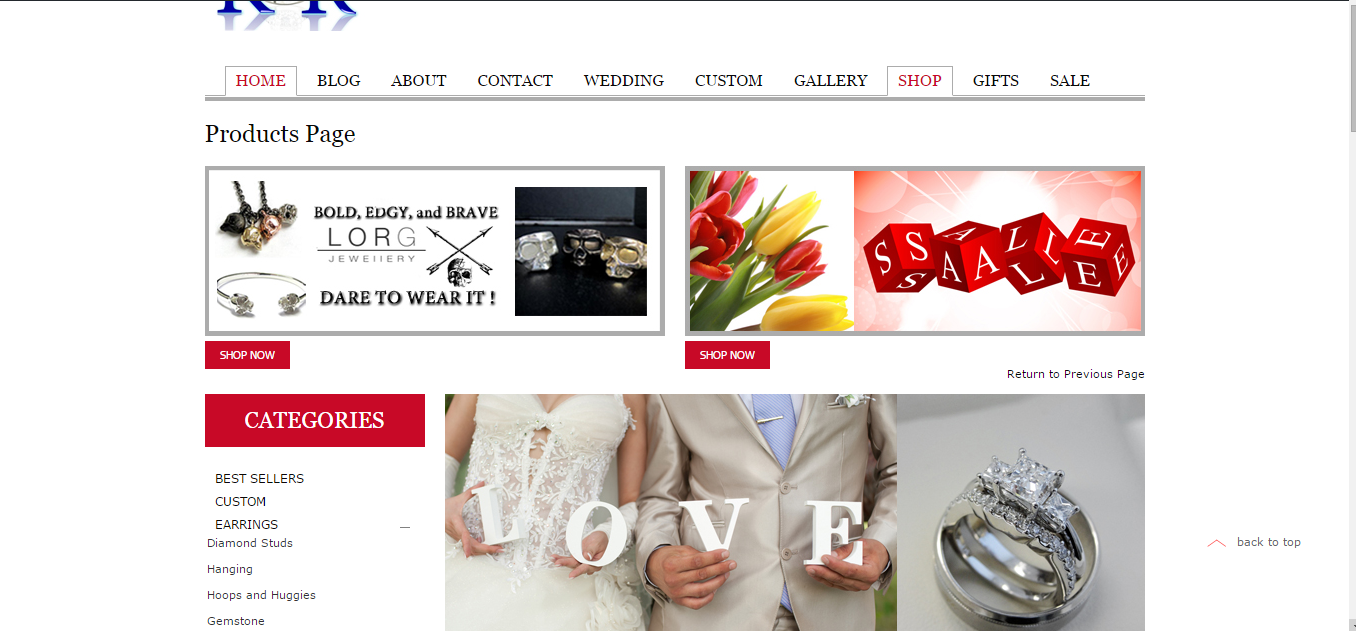
Please disable all third-party plugins and enable them one by one to find which is causing problems.
Regards,
Stan Russell.
Hello,
you need to edit file woopress\framework\theme-functions.php, find there function
 if(!function_exists('etheme_breadcrumbs')) {
    function etheme_breadcrumbs() {
      $showOnHome = 0; // 1 - show breadcrumbs on the homepage, 0 - don't show
      $delimiter = '<span class="delimeter">/</span>'; // delimiter between crumbs
      $home = __('Home', ETHEME_DOMAIN); // text for the 'Home' link
      $blogPage = __('Blog', ETHEME_DOMAIN);
      $showCurrent = 1; // 1 - show current post/page title in breadcrumbs, 0 - don't show
      $before = '<span class="current">'; // tag before the current crumb
      $after = '</span>'; // tag after the current crumb
and change part $showCurrent = 1; to $showCurrent = 0;
To avoid possibility of breaking theme we recommend you to make this customization in Child theme.
Read here more about it: https://codex.wordpress.org/Child_Themes
Regards,
Stan Russell.
Hello,
we wish you good luck. Thank you for understanding.
Regards,
Stan Russell.
Hello SOMMERLIEBLING,
we have sent you German translation files on your email.
Regards,
Stan Russell.
Hello,
you are welcome! Have a nice day!
Regards,
Stan Russell.

Free AI store scan · SalesMax
Paste your store address. SalesMax AI shows which upsell moments are missing. No signup.

Free AI speed test · FlashMax
Paste your site address. FlashMax runs Google Lighthouse for phone and desktop, checks Core Web Vitals and lists what to fix. No signup.
 KidsstoreBusiness
(live demo, opens in a new tab)
 BeautyFashion
(live demo, opens in a new tab)
 Marseille04Elementor
(live demo, opens in a new tab)
 Electron Store 01Electronics
(live demo, opens in a new tab)
 Flowers StoreWPBakery
(live demo, opens in a new tab)
 Lifestyle BlogElementor
(live demo, opens in a new tab)
 Digital MarketingElementor
(live demo, opens in a new tab)
 Makeup StoreBeauty
(live demo, opens in a new tab)
 Minimal StoreFashion
(live demo, opens in a new tab)
 Crypto Mobile AppElementor
(live demo, opens in a new tab)
 FishingPortfolio
(live demo, opens in a new tab)
 Web AgencyPortfolio
(live demo, opens in a new tab)
 BarbershopBeauty
(live demo, opens in a new tab)
 Tea StoreFood & drinks
(live demo, opens in a new tab)
 Water DeliveryElementor
(live demo, opens in a new tab)
 Coffee StoreFood & drinks
(live demo, opens in a new tab)