Thanks for the reply.
In this case, add this email 8themes@gmail.com to the developers’ list of your Google account and also provide us with wp-admin and FTP access to your site. We’ll check the issue in more detail.
Regards

Thanks for the reply.
In this case, add this email 8themes@gmail.com to the developers’ list of your Google account and also provide us with wp-admin and FTP access to your site. We’ll check the issue in more detail.
Regards
Hello,
Fixed. Please check.
Regards
Hello,
Great. Thanks for letting us know!
Olga did the update, and a bit edited CSS code in Theme Options > Theme custom CSS. I can’t give more detailed explanation, because Olga is on vacation now and during the next 2 weeks.
Please open up new topics for new questions.
Regards
Hello,
Thanks for using our theme and for contacting us.
Please provide URLs of products with the problem.
Try to disable all the third-party plugins (including cache plugins), that do not come bundled with XStore https://www.8theme.com/documentation/xstore/plugins/included-plugins/ , clear cache of browser, and check how mentioned products work then.
Regards
Hello,
It is strange, here is a video that your Home page can be edited using Elementor – https://gyazo.com/f7fa3c95a4e432cd0b6c91d952eae98a
Please try to clear cache of your browsers, check from another device.
Regards
Hello,
Thanks for using our theme and for contacting us.
Please read this article – https://docs.woocommerce.com/document/editing-product-data-tabs/
Regards
Hello,
Thanks for the reply and understanding.
Regards
Hello,
Thanks for the reply.
This situation is independent of our theme and is caused by an additional plugin on your site. Do you use Jetpack? Try to contact their support.
Regards
Hello,
Thanks for the reply.
Could you provide temporary FTP access also?
Regards
Hello,
Thanks for the reply.
This will be checked.
Meanwhile, update the plugin as was mentioned by Olga.
Please open up new topics for new questions.
Have a nice day!
Regards
Hello,
Thanks for using our theme and for contacting us.
Please provide URL of page that contains such products and provide temporary wp-admin access. You can use the Private Content area to post such information.
Waiting for your reply.
Regards
Dear @Clynt
WordPress Dashboard is independent of our theme. By default you should be able to create new users and delete them, like here – https://gyazo.com/0204167939d069d9e2fe47e11a7d4278 If you can’t do this, contact your hosting provider and ask for help. We can’t do anything without access.
Waiting for your reply.
Regards
Hello,
We just need correct access to your Dashboard. Maybe I’ve explained not clearly, sorry. Please provide login and password that can be used to login into the Dashboard, that’s all. Then we will be able to check settings and help you.
Regards
Hello,
1/ Temporarily disable the WPBakery plugin and check pages of products and categories. If all is fine, you do not need to edit the content using Elementor.
2/ It is recommended to run import on fresh WordPress installation. If you are not ready to reset all content and start from scratch, we can help you with the import of particular demo pages. Provide URL of demo pages and temporary wp-admin access to your site.
3/ Do you mean slider on your Home page? I can see it from mobile. Please clear cache and check one more time. Describe the problem in more detail, please.
Regards
Hello,
Thanks for using XStore and for contacting us.
1/ Theme Options > Header builder > Contacts element > delete elements and add them from scratch, here is an example of “Url For Field” for phone:
tel:+xxxxxxxxxx
for mail:
mailto:your_email
2/ Theme Options > Header builder > Mobile menu > Extra Tab Content > Categories
Regards
Hello,
Thanks for using our theme.
Please try the solution from this topic – https://www.8theme.com/topic/the-package-could-not-be-installed-pclzip_err_bad_format-10-unable-to-find-2/#post-273465
or update the theme via FTP – https://www.8theme.com/documentation/xstore/theme-installation/theme-update/
Regards
Hello @Themadguru,
When you select such blog layout https://gyazo.com/efcb3902324104fc678e9530cfd22149 , the post date is displayed here – https://gyazo.com/f8c015bb4dfb3be84cddafc04ad4db8a You can change the Blog layout via Theme Options > Blog > Blog layout.
If you do not want to change the layout, submit a request here – https://www.8theme.com/taskboard/ If this request takes votes also from other customers then our developers will be able to implement this.
Regards
Hello,
Thanks for using our theme.
It is a bit difficult to give a solid response without the ability to see your site (it is under maintenance mode). Could you provide temporary wp-admin access?
Regards
Hello,
Theme Options > WooCommerce > Shop elements > Brands > Show Brand Image > Off
Regards
Hello,
Theme Options > Header builder > Cart > Mini-Cart Promo Message > Text tab content
Regards
Hello,
Try to disable all the third-party plugins (including cache plugins), that do not come bundled with XStore https://www.8theme.com/documentation/xstore/plugins/included-plugins/ , clear cache of browser, and check then.
Regards
Hello,
We’ve sent the file to your registration email.
Regards
Hello,
Please read our documentation – https://www.8theme.com/documentation/xstore/plugins/activation-and-purchase-codes/ , and about plugins update – https://www.8theme.com/documentation/xstore/plugins/plugins-update/
Regards
Yes, deactivate the theme http://prntscr.com/1217ze4 and delete it from one site, then you will be able to activate XStore on another site.
Regards
Hello,
Provide us with access that can be used to log in to your Dashboard. Follow this – https://gyazo.com/1ff8f843cc29e13cc212fee2b63e9678 or just change the password for the user via the admin panel, and check if it works before a reply here.
Regards
Hello,
Thanks for using our theme. Please submit separate topics for different questions next time – https://www.8theme.com/forums/xstore-wordpress-support-forum/
We can’t login to http://www.pr***igebw.gr. Please provide correct wp-admin access.
Regards
Hello,
Thanks for using our theme and for contacting us.
Please submit separate topics for different questions next time – https://www.8theme.com/forums/xstore-wordpress-support-forum/
1/ Try to disable all the third-party plugins (including cache plugins), that do not come bundled with XStore https://www.8theme.com/documentation/xstore/plugins/included-plugins/ , clear cache of browser, and check then.
Provide temporary wp-admin access, so we can take a closer look.
2/ Please follow this article – https://www.8theme.com/documentation/xstore/troubleshooting/how-to-speed-up-my-website/
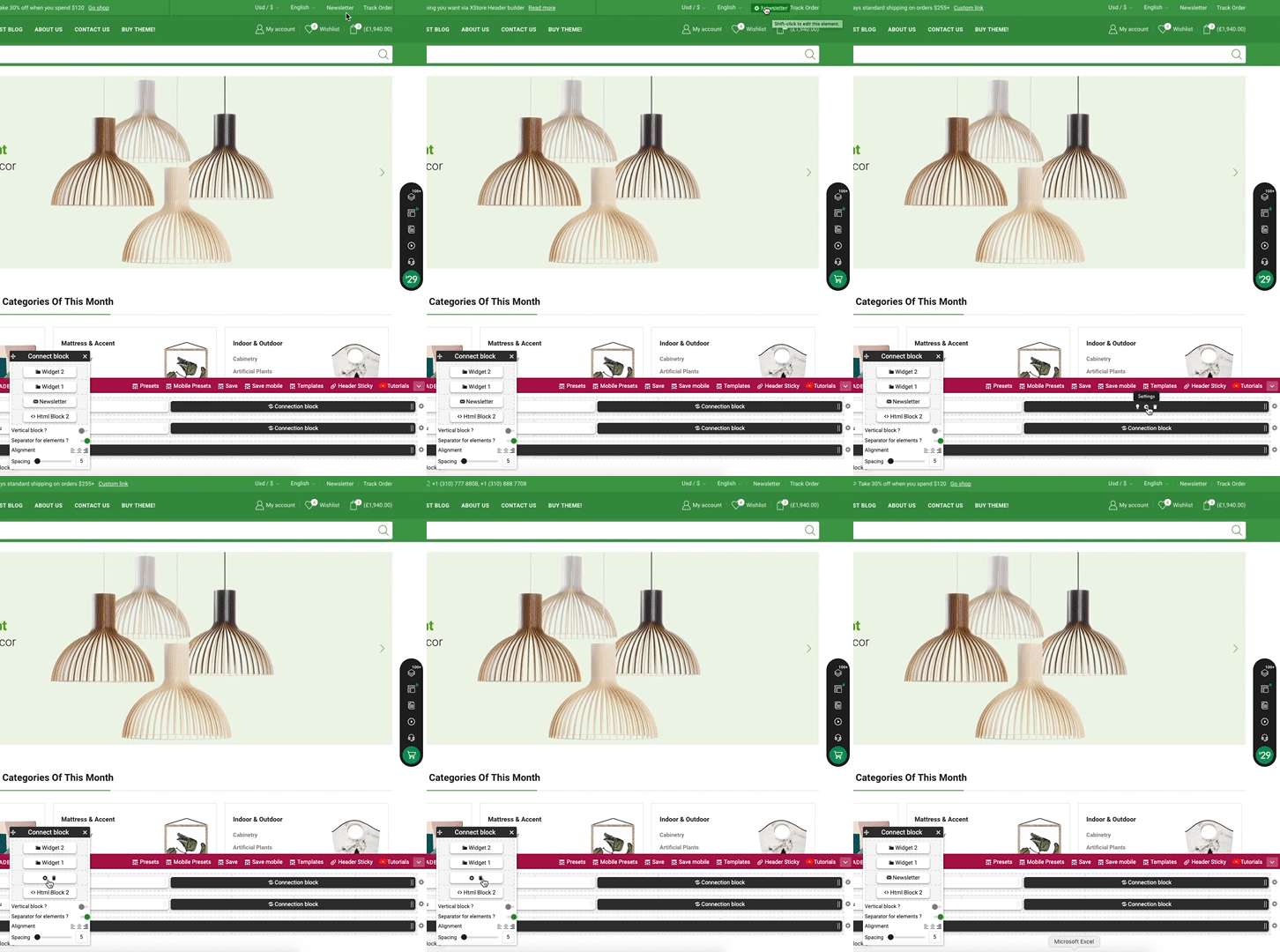
3/ Theme Options > Header builder > delete Newsletter element from the header content, for example, https://i.gyazo.com/83dd3cab0d0669485a832ab274f98824.gif
Regards
Hello,
We are working according to ThemeForest license policy, here you can read – https://themeforest.net/licenses/terms/regular (1 license = 1 end project), the refund policy also comes from ThemeForest – https://themeforest.net/page/customer_refund_policy
Regards
Hello,
Now we can see “SyntaxError: Unexpected token .” error that comes from Elementor and persists independently of the theme.
I’ve downgraded the Elementor plugin, and pages can be edited now. Please do not update the Elementor to 3.4.3v and wait for their next update.
Regards