
Hello,
You’re welcome.
Regards,
Eva Kemp.

Hello,
You’re welcome.
Regards,
Eva Kemp.
Hello,
Please add this code as well:
.login-link .login-popup {
   width: 250px !important;
}
Thank you.
Regards,
Eva Kemp.
Hello,
You’re welcome.
Regards,
Eva Kemp.
Hello,
It should be enough.
Thank you.
Regards,
Eva Kemp.
Hello,
We’re very sorry for a long delay.
We’ve taken this bug into our account and are working on its solution. We’ll try to include it in the next theme update.
Please take our apologies for inconveniences.
Thank you for understanding.
Regards,
Eva Kemp.
Hello,
Frontend editor may not work in our theme as there are a lot of heavy elements that can’t be loaded via that editor. We recommend you to use backend editor instead.
Please provide us with FTP credentials as well to check the issue with backend editor.
Thank you.
Regards,
Eva Kemp.
Hello,
Thank you for your notification.
Regards,
Eva Kemp.
Hello,
Seems you’ve updated the theme incorrectly.
I’ve reuploaded the files and featured products slider is working now.
Please check it and clear browser cache before.
Thank you.
Regards,
Eva Kemp.
Hello,
We’ve fixed the issue with the Cart page. The problem was caused by wrong image dimensions. We’ve regenerated thumbnails.
Please check it now.
Thank you.
Regards,
Eva Kemp.
Hello,
We recommend you to use standard Woocommerce widget – Woocommerce Layered Nav Filter to display the attributed in sidebar.
Also you can try disable Ajax filter in Theme Options > Shop > Enable Ajax Filter > Off.
Thank you.
Regards,
Eva Kemp.
Hello,
You’re welcome.
Regards,
Eva Kemp.
Hello,
Unfortunately we don’t have such options. Sorry.
Regards,
Eva Kemp.
Hello,
The excerpt is working. I’ve edited the post “Online Poker’s Greatest Challenges Pt. 3: Boku87 Destroys SNGs for $100k”
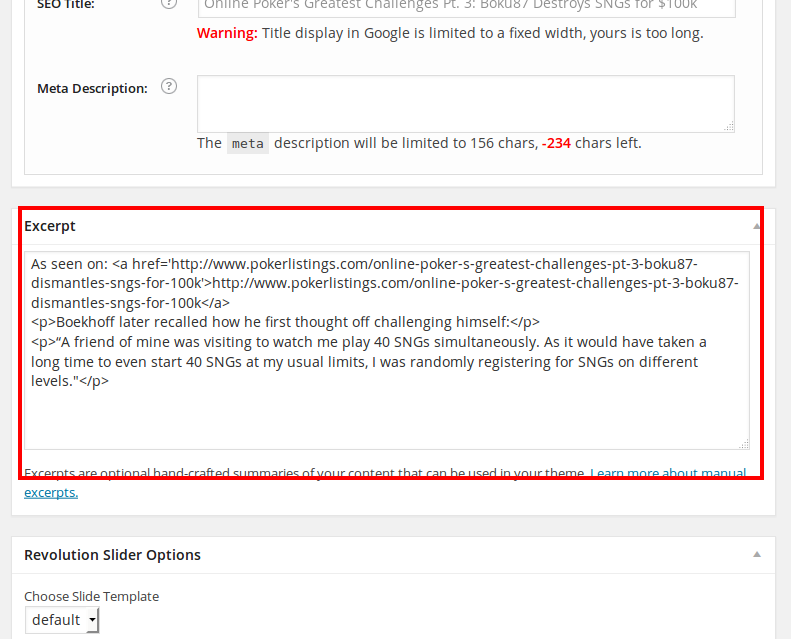
Check Blog page now and you’ll see that post doesn’t show full content.
Please add excerpts for all posts.
Thank you.
Regards,
Eva Kemp.
Hello,
If you changed url to a new one you need edit database backup file and find old url and replace it with a new one. Then import that file into a new database.
Thank you.
Regards,
Eva Kemp.
Hello,
Could you please provide us with the direct link of a page where we can see that issue? Or guide us how to reproduce it from our side as we don’t see such pop up.
Thank you.
Regards,
Eva Kemp.
Hello,
Could you please show a screenshot of an issue?
I’ve checked your site with mobile device and haven’t found any problems.
Thank you.
Regards,
Eva Kemp.
Hello,
Sorry but this is additional customization. We don’t provide such service (only themes files customization). You can find how to create “Thank you” page via search engines or contact some web developer.
Thank you for understanding.
Regards,
Eva Kemp.
Hello,
I’ve just checked your site and haven’t found any issues.
Are you still experiencing the problem?
Thank you.
Regards,
Eva Kemp.
Hello @nearhoff,
We’re sorry for a long delay, but we are still investigating this issue.
We’ll let you know as soon as possible.
Thank you for understanding.
Regards,
Eva Kemp.
Hello,
Please provide us with the link to products page where we can check pagination and the access to your FTP account.
Thank you.
Regards,
Eva Kemp.
Hello @McFechi,
You’re welcome.
Regards,
Eva Kemp.
Hello,
Sorry, for a long delay.
We’ve fixed the issue with pagination.
Please check now.
Thank you.
Regards,
Eva Kemp.
Hello @catlynngriffith,
Could you please describe your issue with more details?
Also please provide us with wp-admin panel and FTP credentials to be able to check.
Thank you.
Regards,
Eva Kemp.
Hello,
I’ve enabled debug mode in wp-config.php file and an error has appeared on the site:
Fatal error: Out of memory (allocated 71827456) (tried to allocate 1048576 bytes) in /var/www/vhosts/4/164824/webspace/httpdocs/party-gram.com/wp-includes/class.wp-dependencies.php on line 221
It means you don’t have enough memory on a server. You need contact your host and ask them to increase memory limit.
Thank you.
Regards,
Eva Kemp.
Hello,
Please provide us with FTP and wp-admin panel credentials in Private Content to check the issue.
Thank you.
Regards,
Eva Kemp.
Hello,
Sorry, but I was unable to log in to wp-admin panel with the previous credentials.
Please check them and provide us with the correct ones.
Thank you.
Regards,
Eva Kemp.
Hello,
Could you please clarify the request with more details? Could you please show a screenshot?
Thank you.
Regards,
Eva Kemp.
Hello,
You’re welcome.
Regards,
Eva Kemp.
Hello,
Woocommerce plugin should be installed before the theme installation.
Please try to reinstall it.
Thank you.
Regards,
Eva Kemp.









