Hello,
Thanks for contacting us.
Could you provide a screenshot of the message? You can use Gayzo or Lightshot screenshot tools to make and share screenshots.
Regards

Hello,
Thanks for contacting us.
Could you provide a screenshot of the message? You can use Gayzo or Lightshot screenshot tools to make and share screenshots.
Regards
Hello,
Try to disable the Maintenance mode on the site, clear the cache of mobile browser, and check then.
Regards
There is no such option, unfortunately, but you can submit a request here – https://www.8theme.com/taskboard/
Regards
Hello,
Try to add the next code in Theme Options > Theme custom CSS:
.single-product ul.st-swatch-shape-square li.type-image {
    width: 70px;
    height: 70px;
}
Regards
This is not part of the XStore theme functionality, this panel was created just for the Preview page on ThemeForest.
Regards
Theme Options > Header builder > Sticky header > WCAG Color > set White color
Regards
Hello,
I’ve changed some settings for your Men menu item and can see all of them https://gyazo.com/863c2428dac996b3c334e801e999ac38 + https://gyazo.com/2116856b078183452eccebd3264c3b10 > https://gyazo.com/9063e8d3470d4b0c34e0e64bc1e28372 Clear cache of your browser and check then.
Regards
Connect to your files via FTP, then add lines about the debug in wp-config.php as described in the mentioned article. Then re-create the problem to be able to see if any new lines with texts of errors appear.
Provide us with temporary wp-admin and FTP access, so we can check the problem more deeply.
If you don’t know what the FTP is then you need to contact your hosting provider. Hosting support knows.
Regards
Hello,
4) Make sure that the Wishlist plugin is activated on your site. Provide URL and temporary wp-admin access, so we can take a closer look.
5) Activate WooCommerce PayPal Checkout Gateway plugin.
Watch this video about variation swatches – https://youtu.be/LgzC4iK-j6A
Regards
Hello,
Theme Options > General > Enable Old Widgets Panel > On, then go to Dashboard > Appearance > Widgets > compare content of PreFooter and Footer areas on both sites.
Regards
Hello,
XStore > Custom Fonts > Upload font, then you will be able to select the font via Theme Options > Typography
Regards
Hello,
Thanks for the reply. Here is what I can see on your Home page – https://gyazo.com/41fad922d82757a1e55d04c4fbe522a8
Likely there is a cache problem, so you need to clear the cache of your browser.
Regards
Hello @Damilare
You’re welcome!
Regards
Hello,
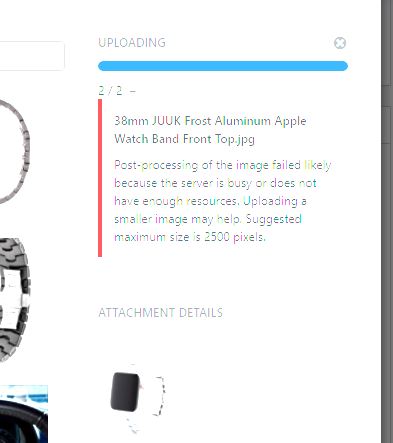
We’ve checked and did not find our fix on your site, so uploaded it one more time and all works fine http://prntscr.com/1j4w5yu -> http://prntscr.com/1j4xmko It can’t affect the speed as you mentioned. About images https://upload.cc/i1/2021/08/04/PguVQZ.jpg , this message comes from WordPress, independent of the theme, so you can contact your hosting provider and ask why you get the message about laking of server resources.
Regards
Hello,
Theme Options > WooCommerce > Shop > Products style > Product Title Limit By and Product Title Limit
Regards
Hello,
Enable debug mode in WordPress – https://wordpress.org/support/article/debugging-in-wordpress/ to find out what error appears on your site, it will point you in the right direction what needs to be fixed.
Regards
Hello,
1) Try to use our 8theme – Swatches filter widget.
If you still want to use “Filtrer les produits par attribute” widget, check how it works when a default WC theme – Storefront is activated on your site.
2) Could you provide a screenshot?
Regards
Hello,
You’re welcome!
Regards
You provide a screenshot from the Home page – https://ibb.co/HCvXQ6c , but this page uses a custom Header. When you Oppen Theme Options, the Default header is shown, to be able edit custom one go to Theme Options > Header builder > Multiple headers > edit header for the Home page. For example – http://prntscr.com/tn1ar9 + https://youtu.be/BpeXfzNwkOc
Regards
Hello,
Thanks for using our theme.
As I can see, your header works fine. Meanwhile, the Home page uses a custom header.
Theme Options > Header builder > Multiple headers > edit header for the Home page. For example – http://prntscr.com/tn1ar9 + https://youtu.be/BpeXfzNwkOc
Regards
Try to clear cache and check then. As I can see, all is fine. Provide screenshots or video of how it is displayed for you.
Regards
Check now.
About the size, post a request here – https://www.8theme.com/taskboard/
Regards
Thanks for letting us know. Have a nice day!
Regards
Provide URL, temporary wp-admin, and FTP access. Only with these all access, we will be able to achieve the mentioned goal on your site.
Regards
Hello,
Thank you for choosing our theme!
That demo uses multiple headers and a separate header for the home page. Please, watch the video tutorial on how to edit the multiple headers https://youtu.be/BpeXfzNwkOc Let us know if you have any issues after that.
Regards
One of our developers informed me, that it will be fixed in the next theme update. Thanks for the request.
Regards
Hello,
Thanks for using our theme.
Please try the solution from this topic – https://www.8theme.com/topic/the-package-could-not-be-installed-pclzip_err_bad_format-10-unable-to-find-2/#post-273465
or update the Core plugin via FTP also – https://www.8theme.com/documentation/xstore/plugins/plugins-update/
Regards