Hello,
Go to WPBakery > Role manager > make sure that page builder is enabled for the posts, static blocks not just for the pages https://www.8theme.com/documentation/xstore/support/static-blocks/
Regards

Hello,
Go to WPBakery > Role manager > make sure that page builder is enabled for the posts, static blocks not just for the pages https://www.8theme.com/documentation/xstore/support/static-blocks/
Regards
Hello,
I checked the product and it works ok for me https://gyazo.com/967b9c738f4f051fe0839c2c39094983
Regards
Hello,
Take our apologies for the delay in answering. Check now.
Regards
Hello,
You are welcome.
Regards
Hello,
Provide us with WP Dashboard access to your site to check the issue in more detail.
Regards
Hello,
Provide us with WP Dashboard access to your site to check the slider settings that you use.
Regards
Hello,
Take our apologies for the delay in answering.
1. In other cases mobile panel will overlap part of the footer or copyrights. So, it disappears once you are at the very bottom of the page.
2. Because iPhone has rounded corners.
3. Check now
4. Check now.
5. Because footer copyrights areas have the 50% width. Move the copyrights to footer static block instead of using the copyrights widget area if you want to make it 100% width. Check now.
6. Check now.
Regards
Hello,
Issue caused by the WooLentor plugin. Once WooCommerce Template is disabled in the plugin settings then the product image is ok.
Regards
Hello,
We have uploaded our pre-released archive that includes speed improvements. We are able to get report https://gtmetrix.com/reports/dcommon.com/bf74I2be/ but the server response time is very low https://prnt.sc/1ajw9d1 So, ask your hosting provider to reduce the server response time.
Regards
Hello,
What error do you get while trying to register the theme? Provide us with the screenshot, please.
Regards
Hello,
I checked the thank you page with the default Storefront page https://prnt.sc/1ajqysp and I see the same information. So, probably some third-party plugin removed additional information that thank you page includes as a rule (order details).
Or you meant the header?
Regards
Hello,
1) Provide us with WP Dashboard access to your site to check the demo content that you imported.
2) XStore studio is Elementor templates, it’s not available for the WPBakery if you use WPBakery version. If you use WPBakery page builder use Page importer option https://youtu.be/wkIKN2IyEZI to import content of these pages https://xstore.8theme.com/demos/2/eco-scooter/ https://xstore.8theme.com/demos/2/ecotransport/
Regards
Hello,
Do you use Elementor to edit the footer static block https://www.8theme.com/documentation/xstore/support/static-blocks/ /
Regards
Hello,
1) Could you, please, provide screenshot of the element that you use? Because our Products element has the option to display all products and choose the order to show them or type of products and it does not require manual adding of every product title https://gyazo.com/47db9abcea7bfe41e7fff8a6098db890
2)
How can i add price + add to cart button + overlay color when on rollover and not oonly on normal mode ?
Have you sorted out or still need our help with this?
Regards
Hello,
You can use the below custom code to change the font-family
.content-product .product-title a {
    font-family: 'Lato';
}
Regards
Hello,
Follow the docs and translate theme and XStore core plugin https://www.8theme.com/documentation/xstore/theme-translation/base-theme-translation/
Let me know if you still have untranslated texts after that.
Regards
Hello,
Go to Theme Options > Header builder > edit the bottom header content and remove the button if you don’t need that.
If you want to use that element but need to change the button link only then provide us with the WP Dashboard access. We have the bug with this link, we’ll fix it in the next theme update but to fix it on your site before the update we need access.
Regards
Hello,
Could you, please, provide us with a link to your product to check the issue in more detail?
Regards
Hello,
Edit row https://prnt.sc/1ajabxz and enable Columns reverse on mobile https://prnt.sc/1ajandy
Regards
Hello,
Provide us with WP Dashboard and FTP access to your site, please, to help with the images issue if you can’t wait for theme update.
Regards
Hello,
Do you use WP Bakery or Elementor page builder? Could you, please, provide us with temporary WP Dashboard access to your site?
Regards
Hello,
Provide us with WP Dashboard and FTP access to your site, please. We’ll help you.
Regards
Hello,
This is the home page, not the full demo version. So, to import home page use page importer https://youtu.be/wkIKN2IyEZI
Regards
Hello,
This issue appears if you try to update theme on other domain where it was activated (as a rule after migration from dev to production or after using nulled theme).
Try to deactivate and activate theme using your purchase code and then IMPORTANT: go to Dashboard > Updates > click CHeck again link https://prnt.sc/yygl09
You may try to update theme after that and you should not face any issue.
Regards
Hello,
In this case remove the
.et-mini-content-opened .et-mobile-panel-wrapper {
    z-index: 0;
}
and
.etheme-sticky-panel.outside {
    visibility: visible;
    opacity: 1;
    transform: none;
}
Add the below custom instead
html:not(.et-mini-content-opened) .etheme-sticky-panel.outside {
    visibility: visible;
    opacity: 1;
    transform: none;
}
Regards
You are welcome.
Regards
Hello,
1) Go to Theme Options > WooCommerce > Single product builder > edit Wishlist element and translate Browse Wishlist Text
2) Checkout page button is translated as I can see https://prnt.sc/1aiqmuz
3) Go to Theme Options > Header builder > Cart > edit the mini-cart promo message.
Regards
Regards
Hello,
1) Where did you get that code?
I suppose that you missed to add custom CSS to the hide field, with the PHP code you just makes that field optional
.woocommerce-EditAccountForm.edit-account .woocommerce-form-row.form-row-wide #account_display_name, .woocommerce-EditAccountForm.edit-account .woocommerce-form-row.form-row-wide #account_display_name + span, .woocommerce-EditAccountForm.edit-account .woocommerce-form-row.form-row-wide label[for="account_display_name"] {
    display: none;
}
2) Translation was missing https://prnt.sc/1aiddeu
Regards
Hello,
Thank you for using XStore. We have checked it in depth. You use our theme at http://www.nkmw4127.odns.fr/dev/
You can use 1 license for 1 project(dev and production sites) according to ThemeForest license policy https://themeforest.net/licenses/standard
Regards
Hello,
1)
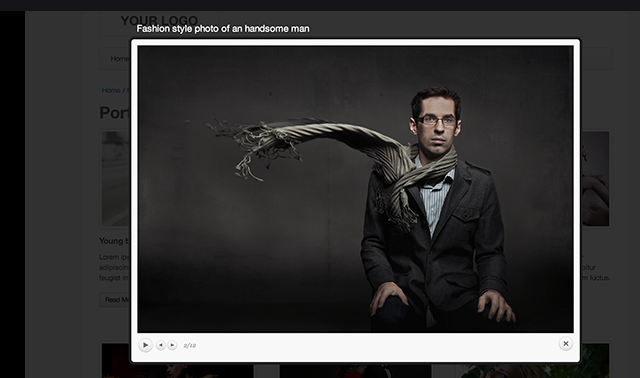
What I’d expect to see with PrettyPhoto:
https://i.gyazo.com/8fac6c59e36aa7bc9c39c2db78fd6264.png
this is a screenshot of the LIght-box library, not the Pretty Photo library.
Styles of the Pretty Photo and its content come from the WooCommerce plugin and we can do nothing with this.
It works the same way even with the default WP theme – Storefront https://gyazo.com/e3fb7e9c14ff1f6708d8fa495d368962
We can just offer you the below custom to change the colors of the titles and improve mobile styles
a.pp_contract, a.pp_expand {
    width: 30px;
    height: 28px;
}
div.pp_default .pp_content_container .pp_description {
    color: #fff;
    bottom: auto;
}
Added to your custom CSS
2) This is how WPBakery works and that they display in the Lightbox. Our theme does not have any additional options for this, unfortunately.
Regards