

Thank you very much!
Have a great weekend too.
If you have any questions don’t hesitate to contact us.
Regards,
Jack Richardson

Hello,
Currently we’re working on your question about changing sidebar position on mobile view.
Concerning your second question: it is necessary to edit blog page and change Widget Area value to your custom widget area – “Blog”. I’ve did it already.
Regards,
Jack Richardson
Thank you very much!
Have a great weekend too.
If you have any questions don’t hesitate to contact us.
Regards,
Jack Richardson
Hello,
You’re welcome!
I’ve changed single product size in WooCommerce settings and then regenerated all thumbnails.
Regards,
Jack Richardson
Hello,
Please provide us with wp-admin credentials in Private Content.
Regards,
Jack Richardson
Hello,
I’ve made some changes in your settings. Please check you pictures now!
Regards,
Jack Richardson
Hello,
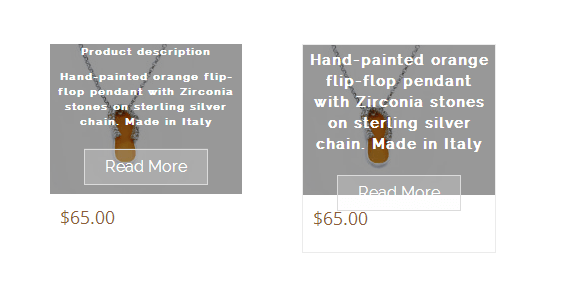
We can’t find http://bijouxtreasures.com/jewellery-for-all-occasions/ page, we get instead 404 error. Could you please clarify with more details what you want to achieve? Please take a look at screenshot and tell us is it what you desire to achieve?
Regards,
Jack Richadrson
Hello,
Please provide us with wp-admin and FTP credentials in Private Content.
Regards,
Jack Richardson
Hello,
To remove sidebar from the page you should edit required page (in this case Home page) and specify Sidebar Position as “Without Sidebar”.
Regards,
Jack Richardson
Hello,
Please clarify us with more details what words exactly you can’t translate?
Regards,
Jack Richardson
Hello,
As the problem is relative to WooCommerce plugin we advise you to contact WooCommerce support concerning this question.
Regards,
Jack Richardson
Also could you please explain what do you mean: “code for the floating menu backgroudd”?
Regards,
Jack Richardson
Hello,
Please try to add the following code into the custom.css:
.main-nav .menu > li .nav-sublist-dropdown {
background-color: rgba(245, 235, 235, 0.6) !important;
}
Regards,
Jack Richardson
Hello,
You can add your own styles into custom.css file, but before that you need to follow instructions and activate it: https://www.youtube.com/watch?v=Qok2zRedRMY&feature=youtu.be.
All theme styles are located in legenda/styles.css.
Regards,
Jack Richardson
Hello,
The last Visual Composer version is 4.2.3. We did theme update at July 10 and include to theme archive the latest version of Visual Composer. Please try to download it again and update plugin as it described in our documentation (https://www.8theme.com/demo/docs/legenda/index.html#!/installation).
Regards,
Jack Richadrson
Hello,
I’ve added some code into the style.css of child theme. Please check your site now!
Regards,
Jack Richardson
Hello,
You’re welcome!
Regards,
Jack Richardson
Hello,
I’ve added new row with RAW HTML element and put inside this code <h2 class="title"><span>PRODUCT SPECIFICATION</span></h2>. You can do the same each time when you want to add new title and change “PRODUCT SPECIFICATION” to your desired title.
Regards,
Jack Richadrson
Hello,
Please check your page (gooutsouthwest.co.uk/product/test-property/). Is the title now as you desire?
Regards,
Jack Richadrson
Hello,
Please provide us with link to the page where you’re trying to create additional information block and wp-admin credentials in Private Content.
Regards,
Jack Richardson
Hello,
All badge images you can find in legenda/images folder. If you have an appropriate sills in CSS you can create a new class with required background.
Regards,
Jack Richadrson
Hello,
You can create title with the help of text box element in Visual Composer as well as all other elements.
Regards,
Jack Richardson
Hello,
If you want you can provide us with FTP and wp-admin credentials in Private Content and we’ll fix the issue.
Regards,
Jack Richardson
Also please read in our documentation this section https://www.8theme.com/demo/docs/legenda/#!/static_blocks -> Additional information block. It should help you.
Regards,
Jack Richardson
Hello,
You can use Visual Composer for this purpose: https://www.8theme.com/demo/docs/legenda/#!/visual_composer.
Regards,
Jack Richardson
Hello,
This article may be helpful for you: http://os4me.com/open-source-training/wordpress-training/woocommerce-snippets/add-text-price-woocommerce/.
Regards,
Jack Richardson
We’re glad to hear it!
If you have any questions feel free to contact us.
Regards,
Jack Richardson
Hello,
Please contact us on support.8theme.com concerning customization services.
Regards,
Jack Richadrson
Hello,
This article should be helpful for you: http://php.about.com/od/learnphp/qt/php_comments.htm.
Or you can just remove this line from the code.
Regards,
Jack Richardson
Hello,
Does the problem persist with default theme too? If so we advise you to contact Revolution Slider support concerning the issue.
Regards,
Jack Richardson

Free AI store scan · SalesMax
Paste your store address. SalesMax AI shows which upsell moments are missing. No signup.

Free AI speed test · FlashMax
Paste your site address. FlashMax runs Google Lighthouse for phone and desktop, checks Core Web Vitals and lists what to fix. No signup.
 Burger StoreFood & drinks
(live demo, opens in a new tab)
 Hemp & CDBElementor
(live demo, opens in a new tab)
 Makeup StoreBeauty
(live demo, opens in a new tab)
 Lifestyle BlogElementor
(live demo, opens in a new tab)
 TravelBusiness
(live demo, opens in a new tab)
 CarwashCars & bikes
(live demo, opens in a new tab)
 Yoga AccessoriesSports & travel
(live demo, opens in a new tab)
 PerfumeBeauty
(live demo, opens in a new tab)
 NFT Crypto MarketplaceElementor
(live demo, opens in a new tab)
 Fashion StoreFashion
(live demo, opens in a new tab)
 Digital MarketingElementor
(live demo, opens in a new tab)
 ArchitectureBusiness
(live demo, opens in a new tab)
 Spice StoreFood & drinks
(live demo, opens in a new tab)
 Water DeliveryElementor
(live demo, opens in a new tab)
 Minimal ElectronicsPortfolio
(live demo, opens in a new tab)
 Classic Fashion StoreFashion
(live demo, opens in a new tab)