
Hello,
You’re welcome.
Regards,
Eva Kemp.

Hello,
You’re welcome.
Regards,
Eva Kemp.
Hello,
You should install legenda_2.4.1 as this is the latest version.
To enable zoom effect you need go to Theme Options > Single Product Page and you’ll see that option there.
Also please read Woocommerce documentation concerning shop page:
http://docs.woothemes.com/document/woocommerce-pages/
http://docs.woothemes.com/document/configuring-woocommerce-settings/
Thank you.
Regards,
Eva Kemp.
Hello,
Don’t you want to use Revolution Slider?
You can use Visual Composer editor and select Single Image element to insert an image.
Thank you.
Regards,
Eva Kemp.
Hello,
1./2. Please check in Woocommerce > Settings > Accounts tab if you selected “My Account Page”.
Thank you.
Regards,
Eva Kemp.
Hello,
Please provide us with wp-admin panel credentials in Private Content.
Thank you.
Regards,
Eva Kemp.
Hello,
Broken thumbnail was added for Viteo brand. I’ve removed it.
Please check it now.
Thank you.
Regards,
Eva Kemp.
Hello,
As I see the cross icon is visible:
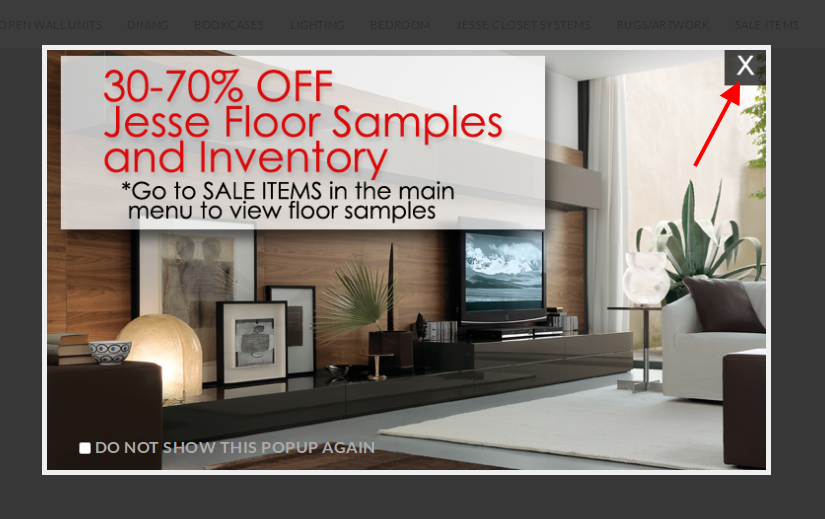
But if you still want to change its color you need edit this image http://pomphomecom.c.presscdn.com/wp-content/themes/legenda/images/black_cross.png that is used for “x” close icon.
You can do this with some image editor.
The text color can be changed with this code which you need add into custom.css file:
#etheme-popup label, .white-popup-block label {
    color: #000 !important;
}
How to create custom.css you watch in this tutorial.
Thank you.
Regards,
Eva Kemp.
Hello,
You’re welcome.
Regards,
Eva Kemp.
Hello,
You’re welcome.
Regards,
Eva Kemp.
Hello,
You’re welcome.
Regards,
Eva Kemp.
Hello,
We’re sorry for a delay, but we are still investigating this issue.
We’ll let you know as soon as possible.
Thank you for understanding.
Regards,
Eva Kemp.
Hello,
1. You can change URL on a logo in theme-functions.php (lines 934, 936) file in the wp-content/themes/legenda/framework directory. Replace the code <?php echo home_url(); ?> with your link.
2. It requires customization in the theme files or you can add Text widget with your data into “Place in header top bar” area in Appearance > Widgets and make sure you have Languages area enabled in Theme Options > Header.
3. Please provide us with the link to your blog.
4. Please clarify color of what icon you want to change. Could you show a screenshot?
Thank you.
Regards,
Eva Kemp.
Hello,
All Woocommerce pages were in Trash.
I’ve restored them.
Now you can add them to your menu.
Thank you.
Regards,
Eva Kemp.
Hello,
You can change the lines color for the menu adding this code in custom.css file:
.main-nav .double-border {
    border-top: 1px solid #DBDBDB !important;
    border-bottom: 1px solid #DBDBDB !important;
}
Replace #DBDBDB with your color value.
To change footer line use this code:
.copyright.copyright-2 {
    border-top: 1px solid #E1C483;
}
Thank you.
Regards,
Eva Kemp.
Hello,
Are you resizing a browser window or checking on a mobile device?
If you’re resizing the window then you have to reload the page.
Regards,
Eva Kemp.
Hello,
Please try to disable zoom effect in Theme Options > Single Product Page.
Regards,
Eva Kemp.
Hello,
What plugins are you unable to activate? The required plugins are suggested in wp-admin panel.
Thank you.
Regards,
Eva Kemp.
Hello,
You need write categories IDs, not the titles.
Please correct this.
Thank you.
Regards,
Eva Kemp.
Hello,
Please add this code in custom.css file:
.product-content-image img {
    height: 300px;
}
Thank you.
Regards,
Eva Kemp.
Hello,
Could you please clarify where you see that error? Please provide us with the direct link.
Thank you.
Regards,
Eva Kemp.
Hello,
As I see there are both forms are displayed:
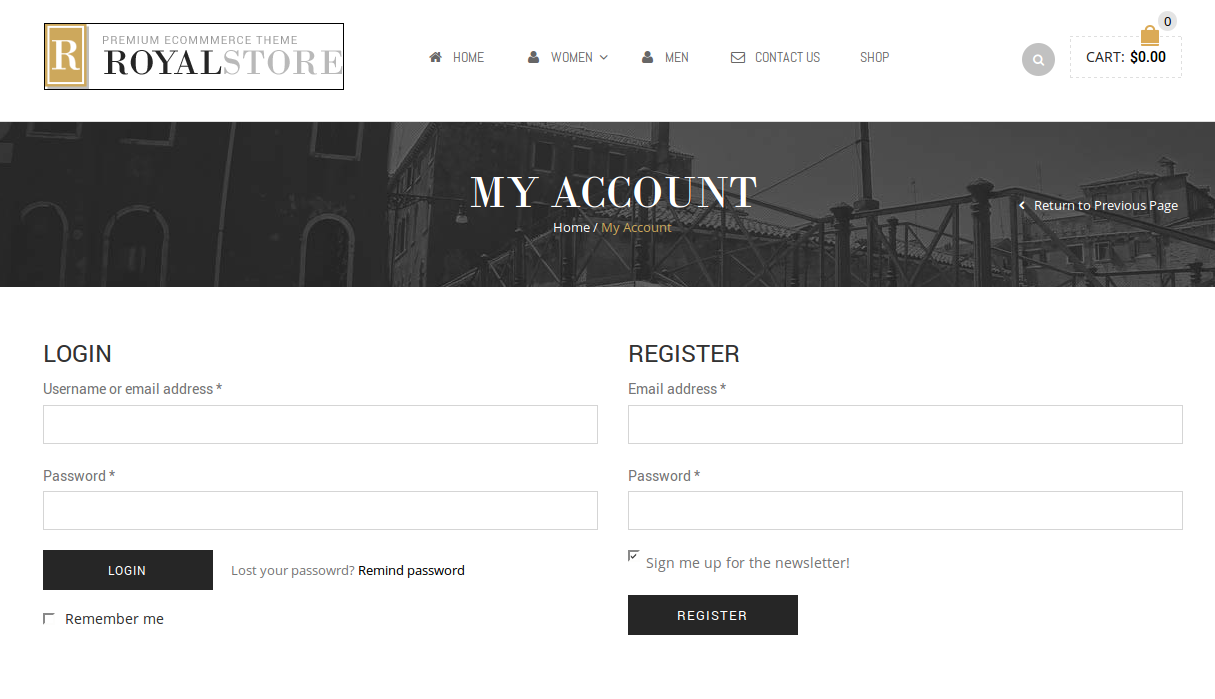
Try to clear your browser cache and check again.
Thank you.
Regards,
Eva Kemp.
Hello,
Have you changed login details to wp-admin panel?
We’re unable to log in now.
Also please provide us with FTP credentials.
Thank you.
Regards,
Eva Kemp.
Hello,
Your original image is too small.
Please upload it with dimensions 1,425px × 1,900px.
Thank you.
Regards,
Eva Kemp.
Hello,
You have a lot of Royal themes in Appearance > Themes.
How did you update it?
Please provide us with the correct FTP credentials in Private Content.
Thank you.
Regards,
Eva Kemp.
Hello,
You’re welcome.
Regards,
Eva Kemp.
Hello,
Please create a ticket at http://support.8theme.com/ and our specialists will provide us with all additional information and further assistance.
Don’t forget to provide FTP and wp-admin panel access in the ticket.
Thank you.
Regards,
Eva Kemp.
Hello,
Please provide us with your site link to give you the correct code.
Thank you.
Regards,
Eva Kemp.
Hello,
Please read our instruction how to add “Read more” button:
https://www.8theme.com/knowledge-base/using-read-more-button-on-wordpress-blog/
Regards,
Eva Kemp.
Hello,
Please try to add !important to the previous code:
.header-type-2.slider-overlap .header .menu > li > a {
    color: #000 !important;
}
Thank you.
Regards,
Eva Kemp.
Hello @bunmizion,
Mobile menu icon is shown:
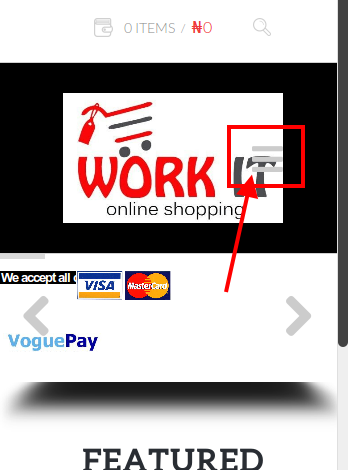
If you wish we can help you to change its color or move it to some side.
Please check Revolution Slider settings and enable “Force Full Width”.
Thank you.
Regards,
Eva Kemp.










