
Hello,
I’ve updated WordPress to the latest version and uploaded the missed folder “smile_fonts” in wp-content/uploads directory.
Please clear browser cache and check VC elements now.
Thank you.
Regards,
Eva Kemp.

Hello,
I’ve updated WordPress to the latest version and uploaded the missed folder “smile_fonts” in wp-content/uploads directory.
Please clear browser cache and check VC elements now.
Thank you.
Regards,
Eva Kemp.
Hello,
The menu is shown but with white font color:

Could you please show a screenshot to have clear understanding what icon you’re talking about?
Thank you.
Regards,
Eva Kemp.
Hello,
As I see the font size is normal:
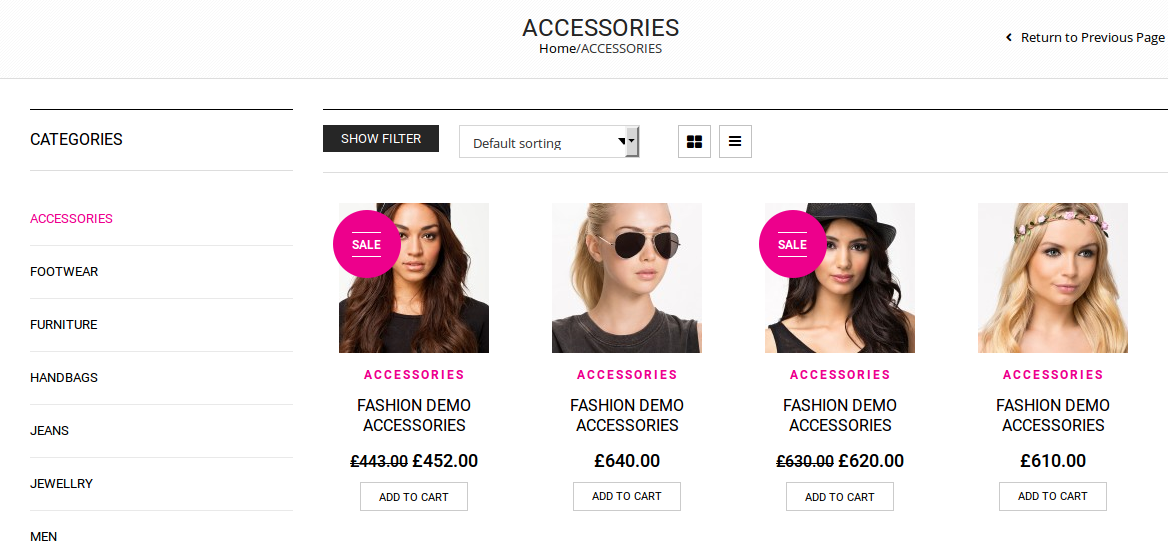
Could you please show a screenshot from your side?
Thank you.
Regards,
Eva Kemp.
Hello,
You’re welcome.
Regards,
Eva Kemp.
Hello,
Could you please show a screenshot what description you want to change?
Also please provide us with wp-admin panel credentials in Private Content.
Thank you.
Regards,
Eva Kemp.
Hello,
Your original image is too small – 190px × 246px. You should upload original images with dimensions 1 425px × 1 900px approximately or disable zoom effect in Theme Options > Single Product Page.
Thank you.
Regards,
Eva Kemp.
Hello,
Unfortunately there is no option to change button style for price box. Sorry.
Regards,
Eva Kemp.
Hello,
I’ve imported “One Page” manually. To make it your home page go to Settings > Reading > select “One Page” as front page.
Thank you.
Regards,
Eva Kemp.
Hello,
Sorry, but there is no such feature. It can be selected only when editing each product.
Please take our apologies.
Regards,
Eva Kemp.
Hello,
Please provide us with wp-admin panel credentials in Private Content.
Thank you.
Regards,
Eva Kemp.
Hello,
Sorry, but there is no such feature.
Please take our apologies.
Regards,
Eva Kemp.
Hello,
You need add this code in Text editor:
<div class="custom-info-wrap">
<div class="custom-info-block a-left"><a href="#">Do You Have Any Question? Contact Us</a></div>
<div class="custom-info-block a-center"><a href="#">Get 15% Off When You Spend Over $100</a></div>
<div class="custom-info-block a-right"><a href="#">Free Shipping! All Orders Over $199</a></div>
</div>
Thank you.
Regards,
Eva Kemp.
Hello,
Please add this code in custom.css file:
html {
    overflow: hidden;
}
How to create custom.css you can watch in this tutorial.
Clear browser cache and check the site.
Thank you.
Regards,
Eva Kemp.
Hello,
As I see no categories IDs are added in Products element settings on the Home page.
Please add the IDs in Products element settings and check the Home page again.
Thank you.
Regards,
Eva Kemp.
Hello,
We’re glad you’ve resolved the issue.
If there are any questions feel free to contact us.
Regards,
Eva Kemp.
Hello,
Please clear your browser cache and check the Tweeter widget again.
Thank you.
Regards,
Eva Kemp.
Hello,
Please look at the screenshot. Is this your site content?
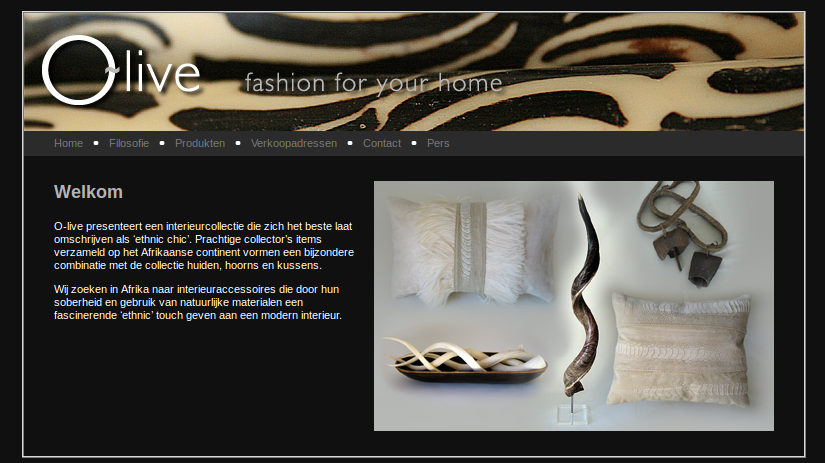
Please provide us with the direct link where menu isn’t displayed.
Thank you.
Regards,
Eva Kemp.
Hello,
Could you please provide us with FTP and wp-admin panel credentials in Private Content?
Thank you.
Regards,
Eva Kemp.
Hello,
Please specify for which elements you want to change font size.
Thank you.
Regards,
Eva Kemp.
Hello,
You’re welcome.
Regards,
Eva Kemp.
Hello,
Please provide us with wp-admin panel and FTP credentials in Private Content.
Thank you.
Regards,
Eva Kemp.
Hello,
If you want to translate the text or even change it you can do this in the .po file in wp-content/themes/legenda/languages directory. Have you read the documentation how to translate the theme: https://www.8theme.com/demo/docs/legenda/index.html#!/how_to_translate ? Do you want to create multilingual site?
Thank you.
Regards,
Eva Kemp.
Hello,
Go to Appearance > Widgets and add “8theme – Recent Posts” widget to Main Sidebar.
Make sure sidebar is selected on Blog page in Pages > edit Blog page > “Page Layout” box on the right.
Thank you.
Regards,
Eva Kemp.
Hello,
To activate Brainstorm you need insert a purchase code of Ultimate VC Addons plugin and not the theme. You can buy the plugin yourself or use the one included in the theme package.
Thank you.
Regards,
Eva Kemp.
Hello,
That’s great!
If there are any questions feel free to contact us.
Regards,
Eva Kemp.
Hello,
I’ve added this code in custom.css file:
@media (max-width: 480px) { .with_frm_style form {
    margin-top: -15px !important;
}
.with_frm_style label.frm_primary_label, .with_frm_style.frm_login_form label {
    font-size: 10px !important;
}
.with_frm_style .form-field {
    margin-bottom: 0px !important;
}
.rev_slider iframe {
   margin-top: -10px !important;
}}
Please check the form now.
Thank you.
Regards,
Eva Kemp.
Hello,
You can set images sizes in Woocommerce > Settings > Products tab. After you saved the changes you need regenerate thumbnails with the plugin http://wordpress.org/plugins/regenerate-thumbnails/
Thank you.
Regards,
Eva Kemp.
Hello,
Please add this code in custom.css file:
.languages-area {
   display: none;
}
Unfortunately you have to translate the theme yourself in wp-content/themes/woopress/languages directory as described in our documentation:
https://www.8theme.com/demo/docs/woopress/#!/1_how_to_translate
Thank you.
Regards,
Eva Kemp.
Hello,
You’re welcome.
Regards,
Eva Kemp.
Hello,
As I see now your site is working fine.
How can we replicate the issue?
Thank you.
Regards,
Eva Kemp.









