Hello,
Could you please show on a screenshot what you want to override for better understanding?
Thank you.
Regards,
Eva Kemp.

Hello,
Could you please show on a screenshot what you want to override for better understanding?
Thank you.
Regards,
Eva Kemp.
Hello,
Nothing will be changed in your database, but if you made changes in the original theme files your modifications will be lost. So if you made some changes you’d better create a child theme http://codex.wordpress.org/Child_Themes and move your customized files into child theme folder, then update the parent theme, but always create a back up before each update!
Regards,
Eva Kemp.
Hello,
You need install also WPML String Translation module:
https://wpml.org/documentation/getting-started-guide/string-translation/ .
Then go to WPML > Theme and plugins localization and select “Translate by WPML.” > save changes.
After that you’ll be able to scan the theme for strings, click “View all the theme texts” and theme content will be available for translation in WPML > String translation.
Regards,
Eva Kemp.
Hello,
Please ask your host to increase post_max_size, upload_max_filesize and memory_limit values.
Check if allow_url_fopen function is enabled otherwise you need ask your host to enable it and after that try to import Victoria template again.
Thank you.
Regards,
Eva Kemp.
Hello,
I’ve added the code in CSS block of Visual Composer editor in your home page:
http://storage3.static.itmages.com/i/15/0526/h_1432644051_8519251_886f343e5e.png
Please check now.
Regards,
Eva Kemp.
Hello,
Could you please clarify what you want to do?
Thank you.
Regards,
Eva Kemp.
Hello,
I’ve added this code in your custom.css file:
.widget_wpsc_shopping_cart .button.active {
    background-image: url("http://staging1.firstclassvitamins.co.nz/wp-content/themes/blanco/images/arrow_1_2.png");
    background-repeat: no-repeat;
    position: relative;
    background-position: 94% center !important;
    padding-right: 23px !important;
}
Please check the Checkout button now.
Regards,
Eva Kemp.
Hello,
You’re welcome.
Regards,
Eva Kemp.
Hello,
Sorry, but the credentials are incorrect.
Please check them and provide us with FTP login details as well.
Thank you.
Regards,
Eva Kemp.
Hello,
Add this code in custom.css file:
.header-vertical-enable .page-wrapper .header-type-vertical2 .shopping-container {
    height: 60px !important;
}
.header-vertical-enable .page-wrapper .header-type-vertical2 .shopping-container .shopping-cart-widget .cart-summ .cart-bag .badge-number {
    display: block !important;
    right: -20px !important;
}
As I see footer copyright area is shown in Firefox:
http://storage3.static.itmages.com/i/15/0526/h_1432642102_9397487_82b8d5b312.png
To remove white line add this code:
.content-page {
    margin-top: 0px !important;
}
Regards,
Eva Kemp.
Hello,
You need use WPML plugin in this case:
https://wpml.org/documentation/related-projects/woocommerce-multilingual/multi-currency-support-woocommerce/
Also you can contact Woocommerce support concerning your query.
Thank you.
Regards,
Eva Kemp.
Hello,
Please delete “woocommerce” folder in the directory wp-content/themes/legenda/ and reupload it from the updated theme package that you downloaded.
Thank you.
Regards,
Eva Kemp.
Hello,
Please add this code in custom.css file:
div.wpsc_product_search {
 background-color: transparent !important;
}
To create custom.css you need rename default.custom.css to custom.css in wp-content/themes/blanco directory via FTP and enable it in Blanco – Theme Settings, tick “Enable Custom CSS file”.
Regards,
Eva Kemp.
Hello,
You’re always welcome.
Regards,
Eva Kemp.
Hello,
Please refer to Woocommerce documentation:
http://docs.woothemes.com/document/editing-product-data-tabs/
Regards,
Eva Kemp.
Hello,
Could you please clarify with more details what you want to achieve?
Thank you.
Regards,
Eva Kemp.
Hello,
Please provide us with wp-admin panel credentials in Private Content.
Thank you.
Regards,
Eva Kemp.
Hello,
Please take our apologies but there is no such feature to add different sidebar for each category. “Shop Sidebar” is used for all products pages in Appearance > Widgets.
Regards,
Eva Kemp.
Hello,
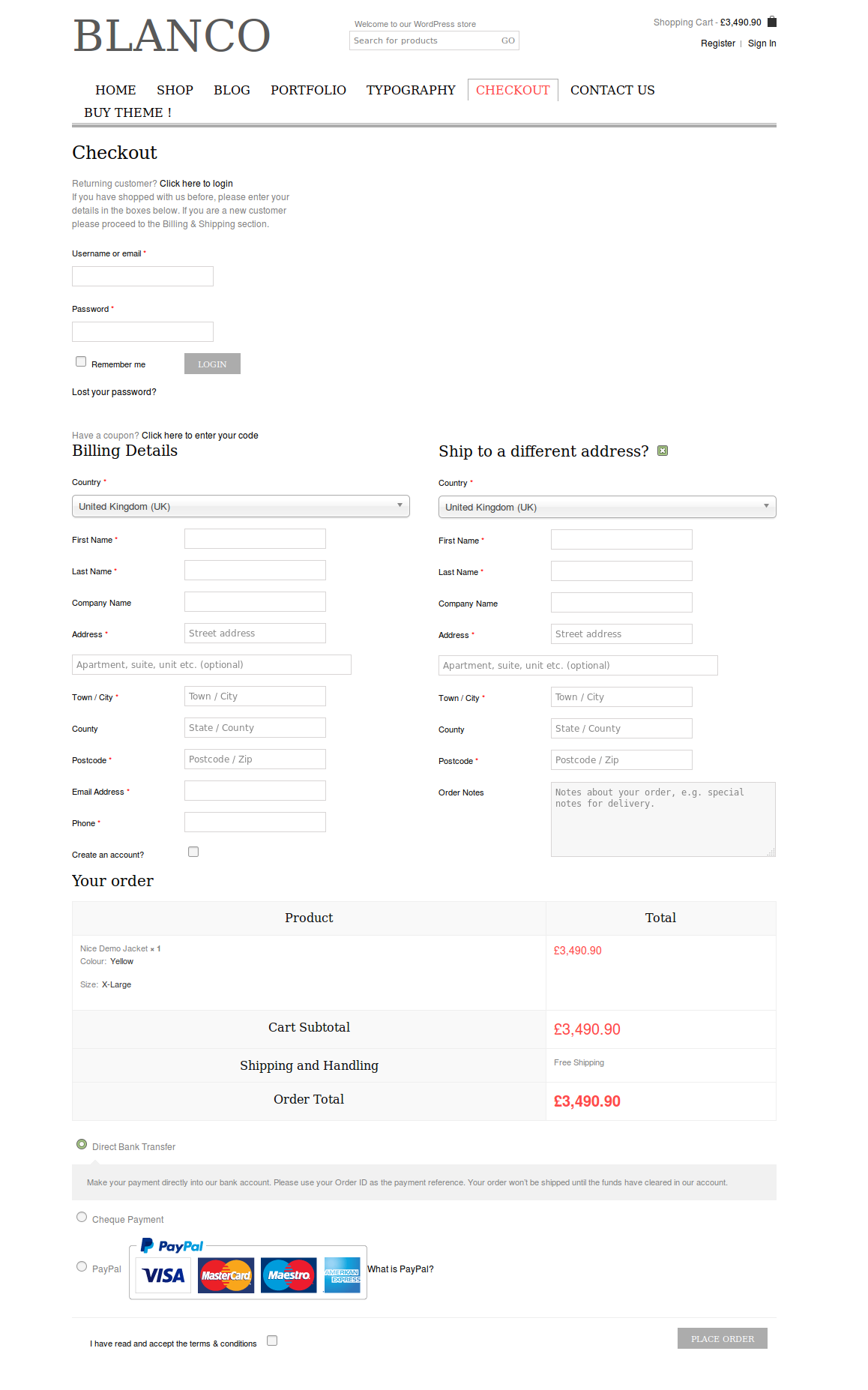
Did you mean this Checkout page:
https://s3.amazonaws.com/fvd-data/notes/168674/1432633952-fQlpeF/screen.png that your site differs from?
If so then your Checkout page is shown correctly, because the one on the screenshot is created with Woocommerce plugin, but you use WP E-Commerce plugin.
If we are wrong please clarify your issue with more details.
Thank you.
Regards,
Eva Kemp.
Hello,
1. Add this code as well:
.widget-container.widget_wpsc_shopping_cart {width: 95%;}
2. Add this code:
.widget_wpsc_shopping_cart .button.active {
    background-image: url("http://staging1.firstclassvitamins.co.nz/wp-content/themes/blanco/images/arrow_1_2.png");
    background-repeat: no-repeat;
    position: relative;
    background-position: 94% center !important;
    padding-right: 23px !important;
}
instead of this one:
.widget_wpsc_shopping_cart .button.active {
  background-image: url('http://staging1.firstclassvitamins.co.nz/wp-content/themes/blanco/images/arrow_1_2.png');
  background-repeat: no-repeat;
  background-position: right;
}
3. Sorry but your last query is unclear. What do you want to achieve?
Thank you.
Regards,
Eva Kemp.
Hello,
1. Add this code in style.css file:
p {
 font-family: Lusitana !important;
}
2. Please use this code:
#lang_sel_list a, #lang_sel_list a:visited {
  font-family: Lusitana;
  font-size: 14px;
  color: black !important;
}
3. As I see the font is similar:
http://storage4.static.itmages.com/i/15/0526/h_1432631074_3460731_ec077dbb94.png
What browser are you checking in?
4. Try to use this code in style.css of the child theme:
hr.dotted {
    border-bottom: 1px dotted black !important;
}
Concerning Blog pages you need create separate post categories for different languages in Posts > Categories and in Blog page editor in the settings of “Post Masonry Grid” element select a category in the field “Narrow data source”.
Regards,
Eva Kemp.
Hello,
If I understood you correctly you want to change font for the text on your banners, don’t you?
I’ve added style code in page editor:
http://storage3.static.itmages.com/i/15/0526/h_1432629950_2581139_7d2249e1c1.png
Please check it now.
Regards,
Eva Kemp.
Hello @glenngtr,
Please refer to Woocommerce documentation as this is their configuration:
http://docs.woothemes.com/document/editing-product-data-tabs/
Thank you.
Regards,
Eva Kemp.
Hello,
You’re welcome.
Regards,
Eva Kemp.
Hello,
I’ve changed images sizes in Theme Options > Products Page Layout > Product Images Width and Product Images Height.
Please clear browser cache and check category page.
Regards,
Eva Kemp.
Hello,
In this case you need edit the file header.php (lines 146-149) and write the links to your .po files instead of # in the code <a href="#">DE</a>.
In this case you need also remove your widget from “Place in header top bar” area in Appearance > Widgets.
Regards,
Eva Kemp.
Hello,
I’ve imported the slider in wp-admin panel of the site http://www.shop.optimumbrasses.co.uk/ . Please go to wp-admin > Revolution Slider > check slider “Home”.
Regards,
Eva Kemp.
Hello,
We’ve taken this into account and will try to fix in future update.
Sorry for inconveniences.
Regards,
Eva Kemp.
Hello,
Could you please show a screenshot what issue you have on Checkout page?
Thank you.
Regards,
Eva Kemp.
Hello,
Please add this code in custom.css file:
.button.emptycart {
 right: 8px !important;
}
.widget_wpsc_shopping_cart .button.active {
  background-image: url('http://staging1.firstclassvitamins.co.nz/wp-content/themes/blanco/images/arrow_1_2.png');
  background-repeat: no-repeat;
  background-position: right;
}
Regards,
Eva Kemp.