Forum Replies Created

Viewing 30 posts - 3,061 through 3,090 (of 16,171 total)
  • Avatar: Jack Richardson
    Jack Richardson
    Support staff
    December 5, 2024 at 16:45

    Hello @George,

    Thank you for reaching out to us.

    Regarding your inquiry about security vulnerabilities in the XSTORE CORE plugin, we have addressed and resolved these issues in the Version 9.3.9 / Core plugin 5.3.9 (Security Update) https://xstore.8theme.com/update-history/. For more details, please read our response here: [Security Update on XSTORE CORE]https://www.8theme.com/topic/urgent-vulnerability-in-xstore-is-it-solved/#post-396635.

    Should you have recently updated your theme and core plugin, please allow some time for your CPanel to clear the cache of the vulnerability results. Alternatively, you may contact their support team to expedite the vulnerability check for your website’s theme/core.

    Thank you for your attention to these matters. Should you have any further questions or require additional assistance, please do not hesitate to contact us.

    Best Regards,
    Jack Richardson
    8Theme’s Team

    Avatar: Jack Richardson
    Jack Richardson
    Support staff
    December 5, 2024 at 16:31

    Dear @MonnaChu,

    Thank you for reaching out to us.

    We would like to inform you that the widget you are currently using on the mentioned page is not developed by our team but is part of the Elementor plugin. You can find more details about it here: https://elementor.com/blog/introducing-314-nested-carousel-loop-grid-ads-and-more/.

    As the support team for our own projects, we are happy to assist with any issues or bugs related to the elements included in our theme. However, for third-party plugins or widgets, such as the one from Elementor, we recommend reaching out to their support team for further assistance.

    In the meantime, you may consider trying an alternative widget from the list of available options to see if the issue persists with a similar content display.

    Should you encounter any problems with elements specific to our theme, please don’t hesitate to contact us, and we will gladly provide a solution.

    Best regards,
    Jack Richardson
    The 8Theme Support Team

    Avatar: Jack Richardson
    Jack Richardson
    Support staff
    December 5, 2024 at 16:31

    Hello @d88dcjj
    Have you tried to connect from your side with such credentials ? Was is working for you then ?
    If, so, please share the access you had success on connections.
    Kind regards, Jack Richardson
    8theme’s team

    Avatar: Jack Richardson
    Jack Richardson
    Support staff
    December 5, 2024 at 15:59

    Dear @cheyingtan,

    We hope this message finds you well.

    We noticed that your website has multiple headers configured (please refer to the screenshot: https://prnt.sc/EONXrtYDVvWs). This indicates that the relevant options need to be properly set for each header.

    Upon reviewing the header assigned to your front page, we observed that a specific option was inactive (screenshot: https://prnt.sc/krCif5ZdYLpE). To assist you, we have activated this option for multiple headers that is configured on your web-site.

    Following this adjustment, we conducted a check, and the menu items now appear to be functioning correctly. We kindly request you to review the changes on your end to ensure everything is working as expected.

    Should you have any further questions or require additional assistance, please do not hesitate to reach out.

    Best regards,
    Jack Richardson
    The 8Theme Team

    Avatar: Jack Richardson
    Jack Richardson
    Support staff
    December 5, 2024 at 15:58

    Dear @Grace,

    We hope this message finds you well.

    The issue you are experiencing with the home page refreshing when clicking on the mobile menu element appears to be related to the structure of your header. Specifically, the custom width settings applied to the containers in your header are causing overlapping of elements, which affects the functionality of the mobile menu.

    To assist you further, we kindly ask you to review the details provided in the private area. As a potential solution, we recommend importing one of our prebuilt header templates. Once imported, you can test whether the elements function correctly. If the issue is resolved, you may then gradually replace the prebuilt header elements with your desired design components, ensuring to check for any overlapping issues during the process.

    Please note that while we do not provide additional customization services, we are happy to identify the issues and offer suggestions to help you resolve them effectively.

    Should you have any further questions or require clarification, please do not hesitate to reach out.

    Best regards,
    Jack Richardson
    The 8Theme Team

    Please contact administrator
    for this information.
    Avatar: Jack Richardson
    Jack Richardson
    Support staff
    December 5, 2024 at 14:09

    Hello @regencycigaremporium
    Please, try next CSS code:

    @media only screen and (max-width: 768px) {
        .elementor-widget-woocommerce-archive-etheme_dynamic_categories .etheme-elementor-slider {
            overflow: visible;
            pointer-events: none;
        }
        .elementor-widget-woocommerce-archive-etheme_dynamic_categories .swiper-wrapper {
            display: block;
            transform: none !important;
            margin-left: -5px;
            margin-right: -5px;
            pointer-events: none;
        }
        .elementor-widget-woocommerce-archive-etheme_dynamic_categories .swiper-wrapper .swiper-slide {
            pointer-events: all;
            width: calc(50% - 10px) !important;
            margin: 0 5px !important;
            float: left;
        }
    }

    Kind regards, Jack Richardson
    The 8theme’s team

    Avatar: Jack Richardson
    Jack Richardson
    Support staff
    December 4, 2024 at 16:46

    Hello @Yasir Alam 8Theme

    Please, check now !
    The old code was in your Theme Settings -> https://img001.prntscr.com/file/img001/SEsM2tfXTTC0SutQFLPdXg.png as we said in reply before.
    The new code was added and the old one was removed.

    Kind regards, Jack Richardson
    The 8theme’s team

    Avatar: Jack Richardson
    Jack Richardson
    Support staff
    December 4, 2024 at 16:09

    Hello @regencycigaremporium

    You can try to use next custom CSS:

    @media only screen and (max-width: 768px) {
        .elementor-widget-woocommerce-archive-etheme_dynamic_categories .etheme-elementor-slider {
            overflow: visible;
            pointer-events: none;
        }
        .elementor-widget-woocommerce-archive-etheme_dynamic_categories .swiper-wrapper {
            display: block;
            transform: none !important;
        }
        .elementor-widget-woocommerce-archive-etheme_dynamic_categories .swiper-wrapper .swiper-slide {
            pointer-events: all;
            width: 100% !important;
        }
    }

    Kind regards, Jack Richardson
    The 8theme’s team

    Avatar: Jack Richardson
    Jack Richardson
    Support staff
    December 4, 2024 at 15:52

    Dear @JiPanditJI,

    We hope this message finds you well.

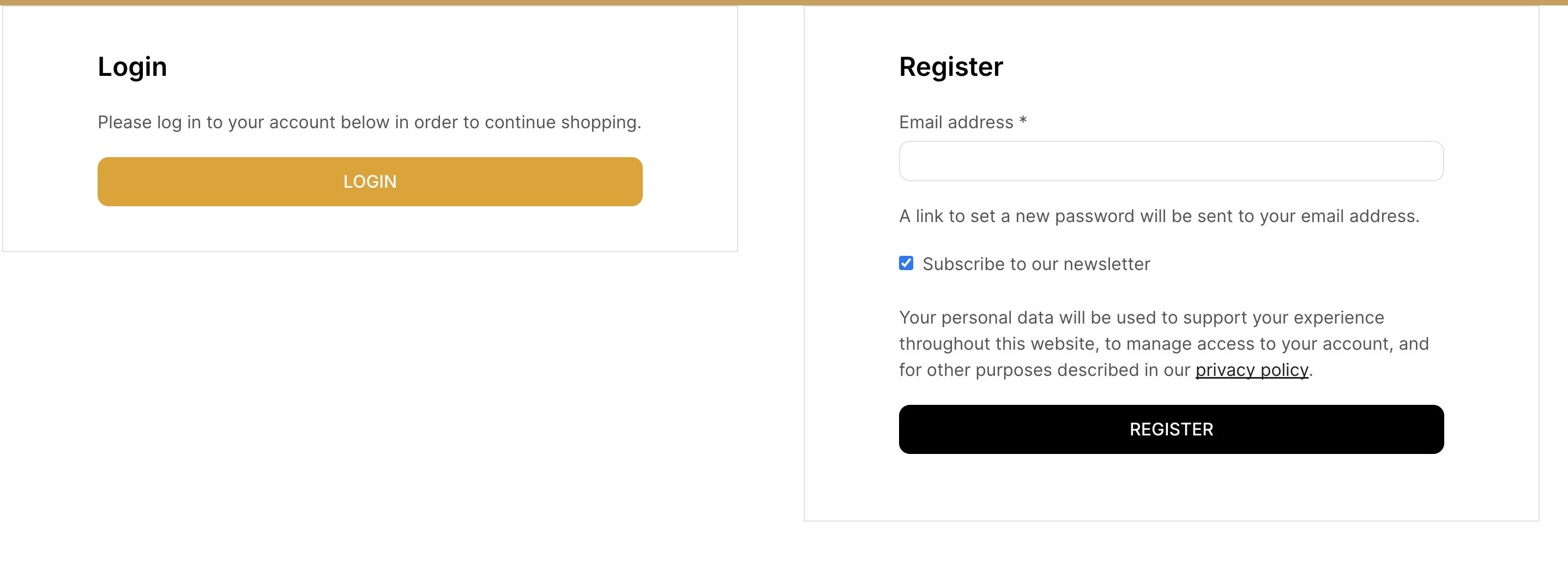
    We would like to inform you that the captcha functionality currently implemented on your account is not part of our theme configuration. It appears to be added by a separate plugin. Upon reviewing your account page, we noticed that there is no captcha present in the registration section (as shown in this screenshot: https://img001.prntscr.com/file/img001/1fTdnvLXSNCluRI6Rr6i4A.png).

    This indicates that the captcha is not configured to appear in the registration area. If you would like to enable the captcha functionality for the registration section, we kindly recommend reaching out to the plugin’s author for further assistance.

    Should you have any additional questions or require further clarification, please do not hesitate to contact us.

    Best regards,
    Jack Richardson
    The 8Theme Team

    Avatar: Jack Richardson
    Jack Richardson
    Support staff
    December 4, 2024 at 15:37

    Hello, @jupiwiz,

    Thank you for reaching out to us.

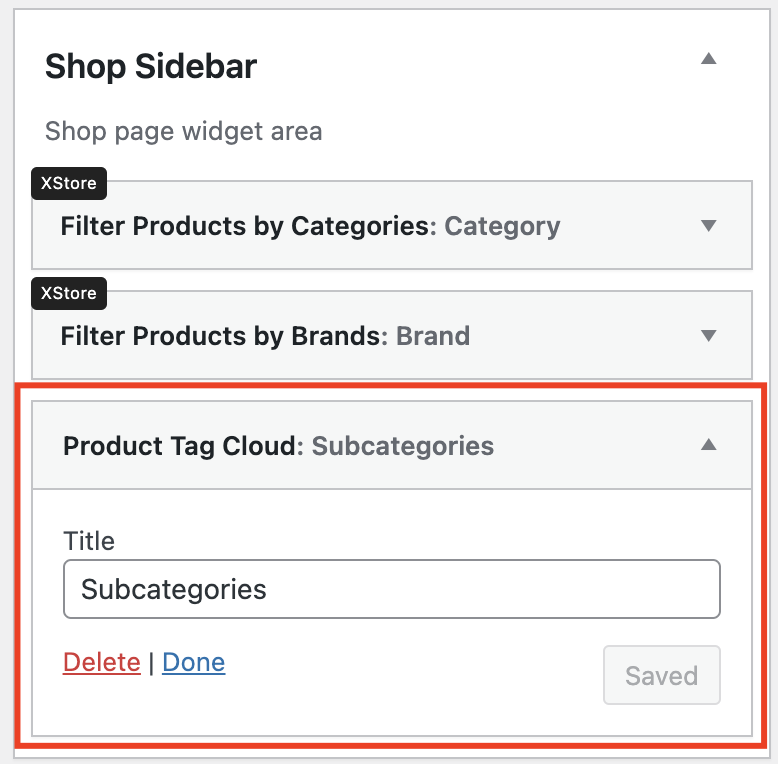
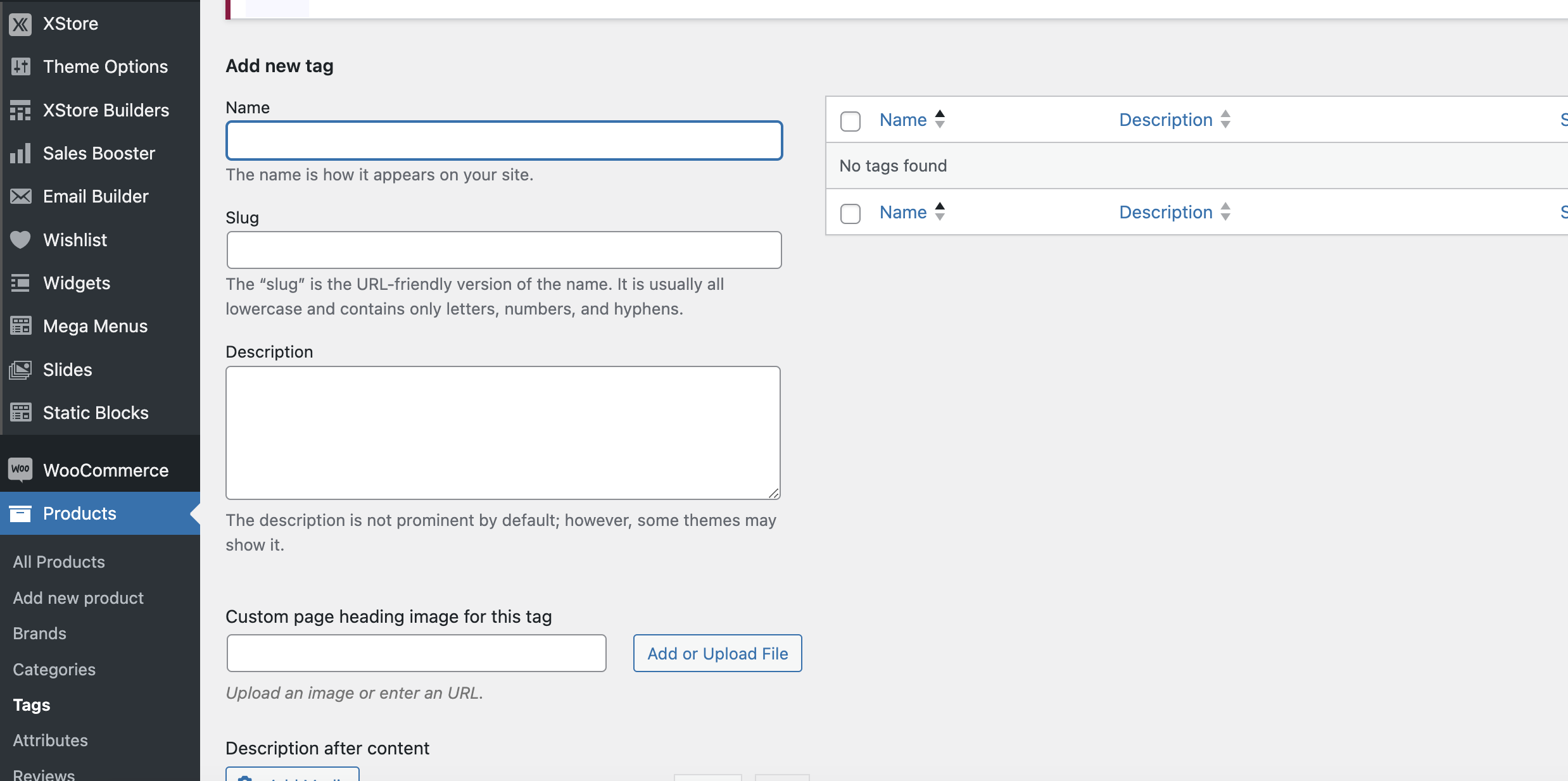
    We would like to inform you that the widget you are currently using to display subcategories was not developed by our team and is not specifically designed for such use cases. The “Product Tags” widget you have added to the sidebar (as shown in this screenshot: https://img001.prntscr.com/file/img001/PWRlGty_S3-7F0mHYXUc8g.png) is a default WooCommerce widget. Its purpose is to display product tags, which can be managed on this page: https://img001.prntscr.com/file/img001/fxrrRJtPTMGNs3fwQXH9_A.png.

    Currently, there are no product tags created on your website, which is why the widget is displaying an empty list on the frontend.

    If you would like to display only subcategories, we recommend reaching out to WooCommerce support to inquire about configuring their widget to limit the display to subcategories. Alternatively, you can submit a feature request on our taskboard (https://www.8theme.com/roadmap/) so we can evaluate the popularity of your request and consider it for future updates.

    Additionally, if you require further customization, you can submit a request through your account’s customization panel here: https://www.8theme.com/account/#etheme_customization_panel.

    Lastly, we kindly ask that you post different questions in separate topics. This helps us manage support requests more efficiently and ensures we can provide you with accurate and timely responses.

    Thank you for your understanding.

    Best regards,
    Jack Richardson
    The 8Theme Team

    Avatar: Jack Richardson
    Jack Richardson
    Support staff
    December 4, 2024 at 15:25

    Hello @d88dcjj

    The access you provided is not correct, please, ensure the access you send is correct.
    Check the private area for more details of connection.

    Kind regards, Jack Richardson
    The 8theme’s team

    Please contact administrator
    for this information.
    Avatar: Jack Richardson
    Jack Richardson
    Support staff
    December 4, 2024 at 15:21

    Hello @Yasir Alam 8Theme

    While we inspected the source of your home page the new code was still missing and the old one was not removed. Could you please, provide us the correct wp-admin access so we could add the snippet and ask you to check then ?
    Use the private are for such details to make them safely sent.

    Kind regards, Jack Richardson
    The 8theme’s team

    Avatar: Jack Richardson
    Jack Richardson
    Support staff
    December 4, 2024 at 14:25

    Hello @Yasir Alam 8Theme

    Our CSS provided above does not work now because you still kept the old CSS and it makes such conflicts. You should remove the old one first and then keep only the one we suggested.
    So, delete this code:

    .elementor-widget-etheme_product_carousel .swiper-slide {
    display: flex;
    flex-wrap: wrap;
    height: 100%;
    }

    And check then if it is as you expected.

    Kind regards, Jack Richardson
    The 8theme’s team

    Avatar: Jack Richardson
    Jack Richardson
    Support staff
    December 3, 2024 at 16:56

    Hello @Yasir Alam 8Theme
    Please, try next custom CSS instead of the one you tested.

    Custom CSS:

    .elementor-widget-etheme_product_carousel .swiper-slide {
         height: auto;   
    }
    
    .elementor-widget-etheme_product_carousel .swiper-slide .etheme-product-grid-item {
        height: 100%;
    }

    Kind regards, Jack Richardson
    The 8theme’s team

    Avatar: Jack Richardson
    Jack Richardson
    Support staff
    December 3, 2024 at 16:49

    Dear @Stanley87,

    We hope this message finds you well.

    If it is possible, we kindly request your assistance in verifying the matter using an additional plugin. This would be highly beneficial for us. We look forward to hearing your thoughts on this suggestion.

    Thank you in advance for your time and support.

    Best regards,
    Jack Richardson
    The 8Theme Team

    Avatar: Jack Richardson
    Jack Richardson
    Support staff
    December 3, 2024 at 16:47

    Hello @d88dcjj

    We asked you for the FTP credentials to provide us to check the issue, so, please, contact to your hosting and give us such details.
    Thanks for understanding !

    Kind regards, Jack Richardson
    The 8theme’s team

    Avatar: Jack Richardson
    Jack Richardson
    Support staff
    December 3, 2024 at 16:45

    Dear @iRockPod,

    We hope this message finds you well.

    Could you kindly try adding the following custom CSS code to your Theme Options -> Theme Custom CSS and then check the results?

    .elementor-pagination-position-inside .swiper-pagination {
        position: absolute;
    }

    If you encounter any issues or need further assistance, please don’t hesitate to reach out.

    Best regards,
    Jack Richardson
    The 8Theme Team

    Avatar: Jack Richardson
    Jack Richardson
    Support staff
    December 3, 2024 at 16:36

    Dear @MonnaChu,

    Thank you for reaching out to us.

    At the moment, you can utilize the default “Product Categories” widget on your website, which supports the desired hierarchy of items. If you would like to see a similar option implemented for the “Filter by Product Categories” widget, we kindly encourage you to submit your feature request on our task board via the following link: https://www.8theme.com/roadmap/.

    We greatly value your feedback and suggestions as they help us improve our products and services.

    Best regards,
    The 8Theme Team

    Avatar: Jack Richardson
    Jack Richardson
    Support staff
    December 3, 2024 at 16:30

    Hello @TheOne,

    We hope this message finds you well.

    You may consider utilizing the existing sidebar widget titled “Product Categories” to implement the AJAX functionality when interacting with the widget’s items. However, please note that you may need to customize the widget using CSS and potentially some JavaScript to achieve the desired outcome.

    Currently, the theme does not include this functionality by default to fully meet your requirements. Therefore, we kindly suggest submitting your feature request on our task board at https://www.8theme.com/roadmap/. This will allow us to consider incorporating such a feature in a future update of our theme.

    Should you have any further questions or require additional assistance, please do not hesitate to reach out.

    Best regards,
    Jack Richardson
    The 8Theme Team

    Avatar: Jack Richardson
    Jack Richardson
    Support staff
    December 2, 2024 at 16:25

    Hello @iRockPod
    Could you please, provide also the URL of the page where you added such widget as currently we don’t see such Image Carousel widgets on your web-site.
    Kind regards, Jack Richardson

    Avatar: Jack Richardson
    Jack Richardson
    Support staff
    December 2, 2024 at 16:17

    Dear @Stanley87,

    Thank you for reaching out to us.

    The example topic you referenced, which mentions that the issue lies within our theme, is quite outdated—approximately 2.5 years old. Since then, numerous updates and modifications have been made both to our theme and the plugin you are using.

    We kindly recommend that you first verify whether the issue persists when using a default theme, as suggested by one of the support managers of the Sitemap plugin. If the issue is confirmed to occur only with our theme, we would be happy to investigate it further for you. However, if the problem is unrelated to our theme, we advise contacting the plugin’s author for further debugging assistance.

    Please let us know how we can assist you further.

    Best regards,
    The 8Theme Team

    Avatar: Jack Richardson
    Jack Richardson
    Support staff
    December 2, 2024 at 16:09

    Hello @Fantasy,

    Could you please, check now ?
    We replaced the text widget on your Wishlist page with our shortcode with the origin Elementor widget named “Shortcode” that should be used for such cases.

    Kind regards, Jack Richardson
    The 8theme’s team

    Avatar: Jack Richardson
    Jack Richardson
    Support staff
    December 2, 2024 at 15:40

    Dear @d88dcjj,

    We hope this message finds you well.

    Could you kindly provide us with FTP access in a private area so that we can review the issue and work on implementing a solution?

    Thank you for your cooperation.

    Best regards,
    Jack Richardson
    The 8Theme Team

    Avatar: Jack Richardson
    Jack Richardson
    Support staff
    December 2, 2024 at 15:15

    Dear @mohatee,

    We hope this message finds you well.

    Previously, we provided you with a solution for implementing a custom taxonomy, which you can reference to add any new taxonomy as needed. You can find the relevant details and code in the following link: https://www.8theme.com/topic/i-want-to-add-a-new-taxonomy-of-author/#post-417058.

    Please note that while we are happy to assist within the scope of our support, customizations of this nature fall outside of our standard support services. However, the solution we shared earlier should serve as a helpful guide to understanding the process of adding additional taxonomies.

    If you require further customization beyond this, we kindly encourage you to submit a request through our customization panel here: https://www.8theme.com/account/#etheme_customization_panel.

    Thank you for your understanding and for respecting our support guidelines.

    Best regards,
    Jack Richardson
    The 8Theme Team

    Avatar: Jack Richardson
    Jack Richardson
    Support staff
    December 2, 2024 at 15:10

    Dear @Tommy,

    Thank you for reaching out to us. If you are interested in enhancing this particular widget, we kindly invite you to submit your suggestion on our Future Requests Taskboard: https://www.8theme.com/roadmap/.

    At this time, you are the only customer who has requested this specific improvement, and the majority of our customers appear to be fully satisfied with the current functionality. Our development processes are carefully designed to prioritize and align with the collective needs of our customer base.

    We truly appreciate your understanding and value your input.

    Best regards,
    Jack Richardson
    The 8Theme Team

    Avatar: Jack Richardson
    Jack Richardson
    Support staff
    December 2, 2024 at 15:05

    Dear @Tommy,

    We hope this message finds you well.

    Could you kindly share with us the details of your conversation with Elementor once they provide you with their feedback? We would greatly appreciate it.

    Thank you in advance for your cooperation.

    Best regards,
    Jack Richardson
    The 8Theme Team

    Avatar: Jack Richardson
    Jack Richardson
    Support staff
    December 2, 2024 at 15:04

    Dear @Raghoo,

    Thank you for reaching out to us, and please accept our apologies for the delay in responding.

    After reviewing your query, we noticed that this issue has not been reported previously on our forum. It appears to have arisen following recent updates to the WooCommerce plugin or other plugins installed on your website. Based on the forum links you shared, it seems this issue is not related to our theme but rather to WooCommerce itself.

    Additionally, we came across the following topic on the WordPress support forum: https://wordpress.org/support/topic/variable-products-switching-back-to-simple-products/. The discussion there includes suggestions from the author that may help resolve the issue.

    As our support team is dedicated to assisting with our own projects, we kindly recommend submitting your query on the WooCommerce support forum for further assistance. If you find a solution, we would greatly appreciate it if you could share it with us. This way, other customers who may encounter the same issue can benefit from the resolution.

    Thank you for your understanding and cooperation.

    Best regards,
    Jack Richardson
    The 8Theme Support Team

    Avatar: Jack Richardson
    Jack Richardson
    Support staff
    November 29, 2024 at 16:02

    Dear @Grace,

    We hope this message finds you well.

    We have reviewed the functionality on your desktop device and noticed that it is not working as expected there either. To assist us in resolving this issue, could you kindly provide a video demonstrating the correct functionality on your desktop?

    Additionally, if the issue does not occur on your desktop, we recommend creating a new static block specifically for use in the Mobile Panel. This is because the current setup may have conflicting unique IDs, which could be causing the script to function incorrectly on smaller devices within the Mobile Panel section.

    Thank you for your cooperation and support. Please let us know if you need any further clarification.

    Best regards,
    Jack Richardson
    The 8Theme Team

    Avatar: Jack Richardson
    Jack Richardson
    Support staff
    November 29, 2024 at 15:45

    Dear @Yasir Alam,

    Thank you for reaching out to us.

    If you would like to enable equal height for all product widgets, you can easily achieve this by adding the desired widgets and selecting the “Equal Height” option in the widget settings. This feature is available in the “Products Archive” widget and the “Products Grid” widget, as they are designed with a modern content structure and built from scratch to support this functionality.

    For scenarios where you wish to apply the same option to “Cross-sells” or “Recently Viewed Products”, you can utilize the “Products Grid” widget. Simply select the appropriate Data Source option to display the desired product type (e.g., cross-sells, up-sells, recently viewed, etc.).

    We hope this clarifies your query. Should you have any further questions or require additional assistance, please do not hesitate to reach out.

    Best regards,
    Jack Richardson
    The 8Theme Team

    Avatar: Jack Richardson
    Jack Richardson
    Support staff
    November 28, 2024 at 17:01

    Dear @carliczyk,

    Thank you for reaching out to us.

    Unfortunately, it is not currently possible to create separate search results pages for different cases without additional customization. If you would like to submit a feature request, you can do so through your account page on our website.

    Should you have any further questions or require assistance, please do not hesitate to contact us.

    Best regards,
    Jack Richardson
    The 8Theme Team

  • 1 2 3 102 103 104 538 539 540
    Viewing 3,090 results - 3,061 through 3,090 (of 16,171 total)
Viewing 30 posts - 3,061 through 3,090 (of 16,171 total)
We're using our own and third-party cookies to improve your experience and our website. Keep on browsing to accept our cookie policy.