
Hello,
Your original image is too high and narrow. That’s why it’s stretched for the whole image block.
To have it smaller you need upload more wider images.
Thank you.
Regards,
Eva Kemp.

Hello,
Your original image is too high and narrow. That’s why it’s stretched for the whole image block.
To have it smaller you need upload more wider images.
Thank you.
Regards,
Eva Kemp.
You’re welcome @AndaraStars.
Have a good day too!
Regards,
Eva Kemp.
Hello,
As I see the code is working:
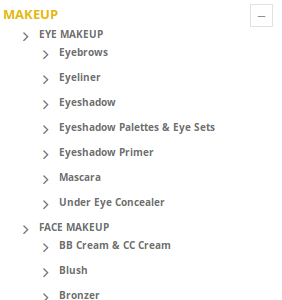
And PayPal button is displayed fine:
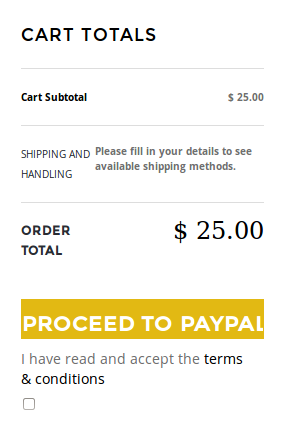
Please try to check it with some other browser or clear your browser cache.
Regards,
Eva Kemp.
Hello,
Please try to install the theme via FTP as described in our documentation:
https://www.8theme.com/demo/docs/legenda/index.html#!/installation
Regards,
Eva Kemp.
Hello,
Please add this code into custom.css file:
@media (max-width: 1024px) {.team-member .member-image {
     width: 100%;
}}
How to create custom.css you can watch here.
Regards,
Eva Kemp.
Hello @AndaraStars,
I’ve updated the files shortcodes.php and pluggable.php in /wp-includes folder. Now your site is working fine. Please check and clear browser cache before.
Regards,
Eva Kemp.
Hello @yusuf.mats,
Please try to use this plugin recommended by Woocommerce team:
http://wordpress.org/plugins/regenerate-thumbnails/
and read this article:
http://docs.woothemes.com/document/using-the-appropriate-product-image-dimensions/
Also as you’re using cache plugin you need clear the cache files via FTP.
Regards,
Eva Kemp.
Hello,
Please read our notification carefully: https://www.8theme.com/demo/docs/legenda/index.html#!/upgrade
It’s related to version 2.3 as well.
Thank you.
Regards,
Eva Kemp.
Hello,
Please provide us with FTP and wp-admin panel credentials in Private Content to check the issue.
Thank you.
Regards,
Eva Kemp.
Hello @AndaraStars,
Please provide us with wp-admin panel credentials as well. Also make backup of your site and database.
Thank you.
Regards,
Eva Kemp.
Hello @Hoellwarth,
We’ve recently released a new theme version – Legenda 2.3 and it has updated plugins VC and Revolution Slider.
You can download the archive on this link:
http://themeforest.net/item/legenda-responsive-multipurpose-wordpress-theme/5888906
Regards,
Eva Kemp.
Hello,
As I see the page is using an image as a template: http://www.sinski.com.ph/ver2/wp-content/uploads/2014/08/kim6.jpg and unfortunately 2 images at the bottom can’t be moved because they are part of the whole image.
Regards,
Eva Kemp.
Hello,
I’ve checked custom.css file via Appearance > Editor and haven’t found any code written there. Where did you paste it?
Also please change permissions to custom.css file for us to be able to make changes to it as we are getting the error in wp-admin panel: “You need to make this file writable before you can save your changes. ”
Regards,
Eva Kemp.
Hello,
Sorry for a long delay.
I’ve updated review-order.php file for woocommerce and the warning has disappeared.
If you have any questions don’t hesitate to contact us.
Regards,
Eva Kemp.
Hello,
It’s unnecessary. Just describe your issue and provide all login details.
Thank you.
Regards,
Eva Kemp.
Hello,
To remove search form you need edit the file header.php in wp-content/themes/blanco. Copy it to your child theme directory and remove the code
<div id="search">
<div id="site-description"><?php bloginfo( 'description' ); ?></div>
<?php get_search_form(); ?>
</div>
(lines 80-83)
To get rid of widgets in primary widget area you need add an empty Text widget into there and save it.
Regards,
Eva Kemp.
Hello,
Please use this code in custom.css file:
#products-grid.products_grid .product-grid .product-image {
    margin-left: 10px;
}
.with-sidebar #products-grid.products_grid.rows-count4 .product-image img {
    max-width: 140px !important;
}
Regards,
Eva Kemp.
Hello,
Just to be sure: do you want to have the same list for “Our Business” page as on the “Our Technology” page?
Thank you.
Regards,
Eva Kemp.
Hello,
Please provide us with FTP login details and we’ll help you to resolve the issue.
Regards,
Eva Kemp.
Yes, they will. To avoid this you need make changes in a child theme: http://codex.wordpress.org/Child_Themes
Regards,
Eva Kemp.
Hello,
I’ve checked the default wordpress theme and cardsave payment gateway option isn’t being displayed there too.
So the issue isn’t related to our theme.
You have to contact the plugin developer and ask them to check it with wordpress theme as well.
Thank you.
Regards,
Eva Kemp.
Hello,
To change top links “Register”, “Sign In”, “Wishlist” you need edit the files header.php (line 186) in wp-content/themes/legenda directory and theme-functions.php (from line 982) in the directory wp-content/themes/legenda/framework. Cart widget can be disabled in Theme Options > Header if you don’t need it.
Regards,
Eva Kemp.
You’re welcome.
Thank you for the kind words!
We appreciate it very much.
Enjoy your work!
Regards,
Eva Kemp.
Hello,
That error means ReallySimpleCaptcha class has already been declared and you can’t declare it twice. You can fix it in this way: Under Plugins menu click “Edit” for Really Simple Captcha plugin and change the line 30 “class ReallySimpleCaptcha” to “class ReallySimpCaptcha” (or just remove some letter to rename it). After that you’ll be able to activate the plugin.
Regards,
Eva Kemp.
Hello,
You’re welcome and thank you for your feedback!
We really appreciate it.
Enjoy your work and have a nice day too!
Regards,
Eva Kemp.
Hello,
Go to Woocommerce > Settings > Checkout tab and uncheck “Enable guest checkout”.
Regards,
Eva Kemp.
Hello,
Please provide us with wp-admin panel and FTP credentials in Private Content. We’ll try to check it.
Regards,
Eva Kemp.
Hello,
1. To remove the second “Add to Wishlist” button, go to Woocommerce > Settings > Wishlist tab and select Position “Use shortcode”.
2. Please add this code into custom.css file to get rid of that message:
.install-menu-info {
   display: none;
}
How to create custom.css file you can find on this link.
3. Add the following code into custom.css:
.product-categories li { margin: 3px 0px 10px !important; }
4. There is a bug in the theme. You can fix it by disabling ajax filter in Theme Options > Shop > “Enable Ajax Filter” > Off.
5. To decrease the height of the button please add the code below into custom.css:
.checkout-button.button {
    height: 40px;
}
You can change the value to the one you prefer.
To change color of the tick icon you need edit the image wp-content/themes/legenda/images/tick-icon.png with some image editor.
6. I’ve just checked the site on mobile and it has been loaded fast. Please try to check it again.
Regards,
Eva Kemp.
Hello,
If you don’t need those links you can disable them in admin panel > Theme Options > Header.
After that use the widget area described in the previous post to insert your widgets.
If you want to create your own links you need use Text widget and insert your code into there.
Regards,
Eva Kemp.
Hello,
The text in the box is written on the image itself. Please check it: https://www.8theme.com/demo/xmarket-wo/wp-content/themes/xmarket/images/assets/banner1.png
If you need some text on your banner you can write it on the image using some image editor.
Regards,
Eva Kemp.











