
Hello,
In this case we recommend you to create a ticket at https://support.8theme.com/ and our developers will investigate all issues.
Thank you.
Regards,
Eva Kemp.

Hello,
In this case we recommend you to create a ticket at https://support.8theme.com/ and our developers will investigate all issues.
Thank you.
Regards,
Eva Kemp.
Hello,
We’re glad you managed to fix the issue.
Regards,
Eva Kemp.
You’re welcome.
Regards,
Eva Kemp.
Hello,
I’ve enabled Nice Scroll and added the following code into custom.css file:
.nicescroll-rails, .nicescroll-rails div {
    width: 10px !important;
}
Please check the scroll bar now.
Regards,
Eva Kemp.
Hello,
As wp-blog-header.php is WordPress file, not our theme, we recommend you to contact WordPress support. They should advise you some solution.
Thank you.
Regards,
Eva Kemp.
You’re welcome.
Thank you for your understanding.
Regards,
Eva Kemp.
Hello,
Please use this code in custom.css file:
.content-box {
    border: 1px solid #000 !important;
}
Regards,
Eva Kemp.
Hello,
Unfortunately, we don’t have such feature for desktop layout. Sorry.
Regards,
Eva Kemp.
Hello,
So, do you still have problems?
If so please provide us with wp-admin panel credentials.
Regards,
Eva Kemp.
Hello,
You don’t have image url written in the menu. You should write image path in the description and URL fields as written in our documentation:
https://www.8theme.com/demo/docs/legenda/index.html#!/primary_menu
Thank you.
Regards,
Eva Kemp.
Hello,
Sorry, but for now we have only 4.3.3 version of Visual Composer plugin.
Please provide us with FTP and wp-admin panel credentials and we’ll update them for you.
Regards,
Eva Kemp.
Hello,
After which actions are you getting these issues?
Please note that up this problem can be caused by using the automatic update when you don’t have enough disk space. If that is the case, free up some space on your server, then upgrade WordPress or theme to the latest version manually.
Regards,
Eva Kemp.
Hello,
I’ve just tried to open Editor in wp-admin panel > Appearance and got this error:
Fatal error: Out of memory (allocated 88866816) (tried to allocate 32 bytes) in /homepages/31/d531687296/htdocs/wp-content/plugins/sitepress-multilingual-cms/lib/xml2array.php on line 34
Please contact your hosting provider and ask them in increase memory limit.
Thank you.
Regards,
Eva Kemp.
Hello,
Do you have Nice Scroll option disabled? It’ll make scroll bar wider.
If it’s not what you need please provide us with the link to your site and show a screenshot what you want to change.
Thank you.
Regards,
Eva Kemp.
Hello,
Have you written “Maximum number of brands to display” in the settings for Brands element in VC?
Regards,
Eva Kemp.
Hello,
In this case we recommend you to create a ticket at https://support.8theme.com/ and our developers will assist you on resolving this issue.
Thank you.
Regards,
Eva Kemp.
Hello,
Sorry, but this required additional customization which isn’t for free. Unfortunately our developers are unable to assist on such issues due to a lot amount of work.
Please take our apologies.
Regards,
Eva Kemp.
Hello,
If you want to use the template you showed on the link you need install Corporate One page demo in Theme Options > Import/Export.
Regards,
Eva Kemp.
Hello,
Please provide us with wp-admin panel and FTP credentials.
Regards,
Eva Kemp.
Hello,
We’re unable to access your site getting 403 error.
Please check it.
Regards,
Eva Kemp.
We’ve reuploaded the files. Please check the site again.
Let us know if further assistance is needed.
Regards,
Eva Kemp.
Hello,
I’ve imported the slider sample for you. Please check home page now. Site background option in Color Scheme menu works only for Boxed layout (you can change it Theme Options > General > Site Layout).
If you want to change background color for wide layout you need add much code in custom.css file:
.container_footer_bg, .footer_container {
    background-color: #fff !important;
}
.wide .wrapper {background: none repeat scroll 0% 0% #FFF;}
.footer_title {
    color: #000;
}
.header-type-variant4.header-bg {
    background: none repeat scroll 0% 0% #FFF !important;
}
I’ve checked the logo information and its dimensions are 258px × 92px: http://imgur.com/c7Uq9Bq
Regards,
Eva Kemp.
Hello,
You’re welcome.
As I see there are comments on blog page and are visible after some posts:
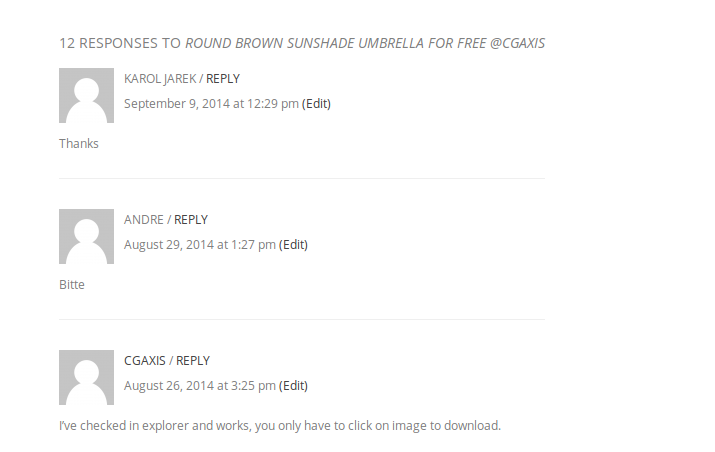
For example, check this post http://cgaxis.com/round-brown-sunshade-umbrella-for-free-cgaxis/
Please clarify your issue with review products.
Thank you.
Regards,
Eva Kemp.
Hello,
You need edit the file wp-content/themes/idstore/page.php to add yoast breadcrumbs.
Regards,
Eva Kemp.
Hello,
As I see you have a lot of 3rd-party plugins installed.
Please deactivate them one by one to find out which one is causing the issue.
Thank you.
Regards,
Eva Kemp.
Hello,
If you’ve already have SSL certificate installed then you need change all http links to https. These articles may help you:
http://wordpress.org/support/topic/how-to-change-http-to-https-links
https://managewp.com/wordpress-ssl-settings-and-how-to-resolve-mixed-content-warnings
https://www.letuslook.org/linux/redirect-http-to-https/
Regards,
Eva Kemp.
Hello,
Did you make any changes in the theme files? If so they will be lost, but not your content.
Please provide us with FTP access and create a back up of the site and database. After you’ve make a back up please confirm that we can reupload original theme files.
Thank you.
Regards,
Eva Kemp.
Hello,
Please provide us with the link to your site.
Thank you.
Regards,
Eva Kemp.
Hello,
Please try to use this code in custom.css file:
.menu-main-menu-spanish0-container {float: none !important;}
Regards,
Eva Kemp.
Hello,
You had wrong code written, I’ve replaced it with this one:
.menu > ul > li > a {font-size: 40px !important}
.span4.header-phone {font-size: 40px !important}
Please check the changes now.
Your logo image is fullsized. Do you mean it’s scaled in the fixed header when scrolling?
Also I’ve changed background color from Dark to Light in Theme Options > Color Scheme > Main Color Scheme.
Regards,
Eva Kemp.









