
Hello,
Please add this code into custom.css file:
.page-heading .row-fluid .span12 .back-to { display: none !important; }
Regards,
Eva Kemp.

Hello,
Please add this code into custom.css file:
.page-heading .row-fluid .span12 .back-to { display: none !important; }
Regards,
Eva Kemp.
Hello,
4. In this case you need remove the previous code and use this one:
.widget-title { background: #F5F5F5 !important; }
6. Could you please show a screenshot how you’d like the title to be displayed?
8. Please add this code into custom.css file:
.tab-content .col2-set .col-2 .lost_password {
    left: 10px;
}
9. That text is related to Woocommerce configuration. You can change it in wp-content/plugins/woocommerce/includes/gateways/paypal/class-wc-gateway-paypal.php (line 142).
Sorry, but the login detail to wp-admin panel are incorrect. Please check them.
Thank you.
Regards,
Eva Kemp.
Hello,
Could you please provide us with the link where you want to hide that text?
Thank you.
Regards,
Eva Kemp.
Hello,
Please provide us with the link to your site and the credentials to FTP/wp-admin panel.
Thank you.
Regards,
Eva Kemp.
Hello,
Yes, you’re right. Unfortunately it can’t be done other way. Sorry.
Regards,
Eva Kemp.
Hello,
Please provide us with FTP credentials as well.
Thank you.
Regards,
Eva Kemp.
Hello,
Social icons are added to the page using shortcode [share], so to edit them you need edit the file shortcodes.php (from the line 1731), which is located in wp-content/themes/royal/framework directory.
Thank you.
Regards,
Eva Kemp.
Hello,
Social icons are added to the page using shortcode [share], so to edit them you need edit the file shortcodes.php (from the line 1731), which is located in wp-content/themes/royal/framework directory.
Thank you.
Regards,
Eva Kemp.
Hello,
Please add this code in custom.css file:
.banner-snowboard .wpb_wrapper {
    background-image: url('https://www.8theme.com/dev/royal/wp-content/uploads/2014/08/bg.jpg');
}
Replace the link with your own image link.
Regards,
Eva Kemp.
Hello,
Unfortunately we don’t have such feature in our theme. Sorry.
We’ll take this into our account and perhaps will implement it in our future updates.
Regards,
Eva Kemp.
Hello,
We’ve recently produced new theme version where Revolution Slider and Visual Composer plugins are updated. Please download the archive and update your theme as well. The plugins are placed in legenda/framework/plugins directory.
Thank you.
Regards,
Eva Kemp.
Hello,
To remove the link from My account item you need delete the code <?php echo get_permalink( get_option('woocommerce_myaccount_page_id') ); ?> in the file wp-content/themes/legenda/framework/theme-functions.php (line 1061).
Regards,
Eva Kemp.
Hello,
To hide the price you need add this code into custom.css file:
.single-product-page .product-info .price, .products-grid .product .price {
    display: none;
}
Thank you.
Regards,
Eva Kemp.
Hello,
As I see the icons are shown on the site. Also I’ve tested the products adding them into the cart and they have been added successfully. Checkout page doesn’t have any errors:
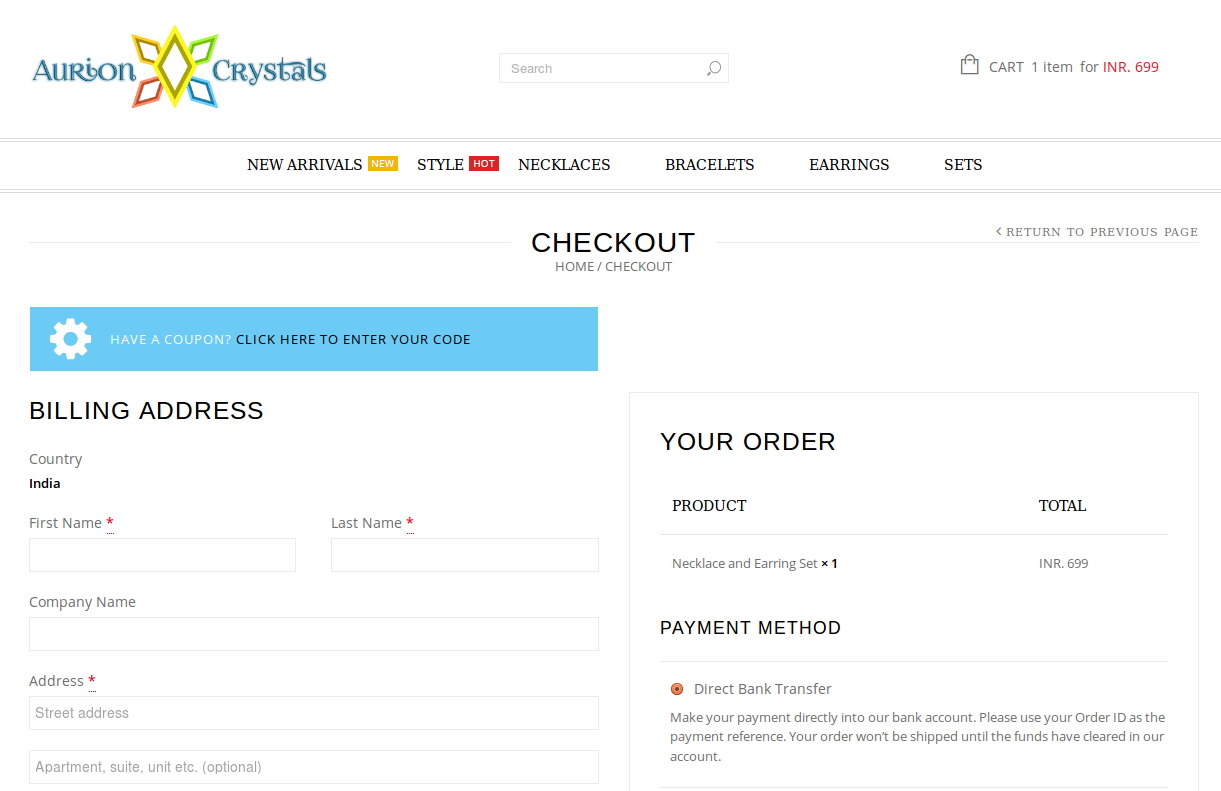
Thank you.
Regards,
Eva Kemp.
Hello,
Please provide us with FTP and wp-admin panel credentials in Private Content.
Thank you.
Regards,
Eva Kemp.
Hello,
Unfortunately there is no possibility to add your own fonts in the theme. If you want to change font for some element you need use this code in custom.css file (for example, for menu items):
.main-nav .menu > li > a {
    font-family: Georgia;
}
Thank you.
Regards,
Eva Kemp.
Hello,
Thank you for your explanation and suggestion.
We’ve taken this into our account and will check this issue.
Please take our apologies for inconveniences.
Thank you.
Regards,
Eva Kemp.
Hello,
Sorry, but there is a bug with frontend editor of VC plugin. We recommend you to use backend editor instead.
To change logo size you need use this code in custom.css file:
.header1 .logo img {
max-width: 100px;
width: 100px;
}
Also you need change permissions to 777 for your logo image as it’s not visible on the site. I’ve tried to do this via FTP but got the error: “Command: SITE CHMOD 777 09
Response: 500 ‘SITE CHMOD 777 09’: command not understood”
You should ask your host to change permissions.
Concerning the Woocommerce warning, you shouldn’t worry as it won’t affect your site work. It should be fixed in our future update.
Thank you.
Regards,
Eva Kemp.
Hello,
Yes, you can do this in a child theme. Create the directory woocommerce/single-product/ in your child theme folder and copy the file up-sells.php into there.
Please provide us with FTP and wp-admin panel credentials to check the issue.
Thank you.
Regards,
Eva Kemp.
Hello @csmwebdesign,
Please provide us with wp-admin panel credentials and FTP access in Private Content.
Thank you.
Regards,
Eva Kemp.
Hello,
1. As I see you haven’t translated .po file in wp-content/themes/idstore/languages directory. Please do this as described in our documentation: https://www.8theme.com/demo/docs/idstore/index.html#!/how_to_translate
2. To change the text you need edit the files wp-content/themes/idstore/code/functions.php (line 1028) and wp-content/themes/idstore/footer.php (line 111).
3. To create banner go to Theme Options > Shop > Product Page Banner and upload your image.
4. To have grey background for the widget title please add this code into custom.css file:
div#woocommerce_product_categories-2 .widget-title { background: #F5F5F5 !important; }
How to create custom.css you can find here. The tutorial is for Legenda theme but the process is the same.
5. Have you created child subcategories under the parent ones? Please provide us with wp-admin panel credentials to check.
6. Use this code in custom.css file:
.woocommerce_de_versandkosten {
    display: inline !important;
}
7. Those icons are images that are located in /wp-content/themes/idstore/images/ directory. To change the text you have to edit the icons with some image editor.
Regards,
Eva Kemp.
Hello,
Please provide us with FTP credentials.
Thank you.
Regards,
Eva Kemp.
Hello,
Please provide us with the login details in Private Content for this topic. It will be visible only to administrators.
Thank you.
Regards,
Eva Kemp.
Hello,
We’re very sorry.
There is a bug with new Woocommerce version and our theme. We’re working on the solution currently. The issue will be fixed as soon as possible.
Please take our apologies for inconveniences and all troubles you had to experience.
Regards,
Eva Kemp.
Hello,
Please provide us with wp-admin panel credentials.
Thank you.
Regards,
Eva Kemp.
Hello,
You can use static block adding shortcode in the text editor.
Please specify where exactly you want to place it.
Thank you.
Regards,
Eva Kemp.
Hello,
You’re welcome.
Regards,
Eva Kemp.
Hello,
1. Display type means what will be shown when a customer select product category on your site – products of that product category or subcategories (if that product category is parent). By default products will be shown.
2. Thumbnails are displayed for product categories on the Shop page if you selected in Woocommerce > Settings > Products tab > Shop Page Display > Show Subcategories.
3. Please clarify how you’re inserting a banner or what code you use to insert.
Thank you.
Regards,
Eva Kemp.
Hello,
To create back up you need download all files to your PC and create a back up of the database. Also there may be back up feature in your hosting control panel.
Now I’ve updated Revolution Slider plugin for you.
Concerning the warning in wp-admin panel, you shouldn’t worry as it doesn’t affect your site work.
Please note we’ve recently released IDStore theme new version – 3.5. Please updated your theme.
How to update theme you can watch in this video tutorial – it’s about Legenda theme, but the process is identical.
Thank you.
Regards,
Eva Kemp.
Hello,
Do you wish to add those columns on the Shop page where all products are displayed or on a single product page?
If you need this on a single product page you can create variable products as described in Woocommerce documentation:
http://docs.woothemes.com/document/product-variations/
Thank you.
Regards,
Eva Kemp.









