Forum Replies Created

Viewing 30 posts - 27,481 through 27,510 (of 31,382 total)
  • Avatar: Eva
    Eva Kemp
    Participant
    September 26, 2014 at 20:41

    Hello,

    There was planned a new feature in the theme, but it’s still not released and Prefooter section was added into the theme update by mistake. We’ll fix this in our next update.
    So prefooter area won’t work.

    Please clarify what exactly you want to change in footer block and we’ll help you.

    Thank you.

    Regards,
    Eva Kemp.
    Avatar: Eva
    Eva Kemp
    Participant
    September 26, 2014 at 20:38

    Hello,

    I’ve added $locale=’de_DE’; to wp-config.php file. Please check the Checkout page now.

    Regards,
    Eva Kemp.

    Avatar: Eva
    Eva Kemp
    Participant
    September 26, 2014 at 20:28

    Hello,

    Thank you for the explanation.
    You can enable that option in Woocommerce > Settings > Products tab, tick “Redirect to the cart page after successful addition” near “Add to Cart” field.

    Regards,
    Eva Kemp.

    Avatar: Eva
    Eva Kemp
    Participant
    September 26, 2014 at 20:20

    Hello,

    I’ve just selected the first header type in Theme Options > Header.
    Please check it.
    Also try to change it in some other browser.

    Thank you.

    Regards,
    Eva Kemp.

    Avatar: Eva
    Eva Kemp
    Participant
    September 26, 2014 at 19:52

    Hello,

    The latest version of Legenda theme is 2.4.
    Please update it and check the site again. If the problem persists after update provide us with the login details to wp-admin panel and FTP.

    Thank you.
    Regards,
    Eva Kemp.

    Avatar: Eva
    Eva Kemp
    Participant
    September 26, 2014 at 19:23

    Hello,

    You need edit the file woo.php which is available in wp-admin panel > Appearance > Editor. Find the section “New AJAX add to cart action”, replace the code with the one below from the lines 1015 to 1058.

    // **********************************************************************// 
    // ! New AJAX add to cart action
    // **********************************************************************// 
    add_action('wp_ajax_et_woocommerce_add_to_cart', 'et_woocommerce_add_to_cart');
    add_action('wp_ajax_nopriv_et_woocommerce_add_to_cart', 'et_woocommerce_add_to_cart');
    
    if(!function_exists('et_woocommerce_add_to_cart')) {
    	function et_woocommerce_add_to_cart() {
    		ob_start();
    
    		$product_id        = apply_filters( 'woocommerce_add_to_cart_product_id', absint( $_POST['product_id'] ) );
    		$quantity          = empty( $_POST['quantity'] ) ? 1 : apply_filters( 'woocommerce_stock_amount', $_POST['quantity'] );
    		$passed_validation = apply_filters( 'woocommerce_add_to_cart_validation', true, $product_id, $quantity );
    
    		if ( $passed_validation && WC()->cart->add_to_cart( $product_id, $quantity ) ) {
    
    			do_action( 'woocommerce_ajax_added_to_cart', $product_id );
    
    			if ( get_option( 'woocommerce_cart_redirect_after_add' ) == 'yes' ) {
    				woocommerce_add_to_cart_message( $product_id );
    				$woocommerce->set_messages();
    			}
    
    			// Return fragments
    			et_woocommerce_get_refreshed_fragments();
    
    		} else {
    
    			header( 'Content-Type: application/json; charset=utf-8' );
    
    			// If there was an error adding to the cart, redirect to the product page to show any errors
    			$data = array(
    				'error' => true,
    				'product_url' => apply_filters( 'woocommerce_cart_redirect_after_error', get_permalink( $product_id ), $product_id )
    			);
    
    			$woocommerce->set_messages();
    
    			echo json_encode( $data );
    		}
    
    		die();
    	}	
    }

    Regards,
    Eva Kemp.

    Avatar: Eva
    Eva Kemp
    Participant
    September 26, 2014 at 19:16

    Hello,

    The problem may be because of WordPress limit. Read this topic, it may help you to find the solution http://wordpress.org/support/topic/wordpress-menu-item-limit

    Thank you.
    Regards,
    Eva Kemp.

    Avatar: Eva
    Eva Kemp
    Participant
    September 26, 2014 at 18:37

    Hello,

    Ok. Looking forward to your reply.

    Regards,
    Eva Kemp.

    Avatar: Eva
    Eva Kemp
    Participant
    September 26, 2014 at 18:24

    Hello @HighPassion,

    You’re welcome.
    We’ve edited woo.php file. Find the section “New AJAX add to cart action”, we’ve replaced the code from the lines 1015 to 1058.

    Regards,
    Eva Kemp.

    Avatar: Eva
    Eva Kemp
    Participant
    September 26, 2014 at 18:09

    Hello,

    I’ve updated the theme for you.
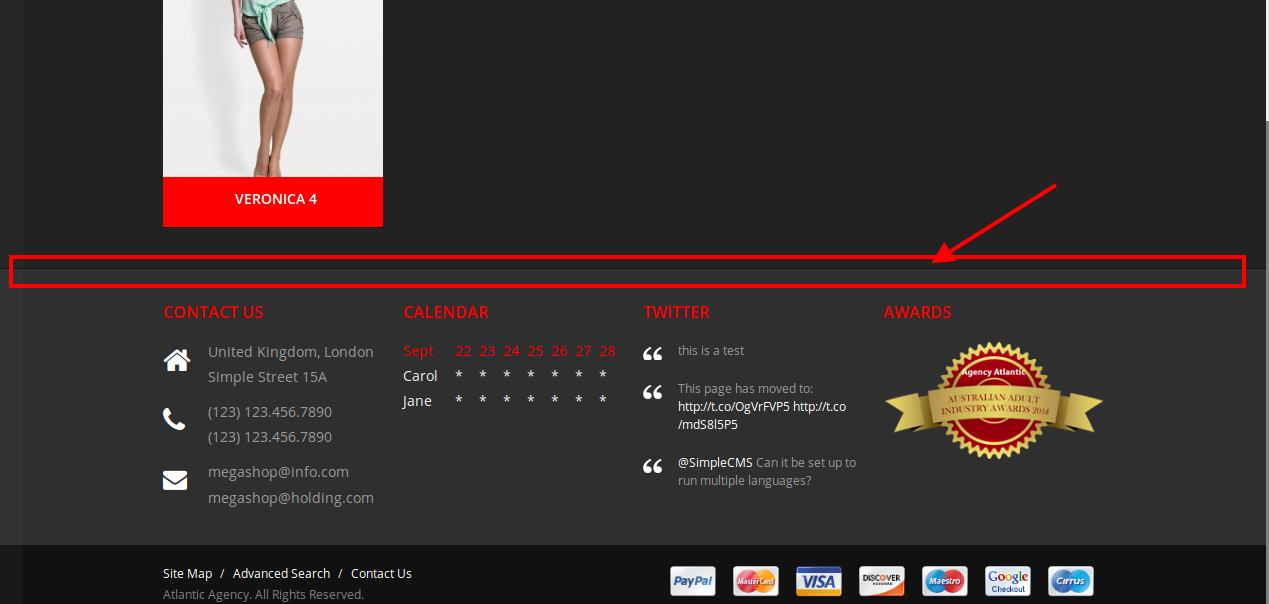
    As I see there are blocks in the footer.
    Could you please clarify what issues you’re experiencing?

    Thank you.
    Regards,
    Eva Kemp.

    Avatar: Eva
    Eva Kemp
    Participant
    September 26, 2014 at 17:58

    Hello,

    You’re using old theme version. Please update it to 2.4 version.
    Read carefully our documentation to update the theme correctly:
    https://www.8theme.com/demo/docs/legenda/index.html#!/upgrade

    Thank you.

    Regards,
    Eva Kemp.

    Avatar: Eva
    Eva Kemp
    Participant
    September 26, 2014 at 17:51

    Hello,

    Please create a ticket at https://support.8theme.com/ and our specialists will look into this issue.
    Thank you.

    Regards,
    Eva Kemp.

    Avatar: Eva
    Eva Kemp
    Participant
    September 26, 2014 at 17:49

    Hello,

    Please provide us with FTP access.
    Thank you.

    Regards,
    Eva Kemp.

    Avatar: Eva
    Eva Kemp
    Participant
    September 26, 2014 at 17:44

    Hello,

    /themes/Royal_v1.1/royal/images/favicon.ico is the path to favicon icon, it means you have such folders “themes/Royal_v1.1/royal/images” created on the server. To change them you need rename the folders via your FTP account, but we don’t recommend you to do this as some links conflicts may occur.

    Thank you.

    Regards,
    Eva Kemp.

    Avatar: Eva
    Eva Kemp
    Participant
    September 26, 2014 at 17:36

    Hello @spysofly,

    Please provide us with FTP and wp-admin panel credentials in Private Content.

    Thank you.
    Regards,
    Eva Kemp.

    Avatar: Eva
    Eva Kemp
    Participant
    September 26, 2014 at 17:34

    Hello,

    Could you please describe the issue with more details? If possible please show a screenshot.

    Thank you.
    Regards,
    Eva Kemp.

    Avatar: Eva
    Eva Kemp
    Participant
    September 26, 2014 at 17:31

    Hello @iletisim1,

    Sorry, but the login details for FTP are incorrect.
    Please check them.

    Thank you.

    Regards,
    Eva Kemp.

    Avatar: Eva
    Eva Kemp
    Participant
    September 26, 2014 at 17:28

    Hello,

    Could you please provide us with wp-admin panel credentials?
    Thank you.

    Regards,
    Eva Kemp.

    Avatar: Eva
    Eva Kemp
    Participant
    September 26, 2014 at 17:26

    Hello,

    We’re glad you’ve fixed it.
    If there are any questions don’t hesitate to ask us.

    Regards,
    Eva Kemp.

    Avatar: Eva
    Eva Kemp
    Participant
    September 26, 2014 at 17:25

    Hello,

    You can disable image cropping in Woocommerce > Settings > Products tab > Product Image Sizes section.

    Regards,
    Eva Kemp.

    Avatar: Eva
    Eva Kemp
    Participant
    September 26, 2014 at 16:56

    Hello,

    You’re welcome.

    Regards,
    Eva Kemp.

    Avatar: Eva
    Eva Kemp
    Participant
    September 26, 2014 at 16:54

    Hello,

    The links you provided give 404 error. Please provide us with the correct page links.

    Thank you.
    Regards,
    Eva Kemp.

    Avatar: Eva
    Eva Kemp
    Participant
    September 26, 2014 at 16:52

    Hello,

    As I see there is possibility to install theme variant. Go to Theme Options > Import/Export and you’ll see the list of templates, just click “Install Version” button. Did you mean you were unable to install any templates at all? Which one do you need?

    Could you please show a screenshot how you’d like to show the menu?

    Thank you.
    Regards,
    Eva Kemp.

    Avatar: Eva
    Eva Kemp
    Participant
    September 26, 2014 at 16:39

    Hello,

    It could be WP limit. Read this topic, maybe you’ll find a workaround http://wordpress.org/support/topic/wordpress-menu-item-limit

    Sorry, but that is not the theme issue.
    Thank you.

    Regards,
    Eva Kemp.

    Avatar: Eva
    Eva Kemp
    Participant
    September 26, 2014 at 16:34

    Hello,

    You need edit WordPress configuration file wp-config.php in order to fix the issue.

    Thank you.
    Regards,
    Eva Kemp.

    Avatar: Eva
    Eva Kemp
    Participant
    September 26, 2014 at 15:57

    Hello,

    I’ve added the following code into custom.css file to fix the menu colors:

    .menu > ul > li ul {
        border-color: red !important;
    }
    
    .default-menu > ul > li > ul > li a:hover { color: red !important; }

    Sorry, but I don’t see the line in the footer. Do you want to remove this line?

    To make the block wider for About page you need remove “div” code in the text editor:

    To remove product meta add this code in custom.css:

    div.product_meta span {
        display: none !important;
    }
    .entry-title {
        border-bottom: none !important;
     }
    hr {
        border-bottom: none !important;
        border-top: none !important;
    }

    Regards,
    Eva Kemp.

    Avatar: Eva
    Eva Kemp
    Participant
    September 26, 2014 at 15:27

    Hello,

    We’re glad you’ve found the solution.
    If there are any questions feel free to contact us.

    Thank you.

    Regards,
    Eva Kemp.

    Avatar: Eva
    Eva Kemp
    Participant
    September 26, 2014 at 15:25

    Hello,

    You have a lot of 3rd-party plugins which may cause the issue.
    We recommend you to deactivate them and check the menu again.
    If the problem still persists after that please provide us with FTP credentials as well.

    Thank you.
    Regards,
    Eva Kemp.

    Avatar: Eva
    Eva Kemp
    Participant
    September 26, 2014 at 14:21

    Hello,

    The page with sale products is http://cgaxis.com/sale-products/
    The problem is with Woocommerce configuration. You can check it enabling the default WordPress theme and using Woocommerce shortcode [sale_products per_page="12" orderby="name" order="desc"].
    You’ll see the same products as before. So you have to contact Woocommerce support to find the solution.

    Thank you.
    Regards,
    Eva Kemp.

    Avatar: Eva
    Eva Kemp
    Participant
    September 26, 2014 at 13:38

    Hello,

    We’ve fixed the issue.

    Please check.

    Regards,
    Eva Kemp.

  • 1 2 3 916 917 918 1,045 1,046 1,047
    Viewing 27,510 results - 27,481 through 27,510 (of 31,382 total)
Viewing 30 posts - 27,481 through 27,510 (of 31,382 total)
We're using our own and third-party cookies to improve your experience and our website. Keep on browsing to accept our cookie policy.





