
Hello @hollysnails,
Please provide us with a page link where we can see the pagination and your wp-admin panel/FTP credentials in Private Content.
Thank you.
Regards,
Eva Kemp.

Hello @hollysnails,
Please provide us with a page link where we can see the pagination and your wp-admin panel/FTP credentials in Private Content.
Thank you.
Regards,
Eva Kemp.
Hello,
Just to clarify: have you made any changes in the original theme files?
Thank you.
Regards,
Eva Kemp.
Hello,
Please add this code in custom.css file to remove Wishlist:
.sidebar-position-left .row-count-4 .product .footer-product .yith-wcwl-add-to-wishlist {display: none;}
How to create custom.css you can watch in this tutorial (it’s for Legenda theme but the process is the same).
Thank you.
Regards,
Eva Kemp.
Hello,
The login information is incorrect.
Please check it.
Thank you.
Regards,
Eva Kemp.
Hello,
You can only add an image as described in our documentation:
https://www.8theme.com/demo/docs/royal/#!/primary_menu > 7.3 Menu images
Thank you.
Regards,
Eva Kemp.
Hello,
I selected 6 products per row in Theme Options and didn’t see the problem with products display on Product Categories pages. I’ve put 3 products per row back.
Please check it from your side and clear browser cache before.
Thank you.
Regards,
Eva Kemp.
Hello,
I’ve updated the page and the header is working now. Please check.
To enable fixed header go to Theme Options > General > Fixed Header > On.
Thank you.
Regards,
Eva Kemp.
Hello,
Could you please provide us with the access to Plugins in wp-admin panel?
Also you’re still using old theme version. Please update it to 1.5.2 version.
https://www.8theme.com/demo/docs/royal/#!/installation_upgrade (paragraph “1.5 Theme Upgrade”)
Thank you.
Regards,
Eva Kemp.
Hello,
If you’re talking about this space, it can’t be removed as logo size doesn’t allow it. In order to hide it you need decrease the logo.

Concerning your second question about the menu on tablets you have to contact the plugin author.
Sorry for inconveniences.
Regards,
Eva Kemp.
Hello,
Could you please show a screenshot what spaces you want to remove to have clear understanding?
Thank you.
Regards,
Eva Kemp.
Hello,
Could you please disable restrictions for FTP as we’re still unable to log in?
Thank you.
Regards,
Eva Kemp.
Hello,
The issue has been fixed.
Please check My Account page.
Thank you.
Regards,
Eva Kemp.
Hello,
What problem did you experience when you tried to create a static block for footer?
Could you please provide with a link of that block?
Thank you.
Regards,
Eva Kemp.
Hello,
Please provide us with wp-admin panel credentials in Private Content.
Thank you.
Regards,
Eva Kemp.
Hello,
You’re always welcome.
We’ll be thankful if you leave your comment on our site:
http://themeforest.net/item/legenda-responsive-multipurpose-wordpress-theme/5888906
Thank you.
Regards,
Eva Kemp.
Hello,
We’re glad you’ve found the solution.
Have a nice day!
Regards,
Eva Kemp.
Hello,
Yes, we’ve received your message. Thank you.
We’ll let you know as soon as possible.
Regards,
Eva Kemp.
Hello,
I’ve added this code in CSS block in Visual Composer editor of your Home page:
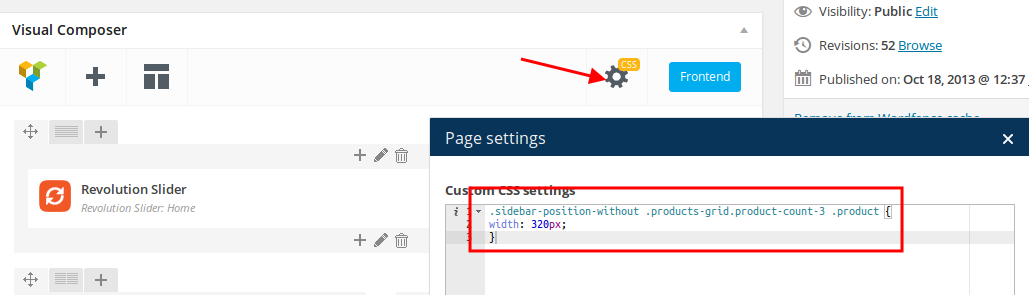
Please check products grid now.
You can try to use this code to align the price in mobile:
@media (max-width: 480px) { td.price .amount, ins .amont {
    vertical-align: sub;
} }
Thank you.
Regards,
Eva Kemp.
Hello,
You’re welcome.
Regards,
Eva Kemp.
Hello @mc9625,
You’ve been replied in other topic.
Please check it.
Thank you.
Regards,
Eva Kemp.
Hello,
As I see the image is shown:
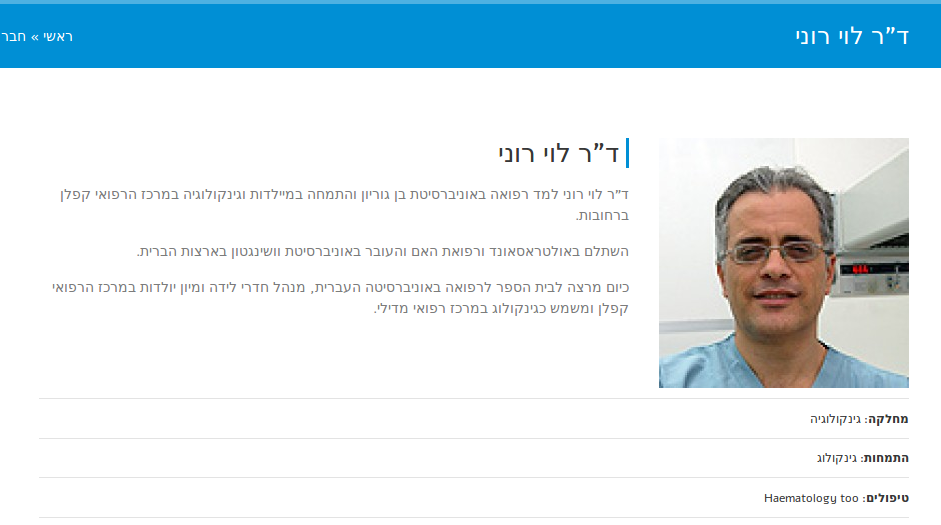
Please clear browser cache and check again.
Thank you.
Regards,
Eva Kemp.
Hello,
Please provide us with FTP and wp-admin panel credentials in Private Content.
Thank you.
Regards,
Eva Kemp.
Hello,
So, did you hosting provider fix the error according to the article from the previous post?
Thank you.
Regards,
Eva Kemp.
Hello,
There are no such folders in /wp-content/uploads directory.
But you shouldn’t worry concerning this as your site is working fine. Those warnings won’t effect your site work.
Thank you.
Regards,
Eva Kemp.
Hello,
We’ve sent VC archive to your email address.
Please check it.
Thank you.
Regards,
Eva Kemp.
Hello,
To edit breadcrumbs you need modify the file wp-content/themes/legenda/framework/theme-functions.php (find the section “! Site breadcrumbs”).
Thank you.
Regards,
Eva Kemp.
Hello @mc9625,
This request was forwarded to the developers and the issue will be fixed in the next theme release.
We’re sorry for inconveniences.
Regards,
Eva Kemp.
Hello,
If you want a slider to be shown on Shop page you need insert Revolution Slider shortcode in Theme Options > Shop > Product Page Banner.
Are you trying to restore password via wp-admin panel?
Sorry, but this issue isn’t related to our theme, but to WordPress.
Thank you.
Regards,
Eva Kemp.
Hello,
Does the issue persist with default WordPress theme? Could you please provide us with a link of an image you’re talking about?
Thank you.
Regards,
Eva Kemp.
Hello,
I’ve added this code into style.css of your child theme:
@media (max-width: 480px) {
.single-product-page .product-info .quantity .minus, .single-product-page .product-info .quantity .plus {
width: 15px;
}

.woocommerce a.button.quick-checkout-product-after {
margin-left: 100px;
}
.single-product-page .product-info .single_add_to_cart_button {
margin-left: -50px;
}
}
Please check a single product page on a mobile device.
Could you please clarify the question with product name? Do you wish it to be displayed in one row and the whole name should be in one row?
As I see “featured products” slider has similar products images in size.
What size do you want them to be displayed?
Thank you.
Regards,
Eva Kemp.









