
Hello @UrbnDesignz,
You’ve been replied in other topic concerning this issue.
Please check.
Thank you.
Regards,
Eva Kemp.

Hello @UrbnDesignz,
You’ve been replied in other topic concerning this issue.
Please check.
Thank you.
Regards,
Eva Kemp.
Hello,
We can’t access your Google account. Please show us a screenshot of the errors you got.
Thank you.
Regards,
Eva Kemp.
Hello,
Please provide us with your site url.
Thank you.
Regards,
Eva Kemp.
Hello @UrbnDesignz,
Please add this code in custom.css file:
.sidebar-position-left .main-products-loop{
position: inherit;
}
How to create custom.css you can watch in this tutorial (it’s for Legenda theme but the process is the same).
Thank you.
Regards,
Eva Kemp.
Hello,
The problem has been solved.
The reason was you uploaded theme folder in the directory wp-content/themes/WooPress_Responsive_Ecommerce_Wordpress_Theme, but “woopress” folder should be located in the directory wp-content/themes/. I’ve copied the “woopress” and “woopress-child” folders into directory wp-content/themes/ and you should delete the folder “WooPress_Responsive_Ecommerce_Wordpress_Theme” there.
Please check the menu now and clear browser cache before.
Thank you.
Regards,
Eva Kemp.
Hello,
Custom.css file won’t be overwritten after theme update.
Could you please clarify what weird is with your site?
Background that you change in Theme Options is visible for Boxed layout (Theme Options > General > Layout).
Thank you.
Regards,
Eva Kemp.
Hello,
Sorry, but the credentials to FTP are incorrect.
Please check them.
Thank you.
Regards,
Eva Kemp.
Hello,
I’ve just added a page “View all” to your menu. Please check it on your site.
Please clear your browser cache and check menu items.
Thank you.
Regards,
Eva Kemp.
Hello,
I’ve update the file etheme.js. Please check the tabs now and clear browser cache before.
Thank you.
Regards,
Eva Kemp.
Hello,
You can set images sizes and enable cropping in Woocommerce > Settings > Products tab
https://www.8theme.com/demo/docs/royal/#!/woocommerce
Thank you.
Regards,
Eva Kemp.
Hello,
Please add this code in custom.css file to fix the issue with drop-down menu:
@media (max-width: 980px) { .main-nav .menu > li .nav-sublist-dropdown {
    top: 50% !important;
}}
As I see slider is working fine and slides and images are shown.
Please update the required plugins to the latest versions:
https://www.8theme.com/download-plugins/
Thank you.
Regards,
Eva Kemp.
Hello,
Our demo Shop page is created this way:
Widgets are added into Shop sidebar in Appearance > Widgets and Shop page is selected in Woocommerce > Settings > Products tab.
Sorry, but there is no option to show “Filter by price” widget only on categories pages because Shop Sidebar is used for Shop page and product categories pages. As you can see on our demo the same sidebar is shown on the Shop page https://www.8theme.com/demo/legenda3/shop/ as well as on the category page https://www.8theme.com/demo/legenda3/product-category/accessories-2/ .
Thank you for your understanding.
Regards,
Eva Kemp.
Hello,
All plugins are external extensions which are included into theme because for each product we purchase “Extended license” and that’s why we are able to include it into them. This plugin works fine without activation and you can always get actual version if you want directly from us. Just ask and we’ll send a current version to you. We update plugins with theme updates from time to time so plugins will be also updated with each next theme update. The option with registering of the plugins has been already added to plugin and this only allows you to get automatic updates and support for this plugin directly from an author if you need. You don’t need to register this product because it is not required but if you want to get those features, then you need to purchase this plugin directly from the author. This is how it works for all themes on Themeforest and not only in our case.
Thank you.
Regards,
Eva Kemp.
Hello,
Sorry, but I don’t see such issue:
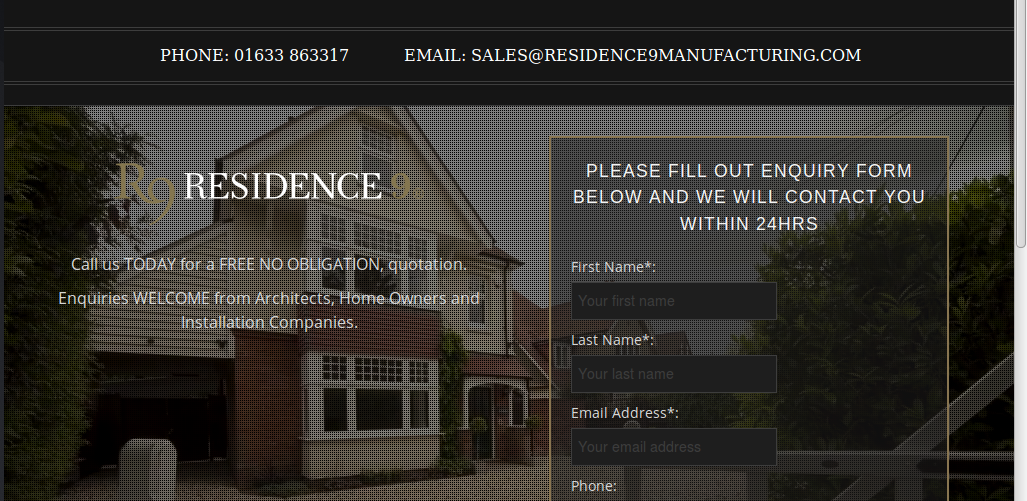
Perhaps some styles couldn’t be loaded fully.
Please try to check it with some other provider.
Thank you.
Regards,
Eva Kemp.
Hello,
Sorry for a long delay.
We’re working on this issue and should be fixed in the next theme update.
Please take our apologies for inconveniences.
Thank you.
Regards,
Eva Kemp.
Hello,
Is your problem resolved now?
Thank you.
Regards,
Eva Kemp.
Hello,
Please add this code in custom.css file:
h1.product_title.entry-title.title, .woocommerce-breadcrumb, .page-heading .row-fluid .span12 .back-to {
display: none;
}
Thank you.
Regards,
Eva Kemp.
Hello @UrbnDesignz,
As I see your site is responsive:
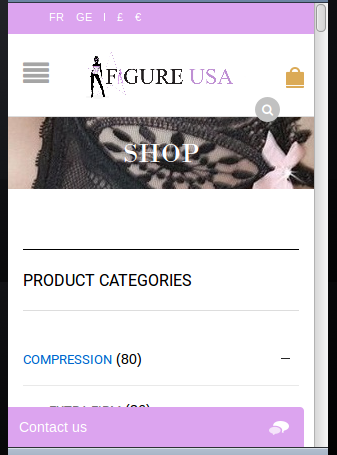
Could you please clarify your issue with more details?
Thank you.
Regards,
Eva Kemp.
Hello,
You need change font as the one that you use (font-family: Oswald;) can be set only with such font-weight.
Please check it.
Thank you.
Regards,
Eva Kemp.
Hello,
Please provide us with wp-admin panel credentials and a page link where you’re trying to create parallax effect.
Thank you.
Regards,
Eva Kemp.
Hello,
Please provide us with FTP credentials.
Thank you.
Regards,
Eva Kemp.
Hello,
Could you please provide us with wp-admin panel credentials in Private Content?
Unfortunately there is no possibility to add menu to footer. Sorry.
Regards,
Eva Kemp.
Hello,
Please provide us with wp-admin panel and FTP credentials in Private Content.
Thank you.
Regards,
Eva Kemp.
Hello,
Please update the Ultimate VC Addons and Visual Composer plugins to the latest versions:
https://www.8theme.com/download-plugins/
Thank you.
Regards,
Eva Kemp.
Hello,
Sorry, but the credentials to wp-admin panel are incorrect.
Please check them.
Thank you.
Regards,
Eva Kemp.
Hello,
You’re welcome.
Regards,
Eva Kemp.
Hello,
You’re welcome.
Regards,
Eva Kemp.
Hello,
You need select Blog page as posts page in Settings > Reading and then select Timeline layout in Theme Options > Blog layout.
Thank you.
Regards,
Eva Kemp.
Hello,
Did you change font weight “lighter” to something else?
You may try to use this code:
.main-nav .menu li a {
    font-weight: bold !important;
}
Thank you.
Regards,
Eva Kemp.
Hello,
Please add this code in custom.css file:
.st-content {
    background-color: grey !important;
}
How to create custom.css you can watch in this tutorial (it’s for Legenda theme but the process is the same).
Thank you.
Regards,
Eva Kemp.









