Hello,
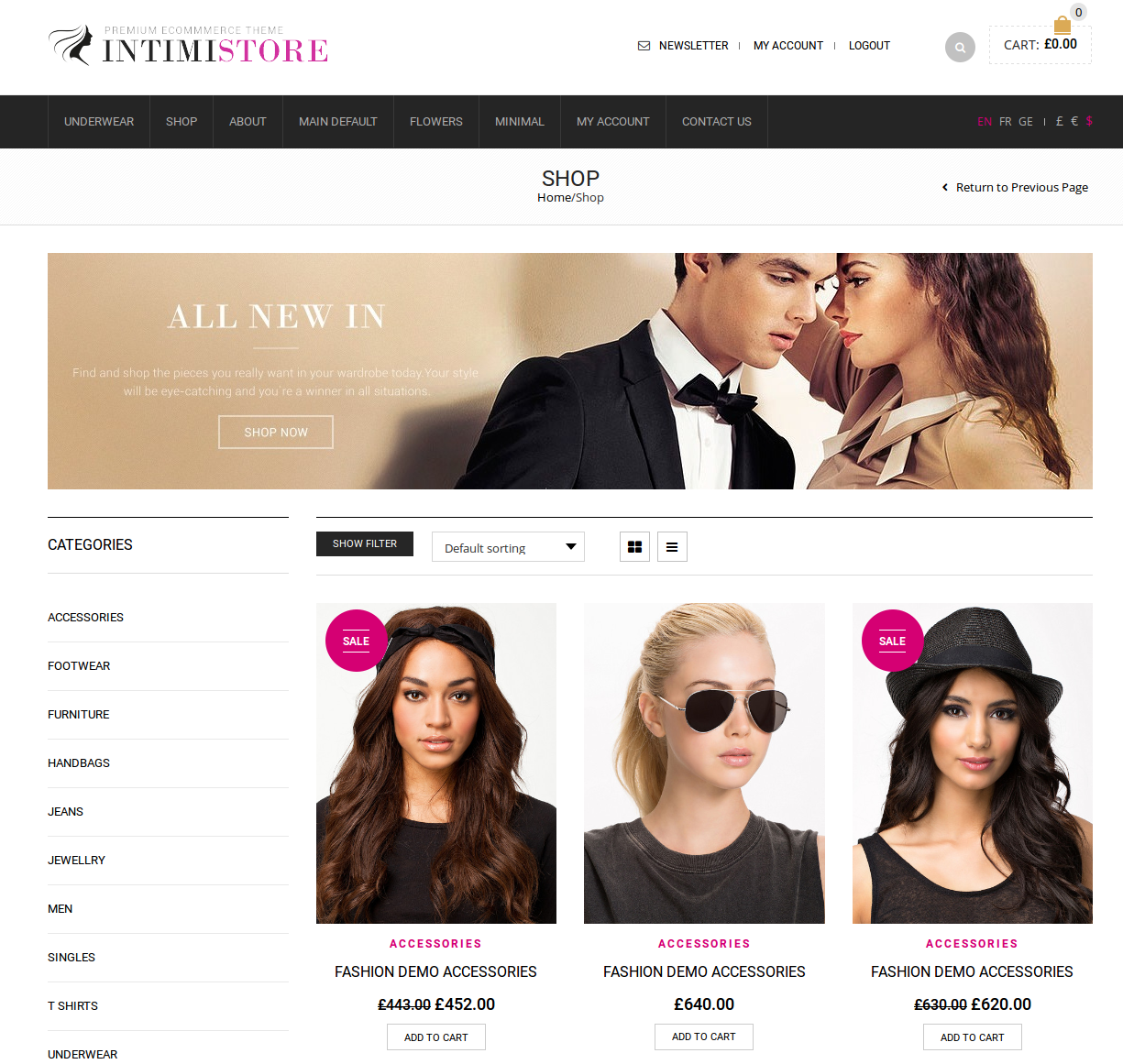
You can add this code in custom.css file to fix the issue with images sizes:
.product-category img {
    width: 100%;
}
Thank you.
Regards,
Eva Kemp.

Hello,
You can add this code in custom.css file to fix the issue with images sizes:
.product-category img {
width: 100%;
}Thank you.
Regards,
Eva Kemp.
Hello,
I’ve deactivated “YITH WooCommerce Wishlist” plugin and shortcode has disappeared.
Please check it.
Thank you.
Regards,
Eva Kemp.
Hello,
We’re glad you’ve found the solution.
If you have any questions feel free to contact us.
Thank you.
Regards,
Eva Kemp.
Hello,
I’ve checked your site and products are shown now. Please look at the screenshot:
https://s3.amazonaws.com/fvd-data/notes/168674/1423648882-MbBExN/screen.png
Thank you.
Regards,
Eva Kemp.
Hello,
1. Please take our apologies but image dimensions can’t be changed on a single product page in theme options as they can be distorted. It can be edited only in the theme files legenda/woocommerce/single-product/product-image.php and legenda/woocommerce/single-product/product-thumbnails.php. Also changes in custom.css need to be made.
2. Please refer to Woocommerce documentation:
http://docs.woothemes.com/document/editing-product-data-tabs/
3. Please add this code in custom.css file:
.woocommerce-breadcrumb, #breadcrumb {
 display: none;
}
How to create custom.css you can watch in this tutorial.
4. There is no attachment 4. Could you please resend it?
5. You need create variations for your products
http://docs.woothemes.com/document/product-variations/
Thank you.
Regards,
Eva Kemp.
Hello,
That is not a broken link, that is the link that redirects to other page that image is linked to.
So this is not an issue, it’s normal configuration.
Regards,
Eva Kemp.
Hello,
To change that text you need edit Woocommerce file class-wc-product-variable.php (line 43) in the directory wp-content/plugins/woocommerce/includes.
How to use sliders is described in our documentation:
https://www.8theme.com/demo/docs/idstore/index.html#!/slideshow
Thank you.
Regards,
Eva Kemp.
Hello,
Sorry, but concerning this query you should contact Woocommerce support team.
Thank you.
Regards,
Eva Kemp.
Hello,
Could you please provide the direct link of a page where you see such issue?
Thank you.
Regards,
Eva Kemp.
Hello,
Unfortunately they are incorrect.
Please check the credentials from your side or provide us with FTP login details.
Thank you.
Regards,
Eva Kemp.
Hello,
We’ll add this change in our next theme update.
Please take our apologies for inconveniences.
Regards,
Eva Kemp.
Hello,
Unfortunately it can be done only if “link” icon is enabled but you decided to hide it. Sorry.
Regards,
Eva Kemp.
Hello,
Please provide us with the link to Shop page and wp-admin panel credentials in private content.
Thank you.
Regards,
Eva Kemp.
Hello,
You’ve written Posts IDs – 15541,15129,15127,19 in Posts Slider element settings, but there are no such ids for your posts. Remove them from there.
Concerning the images please add this code in custom.css file:
.product-content-image img {
   height: 400px;
}
How to create custom.css you can watch in this tutorial (it’s for Legenda theme but the process is the same).
Thank you.
Regards,
Eva Kemp.
Hello,
You’re welcome.
Regards,
Eva Kemp.
Hello,
We’re glad you managed to fix the issue.
Have a nice day.
Regards,
Eva Kemp.
Hello,
Try to set fonts in Theme Options > Typography and check your site after that.
Thank you.
Regards,
Eva Kemp.
Hello,
The credentials are incorrect.
Please check them.
Thank you.
Regards,
Eva Kemp.
Hello,
Please provide us with wp-admin panel and FTP credentials in Private Content.
Thank you.
Regards,
Eva Kemp.
Hello,
We’re glad you managed to fix the issue.
Enjoy your work.
Thank you.
Regards,
Eva Kemp.
Hello,
Then please create FTP user for us to be able to check errors to find what is causing blank page issue.
Thank you.
Regards,
Eva Kemp.
Hello,
Please provide us with a page link and wp-admin panel credentials in Private Content.
Thank you.
Regards,
Eva Kemp.
Hello,
Could you please provide us with FTP credentials as well?
Thank you.
Regards,
Eva Kemp.
Hello,
Yes, you can do this. Go to Products > edit a product, find Product Video section on the right and upload a video file, but remove featured image then.
Thank you.
Regards,
Eva Kemp.
Hello,
Could you please specify where you’re getting that error?
How can we replicate it?
Thank you.
Regards,
Eva Kemp.
Hello,
1. Please add this code in custom.css file:
.product-category .mask-container .block-mask {
    display: none;
}
How to create custom.css you can watch in this tutorial.
2. I’ve just added a product to wishlist and it’s shown on the Wishlist page. Please check again and clear browser cache.
3. Add this code in custom.css:
.single-product-page .product-info .tagged_as a {
    color: white;
}
Thank you.
Regards,
Eva Kemp.
Hello,
Sorry, but we don’t see this. Please look at the screenshot:
https://s3.amazonaws.com/fvd-data/notes/168674/1423606945-qVi02R/screen.png
Do you see it when logged in to the site?
Please provide us with wp-admin panel credentials in Private Content.
Thank you.
Regards,
Eva Kemp.
Hello,
That error tells that you’re lack of memory.
Ask your host to increase it to 125M.
Thank you.
Regards,
Eva Kemp.
Hello,
You’re welcome.
Regards,
Eva Kemp.
Hello,
You used wrong shortcode for testimonials. It should be [testimonials]. I’ve corrected the code.
Please check home page now.
Thank you.
Regards,
Eva Kemp.