
Hello,
The issue has been fixed.
Please clear your browser cache and check the site.
Thank you.
Regards,
Eva Kemp.

Hello,
The issue has been fixed.
Please clear your browser cache and check the site.
Thank you.
Regards,
Eva Kemp.
Hello,
You can try to use other elements in Visual Composer editor, for example Posts Slider.
Or you need find some plugin to achieve what you want.
Sorry for inconveniences.
Regards,
Eva Kemp.
Hello,
The credentials are incorrect.
Please check them. Also please provide us with FTP login details.
Thank you.
Regards,
Eva Kemp.
Hello,
Please add this code in custom.css file:
@media (max-width: 480px) { .et-search-trigger.search-dropdown form {
    width: 250px;
} }
.login-link .login-popup {
display: none;
}Thank you.
Regards,
Eva Kemp.
Hello @TrueBeardsman,
Please provide us with FTP and wp-admin panel credentials in private content.
Thank you.
Regards,
Eva Kemp.
Hello,
We’ve taken this into our account.
Thank you.
Regards,
Eva Kemp.
Hello,
You can download a new theme update at the link:
http://themeforest.net/item/woopress-responsive-ecommerce-wordpress-theme/9751050
How to update theme you can watch in our video tutorial (it’s for Legenda theme, but the process is identical):
https://www.youtube.com/watch?v=KdWESIIPU1k&list=PLMqMSqDgPNmD4uhGI1IBhr1iaEy81TMff
Thank you.
Regards,
Eva Kemp.
Hello,
Please add this code in custom.css file:
.product-categories > li > ul.children li > a {
    color: #767676 !important;
}
Write your color value.
Thank you.
Regards,
Eva Kemp.
Hello,
Sorry for inconveniences.
We’re glad you managed to fix it yourself.
If there are any questions feel free to contact us.
Regards,
Eva Kemp.
Hello,
You need import .json file provided in the theme package (Documentation folder) for Essential Grid plugin:
https://www.8theme.com/demo/docs/woopress/#!/essential_grid
Then install Sidebar variant in Theme Options > Import/Export and select vertical header type in Theme Options > Header.
Regards,
Eva Kemp.
Hello,
You’re welcome.
Regards,
Eva Kemp.
Hello @Paulien Wilkinson,
Please provide us with wp-admin panel and FTP credentials in Private Content.
Thank you.
Regards,
Eva Kemp.
Hello,
You need edit theme-functions.php file as I said in the previous post.
We recommend to make changes in a child theme not to lose modifications after update.
Thank you.
Regards,
Eva Kemp.
Hello,
You need connect to your site via FTP to access wp-content directory.
You’d better ask your hosting provider concerning ftp access.
Thank you.
Regards,
Eva Kemp.
Hello,
Go to Theme Options > Single Product Page > select sidebar layout.
Thank you.
Regards,
Eva Kemp.
Hello,
Please add this code in custom.css file:
.header-type-2.slider-overlap .header .menu > li > a {
    color: black !important;
}
.navbar {
padding: 10px 0px !important;
}How to create custom.css you can watch in this tutorial (it’s for Legenda theme but the process is the same).
Thank you.
Regards,
Eva Kemp.
Hello,
Login details to wp-admin panel are incorrect.
Please check them.
Thank you.
Regards,
Eva Kemp.
Hello @ssibaja,
A new theme update will be produced soon.
Please wait a little.
Thank you for your patience and understanding.
Regards,
Eva Kemp.
Hello,
Yes, 2 banners in the sidebar have 145px × 180px dimensions.
If you want single product image to be displayed correctly then you should upload it with original dimensions 1500px X 1500px approximately.
Thank you.
Regards,
Eva Kemp.
Hello @Johnboy_65,
Please take our apologies for such troubles.
A new theme release will be produced soon where this issue is fixed.
Thank you for your patience.
Regards,
Eva Kemp.
Hello,
Please provide us with FTP and wp-admin panel credentials in Private Content.
Thank you.
Regards,
Eva Kemp.
Hello,
If you’re talking about this section in sidebar:
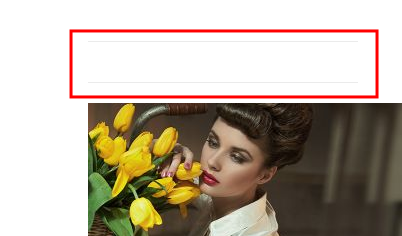
then it’s used by “Special Recent Posts Free” widget that you added to Single Product Page Sidebar area in Appearance > Widgets. The title is empty there, so empty space is shown in the sidebar of a product page. You can test it entering some title in the widget.
If you want to remove that space please add this code in custom.css file:
.srp-widget-title {
    display: none;
}
How to create custom.css you can watch in this tutorial.
Thank you.
Regards,
Eva Kemp.
Hello,
Please provide us with wp-admin panel credentials in private content.
Thank you.
Regards,
Eva Kemp.
Hello,
There is already a new theme update http://themeforest.net/item/legenda-responsive-multipurpose-wordpress-theme/5888906
Please download it and update the theme.
Thank you.
Regards,
Eva Kemp.
Hello,
You can create separate pages for your portfolio projects and use Posts Grid element in Visual Composer editor. Select “etheme_portfolio” in the settings and type what category to display.
Thank you.
Regards,
Eva Kemp.
Hello,
I’ve added Posts Slider at the bottom to your “Edgewater Mall” home page.
Please check it. You need click arrows to move slides.
Regards,
Eva Kemp.
Hello @roxiebaby007,
We’ll produce a new theme update in a few days (2 or 3).
Please wait a little.
Thank you for your patience.
Regards,
Eva Kemp.
Hello,
Please ask your host to increase value for post_max_size function to 20M and check wp-admin panel after that.
Thank you.
Regards,
Eva Kemp.
Hello,
I’ve updated the theme to the latest version. But there is a problem with new Woocommerce plugin version and our theme. We’ll release a new theme update soon to make it compatible with the latest Woocommerce plugin version.
You can monitor the updates on our site http://themeforest.net/item/legenda-responsive-multipurpose-wordpress-theme/5888906
Once there is a new release please update the theme.
We’re sorry for inconveniences.
Thank you.
Regards,
Eva Kemp.
Hello,
It’s created with Text element in Visual Composer editor.
If you installed base demo content you should have FAQ page in admin panel > Pages.
You can check there how it’s created.
Thank you.
Regards,
Eva Kemp.









