Perfect, Thank you!

Perfect, Thank you!
Wow! Thank you so much 🙂
Really happy that you could solve the issue, thanks a million
Kind regards,
Emelie
Hello,
my website also shut down and I got this error message:
An error of type E_COMPILE_ERROR was caused in line 697 of the file /var/www/vhosts/ringsofsweden.com/httpdocs/wp-content/plugins/Ultimate_VC_Addons/modules/ultimate_info_tables.php. Error message: require_once(): Failed opening required ‘/var/www/vhosts/ringsofsweden.com/httpdocs/wp-content/plugins/Ultimate_VC_Addons/templates/info-tables/info-table-”design03″.php’ (include_path=’/var/www/vhosts/ringsofsweden.com/httpdocs/wp-content/plugins/cf7-google-sheets-connector/lib/php-google-oauth:.:/opt/plesk/php/7.3/share/pear’)
Kind regards,
Marcus
Hello,
These are the versions I use :
https://snipboard.io/tdM72E.jpg
I use this php version:
https://snipboard.io/j0g2cP.jpg
Cant do it since we are live.
Thanks!
Hello,
Great, Thanks!
I am looking forward to their answer today,
Kind regards,
Marcus
I do not see a change,
One of the custom fields needs to be set to copy on the Multilingual content setup.
Please let somebody who is experienced with wpml take a look at this.
Kind regards,
Marcus
I have set it to dev mode in cloudflare and I have logged in with the api key in the admin so you should be able to control it.
Kind regards,
Marcus
We got a reply from WPML. They say we should set one of the Multilingual Content settings to “copy”.
Please check their reply here: https://wpml.org/forums/topic/8theme-sidebar-on-duplicate-not-behaving-like-it-should/
We are just not sure which one we should set to copy.
When editing a page, these are the options we get:
https://snag.gy/mygtT8.jpg
Which should we set to copy?
Thanks!
Marcus
Please do try again. I have updated so it should work with those details.
Kind regards,
Marcus
Hi
I am using an iPhone 7plus, Safari. I have cleared my cache but it is still not working to scroll. I have tried on several other iphones and it does not work to scroll in safari, which most people using an iphone use.
Hope you can help.
Kind regards,
Emelie
It has been solved. Please remove topic.
Thanks
Thanks!!
Hello,
Ok, if there are 3 product images, they are now the same size when clicking on them, but they have the smaller size. I want them to be bigger when I click on them.
How can I change that?
Thanks
Emelie
Sure,
see private
Yes, please see private.
Please let me know what changes you have made to the product-image.php
Thanks
Emelie
Hi again,
This is how it used to look, up until recently. When we updated.
Hi again,
Okay.
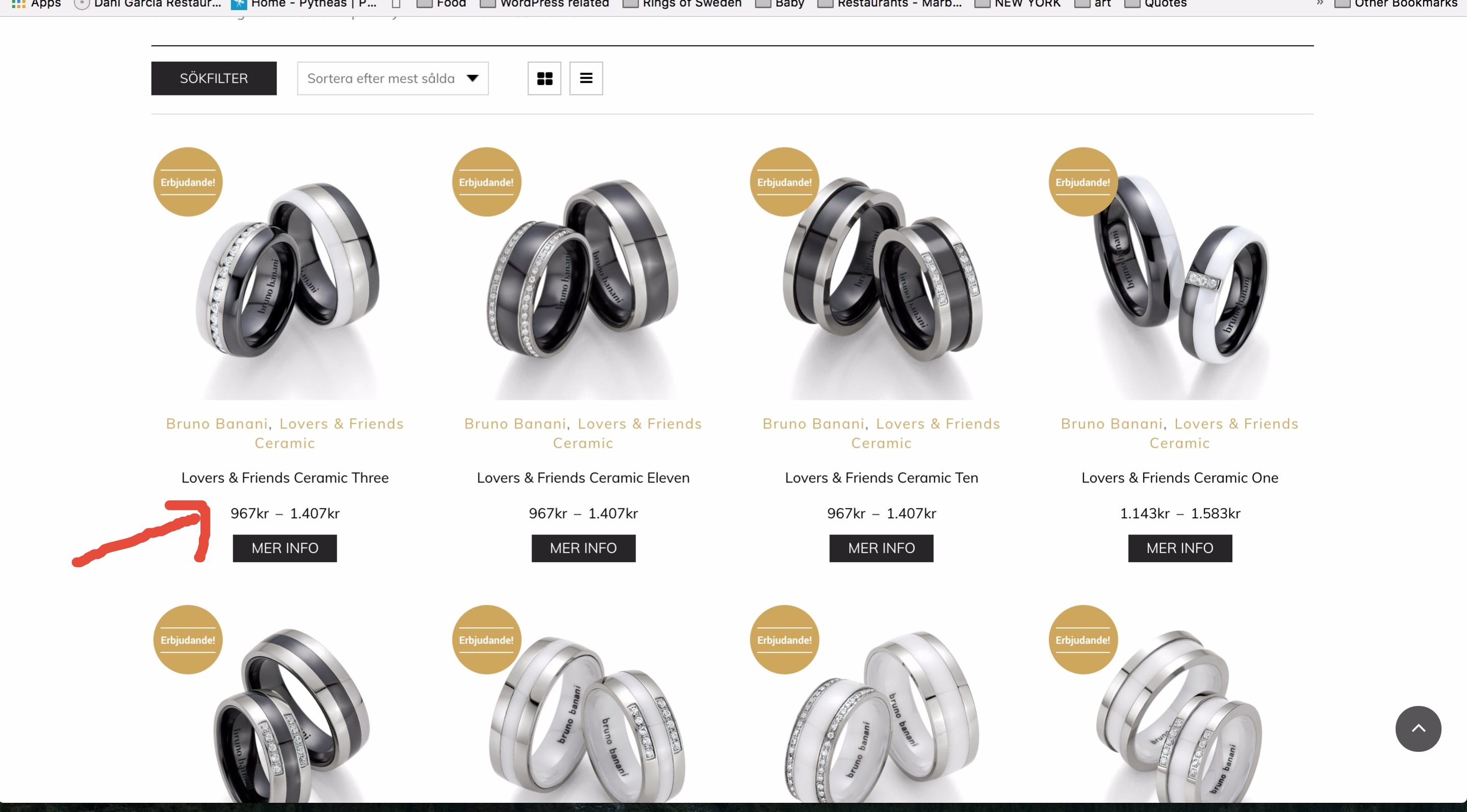
But why have they taken out the striked price now?
It has always been there before.
Hi,
The problem starts here:
https://snag.gy/i6zm48.jpg
It only shows the sale price. I want to see the old price as well like before. Otherwise there is no point in having products on sale.
Help?
Thanks
Emelie
It doesnt seem to be fixed.
Hm Ok.
But could I at least make them bigger?
Also, on the widget, there is a check box saying “colourful icons”. It is checked in but the icons are still white.
Hello Rose,
That is a pity because the list version is just way too long.
If I reach out to WooCommerce with this issue, is there anything in particular I should mention for them to be able to fix the issue?
The left hand hidden filter where the filter is now residing is developed by you right?
Kind regards,
Marcus
please see private
Ok thanks.
There is just one problem. Since we updated the theme today, it is not reading our Global Custom CSS, which is in Theme Options.
Could you help us?
The Top bar is there now, however you cannot see the “Language” properly.
The word English is not visible. Our custom CSS within Theme Options does not seem to work.
Please see this image.
1. Word English not visible
2. Using your Favicon
3. Slider has popped down
And see this image for the footer.
1. It has a black thick part which is not suppose to be there.
Also all the fonts have changed on our website.
Please help us fix this.
I have left login details below:
Yes, it is enabled.
Just following this
Hi,
well I want to display different categories from different parent categories,
so your Product Category Element is not working as you have to choose parent category.
The standard Woocommerce Product Category Element is not working because they don’t display the way yours does, so it has no overlay text saying which category it is.
That is why we were given that shortcode from you, which worked before.
How come it is not working anymore?
Thanks
Emelie
Hi,
Yes please see link and Wp access in private.
I use the shortcode on 9 pages, but I will send you one page and you can see.
Thanks!
Thanks for the help!
I have written to them as well.
Kind regards,
Marcus