Forum Replies Created

Viewing 24 posts - 1 through 24 (of 24 total)
  • Avatar: Schlee
    Schlee
    Participant
    April 21, 2023 at 10:45

    Hi Tony

    This happened when we updated the last time the Core and Theme. We updated now the core and theme to the newest version and disabled again all plugins and activated child theme. It didn’t solve the issue.

    I already contacted our Hoster and he mentioned this is a Theme issue 🙁

    Any idea what we can do?

    Thanks

    Mike
    Avatar: Schlee
    Schlee
    Participant
    June 14, 2022 at 12:02
    Avatar: Schlee
    Schlee
    Participant
    June 12, 2022 at 16:17

    Many thanks Rose, this is exactly what I was looking for!

    Sorry for one last question. If I want to change the distance between the bullets (ul). This I also have to define in custom CSS?

    https://paste.pics/f35fab93d4e73deb3b063915acd42a26

    You as specialist, does it makes sense also to define the Body/Normal Text directly in Custom CSS?

    Avatar: Schlee
    Schlee
    Participant
    June 12, 2022 at 15:40

    Hi Rose,

    Wow, thanks for the fast feedback!

    So I will change the Design by changing custom CSS as mentioned

    h1 {
    font-size: 100px;
    }
    h2 {
    font-size: 80px;
    }
    h3 {
    font-size: 60px;
    }
    h4 {
    font-size: 40px;
    }

    What did you mean exactly with Elementor Procust Description? Yes we use Elementor.

    Thanks
    Mike

    Avatar: Schlee
    Schlee
    Participant
    March 16, 2022 at 15:38

    Oh wow…. this is surprising as this is a default function of every filter plugin that we used till now 🙁

    We already deleted our old plugin as we were sure this is a default/normal function……

    Thanks anyway for your support…..

    Avatar: Schlee
    Schlee
    Participant
    March 16, 2022 at 12:46

    Thank you Rose

    What I mean is, the filter appears already when customer is selecting on the top Menu navigation a category. So, Therefore the Filter should also only give output based on that category otherwise it is very confusing for customers.

    https://paste.pics/3e91a5a465fd4ac3acd0c053218dcdfb

    How can we get there?

    Thank you

    Avatar: Schlee
    Schlee
    Participant
    March 15, 2022 at 21:49

    Thank you Rose – appreciated

    We are trying to find out

    1. Why it shows after searching only three products in a row instead of 4 (see screenshot)

    2. How can we manage, that it will only search/filter the products of the specific product category?

    https://paste.pics/b96155b8cbcc28cead151d78b3287399

    Thanks

    Avatar: Schlee
    Schlee
    Participant
    March 13, 2022 at 16:44

    great many thanks!

    I asked Elementor support why we do have this overlap:

    https://paste.pics/bc1b7042d2647bc9f652ba66c6c2426a

    As I thoight it has to do with the Z-Index, but change in Elementor doesn’t help at, I also didn’t find any setting to set this in the Thembuilder?

    Many thanks

    Mike

    Avatar: Schlee
    Schlee
    Participant
    March 12, 2022 at 17:02

    Thank you Rose

    I did follow your steps. But when I want to publish it doesn’t appear on the “live” webshop at all:

    https://paste.pics/6cd7fae51487668556bf310a735debaf

    Live: https://primedeco.de/glasuhren/

    Do I have to activate something on XStore option settings?

    Thanks

    Avatar: Schlee
    Schlee
    Participant
    March 11, 2022 at 23:23

    Hi Olga,

    Access provided…. I even cannot add it in to shop page overview….

    btw. I mean as well this kind of new filter

    https://paste.pics/90ca0065305a70d8b5fb4f81b3884579

    How can I insert that on top? how can I change settings etc..?

    Thanks

    Mike

    Please contact administrator
    for this information.
    Avatar: Schlee
    Schlee
    Participant
    March 11, 2022 at 16:52

    Additonally How can I add/see the filter on the top? It doesn’t appear anything at all

    https://paste.pics/457909c0e2c81131580a7593ee189c92

    Avatar: Schlee
    Schlee
    Participant
    May 4, 2021 at 15:31

    Hi

    I tried everything… but how can I delete number 2 in screen?

    and I didn’t find a way to wrap the text or make it smaller…?

    https://paste.pics/345c35ac618b86978ef36b23b2b626df

    Thanks

    Avatar: Schlee
    Schlee
    Participant
    May 4, 2021 at 12:06

    Hi

    I don’t find any setting to hide the mentioned. Where can I hide it in those settings??

    Thanks

    Avatar: Schlee
    Schlee
    Participant
    May 2, 2021 at 12:41

    additionally I have to say, that with the update the compatibility with Germanized is still not given. There is is still missing the delivery time. 🙁

    In Germany the delivery time is a MUST for each item in the order confirmation. Missing delivery time can be a big legal issue.

    So I would say, it quite a big issue…… at least for all german Shop admins

    Avatar: Schlee
    Schlee
    Participant
    May 2, 2021 at 10:30

    Hi,

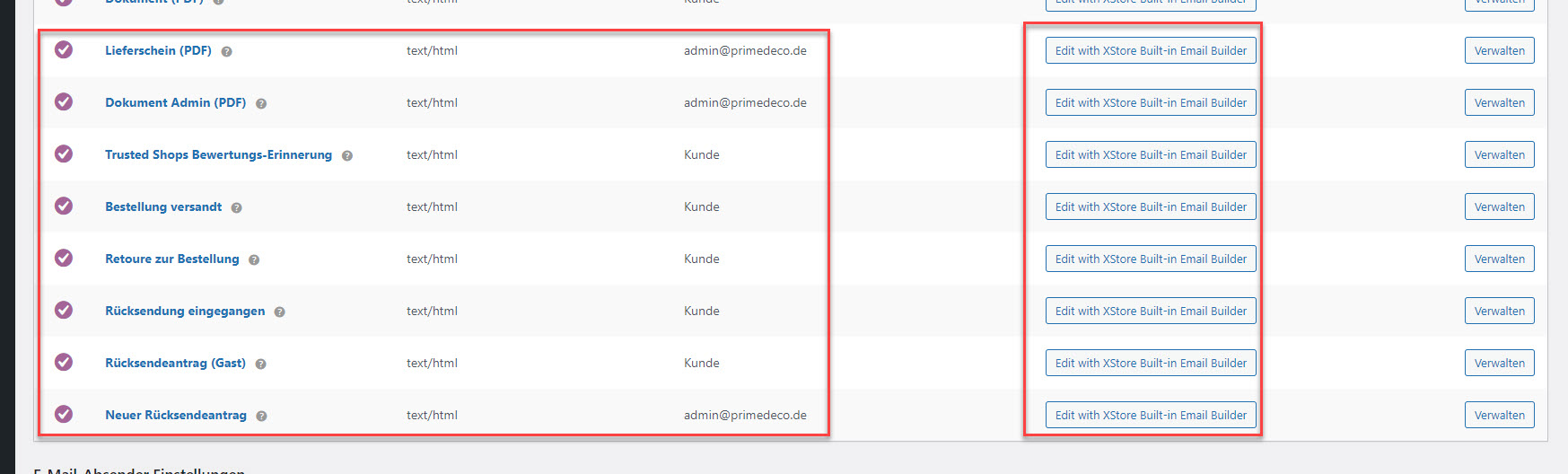
    This has nothing to do at all with the third party plugin. The developer did write us, that this emails are registered in WooCommerce correctly buit the email builder of XStrore is not able to collect and edit them…… whatever…..

    In any other email builder it works… just not in XStore Email Builder….. so far useless for us 🙁

    Thank you and take care

    Avatar: Schlee
    Schlee
    Participant
    May 1, 2021 at 14:38

    Hi

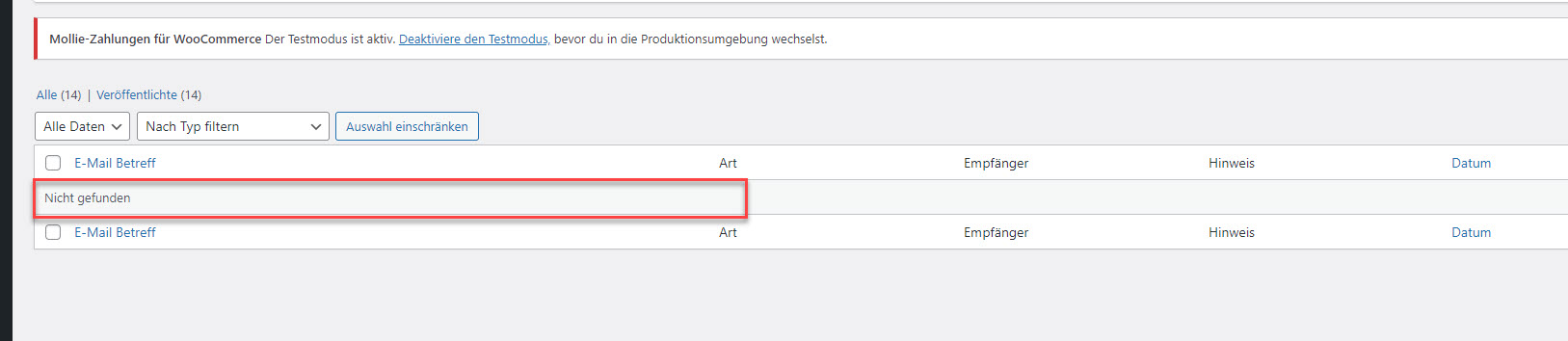
    thank you for the implementation, but I still can’t edit germanied emails as it is empty once selectiong “edit with email builder”.

    We did install Core/Plugin and Theme update….. nothing changed. We are at Staging environment (see private content box).

    Thank you

    Please contact administrator
    for this information.
    Avatar: Schlee
    Schlee
    Participant
    April 30, 2021 at 22:54

    Hi

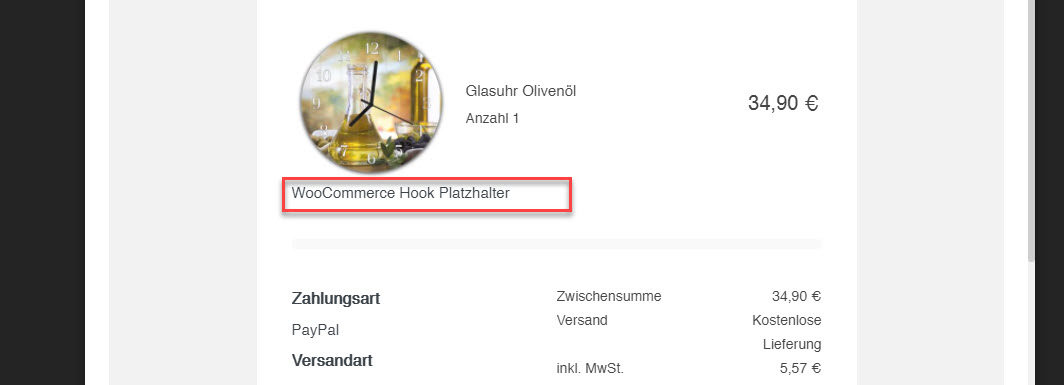
    Tested with real mail (test email). It doesn’t appear anything.

    What can I do…? I just want to get the delivery time…. this is essential.

    Would appreciate very much if we could manage that somhow as I invested already 2 days to have this setup.

    Also why it doesn’t load other emails in the builder? Is there away without updating XStore as this will cause me another 5 new issues… 🙁

    Thank you

    Avatar: Schlee
    Schlee
    Participant
    April 30, 2021 at 15:05

    with update it will be solved?

    Avatar: Schlee
    Schlee
    Participant
    April 30, 2021 at 11:57

    Hi

    I placed that, but don’t see any information. Is there a documentation how to manage thet Hook?

    Also I am not able to edit emails qith the email builder – when I want to edit it shows me empty line.

    Please advise

    Please contact administrator
    for this information.
    Avatar: Schlee
    Schlee
    Participant
    April 30, 2021 at 10:22

    Hi,

    This is not similar to our issue.

    The Delivery time is in the most countries a “NEED” in cofirmation email due to legal. How can we manage to get the delivery time there? Shortcode {delivery_time} doesnt work at all…….

    Does the Email Builder not support the official woo hooks???

    Thanks

    Avatar: Schlee
    Schlee
    Participant
    April 25, 2021 at 21:10

    Looks good, many thanks!!

    Avatar: Schlee
    Schlee
    Participant
    April 17, 2021 at 16:19

    Exactly

    Sometimes it appears and sometimes not 🙁

    I didn’t find out how to manage that.

    FTP access is in private content

    Please contact administrator
    for this information.
    Avatar: Schlee
    Schlee
    Participant
    April 12, 2021 at 20:34

    Thank you Olga

    Don’t know why, but now it did work.

    Question 2?

    Also Button color, do I need to change it per Global CSS?

    Thanks

    Avatar: Schlee
    Schlee
    Participant
    April 12, 2021 at 17:08

    Thank you Olga

    Somehow it did work and now without any interaction it has changed all back to english (Login Dropdown). Also the Wishlist Button etc. all changed to English again.

    In Locoall is translated…… lost the whole day with this issue….. 🙁

    Thanks

  • Viewing 24 results - 1 through 24 (of 24 total)
Viewing 24 posts - 1 through 24 (of 24 total)
We're using our own and third-party cookies to improve your experience and our website. Keep on browsing to accept our cookie policy.