Hello,
Here is what I can see – http://prntscr.com/13471z4 Please clear cache of your browser and check.
Regards

Hello,
Here is what I can see – http://prntscr.com/13471z4 Please clear cache of your browser and check.
Regards
Hello,
Here are screenshots from the demo – http://prntscr.com/1346wit http://prntscr.com/1346xpc , where categories and subcategories are not empty – http://prntscr.com/1346z96
Regards
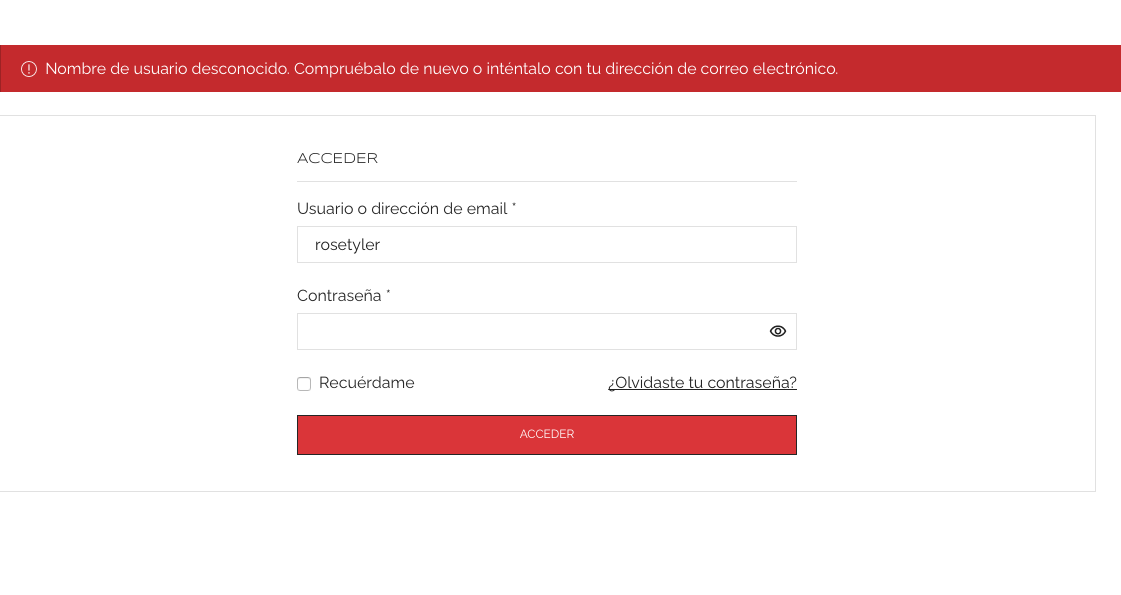
We can’t login – https://i.gyazo.com/f17b5af9620ed969be6297debf043402.png
Regards
Theme Options > Header builder > Account > Dropdown > WCAG Dropdown Color
Regards
Hello,
Theme Options > Header builder > delete Newsletter element from the Header content.
Regards
Hello,
Connect to your server using FTP and remove the /wp-content/fonts/lato folder.
After that go to Theme Options > Typography, re-choose Lato font, and save settings.
Regards
Hello,
What browser do you use? Try to clear the browser cache on your mobile and check then. Provide us with a screenshot.
Regards
Hello,
GTMetrix changed its testing system, and all the sites that had A, B scores get C, E or F. Try to test your site here – https://tools.pingdom.com/ , http://prntscr.com/1340szk – https://kinsta.com/blog/make-fewer-http-requests/
Regards
Hello,
Please set the administrator role for the user. Also, provide URL of the page where we will be able to see the mentioned brands element.
Regards
Hello,
1) Please describe the desired result in more detail.
2) Theme Options > Speed optimization > Masonry Scripts > On.
3) There is no such possibility. You can submit a request here – https://www.8theme.com/taskboard/
Regards
Hello,
Theme Options > WooCommerce > Shop > Products style > Product Content Elements > enable the title.
Regards
Check now – http://prntscr.com/13405my
Regards
Provide temporary wp-admin access, please.
Regards
Hello,
1) Add content of category description into “Description after content” area, or Theme Options > WooCommerce > Shop > Shop page layout > Shop Page Banner Position > At the bottom of the page.
2) How do you want to change the scroller? Describe the desired result in more detail.
Regards
Theme Options > Header builder > Account > WCAG Color > Custom – select White color
Regards
Hello,
Your site under maintenance mode, so we can’t check it. Please provide temporary wp-admin access.
Regards
Hello,
Thanks for contacting us.
Install Default demo version, like shown in this video – https://youtu.be/UAlAkvoilfk , > go to Pages > Add new > import Home yellow xstore page – https://youtu.be/wkIKN2IyEZI , then Dashboard > Settings > Reading > Your homepage displays > select the Imported Home page.
Regards
Hello,
Try to use the next custom CSS code:
.connect-block-element-pEkPT {
    background-color: black;
}
Regards
Hello,
1) Please provide temporary wp-admin access.
2) Theme Options > Footer > Back to top button > disable the button
Regards
Hello,
You can activate the theme now.
Regards
Hello,
Thanks for using our theme.
You can activate it now.
Regards
Hello,
You’re welcome!
Regards
Hello,
Theme Options > Speed Optimization > Always Load Wc-Cart-Fragments > On. Clear all cache and check how it works then.
Regards
Hello,
1) The width of the Header is taken from Theme Options > General > Site Width, or you can use custom CSS code to change it, for example, add the next code in Theme Options > Theme custom CSS > Custom CSS for desktop:
.site-header .et-container {
    max-width: 1150px;
}
2) There is no option to make the single product page full width, but you can try to add the next custom CSS code in Custom CSS for desktop area:
.single-product .content-page{
    width: 100% !important;
    max-width: unset !important;
    padding-left: 45px;
    padding-right: 45px;
}
Regards
Hello,
Thanks for using our theme.
1) Please read this article – https://www.8theme.com/documentation/xstore/troubleshooting/how-to-speed-up-my-website/
2) Theme Options > Theme custom CSS > edit this code – http://prntscr.com/1301cx7
Regards
Hello,
We do not provide purchase codes for plugins – https://www.8theme.com/documentation/xstore/plugins/activation-and-purchase-codes/
Install plugins via XStore > Plugins Installed, and update – https://www.8theme.com/documentation/xstore/plugins/plugins-update/
Regards
Under-constructions-coming page you can find in Dashboard > Pages. Also, I’ve saved it as a template – http://prntscr.com/12zzqlk
If you want to remove unrequited elements from page (like Header and Footer) use our Blank template – https://www.8theme.com/documentation/xstore/theme-installation/blank-page/ http://prntscr.com/12zzti6
Regards
Hello,
Could you provide temporary wp-admin access?
Regards
Hello,
Thanks for contacting us.
Is this screenshot from our demo or from your site with the demo imported? WPBakery or Elementor version? What browser?
Regards