Hello,
Edit content of the page > Settings of section > Content width – Full, Stretch Section – On
Regards

Hello,
Edit content of the page > Settings of section > Content width – Full, Stretch Section – On
Regards
You’re welcome!
Please provide URL of the mentioned page.
Regards
Hello,
What about other pages?
You can use our Multiple headers functionality – https://youtu.be/BpeXfzNwkOc , for example, create a custom header and set it for the Home page, then edit the default header and disable the overlap option, then header on all pages/products woun’t be transparent.
Regards
Hello,
What exact problem do you face?
What demo version do you want to import? WPBakery or Elementor prefer?
Provide temporary wp-admin access.
Regards
Hi,
I’ve synchronized translation files of the theme and added translation – https://i.gyazo.com/2c070b3c5d01d73d48bce79873e3da88.png https://i.gyazo.com/d28776416210452d439936636dcf3450.png Clear cache and check now.
Regards
Hello,
1) Try code from this topic – https://www.8theme.com/topic/how-can-i-align-it/#post-285664
2) Theme Options > Theme custom CSS:
.content-product .price {
    color: var(--et_active-color);
}
.product-details>span>del {
	color: var(--et_main-color);
}
Regards
Hello,
Create an account via Dashboard (Users > Add new) with administrator role http://prntscr.com/s3rc9m > provide us with username and password via the Private Content area http://prntscr.com/s5mao7 You can use any email for it. Here is our email – 8themes@gmail.com
Regards
Hello,
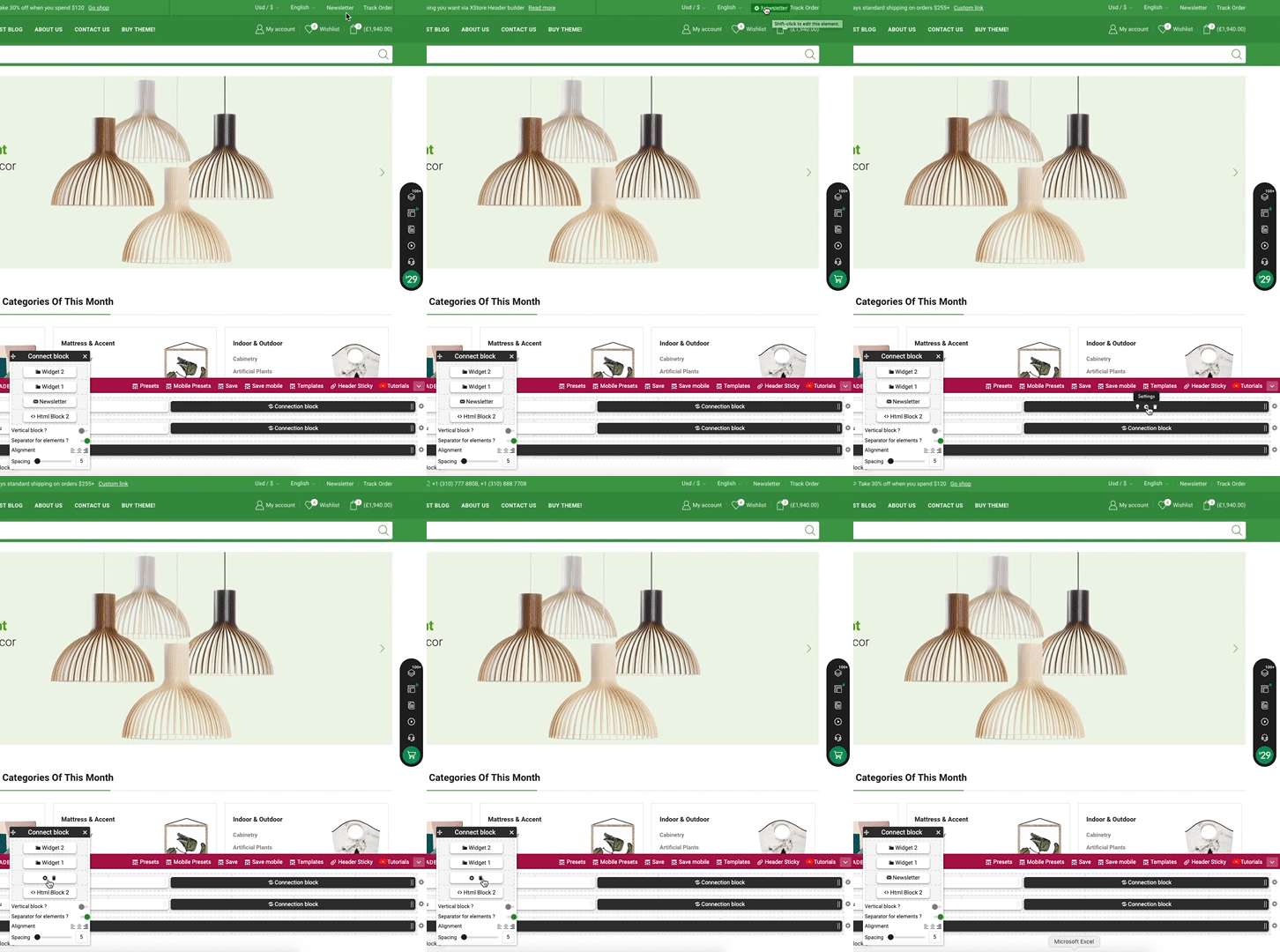
Theme Options > Header builder > delete Newsletter element from the Header content, for example, – https://i.gyazo.com/83dd3cab0d0669485a832ab274f98824.gif
Regards
Hello,
Theme Options > WooCommerce > Single product page > Single product layout > Sidebar Position > Without
Regards
Hello,
Theme Options > Mobile panel > More togle item > uncheck Animation dot
Regards
You’re welcome!
Regards
Hello,
The code was already on your site, you just need to add !important;
About the place of the code, the correct one is Theme Options > Theme custom CSS > Custom CSS for desktop, or style.css file of your child theme.
Regards
Hello,
Thanks for contacting us.
Enable Elementor for static blocks – https://prnt.sc/v3u44z , then edit the content of the Footer static block using Elementor.
Regards
Hello,
You’re welcome!
Regards
Hi,
We can’t connect still – https://prnt.sc/135psez Is there any restriction by IP or something else?
Regards
Hello,
You’re welcome!
Regards
Hello,
You are using Single Product Builder, so the “Product layout” from the [8theme] Product Options section can’t be applied.
Try to add the next code in Theme Options > Theme custom CSS > Custom CSS for desctop:
.postid-7466 .component .details,
.single-product .composite_navigation_inner {
    max-width: 410px;
}
Regards
Hello,
It is because the Sticky header enabled. Try to add the next code in Theme Options > Theme Custom CSS > Custom CSS for desctop:
.sticky-sidebar-loaded .sticky-sidebar.is_stuck {
    top: 180px !important;
}
Regards
I can see 2 translation of the theme (should be only 1 to prevent a conflict), both into incorrect folders – http://prntscr.com/135mxzf
Rename .po .mo files of the theme to xstore-es_ES.po, xstore-es_ES.mo and place them into /wp-content/languages/themes/ folder via FTP.
Then click on Sync – https://www.8theme.com/documentation/xstore/theme-translation/translation-files-update/ , find and translate mentioned strings.
Regards
Hello,
Change type of product from variable to simple – http://prntscr.com/135m2mb
https://docs.woocommerce.com/document/managing-products/
Regards
This one http://prntscr.com/135lwiq ? Theme Options > Header builder > delete Newsletter element from the Header content, for example, – https://i.gyazo.com/83dd3cab0d0669485a832ab274f98824.gif
Regards
Hello,
Check translation of XStore Core plugin, or provide temporary wp-admin access.
Regards
Hello,
I can’t log in to your site – http://prntscr.com/135ln8c
Theme Options > Theme custom CSS change this code – http://prntscr.com/135logo to http://prntscr.com/135lppt
Regards
Please set the administrator role for the user.
Regards
Check settings of Categories widget in Appearance > Widgets > Shop sidebar.
Also, settings in Theme Options > WooCommerce > Shop > Shop page Filters
Regards
Hello,
Check our demo – https://xstore.8theme.com/demos/2/niche-market02/ it is the same. You can change the displaying via settings of Products element > Product Content effect
Regards
I’ve checked Brands in your Footer static block and it works fine. Do you want to show more than 30 brands or what? Please describe the request in more detail.
There is no possibility to show more than 30 brands, right now, but you can submit a request here – https://www.8theme.com/taskboard/
Regards
Hello,
Yes, there is no option to show less. You can submit a request here – https://www.8theme.com/taskboard/
Regards
You’re welcome!
Theme Options > Header builder > All departments > More Items Link
Regards
Hello,
Add the next code in Theme Options > Theme custom CSS > Custom CSS for desctop:
.secondary-menu-wrapper .menu > li > a {
    padding-top: 5px;
    padding-bottom: 5px;
}
Regards