Hello,
Ok, looking forward to your reply.
Regards,
Robert Hall

Hello,
Ok, looking forward to your reply.
Regards,
Robert Hall
Hello,
As I see the captcha is working perfect now – http://prntscr.com/c1xdar
The same is with images – http://prntscr.com/c1xe1f
Is your issues solved? Please claer all cache and check it.
Regards,
Robert Hall
Yes, you can play with padding value. For example
.header-wrapper {
    padding: 30px 0px;
}
Regards,
Robert Hall
Hello,
Overwriting all the Royal folder, ca I save all the customized version of my website. I have only copy and paste the Style.css on the css file in the Royal Child theme or I have to do more for be suring to save my customization.
As you can read in our documentation we have already created and included child theme in theme package. You just need to find royal-child folder in theme package and upload it to /wp-content/themes/ folder.
You need copy all your CSS changes into the style.css file of the Child Theme. If you also added some functions in original theme files move them to functions.php of the Child Theme.
And how can i save all my customization for Woocommerce product page?
Please clarify what exactly customization you did for Woocommerce product page.
Regards,
Robert Hall
Hello,
We’ve added compatibility with the W3 total cache plugin and theme you mentioned works well with it. We tested the theme with the WP Super Cache plugin and did not find these problems in our demo sites. Perhaps white screen associated with specific settings that you use.
If you are not fundamentally which plugin to use, we recommend you the W3 Total Cache.
As I see your question with an empty space on mobile phone in portrait mode resolved. Do you have any other questions?
Regards,
Robert Hall
Hello,
1) Please add this code in Theme Options->Custom CSS->Global Custom CSS.
.home .product-image-wrapper {
    height: 260px;
}
2) I’ve added this code in Global Custom CSS. Please check.
.container-transparent .main-footer,
.container-transparent .copyright{
background-color: #000000 !important;
}
Regards,
Robert Hall
Hello,
1) Yes, they not work together. The Ajax “Add To Cart” option should be disabled.
2) The problem caused by the following fixed height value in custom.css. Try to increase or remove that code.
.carousel-area .product-title {
    height: 10px;
}
Regards,
Robert Hall
Hello,
You can use this code in Theme Options->Custom CSS->Custom CSS for mobile.
.header-wrapper {
    background-color: grey;
}
Regards,
Robert Hall
Hello,
I’ve changed this value to 10 in Dashboard->Ess. Grid -> Grid Settings->Pagination.
Please see screenshot: http://prntscr.com/c1v7nl
Regards,
Robert Hall
Hello,
Please add this code in Global Custom CSS.
table.variations td label,
.product-information .product_title {
    text-transform: initial;
}
Regards,
Robert Hall
Hello,
I’ve added the menu-full-width and menu-column2 classes to the Shop Page. See screenshot: http://prntscr.com/c1v2m7
Regards,
Robert Hall
Hello,
I’ve created these pages for you. Please check them.
Regards,
Robert Hall
Hello,
There is no such option to use these badges with Ess. Grid plugin.
You can add the Product element via Visual Composer into the Home Page. See screenshot: http://prntscr.com/c1uylm
Regards,
Robert Hall
Hello,
Unfortunately, there is no such option.
Regards,
Robert Hall
Hello,
Please try use this code in Global Custom CSS
footer .widget.widget_search .form-group.has-border {
    width: 75% !important;
}
Regards,
Robert Hall
Hello,
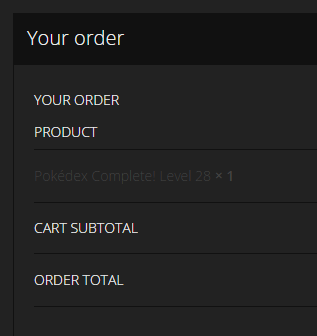
Sorry, just noticed another slight problem with colours on the checkout page. See the product description here: https://i.gyazo.com/8cbe16ef9b10e59482dce991d98ee4a3.png
Please use this code in custom.css
.woocommerce-checkout .cart_item .product-name{
color: #eee;
}
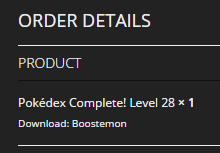
On the order confirmation page, can we also make the download link in the theme’s red colour and underlined too please? See here, it just looks like normal text: https://i.gyazo.com/12438ec344cab4fb2f3648393e69b6f2.png
I can’t find this section on your site. Please describe how to find it step by step. Thanks!
And is there a way that we can skip the whole ‘Shipping Address’ section of the checkout page as I really don’t need it?
Try to add this code in custom.css
#tab_4{
display:none;
}
It seems like the products don’t have the same coloured background around the description area when you use the Woocommerce shortcode on a page
Add this code in custom.css
.product-grid{
    background: #333;
    border-bottom: 1px solid #111;
}
Regards,
Robert Hall
Hello,
Unfortunately we haven’t the translation files.
Regards,
Robert Hall
Hello,
No, you can lose only customization in original theme files.
Regards,
Robert Hall
Hello,
We’re glad to hear that issue solved.
If you have any questions feel free to contact us.
Regards,
Robert Hall
Hello,
You’re welcome!
Regards,
Robert Hall
Our theme can read the shortcode from MailChimp plugin that you added in Theme Options->E-commerce->Promo Popup->Popup content. All others effects (reloading page) comes direcly from plugin.
P.S. So, I think this issue clear, can we close this ticket?
If you have any other questions please create a new thread.
Regards,
Robert Hall
You’re welcome!
Regards,
Robert Hall
Try to change the Order by option to Date in Product Settings – http://prntscr.com/c1ijqu
and without the “tag”..
Use this code in Global Custom CSS
.type-label-1{
display: none;
}
Regards,
Robert Hall
As I see you have only the ‘New’ products on Home Page http://prntscr.com/c1id3r as you seleted the Product Type -> New in Product Settings – http://prntscr.com/c1iddq
Regards,
Robert Hall
Hello,
This issue is not related to our theme.
Also I’ve checked with another PayPal account and its working perfect. See screenshot: http://prntscr.com/c1i7hk
Regards,
Robert Hall
Hello @Flexibilis,
The full compatible of the latest WooCommerce plugin and Legenda theme will be in the next update theme.
Right now you can update the plugin and check it yourself, but we recommended to make backup of the site before update.
Also you can always revert back to the old versions at this link:
https://wordpress.org/plugins/woocommerce/developers/
Regards,
Robert Hall
Hello,
Try to set the Strech row and content (no paddings) option in Row Settings – http://prntscr.com/c1gzx3
Regards,
Robert Hall
As you can see in our demo the same effect
http://preview.themeforest.net/item/classico-responsive-woocommerce-wordpress-theme/full_screen_preview/11024192?_ga=1.208010517.681062579.1435240635
Regards,
Robert Hall
You’re welcome!
If you have any questions please feel free to contact us.
Regards,
Robert Hall
Hello,
I’ve changed the Products per row to 4 in Theme Options->Product Page Layout. Please check.
Regards,
Robert Hall