Actually, we cannot say that it is completely solved. In another support request, the X icon appears twice and when I close the Image Lightbox to fix it, the X icon disappears in the comments.
Is there any other solution?

Actually, we cannot say that it is completely solved. In another support request, the X icon appears twice and when I close the Image Lightbox to fix it, the X icon disappears in the comments.
Is there any other solution?
Hello,
I found the error. Since I did the operation in your answer here, the close icon does not appear.
Please edit any page using Elementor page builder > go to Site settings > Lightbox > Image Lightbox > disabled.
https://www.8theme.com/topic/close-product-image-preview-on-mobile-in-one-click/#post-395662
Hello,
Of course, there is no close button when you click on the images in the user comments of a product on both mobile and desktop. I’m talking about the product images that customers add to their comments.
Hi,
I’ll try separately to see which one works more efficiently.
Thanks,
Regards,
Hi,
thank you so much.
Hi,
I have this code in style css. https://snipboard.io/ixOrGT.jpg
@media only screen and (max-width: 767px) {
.etheme-sticky-cart .add_to_cart_button, .etheme-sticky-cart .et-or-wrapper {
display: none;
}
}
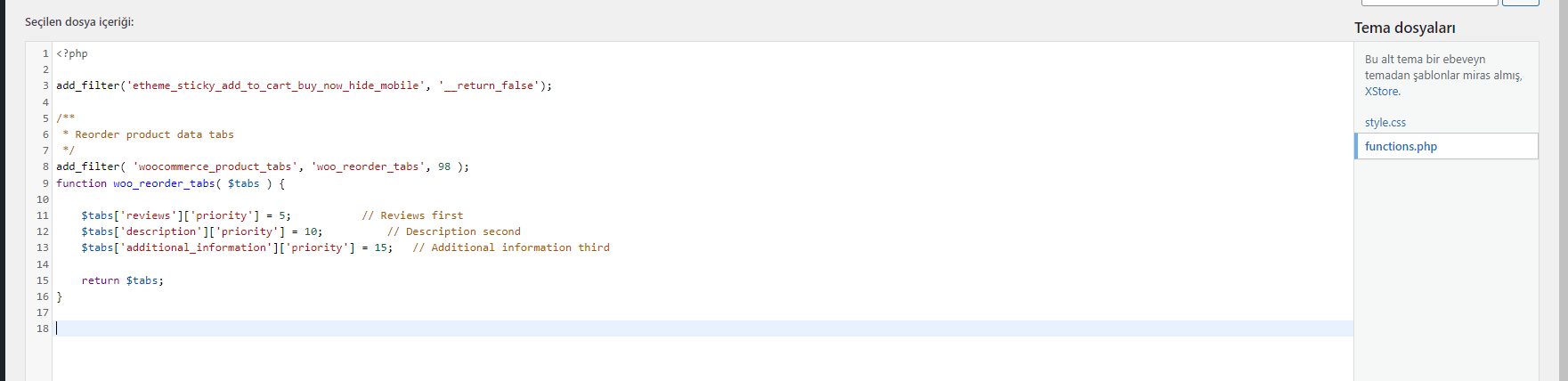
I have this code in function.php. https://snipboard.io/ayD8T2.jpg
add_filter(‘etheme_sticky_add_to_cart_buy_now_hide_mobile’, ‘__return_false’);
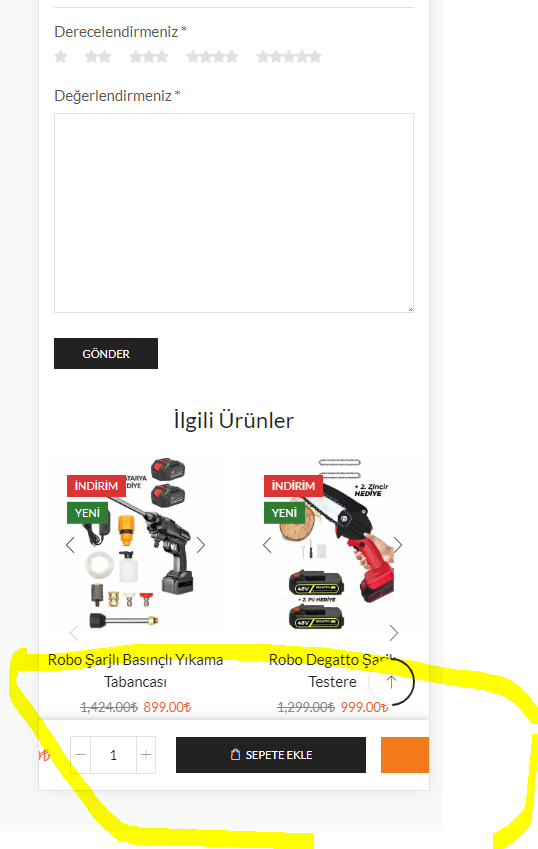
and this is the result. https://snipboard.io/PNk6KX.jpg
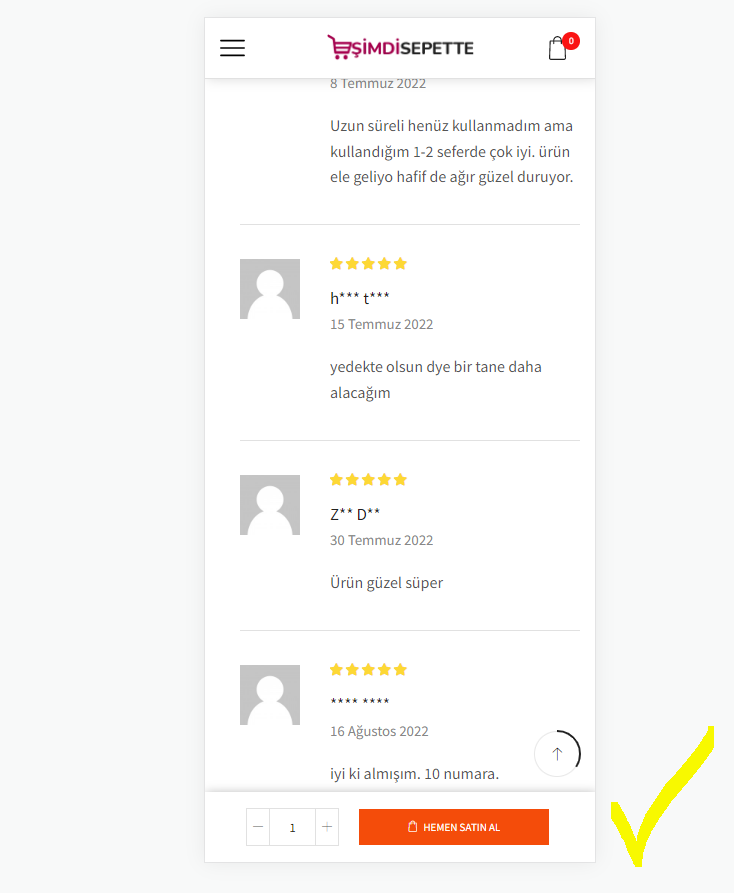
but this is what i expect. https://snipboard.io/m6RpwD.jpg
just the “buy now” button.
Regards.
Thanks,
if there is nothing else to do. I will try your suggestion.
Thanks for your interest. I wish you a good day. https://www.8theme.com/taskboard/ I will open a request.
hi,
I understand but I want an answer. By default, the color is selected (or I choose it) but why does the sticky go up when I click on the buy now button, doesn’t it need to go to the payment page? 🙂
Regards
Thanks
I think you misunderstood what I was trying to say. Check it out in your own demo by using this page and watching the video! If I click the Buy Now button without choosing a color or size, it jumps to the top of the page, but when I make selections, it jumps up.
do you think this is normal? How will the customer continue shopping? Or shouldn’t the buy now button go directly to the purchase page?
Hi,
I have checked and reopened, the error persists. On mobile, only the buy now button appears and when we click it, it goes to the top of the page.
The only thing we want to do is the price as in this image and the buy now button next to it. https://postimg.cc/MXjHFYxX
thanks. this worked.
Thanks,
Thanks.
Hi,
ok, I sent.
Hi,
I am sending the access information in the attachment
Hi,
Thanks for all the replies. all problems fixed.
thanks for all the replies. all problems fixed.
but why don’t the continue reading buttons appear in this area on the home page? https://prnt.sc/26cd1ep
last question: how do I add credit card payment methods icons to the checkout page? (visa, master card etc)
https://prnt.sc/26cd1wq
Regards.
hi,
ok thanks.
hi,
https://snipboard.io/dK6g4N.jpg
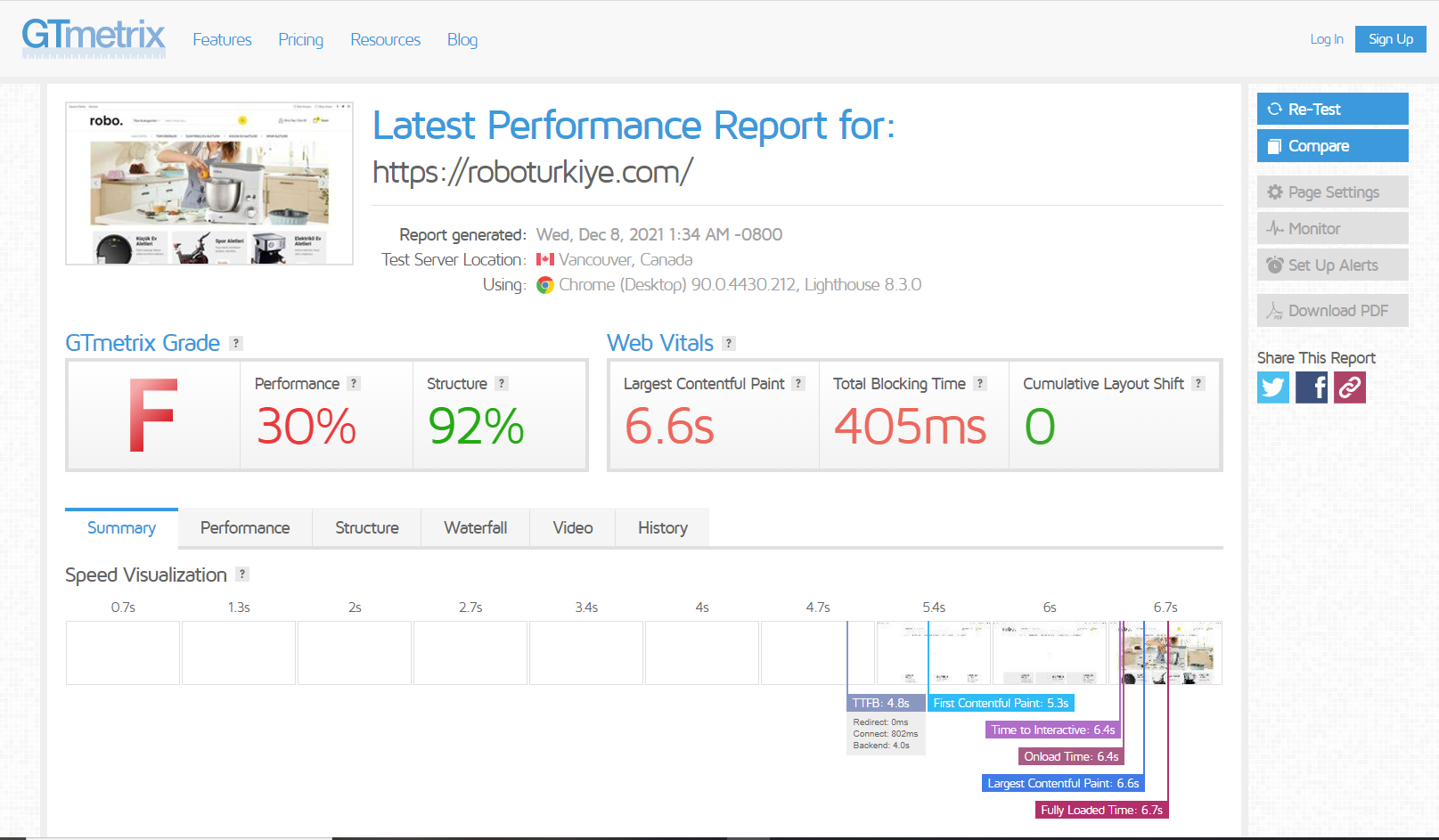
I couldn’t improve page load times! There are 3 blocks that I created with elementor on the homepage but it doesn’t load before 4-5 seconds.
I will try another caching plugin. Also, my license terms have been updated according to the first license I bought.
Regards,
Thanks,
Hi,
I still couldn’t. Can you do it on my website?
Regards
Hi Rose,
I did but it still doesn’t show up. Can you check it and send me a screenshot?
Regards
Ok,
Static block name: Promo banner. I copied from another theme.
Regards
Thanks.
Hello,
1)yes, it should be written as [%20 discount] in my language. used in front.
then we will remove it. but wouldn’t it be nice if you could find a solution to this situation? 🙂
2) thanks.
Regards,
Hi,
I understood everything you said. We will ask for offers for additional customization from the site or similar you forwarded.
I’m constantly having a cache problem to preview the changes I’ve made. Is the cache plugin you recommend here, w3 total cache? What can I do to immediately see the changes I’ve made?
https://www.8theme.com/documentation/xstore/troubleshooting/how-to-speed-up-my-website/
Should I disable the settings here if I am using a caching plugin?
Thanks for all your help.
Hi,
Can you send me the code you added? The code was deleted while making some edits.
Attached is what we are trying to do. how can we do this? this is really important to us. :/
Regards,
Hello,
It’s working. thanks.
Regards