
Hello,
Please specify step by step what you need to change and provide us with wp-admin panel credentials in Private Content.
Thank you.
Regards,
Eva Kemp.

Hello,
Please specify step by step what you need to change and provide us with wp-admin panel credentials in Private Content.
Thank you.
Regards,
Eva Kemp.
Hello,
Sorry, but there is no option to add additional fonts to the theme.
Please take our apologies for inconveniences.
Regards,
Eva Kemp.
Hello,
Perhaps your browser cached the content and you couldn’t view the changes from the first time.
Thank you.
Regards,
Eva Kemp.
Hello,
Try to reupdate the theme. Perhaps some files haven’t been overwritten.
Thank you.
Regards,
Eva Kemp.
Hello,
That sidebar is an account menu that you created in Appearance > Menus. You can more pages to it in this section.
To add such sidebar on other pages you need add Custom Menu widget to the appropriate sidebar area.
Thank you.
Regards,
Eva Kemp.
Hello,
You need edit the file wp-content/themes/royal/framework/shortcodes.php (line 1764), find the code <a href="mailto:enteryour@addresshere.com?subject='.$post_title.'&body=Check%20this%20out:%20'.$permalink.'" class="'.$tooltip_class.'" title="'.__('Mail to friend', ETHEME_DOMAIN).'" target="_blank"> and replace .$post_title. with your subject.
Regards,
Eva Kemp.
Hello,
You can change the text “mail to a friend” in the file wp-content/themes/royal/framework/shortcodes.php (line 1764).
Thank you.
Regards,
Eva Kemp.
Hello @Libardo,
You’ve already provided us with the site http://bkbcuracao.com/soon/ . Sorry, but we provide support only for one domain name with the theme license. If you want to have support for other domain name you have to buy one more license. Do you have the second license key? Please provide us with the code.
Thank you.
Regards,
Eva Kemp.
Hello,
Could you please describe the problem with more details? Please show us a screenshot of the issue.
Thank you.
Regards,
Eva Kemp.
Hello,
You provided us with wp-admin panel credentials. Can we have FTP access as well?
Thank you.
Regards,
Eva Kemp.
Hello,
Please describe your request with more details. How can we help you in this case?
Thank you.
Regards,
Eva Kemp.
Hello @Libardo,
Please provide us with wp-admin panel credentials and the link to your contact form.
Thank you.
Regards,
Eva Kemp.
Hello,
Could you please provide us with a link where you see that logo?
Thank you.
Regards,
Eva Kemp.
Hello,
You can change Projects word in wp-content/themes/royal/framework/portfolio.php as well. Edit line 13 'name' => _x('Projects', 'post type general name'), and replace “Projects” with your text.
Thank you.
Regards,
Eva Kemp.
Hello,
The image is located in /wp-content/themes/royal/images/assets/payments.png.
Thank you.
Regards,
Eva Kemp.
Hello,
Please provide us with wp-admin panel credentials and specify what exactly you want to achieve.
Thank you.
Regards,
Eva Kemp.
Hello,
Please provide us with FTP credentials as well.
Thank you.
Regards,
Eva Kemp.
Hello,
1. There are errors for Google map:
Please try to recreate it.
2. Go to Settings > Visual Composer and select Content types in General Settings tab.
3. You can edit top bar in Appearance > Widgets, add Text widget into “Place in header top bar” area.
Thank you.
Regards,
Eva Kemp.
Hello @adamlot,
You’ve been already replied in other topic.
Please check it.
Thank you.
Regards,
Eva Kemp.
Hello,
I’ve enabled sidebar on Your Account page in Theme Options > Shop. You have only Billing address displayed there because you’ve selected “Only ship to the users billing address” for “Shipping Destination” in Woocommerce > Settings > Shipping tab. If you change it to “Default to shipping address” you’ll have the same account page as on the demo.
Thank you.
Regards,
Eva Kemp.
Hello,
Please provide us with wp-admin panel credentials in Private Content.
Thank you.
Regards,
Eva Kemp.
Hello,
Please watch our tutorial how to create custom.css file:
https://www.youtube.com/watch?v=Qok2zRedRMY
Thank you.
Regards,
Eva Kemp.
Hello,
There is a bug with the link in Single image element and our theme.
It should be fixed in future update.
Sorry for inconveniences.
Regards,
Eva Kemp.
Hello,
You’ve been already replied in other topic.
This one will be closed.
Regards,
Eva Kemp.
Hello,
Please update the theme to the latest version – 2.4.1.
Don’t create multiple theme folders, just overwrite the existing files as shown in our tutorial:
https://www.youtube.com/watch?v=KdWESIIPU1k
Thank you.
Regards,
Eva Kemp.
Hello,
What changes have you made in the child theme?
Does the issue persist if you activate default Legenda theme?
Regards,
Eva Kemp.
Hello @Stephane,
I can’t find Woocommerce plugin in wp-admin panel > Plugins menu.
Have you renamed it?
Please provide us with FTP credentials.
Thank you.
Regards,
Eva Kemp.
Hello,
What php version are you using at your hosting provider?
Please ask them to change it to 5.3 version and check portfolio pages after that.
Sorry, but due to security reasons we can’t provide you with our IP address.
Could you please provide us with temporary access to wp-admin panel?
Thank you.
Regards,
Eva Kemp.
Hello,
Sorry, but we don’t guarantee full compatibility of 3rd-party plugins with our theme. Perhaps some other plugins cause conflict. You can try to test it disabling other plugins.
Thank you.
Regards,
Eva Kemp.
Hello,
As I see the menu is shown fine:
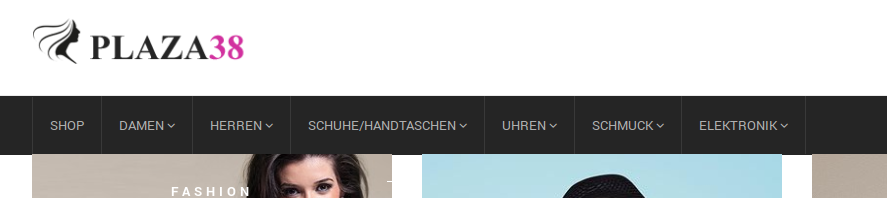
Where are you experiencing that problem?
Regards,
Eva Kemp.









