
Hello,
In this case the image can be moved via css code.
We would you provide you with it but we need to see your site.
Thank you.
Regards,
Eva Kemp.

Hello,
In this case the image can be moved via css code.
We would you provide you with it but we need to see your site.
Thank you.
Regards,
Eva Kemp.
Hello,
1. To add phone number in top bar go to Theme Options > Header > Enable top bar > ON. Then go to Appearance > Widgets > add Text widget with your text to “Place in header top bar” widget area.
2. Sorry, but there is no option to add social media icons in right side of the top bar, only editing header.php file.
Thank you.
Regards,
Eva Kemp.
Hello,
You can check in demo slider how buttons are created, for example for “Shop now” and “Feature” buttons and use the same code.
Thank you.
Regards,
Eva Kemp.
Hello,
You need select alignment from “CSS Animation”.
Perhaps the video was made for older VC version and now it differs from the latest plugin version.
Thank you.
Regards,
Eva Kemp.
Hello,
We didn’t receive an private message from you.
When you write some text in private content you need also write something in a public post for the private message to be posted.
Thank you.
Regards,
Eva Kemp.
Hello,
Please provide us with wp-admin panel credentials in Private Content.
Thank you.
Regards,
Eva Kemp.
Hello,
There is something wrong with functions.php in your child theme.
Please check carefully what changes you’ve made to this file.
Also you can refer to this page:
https://wordpress.org/support/topic/fatal-error-call-to-undefined-function-get_option
Thank you.
Regards,
Eva Kemp.
Hello,
You need add the desired widgets into Footer areas in Appearance > Widgets as described in our documentation:
https://www.8theme.com/demo/docs/idstore/index.html#!/widgets
Thank you.
Regards,
Eva Kemp.
Hello,
You need edit the file wp-content/themes/blanco/woocommerce/loop/pagination.php.
Find the line
'base' => esc_url( str_replace( 999999999, '%#%', remove_query_arg( 'add-to-cart', get_pagenum_link( 999999999, false ) ) ) ), and replace it with
'base' => esc_url_raw( str_replace( 999999999, '%#%', remove_query_arg( 'add-to-cart', get_pagenum_link( 999999999, false ) ) ) ),
After that clear browser cache and check pagination again.
Thank you.
Regards,
Eva Kemp.
Hello,
Your pages and products are opened for editing. Sorry, but we couldn’t replicate the same issue.
Could you please show a sceenshot what exactly you’re trying to edit?
Thank you.
Regards,
Eva Kemp.
Hello,
Please check at your host if allow_url_fopen function is enabled. If it’s not then ask your host to enable it.
If it doesn’t help provide us with FTP credentials as well.
Thank you.
Regards,
Eva Kemp.
Hello,
Please provide us with wp-admin panel credentials and a page link where you added single image element.
Thank you.
Regards,
Eva Kemp.
Hello,
I’ve checked Visual Composer editor and the rows are shown fine and available for editing:
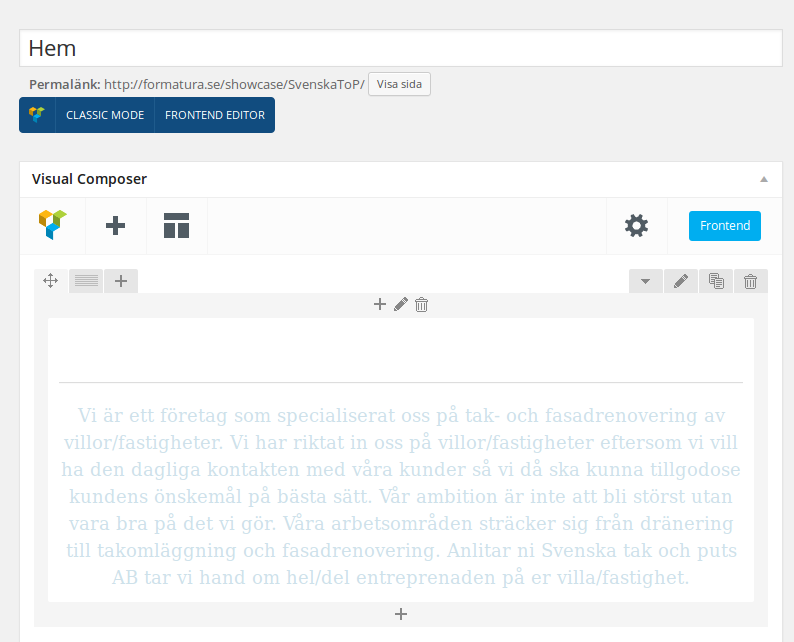
Please clear your browser cache and check again.
Thank you.
Regards,
Eva Kemp.
Hello @dtoulkidis,
You’re welcome.
Regards,
Eva Kemp.
Hello,
You’re welcome.
Regards,
Eva Kemp.
Hello,
Please try to disable all 3rd-party plugins and check “Add to Cart” button after that.
I don’t see fixed header however it’s enabled in Theme Options. The problem may be also caused by 3rd-party plugins. So please deactivate them to check it.
You need update MasterSlider and Visual Composer plugins. You can download them at this link https://www.8theme.com/download-plugins/ , just enter your theme purchase code.
“Add to Wishlist” text can be translated in wp-content/themes/royal/framework/woo.php (line 789).
Unfortunately there is no such option for Brands widget. Sorry.
Regards,
Eva Kemp.
Hello,
Please provide us with a screenshot to have clear understanding what you want to achieve and wp-admin panel credentials in Private Content.
Thank you.
Regards,
Eva Kemp.
Hello,
You’re welcome.
Regards,
Eva Kemp.
Hello,
You set in the product settings that there are only 2 items with size S and 1 item with size M. As I see in Woocommerce > Orders the orders were made 2 times for size S of the product “Rainbow Rashguard” and 1 order for M size. So now the product is out of stock because you set there are only 3 items in stock.
Please check it.
Thank you.
Regards,
Eva Kemp.
Hello @dtoulkidis,
I’ve updated vc.php file.
Please try to add a link for Single Image element.
Thank you.
Regards,
Eva Kemp.
Hello,
Add this code in custom.css file:
.woocommerce-checkout .form-row .chosen-container-single .chosen-single, .woocommerce-checkout .form-row .chosen-container .chosen-drop {
    width: 300px !important;
}
p#billing_address_2_field input {
display: none;
}Thank you.
Regards,
Eva Kemp.
Hello,
Go to Theme Options > Header > Enable languages area > ON. Then go to Appearance > Widgets and add Text widget with your text to “Place in header top bar” widget area.
Thank you.
Regards,
Eva Kemp.
Hello,
You can add an image to the header background using this code in custom.css file:
.header-wrapper .header-type-6 {
    background-image: url("http://link_to_the_image");
}
Thank you.
Regards,
Eva Kemp.
Hello,
Please provide us with wp-admin panel credentials in Private Content.
Thank you.
Regards,
Eva Kemp.
Hello,
You’re welcome.
Regards,
Eva Kemp.
Hello,
You can download the latest versions of plugins at this link https://www.8theme.com/download-plugins/ , enter purchase code of the theme to get plugins.
Thank you.
Regards,
Eva Kemp.
Hello,
You need create attributes for color values in Products > Attributes and then you can use Wocoommerce Layered Nav widget in Appearance > Widgets and then drag it to Shop Sidebar area.
Regards,
Eva Kemp.
Hello,
You’re welcome.
Regards,
Eva Kemp.
Hello,
You didn’t mark any products as new and featured.
Please refer to our article how to do this:
https://support.8theme.com/index.php?/Knowledgebase/Article/View/9/0/how-to-mark-products-as-featured-and-new-ones
Thank you.
Regards,
Eva Kemp.
Hello,
Please add this code in custom.css file:
.container {
    width: 1170px;
}
How to create custom.css you can watch in this tutorial (it’s for Legenda theme but the process is the same).
Thank you.
Regards,
Eva Kemp.









