Hello,
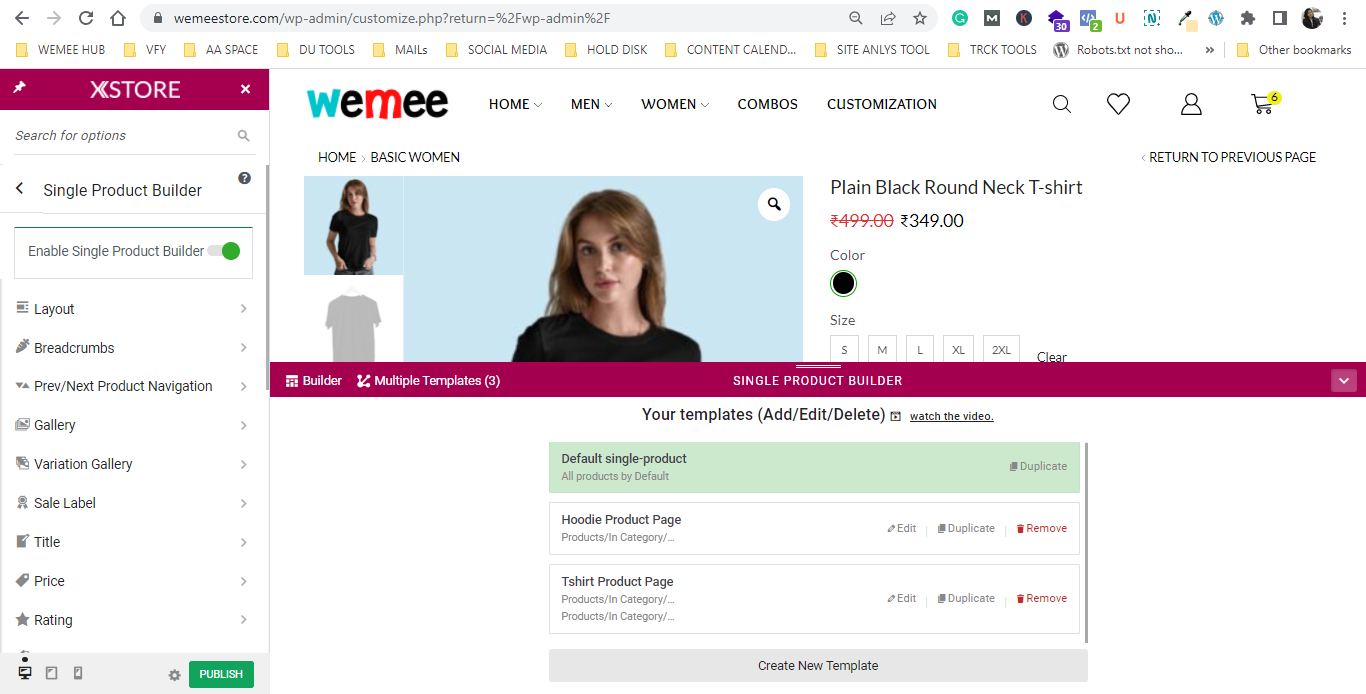
Thank you for your quick response but We have checked and our theme and X-Store Core Plugin are updated already still we are not able to open single product builder.
Kindly help me out further.
Thanks

Hello,
Thank you for your quick response but We have checked and our theme and X-Store Core Plugin are updated already still we are not able to open single product builder.
Kindly help me out further.
Thanks
Hello Team,
We tried adding a short description to the products but it’s not getting uploaded, actually after adding products it’s showing the page not found.
We are not able to open any of the product builders. I have attached screenshots into the private area please check them.
Please check and do the needful help.
Thank You for your help, both options are now working!
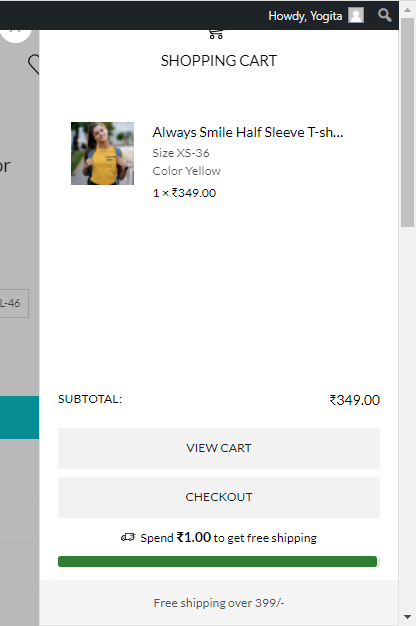
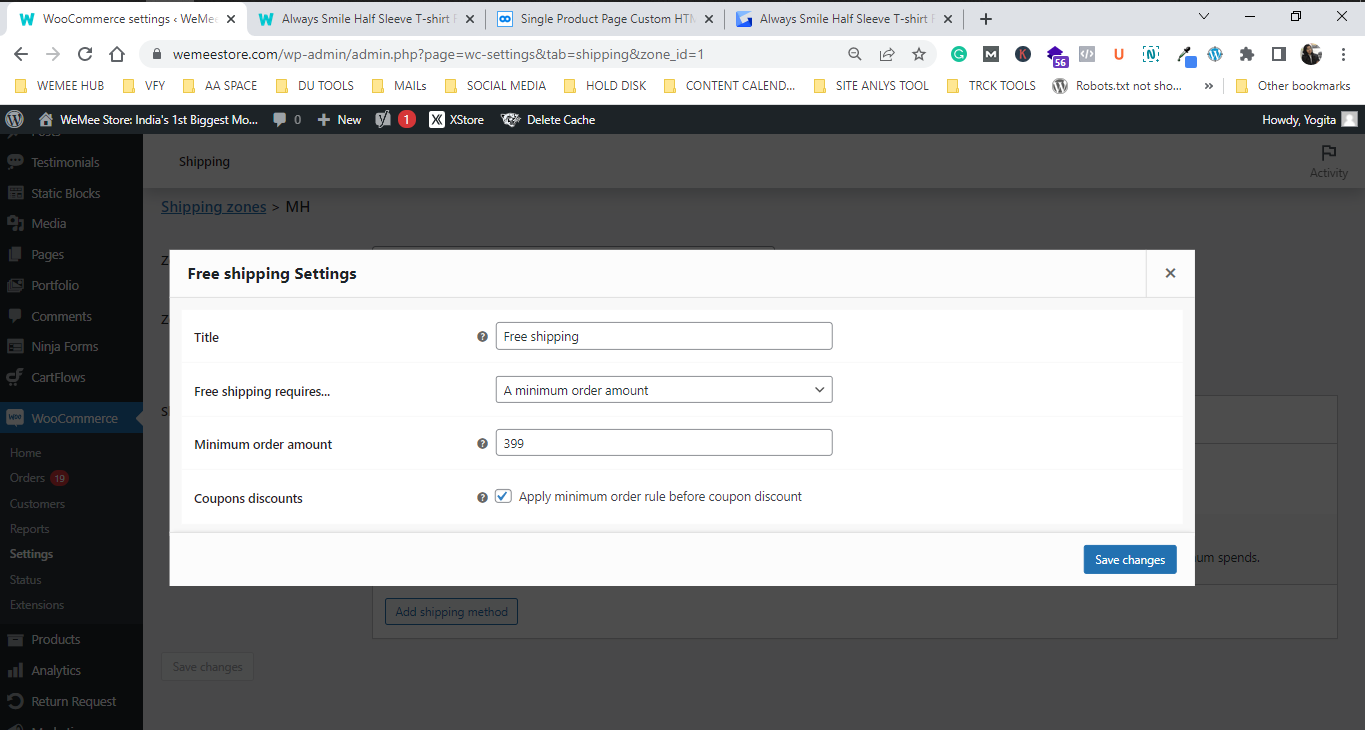
Team kindly check and solve this issue, actually, we have a FREE SHIPPING POLICY on our products for order values above 399/- INR but now on the cart page sidebar of products below 399/- INR, it’s showing like this
https://i.gyazo.com/a3541e677ad57cf18ef09a2887ec94bc.png
It’s taking the minimum free shipping value as 349/-
Check this our minimum order value setting that we have set
https://i.gyazo.com/7ba6593a870c4b3db6feba0d71d6a538.png
Still, it’s not working.
We have optimized our Database as well and cleared cache files, but still, it is the same.
Please provide a solution for this.
Thanks & Regards.
Hello, team
You asked to us check CUSTOM HTML 03 because you said it’s working fine, but it is not working, the stab to select its static block is not appearing. Could you please provide us solution for this? We have checked it by clearing cache files as well, still, it’s not working.
Please provide a solution for this.
Hello Team,
Are there any updates regarding our issue from the developer’s end? It’s been so many days. We are looking for a solution, size charts are very important for clothing e-commerce sites. Hope you understand and provide us with the solution as soon as possible.
Thanks & Regards
Hello,
We require a premium version of all the bundled plugins recommended by the X-Store theme.
Also, see this https://i.gyazo.com/3a5b32c5af1682f72d88f4a3b828fde7.png
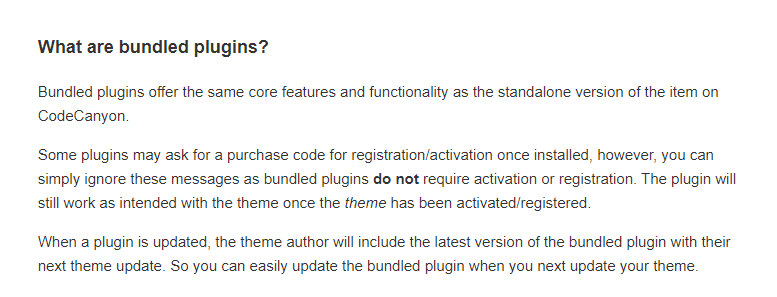
it says bundled plugins don’t require any purchase code and if it asks, ignore them. How to ignore them because after clicking on the going premium option, the pricing page of the plugin is opened and we are not able to access the premium version.
How should I activate all of them?
Also, none of your recommended plugins that we have installed is premium. All are free versions. Kindly give us access to their premium ones.
Thanks & Regards
Please check the product template named, the T-shirts product page, and the Winter collection product page.
Also, we have provided FTP Access to you in earlier topics as well.
Hello,
Have you checked for the size chart issue? We ar unable to get that please do check and reply
Monday is too long but still, we understand, but kindly do resolve this issue as soon as possible.
Thanks & Regards
OK, I’ll try for it and let you know if any problem persists.
Also, solve one of my problems please, we have added a size chart in the sizing guide element but it is not visible on the front end page.
Currently, we have only one size chart still not visible. Please check and resolve this issue.
Yes sure, please try to resolve it soon please, we are waiting for the solution from last week. Hope you come up with the solution soon!
Thanks & Regards
Check the information, in private content
Hello, Kindly use private content information to connect to FTP
Could you please specify how to connect FTP so that we can provide you with a proper connection and grant you access? We have granted you permission but still, it’s not connecting as per your reply.
Thanks & Regards
I have given you access to it kindly check the private area content.
Also, please specify the reason behind this issue, so as to avoid this in future use.
I have shared the links for two categories, see we have multiple product categories made but majorly there are two types of products on our site i.e., T-SHIRTS & HOODIES
So for both types, we have a different size chart.
Kindly check and provide the solution as soon as possible.
Could you please reply we need urgent help regarding this
Hello,
Kindly reply to our above query as early as possible.
Also, please check why our BUY NOW button isn’t working. We checked it’s not working in MOBILE VIEW & redirecting directly to CHECKOUT PAGE in DESKTOP MODE, our orders are getting canceled due to that.
PLease check and help regarding this.
Thanks & Regards
Ok, thanks a lot for your support. It’s been a great help.
I need one more help.
Actually, we have 2-3 types of main product categories i.e., T-SHIRTS, HOODIES & SWEATSHIRTS and all of them have different size charts. So we need to add them differently for each type.
For that, we made different templates on the single product page but still, it’s showing the size chart added in by default template.
Kindly help and let me know how to add different size charts in each type.
Check this : https://i.gyazo.com/1034e5827007eaa18bbe838094ad0c7e.png
OK, thank you
1) We have one page on our website named CUSTOMIZATION, we provide a custom design printing option to our customers where they can print designs of their own choice, so for that page, we want to give our customers an IMAGE UPLOAD option so that they can upload their design file.
Design file can be in JPG, PNG, CDR or PDF format
How can we add this option to our site? Kindly help.
Hello,
1) Thank you for the response but after you’ve installed the plugin, whatever changes we are making on the backend are not reflecting on the frontend quickly. We have cleared the browser cache as well but still has not changed.
Earlier when the WP Fastest Cache plugin by Emre Vona was there, the changes got reflected quickly. Help me out in this. Should we change the plugin again?
2) Also, our grade is varying between B & C but the load time is still high, check the screenshot. How to reduce this load time.
Kindly, respond with both the solutions.
Thanks & Regards
OK Thanks a lot for the help.
Ok, thank you for the help.
1) Kindly, check in private content, we analyzed our website on https://gtmetrix.com/ for site performance. It came to be D grade and took 13 s to load completely.
Please tell me how to reduce the load time and optimize the site performance.
Earlier it wasn’t so, our load time was quick and the site was mobile-friendly as well. Help us out to reduce it.
Ok thanks a lot, thank you for the super fast reply. We are extremely thankful for this!
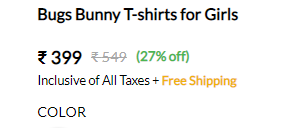
1) I want to ask one more doubt how can I add “Incl of all taxes” and “27% Off” after the product’s price. Check this https://i.gyazo.com/56e06816d07cdeafa9bcf0781b08e5cd.png
2) Also, how to edit and customize CART & CHECKOUT Page. Just like we can customize the shop page in theme options>> woo commerce shop
We need to edit the layout and other designs of the CART & CHECKOUT PAGE
Thanks & regards
1) Ok, so we need to buy a developer package for this type of customization, correct!
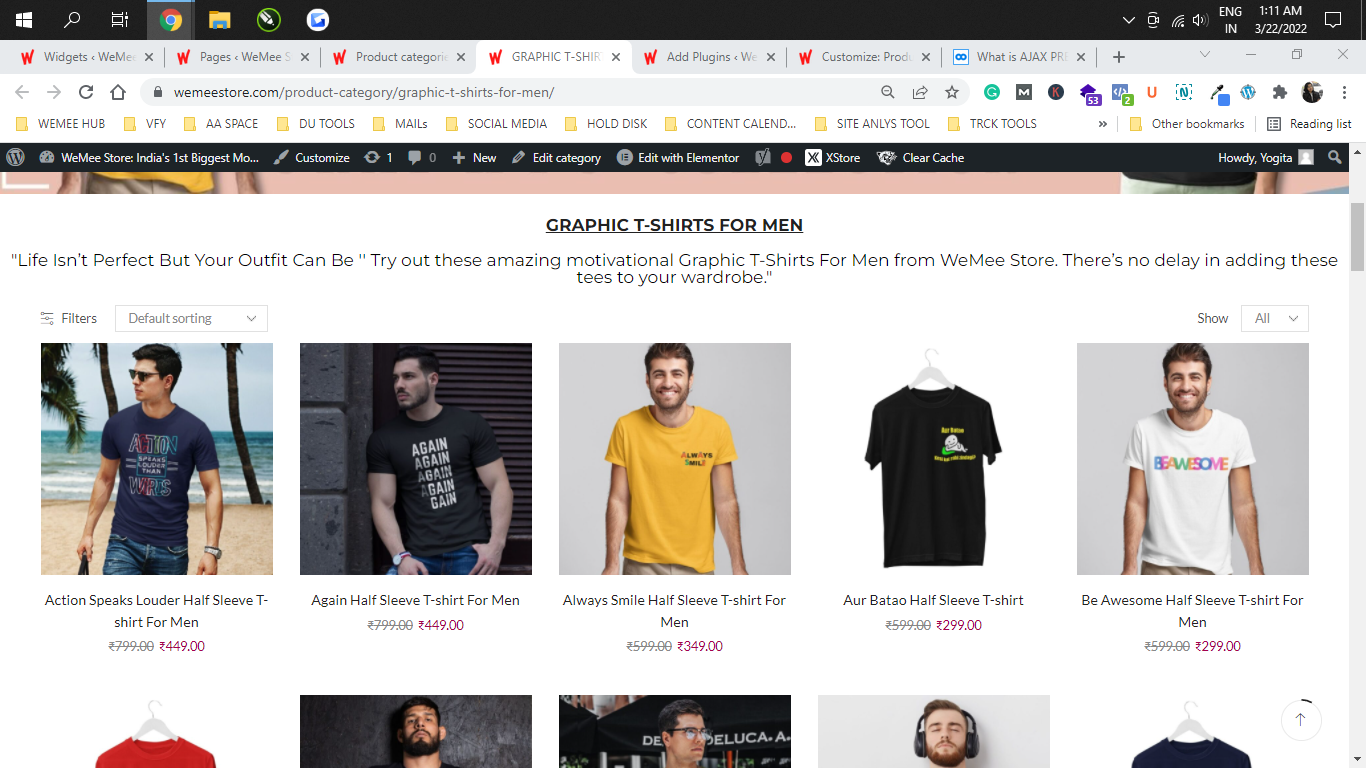
2) Also, if you can see after FILTERS options in our filters, the DEFAULT SORTING option is visible, from where it gets added, please share. How can I customize it?
3) Check this screenshot, https://i.gyazo.com/3be26a43c38dc35c583f4c3a9fd66941.png in our desktop mode both the filters are arranged to close in one corner and are not looking good. Please let me know how to change its width.
Thanks & Regards
I checked, now it’s looking perfect. Thanks a lot for the help.
1) But I wanted to know how you corrected that, just for future knowledge, kindly explain how you did that.
2) Also, please tell me why it was looking so, with the help of screenshots, please.
I will be very grateful to you.
Much grateful,
Thanks & Regards
Ok thank you for your support, I understood.
I want to ask one more thing, below I am attaching one screenshot, kindly check that we need sticky filters like that in mobile mode, how to bring them, and where to set them.
Please explain briefly
Thanks & Regards
Have you checked it! Kindly reply
I changed it, kindly check now
Thanks for co-operating team
We have already added you as a user and shared details earlier on other topics raised.
Mentioning the same details in private content, kindly check it on simple pages and woocommerce category pages.