Forum Replies Created

Viewing 30 posts - 1 through 30 (of 37 total)
  • Avatar: VitalVibeSource
    VitalVibeSource
    Participant

    Hi Rose, thanks for looking into it.
    Wow, I totally missed the link there under the menu tab. I thought it was only the down arrow. That solved the menu issue. thanks!
    I’m still getting the single product page error with the price at the top and “product information”

    I’ve included the new password below.

    Thank you

    Please, contact administrator
    for this information.
    Avatar: VitalVibeSource
    VitalVibeSource
    Participant

    Hi,
    1. Yes I tried this several times. In fact, I’ve spent literally hours trying to eliminate the text from my menu titles after the update and cannot seem to figure out how to do this. http://prntscr.com/l1yzvz

    2. https://prnt.sc/l1z0kf – this is the double image under Vital Tech menu tab

    3. This issue seems to have resolved after cache was cleared several times.

    4. The price is still showing up with “Product Information” on Single sales pages. How do I make that not display – https://prnt.sc/l1z1rp

    Thank you for helping me resolve this
    Avatar: VitalVibeSource
    VitalVibeSource
    Participant

    Thanks very much for solving this Yohann! @paskyo

    Avatar: VitalVibeSource
    VitalVibeSource
    Participant

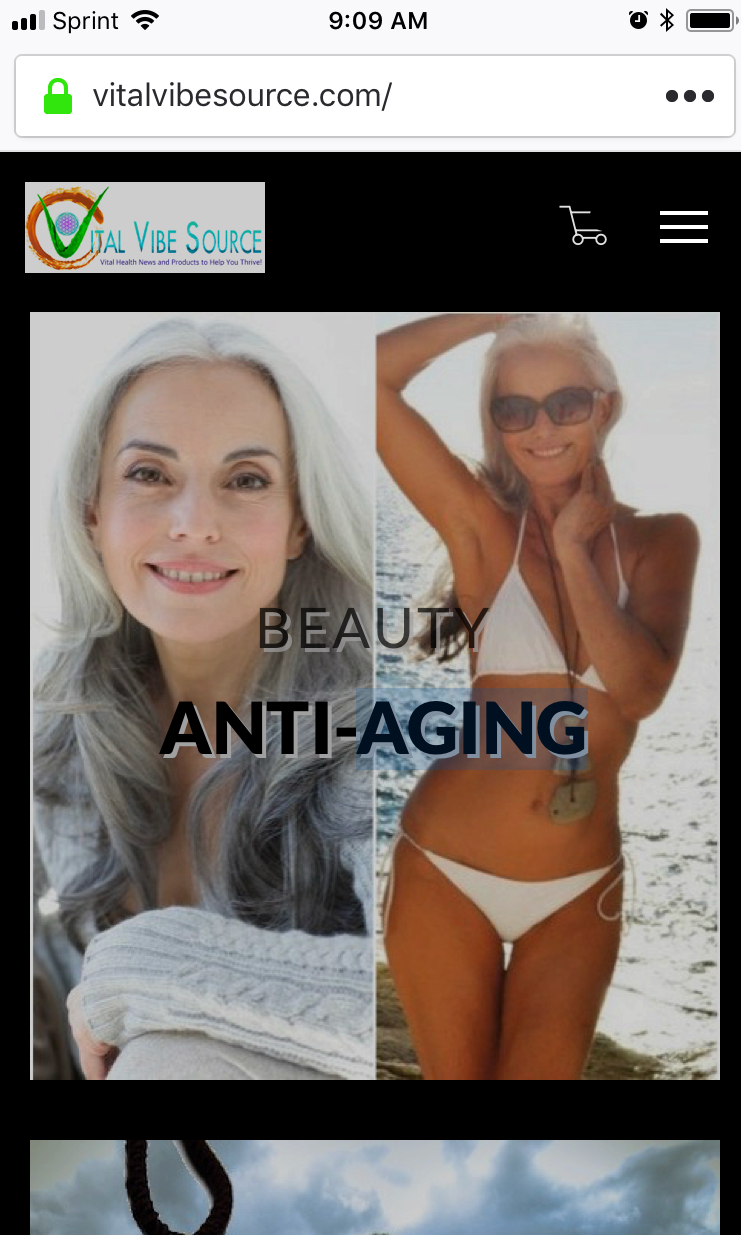
    Thank you Rose. I apologize, I just found a hidden setting in my phone browser that somehow enabled dark mode. It displays correctly now.

    Avatar: VitalVibeSource
    VitalVibeSource
    Participant

    Hi,

    The background is white for desktop and black for mobile. How do I make the mobile white too?
    Mobile version

    Thanks

    Avatar: VitalVibeSource
    VitalVibeSource
    Participant

    Also, I’m not sure if this is related to changes that were made, but my main menu has disappeared and every time I choose the correct one, nothing changes. It still says I need to select a menu?

    Avatar: VitalVibeSource
    VitalVibeSource
    Participant

    Ok, but when I checked the varnish debugging, I got the same error still:
    A caching service is running but is unable to cache your site.
    Your server IP setup looks good.
    Your server is running Apache.
    The “Age” header is set to less than 1 second which means the page was generated without caching.

    Were you able to get the theme to work with varnish after these changes?

    Avatar: VitalVibeSource
    VitalVibeSource
    Participant

    Thank you Olga!

    Avatar: VitalVibeSource
    VitalVibeSource
    Participant

    I reset the password again. Try this one

    Please, contact administrator
    for this information.
    Avatar: VitalVibeSource
    VitalVibeSource
    Participant

    Hi Olga,

    Here is the hosting credentials, which will give you access to their chat help.
    The link they gave me yesterday only had email, but today they said to give you sftp access, so I created a new user for you to be able to access chat help and everything else you need.

    I also followed up with them on the link you provided me to woocommerce about the varnish rules that need to be implemented.
    Here is what they said:

    -Each of the rules you provided is already in our VCL for Varnish, and I’ve also checked your server
    directly to be completely sure that they are in place correctly. Unfortunately, even with these rules in place, your custom theme is still
    running into a conflict.
    Do your theme developers have any other customVCL rules that they would like us to add, knowing that these are already
    in place?
    Just let us know, and we’ll be happy to help further.

    Thank you for helping me resolve this!

    Please, contact administrator
    for this information.
    Avatar: VitalVibeSource
    VitalVibeSource
    Participant

    I’m also getting 503 and %04 errors. I had to contact dreamhost again and have them reset the services to get the site back up. When I asked them what is causing this, they told me the following, “Checking into the site logs, I’m seeing some errors coming from the xstore theme. If there are theme errors on the site backend, it can processes to time out, and the site to load with a 503 or 504 error.”

    I also need to know your email address, so I can assign you the access to dreamhost and their chat help.

    As far as the plugins, it was abandon-cart plugin, as well as woozone (this one was temporary). The abandon-cart plugin has been disabled.

    Avatar: VitalVibeSource
    VitalVibeSource
    Participant

    They said I can create a new access on Dreamhost for you. You can then log-in and chat with them directly.
    I need an email address to grant you access. Which one should I use?

    Avatar: VitalVibeSource
    VitalVibeSource
    Participant

    Hi,
    There might be some confusion about the cart issue. I had copied the reply from my host company, and they were referring to a plugin that needed disabled. I did disable this plugin like they did in their test.
    They have tested the site with Woostore and the two plugins mentioned disabled and were able to get the varnish to work.
    They have told me that you should be able to test the site with the Woostore theme yourselves now and see that it does work, but Xstore does not.

    I’ll include the new logins below.

    Thank you

    Please, contact administrator
    for this information.
    Avatar: VitalVibeSource
    VitalVibeSource
    Participant

    It appears it is your theme, but a few plugins were also causing issues to make the default theme appear to do the same.

    Here is the reply from Dreamhost:
    The theme Xstore is still very much causing issues
    with Varnish, the issue your theme developers mentioned with ‘storefront’
    was being caused by the plugins. So now, all that should be causing
    issues when abandoned-cart is disabled is the theme if/when they try to
    troubleshoot it again.

    Avatar: VitalVibeSource
    VitalVibeSource
    Participant

    Look, I renewed and paid for the extended support from your team. While, I see that neither you or my hosting company wants to really help me and just pass it off to someone else, I would appreciate it if you could tell me who might actually help me.
    I feel like I’m just being dismissed.
    You’re reply came off as rather “snarky.” If I could “make it work”, I wouldn’t need your help, or your theme in the first place would I?

    Avatar: VitalVibeSource
    VitalVibeSource
    Participant

    Hi, Ok I’ll add them below. Thanks

    Please, contact administrator
    for this information.
    Avatar: VitalVibeSource
    VitalVibeSource
    Participant

    Hi,
    Yes they confirmed it was working fine with other official themes.

    Avatar: VitalVibeSource
    VitalVibeSource
    Participant

    Can you at least tell me what you think the problem may be, or who I should contact next?
    Thank you

    Avatar: VitalVibeSource
    VitalVibeSource
    Participant

    Can you please take a look at this on my site? Thanks

    Please, contact administrator
    for this information.
    Avatar: VitalVibeSource
    VitalVibeSource
    Participant

    Hi,

    I tried to Live Preview with the storefront theme and got this message:
    Fatal error: Uncaught Error: Call to undefined function etheme_get_option() in /home/wp_i469jv/vitalvibesource.com/wp-content/plugins/et-core-plugin/inc/post-types.php:340 Stack trace: #0 /home/wp_i469jv/vitalvibesource.com/wp-includes/class-wp-hook.php(298): ET_Theme_Post_Types->custom_type_settings(”) #1 /home/wp_i469jv/vitalvibesource.com/wp-includes/class-wp-hook.php(323): WP_Hook->apply_filters(NULL, Array) #2 /home/wp_i469jv/vitalvibesource.com/wp-includes/plugin.php(453): WP_Hook->do_action(Array) #3 /home/wp_i469jv/vitalvibesource.com/wp-admin/admin.php(154): do_action(‘admin_init’) #4 /home/wp_i469jv/vitalvibesource.com/wp-admin/customize.php(13): require_once(‘/home/wp_i469jv…’) #5 {main} thrown in /home/wp_i469jv/vitalvibesource.com/wp-content/plugins/et-core-plugin/inc/post-types.php on line 340

    Please, contact administrator
    for this information.
    Avatar: VitalVibeSource
    VitalVibeSource
    Participant

    Thanks Olga! I guess it was my mistake. Thanks very much for solving that for me.

    Avatar: VitalVibeSource
    VitalVibeSource
    Participant

    this is what it should look like. it does in the backend
    -https://prntscr.com/gpjna6

    this is what it looks like now in the front end

    – https://prntscr.com/gpjo15

    Avatar: VitalVibeSource
    VitalVibeSource
    Participant

    They were only good for one open, as they are then purged.
    What tool do you guys use for sharing images?
    Thanks

    Avatar: VitalVibeSource
    VitalVibeSource
    Participant

    Hi,

    I’ve included details below. If you go to the bottom of the page mentioned earlier…

    Screen shots:
    This-
    https://unsee.cc/demogusi/

    Should look like this-

    https://unsee.cc/meburipa/

    You can actually see for yourself that it is actually on the page, but not displaying on the front end??

    Please, contact administrator
    for this information.
    Avatar: VitalVibeSource
    VitalVibeSource
    Participant

    Yeah, I just discovered that it was… curious.
    Thanks anyway

    Avatar: VitalVibeSource
    VitalVibeSource
    Participant

    Yeah, I checked. It looks like it is.
    XStore Core v 1.0.15

    Avatar: VitalVibeSource
    VitalVibeSource
    Participant

    I think you misunderstand. The link: https://activation.isrefer.com/go/tincnat/VitalVibe/ is a masked affiliate link that is supposed to automatically redirect to:
    https://www.solcbd.com/products/sol-cbd-natural-flavor?affiliate=219
    Which it does when you place it in the address bar directly.
    The issue I am having is exactly as I described above. The link: https://activation.isrefer.com/go/tincnat/VitalVibe/ is placed inside the box in the back-end editor for where the buy button link should point to. Instead, it is mysteriously pointing to a random Amazon link that I have on a totally different page, but listed no where on that page (https://www.vitalvibesource.com/product/cbd-oil-sol-cbd/).

    Avatar: VitalVibeSource
    VitalVibeSource
    Participant

    Can you better explain what you mean by “adding featured to the page.”
    This is not obvious to me or I would have done it. Again I’ve been trying to solve this for a long time.
    Thank you

    Avatar: VitalVibeSource
    VitalVibeSource
    Participant

    In this case the image of the blonde woman. The banner image under the menu. I would like to change this on specific pages only.

    Thanks

    Please, contact administrator
    for this information.
    Avatar: VitalVibeSource
    VitalVibeSource
    Participant

    I solved it by updating to newest Woocommerce today and then re-uploading the theme files for the third time. That fixed the problem.
    Thanks anyway

  • 1 2
    1–30 of 37 posts
Viewing 30 posts - 1 through 30 (of 37 total)

Free AI store scan · SalesMax

Is your store missing upsells?

Paste your store address. SalesMax AI shows which upsell moments are missing. No signup.

Free AI speed test · FlashMax

How fast is your website?

Paste your site address. FlashMax runs Google Lighthouse for phone and desktop, checks Core Web Vitals and lists what to fix. No signup.

We're using our own and third-party cookies to improve your experience and our website. Keep on browsing to accept our cookie policy.