Forum Replies Created

Viewing 30 posts - 7,021 through 7,050 (of 30,391 total)
  • Avatar: Olga Barlow
    Olga Barlow
    Participant
    July 12, 2021 at 13:21

    Hello,

    1) Go to Theme Options > WooCommerce > Single product builder > edit Wishlist element and translate Browse Wishlist Text
    2) Checkout page button is translated as I can see https://prnt.sc/1aiqmuz
    3) Go to Theme Options > Header builder > Cart > edit the mini-cart promo message.

    Regards

    Regards

    Avatar: Olga Barlow
    Olga Barlow
    Participant
    July 12, 2021 at 12:38

    Hello,

    1) Where did you get that code?
    I suppose that you missed to add custom CSS to the hide field, with the PHP code you just makes that field optional

    .woocommerce-EditAccountForm.edit-account .woocommerce-form-row.form-row-wide #account_display_name, .woocommerce-EditAccountForm.edit-account .woocommerce-form-row.form-row-wide #account_display_name + span, .woocommerce-EditAccountForm.edit-account .woocommerce-form-row.form-row-wide label[for="account_display_name"] {
        display: none;
    }

    2) Translation was missing https://prnt.sc/1aiddeu

    Regards

    Avatar: Olga Barlow
    Olga Barlow
    Participant
    July 12, 2021 at 12:09

    Hello,

    Thank you for using XStore. We have checked it in depth. You use our theme at http://www.nkmw4127.odns.fr/dev/
    You can use 1 license for 1 project(dev and production sites) according to ThemeForest license policy https://themeforest.net/licenses/standard

    Regards

    Avatar: Olga Barlow
    Olga Barlow
    Participant
    July 12, 2021 at 12:02

    Hello,

    1)

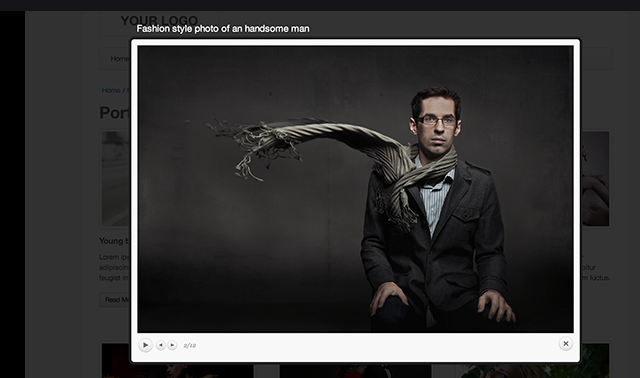
    What I’d expect to see with PrettyPhoto:
    https://i.gyazo.com/8fac6c59e36aa7bc9c39c2db78fd6264.png

    this is a screenshot of the LIght-box library, not the Pretty Photo library.

    Styles of the Pretty Photo and its content come from the WooCommerce plugin and we can do nothing with this.
    It works the same way even with the default WP theme – Storefront https://gyazo.com/e3fb7e9c14ff1f6708d8fa495d368962
    We can just offer you the below custom to change the colors of the titles and improve mobile styles

    a.pp_contract, a.pp_expand {
        width: 30px;
        height: 28px;
    }
    div.pp_default .pp_content_container .pp_description {
        color: #fff;
        bottom: auto;
    }

    Added to your custom CSS

    2) This is how WPBakery works and that they display in the Lightbox. Our theme does not have any additional options for this, unfortunately.

    Regards

    Avatar: Olga Barlow
    Olga Barlow
    Participant
    July 12, 2021 at 11:30

    Hello,

    Read this port https://www.8theme.com/topic/unable-to-change-main-logo/
    Either change the home page header or remove this header at all if you don’t need that.

    Regards

    Avatar: Olga Barlow
    Olga Barlow
    Participant
    July 12, 2021 at 08:57

    Hello,

    Could you, please, provide us with link to the page where you have this button for better understanding?

    Regards

    Avatar: Olga Barlow
    Olga Barlow
    Participant
    July 12, 2021 at 08:20

    Hello,

    Check your site now. We have made the required changes.

    Regards

    Avatar: Olga Barlow
    Olga Barlow
    Participant
    July 10, 2021 at 11:05

    Hello,

    You added the below custom somewhere in the custom CSS, so remove it. It’s not our theme code.

    .main-products-loop .container {
        margin-left: 1em;
        margin-right: 1em;
        margin-bottom: 1em;
        padding: 1em!important;
        border: solid 2px #ccc;
    }

    Regards

    Avatar: Olga Barlow
    Olga Barlow
    Participant
    July 10, 2021 at 11:00

    Hello,

    1) Every header that you create includes editor for both desktop and mobile. You don’t need to create a separate header for the mobile because we don’t have conditions to apply the header for the mobile only. In other words you need to create the first default header for the default lang. Configure it according to your needs (both desktop and mobile versions, sticky header etc). After that add new header for the next language, edit it to translate texts, choose the correct menu. Save changes. That’s all.

    2) If you have the memory limit error I would recommend you to contact your hosting support and ask them to study what plugins, custom requests use all your memory to fix them.

    Regards

    Avatar: Olga Barlow
    Olga Barlow
    Participant
    July 10, 2021 at 10:46

    Hello,

    Provide us with WP Dashboard and FTP access to your site to check the issue in more detail.

    Regards

    Avatar: Olga Barlow
    Olga Barlow
    Participant
    July 10, 2021 at 10:43

    Hello,

    We need FTP access to wp-content/plugins/et-core-plugin and access to wp-content/themes/xstore and to your error log file. We don’t need access to anything else on your server. So, create an account with limited access to these folders only.
    Also, remove the token from XStore > Authorization APIs and generate it again, please.
    We can’t check the issue in more detail on your site without this access.

    Regards

    Avatar: Olga Barlow
    Olga Barlow
    Participant
    July 10, 2021 at 10:27

    Hello,

    You could edit the footer from Static Blocks > edit Footer static block using Elementor page builder.
    To change the header call us text go to Static Blocks > Header custom block.

    Regards

    Avatar: Olga Barlow
    Olga Barlow
    Participant
    July 10, 2021 at 10:18

    Hello,

    As I can see you have disabled the sticky section and the gallery is ok.

    Regards

    Avatar: Olga Barlow
    Olga Barlow
    Participant
    July 10, 2021 at 10:11

    Hello,

    Provide us with FTP access to your site. We need to make changes in core plugin files to fix the error on the home page but were locked because of the fatal error during editing.
    We need FTP to proceed.

    Regards

    Avatar: Olga Barlow
    Olga Barlow
    Participant
    July 10, 2021 at 09:36

    Hello,

    Provide us with FTP access. We need to check the issue in more detail.

    Regards

    Avatar: Olga Barlow
    Olga Barlow
    Participant
    July 10, 2021 at 09:26

    Hello,

    Thank you. I have passed your issue to our developers. I’ll inform you once they fix the issues.

    Regards

    Avatar: Olga Barlow
    Olga Barlow
    Participant
    July 10, 2021 at 08:58

    Hello,

    Thank you. I passed APM version issues to our developers.

    Regards

    Avatar: Olga Barlow
    Olga Barlow
    Participant
    July 10, 2021 at 08:56

    Hello,

    Did you read my answer https://www.8theme.com/topic/i-am-custumizing-but-the-results-are-not-published-on-the-page/ ?
    Please, don’t create multiple topics for the same issue.

    Regards

    Avatar: Olga Barlow
    Olga Barlow
    Participant
    July 10, 2021 at 08:29

    Hello,

    Try to change the type of media from Recent to Top media. Recent media displays feed for the last 24 hours only. If you did not public feeds during this time you won’t get any Instagram images.

    Regards

    Avatar: Olga Barlow
    Olga Barlow
    Participant
    July 9, 2021 at 18:06

    Hello,

    Disable jetpack plugin. Contact plugin author to fix the issue, it is caused by plugin update and is not related to our theme.

    Regards

    Avatar: Olga Barlow
    Olga Barlow
    Participant
    July 9, 2021 at 18:04

    Hello,

    Are you talking about header? Go to Theme Options > Header builder > Click the multiple header link and remove the home page header if you don’t need that or edit it according to your needs in addition to the default header https://youtu.be/BpeXfzNwkOc

    Regards

    Avatar: Olga Barlow
    Olga Barlow
    Participant
    July 9, 2021 at 17:59

    Hello,

    Could you, please, clarify what static block do you want to import? Provide screenshot of the static block from our demo that you want to import and provide us with the WP Dashboard access to your site. We’ll help you.

    Regards

    Avatar: Olga Barlow
    Olga Barlow
    Participant
    July 9, 2021 at 17:56

    Hello,

    Go to Theme Options > Header builder > edit the promo popup element that you added to the top header.

    Regards

    Avatar: Olga Barlow
    Olga Barlow
    Participant
    July 9, 2021 at 17:52

    Hello,

    Check now, please.

    Regards

    Avatar: Olga Barlow
    Olga Barlow
    Participant
    July 9, 2021 at 17:44

    Hello,

    You are welcome.
    Could you, please, provide us with link to that page and WP Dashboard access?

    Regards

    Avatar: Olga Barlow
    Olga Barlow
    Participant
    July 9, 2021 at 17:42

    Hello,

    1) We have a few demos that built using different multivendor plugins https://prnt.sc/19ru1k9 Go to https://xstore.8theme.com/ and click Multi-vendor menu item.
    2) It depends on the multivendor plugin you choose. It would better to contact plugin author to clarify this question. Our theme does not have such option, it’s a plugin area.
    3) Yes.
    4) It depends on the plugin you plan to use. As a rule multivendor plugins display the vendor name on the single product page.

    Regards

    Avatar: Olga Barlow
    Olga Barlow
    Participant
    July 9, 2021 at 17:37

    Hello,

    Nope, it displays in the mini-cart only.

    Regards

    Avatar: Olga Barlow
    Olga Barlow
    Participant
    July 9, 2021 at 17:35

    Hello,

    Go to Theme Options > WooCommerce > Single Product page > Single product layout > Sticky Add To Cart Bar > Off.
    Go to Theme Options > Footer > Back to top button > disable it.

    Regards

    Avatar: Olga Barlow
    Olga Barlow
    Participant
    July 9, 2021 at 17:29

    Hello,

    Add the below code to Custom CSS

    .et-mini-content-opened .et-mobile-panel-wrapper {
        z-index: 0;
    }

    Regards

    Avatar: Olga Barlow
    Olga Barlow
    Participant
    July 9, 2021 at 17:14

    Hello,

    We don’t speak Portuguese.
    We can’t log in to your Dashboard using the credentials you provided in the very first message.

    Add the below code to Theme Options > Custom CSS to change position of the slae label

    .sale-wrapper .onsale {
        left: auto;
        right: 10px;
    }

    Changing of the sale text position requires PHP customization. Provide us with WP Dashboard and FTP access to your site to help you.

    Regards

  • 1 2 3 234 235 236 1,012 1,013 1,014
    Viewing 7,050 results - 7,021 through 7,050 (of 30,391 total)
Viewing 30 posts - 7,021 through 7,050 (of 30,391 total)
We're using our own and third-party cookies to improve your experience and our website. Keep on browsing to accept our cookie policy.