Forum Replies Created

Viewing 30 posts - 301 through 330 (of 563 total)
  • Avatar: Libardo
    Libardo
    Participant
    April 1, 2015 at 02:53

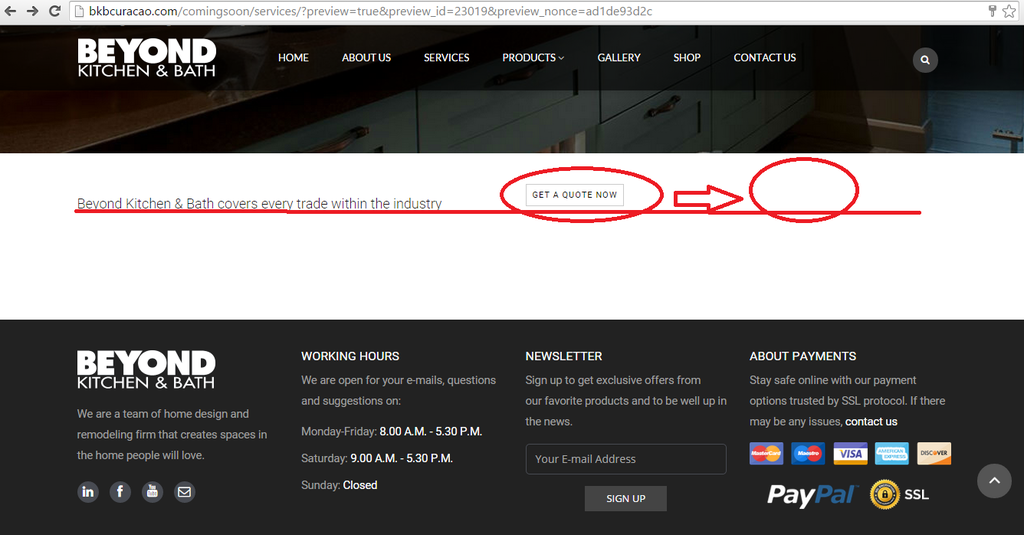
    Where is this Image?

    https://s3.amazonaws.com/fvd-data/notes/168674/1427797513-ZKyk4D/screen.png

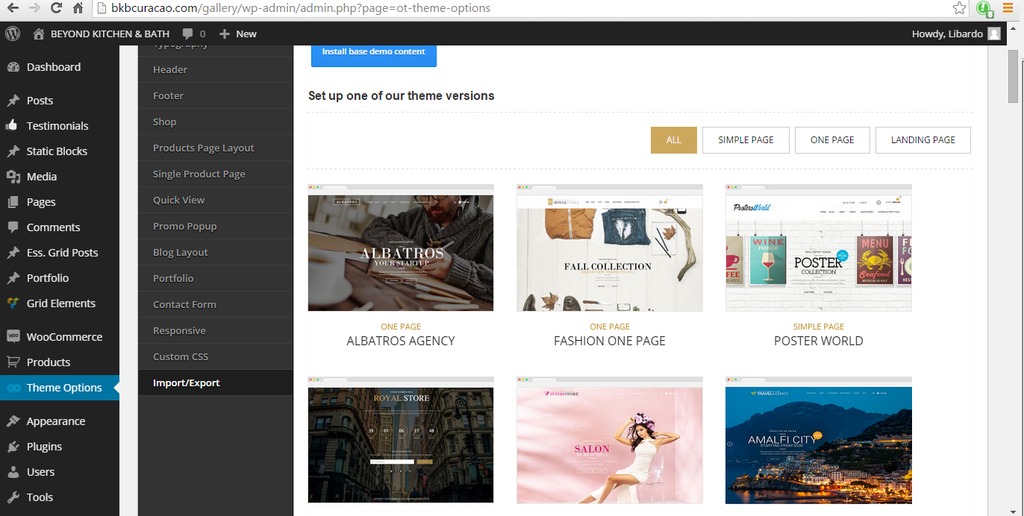
    Where is this Image?

    http://i1340.photobucket.com/albums/o728/LibardoBarreto/weqwr_zpspun0o6zt.png

    THESE ARE JUST PARTS OF THE PAGES THAT ARE GONE???????? HOW COME THESE ARE GONE???????? AND STILL THERE ARE SOME OTHER INFO THAT I CANNOT FIND PROOFS OR PICTURES TO SHOW THIS. BUT I TRUST THAT 8THEME DOES NOT DELETE CONTENT WHICH WAS NOT INFORMED TO DO SO. WHY ARE THESE MISSING?


    Avatar: Libardo
    Libardo
    Participant
    April 1, 2015 at 02:48

    Hello Eva,

    Any update on this ticket and can YOU take over for me the ticket#53740 seems to be getting a MESS now!

    Avatar: Libardo
    Libardo
    Participant
    April 1, 2015 at 02:44

    BRIAN WHAT HAVE YOU DONE WITH THE ABOUT US AND THE SERVICES PAGE??????????????????????

    I’M MISSING THINGS ON THE ABOUT US PAGE AND THE SERVICES PAGE???????????????????????????

    CAN SOMEBODY ELSE TAKE OVER THIS TICKET#????????????????????????

    THIS IS NOT A JOKE OR CAN FOOL WITH THIS TICKET I AM CURRENTLY IN THE PHASE OF GOING LIVE WITH THIS WEBSITE AND HAVE A VERY TIGHT SCHEDULE AT THE MOMENT TO COMPLETE THIS. NOT MY RESPONSIBILITY TO SHOW YOU WHAT IS MISSING IN THESE PAGES. I WANT TO SEE WHAT IS REMOVED BACK IN MY PAGES.

    LOOK AT MY WEBSITE PAGES:

    http://bkbcuracao.com/comingsoon/services

    http://bkbcuracao.com/comingsoon/about-us

    AND FIGURE OUT WHAT NEEDS TO BE PUT BACK IN ORDER. I DID NOT APPROVE TO DELETE THINGS FROM THE PAGE I APPROVE TO :

    ( How to check or where to check these? Or can you eliminate them? I approve to clear the white space. )

    FIXXXX THISSSSSS!!!!!!!!!!

    Avatar: Libardo
    Libardo
    Participant
    March 31, 2015 at 19:27

    Hi Eva,

    Now that I’ve insert the code above I see the following appear:

    http://i1340.photobucket.com/albums/o728/LibardoBarreto/444rff_zpsl7u9qzl7.png

    How to make this black or you know is appearing like this?

    Avatar: Libardo
    Libardo
    Participant
    March 31, 2015 at 19:22

    Thanks Brian.

    When you say ( 2. Sorry i changed css code for mobile layout in previous message as it was for wide screens and now for mobile devices. ) was this change for one of the pages? Please advise which ..

    At the moment I’ve included this code :

    @media only screen and (max-width: 916px){.banner.valign-middle .banner-inner{
    left:10px !important;
    }}

    For the following Pages(See in private)

    Please, contact administrator
    for this information.
    Avatar: Libardo
    Libardo
    Participant
    March 31, 2015 at 17:05

    Good Day Eva,

    Thanks I am getting there …

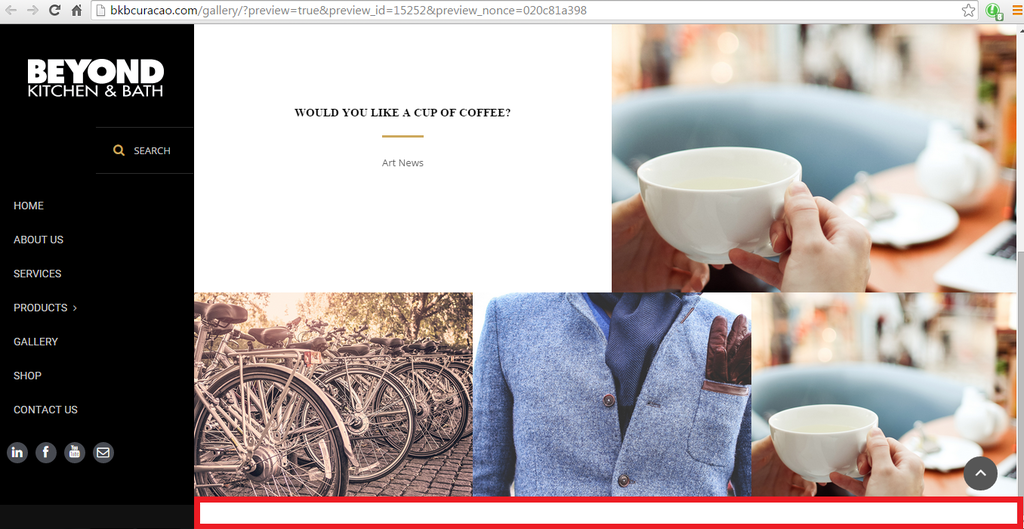
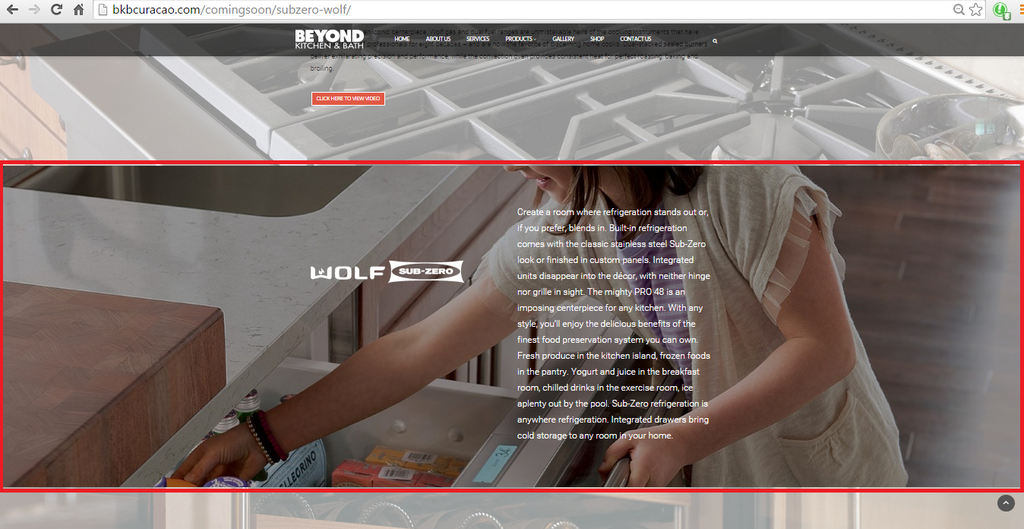
    I was wondering how to drop the image till the bottom. At the moment it is showing a white bar at the bottom ( Please see in red in the image ):

    http://i1340.photobucket.com/albums/o728/LibardoBarreto/dfgdfgdfg_zpsanjttmwr.png

    Please, contact administrator
    for this information.
    Avatar: Libardo
    Libardo
    Participant
    March 31, 2015 at 16:29

    Thanks Brian.

    With respect to :

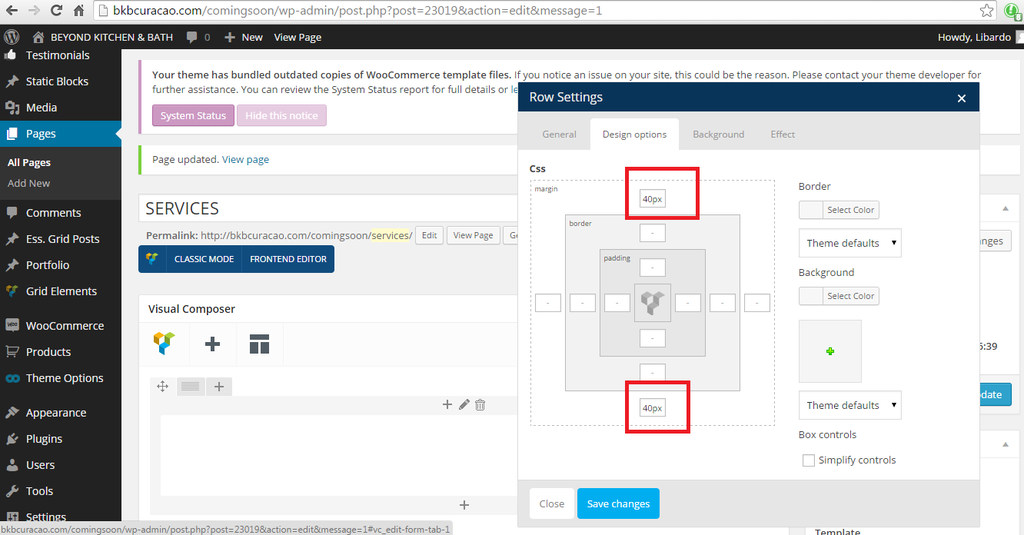
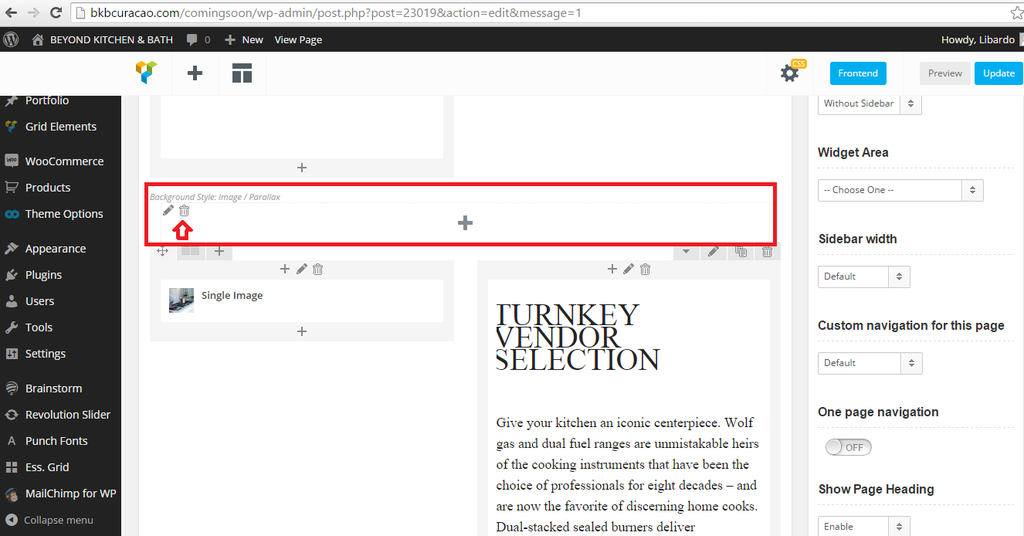
    2.Please check these pages layout as it seems that white space caused by the additional empty row with empty text VC element within.

    How to check or where to check these? Or can you eliminate them? I approve to clear the white space.

    Avatar: Libardo
    Libardo
    Participant
    March 31, 2015 at 15:30

    See in private.

    Ok what about this one?

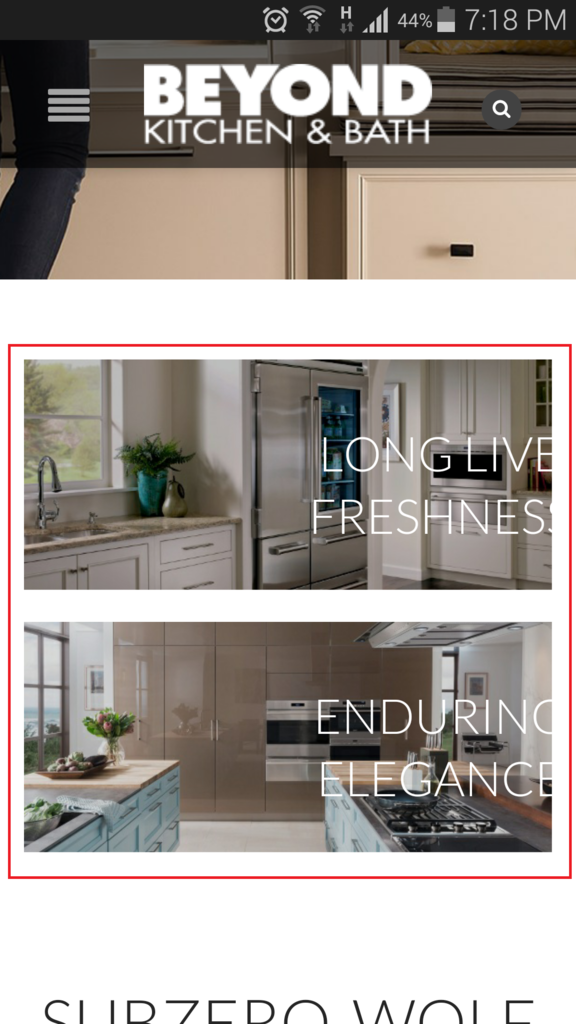
    1.) It is noticed that when I turn the screen vertical or horizontal it is missing some text or not aligning the text as should in order to be visible on the screen (I’ve colored where I am pointing in color red):

    http://i1340.photobucket.com/albums/o728/LibardoBarreto/xcvxcvxcv_zpsjiybpoc6.png

    P.S All information are in this ticket not sure why we are skipping every time some request and then need to repeat to check once more ..

    Please, contact administrator
    for this information.
    Avatar: Libardo
    Libardo
    Participant
    March 31, 2015 at 13:31

    Good Day Brian,

    With respect to my reply below which in the meantime I am waiting for your confirmation I also noticed the following in addition to my reply above:

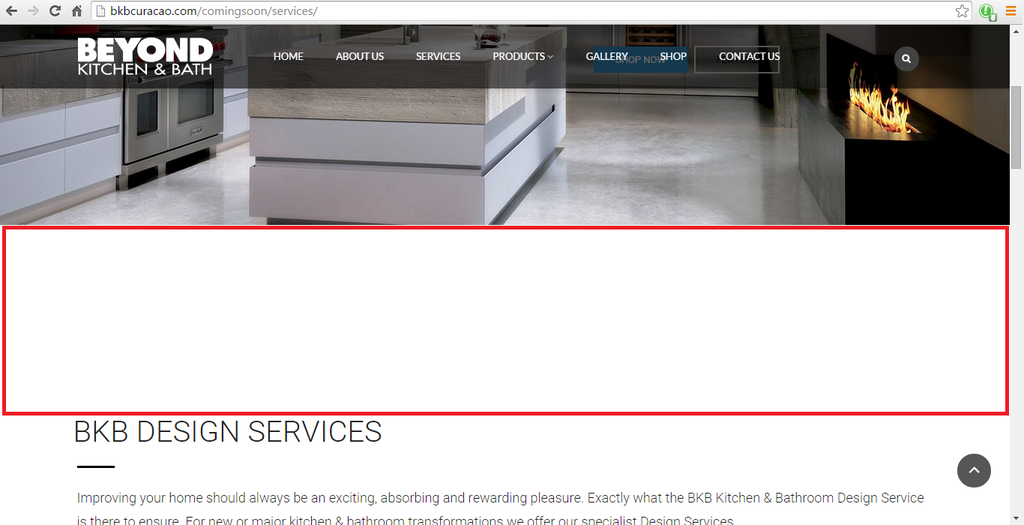
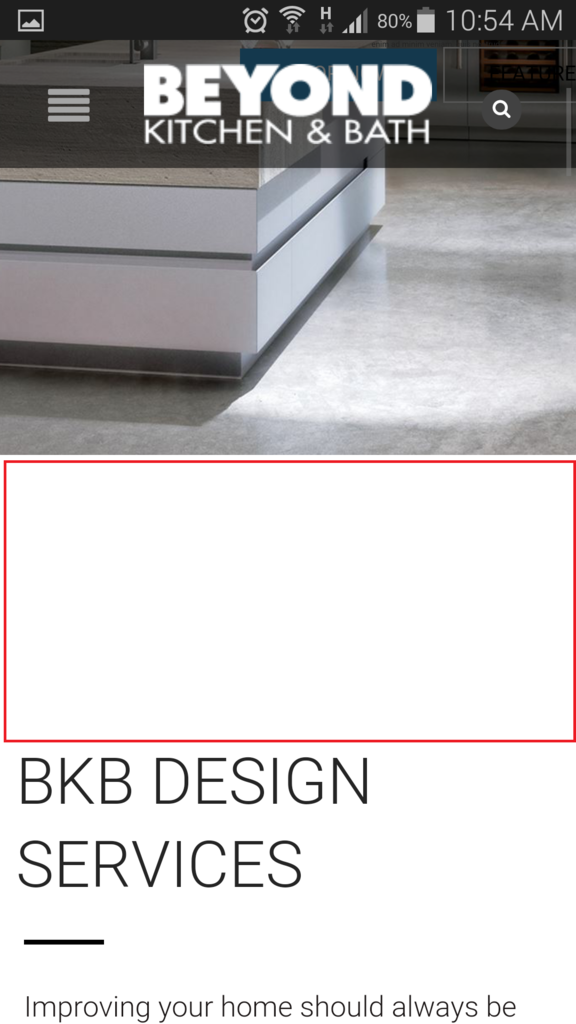
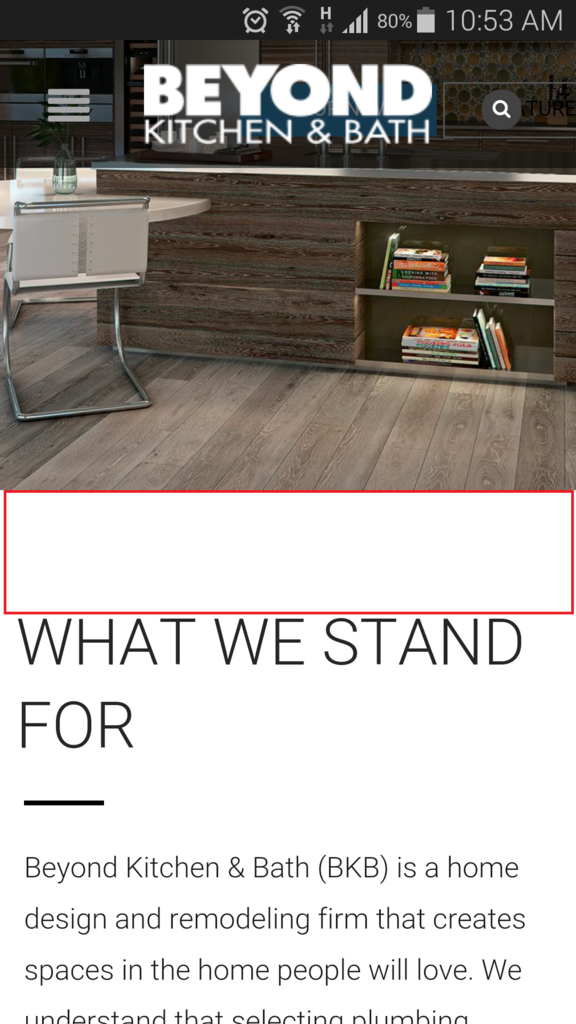
    The padding for Services and About us Page is showing the same but when I show this on a desktop or mobile (Samsung Galaxy S 5) is showing wrong:

    http://i1340.photobucket.com/albums/o728/LibardoBarreto/5ttt_zpsjxmhrbfd.png

    http://i1340.photobucket.com/albums/o728/LibardoBarreto/gg555_zpskwpvo4li.png

    http://i1340.photobucket.com/albums/o728/LibardoBarreto/vvbrger_zpspnmjm2fw.png

    http://i1340.photobucket.com/albums/o728/LibardoBarreto/Screenshot_2015-03-28-10-54-13_zpsg245ne3e.png

    http://i1340.photobucket.com/albums/o728/LibardoBarreto/Screenshot_2015-03-28-10-53-59_zpsgtk0fvaw.png

    Kindly have a look into About Us and Services Pages. Login credentials in >> ( Private ) <<

    Please, contact administrator
    for this information.
    Avatar: Libardo
    Libardo
    Participant
    March 31, 2015 at 13:28

    Hi Eva,

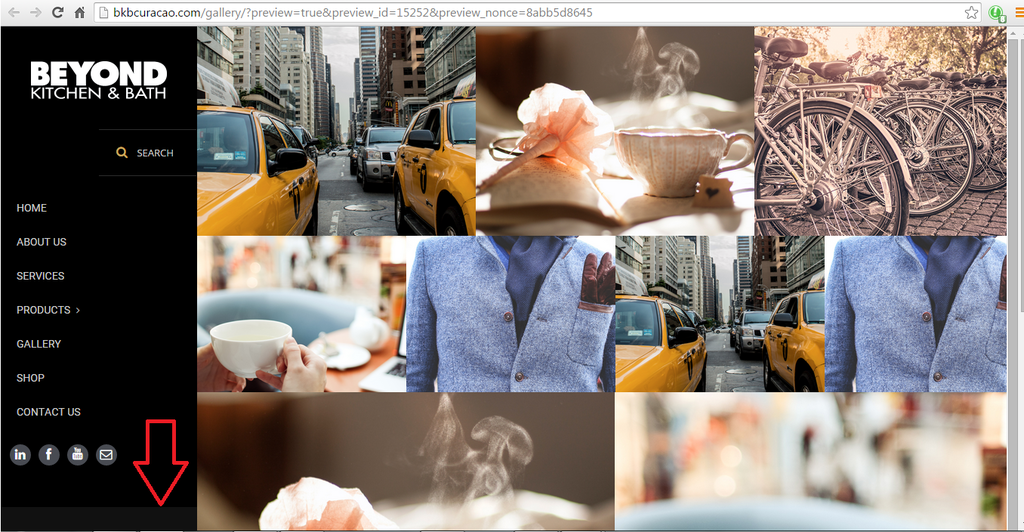
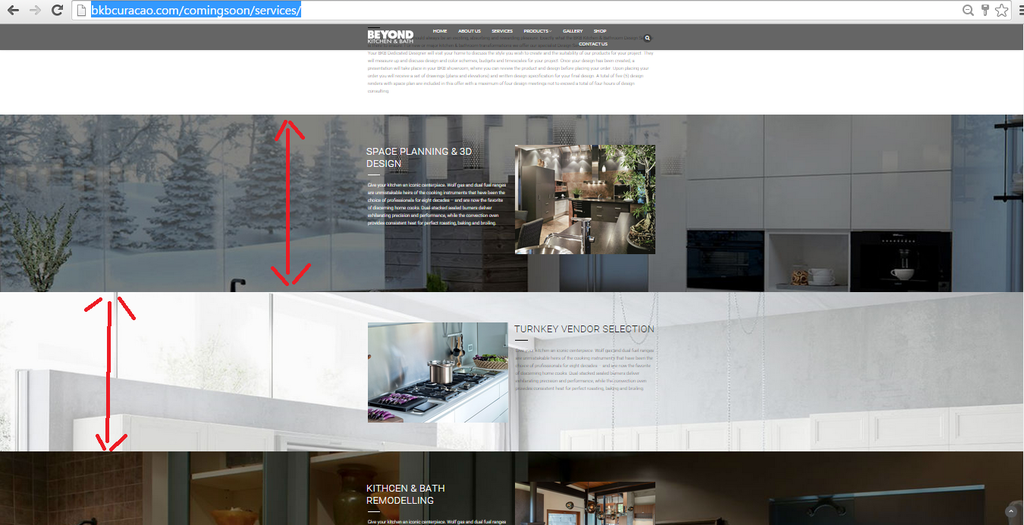
    I tried that and it still showing the same. What I was referring to is the padding where I pointed the red arrow line. All these are the same padding but for some reason the lighter image padding seems to be a bit shorter (The Width of the total picture) then the others. If you check the padding for this one vs the others is the same. But for some reason is not showing as should.

    I also noticed there is a difference in all three pictures which I form a square around them for you to check this:

    http://i1340.photobucket.com/albums/o728/LibardoBarreto/fdsfsdfsdffd_zpsrnhgyoqm.png

    Avatar: Libardo
    Libardo
    Participant
    March 31, 2015 at 12:16

    Good Day Brian,

    This code is for request 1.) Or 2.) Or both??

    Avatar: Libardo
    Libardo
    Participant
    March 30, 2015 at 20:51

    Hi Eva,

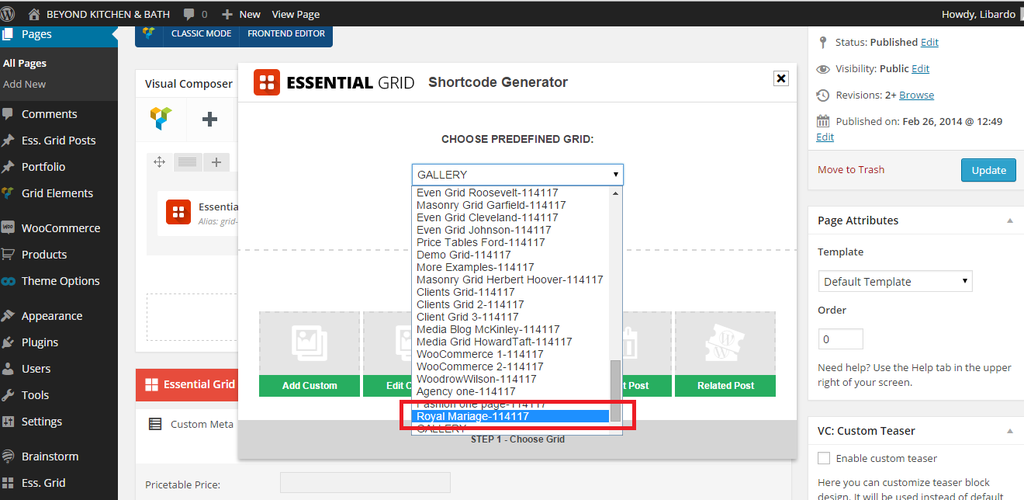
    Can you please provide print screen shot where to find the ” Royal Mariage-073754 “? I dont see it in the list I only see :

    http://i1340.photobucket.com/albums/o728/LibardoBarreto/ggggg_zpsbrcvs64a.png

    Avatar: Libardo
    Libardo
    Participant
    March 30, 2015 at 20:45

    Hi Eva,

    The Visual Composer i up to date and I made a backup. Still the same thing is showing :

    http://i1340.photobucket.com/albums/o728/LibardoBarreto/ddd_zpscxa0dqms.png

    Can you login and have a look into this?

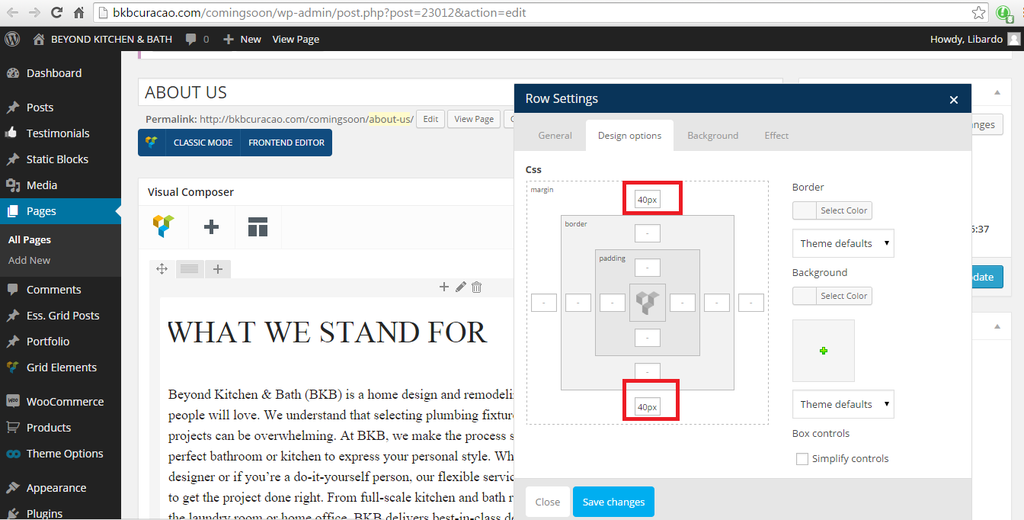
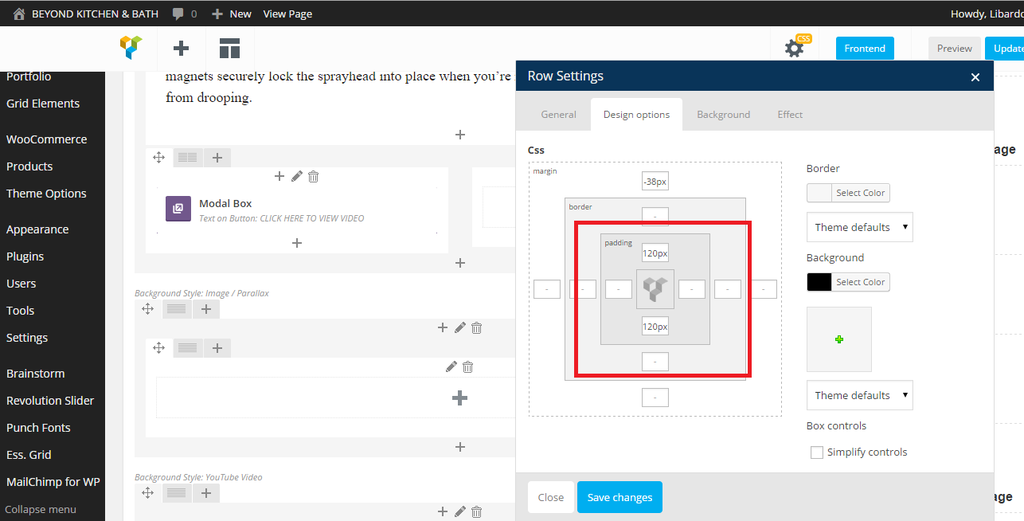
    I also noticed that in this same field it is causing some problems which for all padding’s on this page not showing exact the same. I have put them 120px / 120px. Now it is showing a difference when you will see it :

    http://i1340.photobucket.com/albums/o728/LibardoBarreto/dgfsdgsd_zpsxmdagowe.png

    Please check the paddings which they are not showing exactly the same when viewing them in a browser. I have clear the cache and the cookies and everything. Please check this ..

    Avatar: Libardo
    Libardo
    Participant
    March 28, 2015 at 16:28

    Hi Support,

    Could please let me know what could be the cause?

    Avatar: Libardo
    Libardo
    Participant
    March 28, 2015 at 14:55

    Hi Brian,

    To make it easier wpuld it be possible for me to get the Royal Mariage Templates as showing in the Royal Theme Demo website?

    This template is not included in the theme options from WP-ADMIN.

    You may login and check this..

    Please, contact administrator
    for this information.
    Avatar: Libardo
    Libardo
    Participant
    March 27, 2015 at 19:14

    Thanks Eva. Now going back to the button is there a way to make it bigger or any way that I can play around with from left to right,padding,space etc.. ? Like for instance right now the button looks the way it should which is on the right. But how to move it a bit closer to the text?

    Avatar: Libardo
    Libardo
    Participant
    March 27, 2015 at 18:57

    Hi Eva,

    Ok but this ticket to have every time something .. Can you add any samples that you have or even the once of the Marriage and I will then see how you did it and change the pictures? At least that I have all the pictures set as you have in your Demo content. Or provide the option to import this theme template which at the moment is not showing in the list as can see in my images above.

    Avatar: Libardo
    Libardo
    Participant
    March 27, 2015 at 18:55

    Hi Eva,

    No we cant close it yet. I would still need somebody from your end to help me based on my last reply. I’ve tried to do this but seems not go as expected. I change the code to ” 200 ” but still see the black bar. Can you assist?

    Code:

    .empty-row {height: 200px;}

    Avatar: Libardo
    Libardo
    Participant
    March 27, 2015 at 15:49

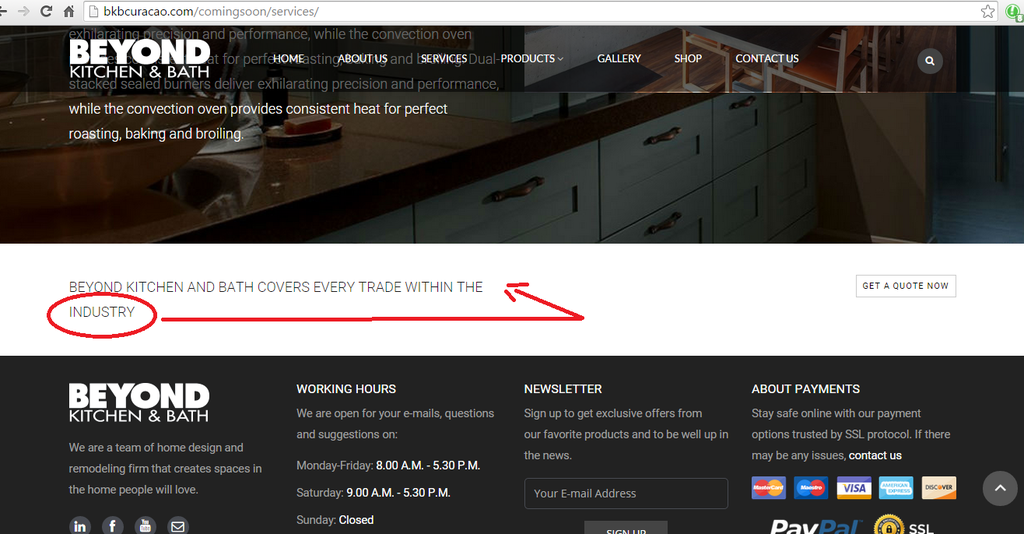
    Thanks Robert .. Looks much better indeed!! Now is there a way for this text to go in line with the other ones?

    http://i1340.photobucket.com/albums/o728/LibardoBarreto/ewfwefwef_zps3bkahulh.png

    Also how do I make this text letter ( BEYOND KITCHEN AND BATH COVERS EVERY TRADE WITHIN THE INDUSTRY ) size bigger ?

    Avatar: Libardo
    Libardo
    Participant
    March 27, 2015 at 14:58

    Hi Robert,

    I tried the codes above but nothing change. Can you please login to check this?

    See in private

    Please, contact administrator
    for this information.
    Avatar: Libardo
    Libardo
    Participant
    March 27, 2015 at 14:26

    Hi Brian,

    No I totally agree with you. But for the meantime to launch the website I was referring to reverse the changes and leave the video as it was before in ticket #50229. At least this way it was showing but not width enough as I wanted but still it was something. My main concern is the black bars on top and bottom. Since Eva did some changes it was looking good but I was wondering if the space can expand more including the video but now I noticed it is something to do with Youtube or the Hosting Video.

    So for now I would like to leave it as it was since the ticket #50229. For the time being ..

    Avatar: Libardo
    Libardo
    Participant
    March 27, 2015 at 14:18

    Hello Robert,

    Thanks .. Is there also another code to play with the margins? For instance to lower a bit down or up?

    Also would you please assist to have the spacing, padding fix in order to look like above? In addition I also want to move the position of the Quote button a bit more to the right and align it to show in the same line as the text ( BEYOND KITCHEN AND BATH COVERS EVERY TRADE WITHIN THE INDUSTRY )

    http://i1340.photobucket.com/albums/o728/LibardoBarreto/4fgfdg_zps7sehovmb.png

    Avatar: Libardo
    Libardo
    Participant
    March 27, 2015 at 14:09

    Good Day Brian,

    The Royal Marriage is not available in the list. Which is also something I mentioned since the beginning of this ticket ..

    http://i1340.photobucket.com/albums/o728/LibardoBarreto/werwerwr_zps4mqhzno4.png

    Can we have this sort out today Please? This is taken alot of time meanwhile I am not seeing the Royal Marriage or can set the rows as the demo of Royal Marrige in Ess. Grid.

    Is it possible to have it today fix?

    Avatar: Libardo
    Libardo
    Participant
    March 27, 2015 at 05:49

    Hi Eva/Brian,

    If I would like to leave the Kohler video via youtube, can you include the video for me and stretch it to the max it can go ( by leaving the black top/bottom bars of the video ) out?

    I believe we will be leaving this video for now and would need to work with it this way then.
    Thank you..

    Avatar: Libardo
    Libardo
    Participant
    March 27, 2015 at 04:27

    I also noticed that in this same field it is causing some problems which for all padding’s on this page not showing exact the same. I have put them 120px / 120px. Now it is showing a difference when you will see it :

    http://i1340.photobucket.com/albums/o728/LibardoBarreto/dgfsdgsd_zpsxmdagowe.png

    Maybe this is caused by the same problem above.

    Avatar: Libardo
    Libardo
    Participant
    March 27, 2015 at 04:14

    Kindly please look into this so we can work for a solution … Thank you 8theme 🙂

    Avatar: Libardo
    Libardo
    Participant
    March 27, 2015 at 04:00

    Hi Eva,

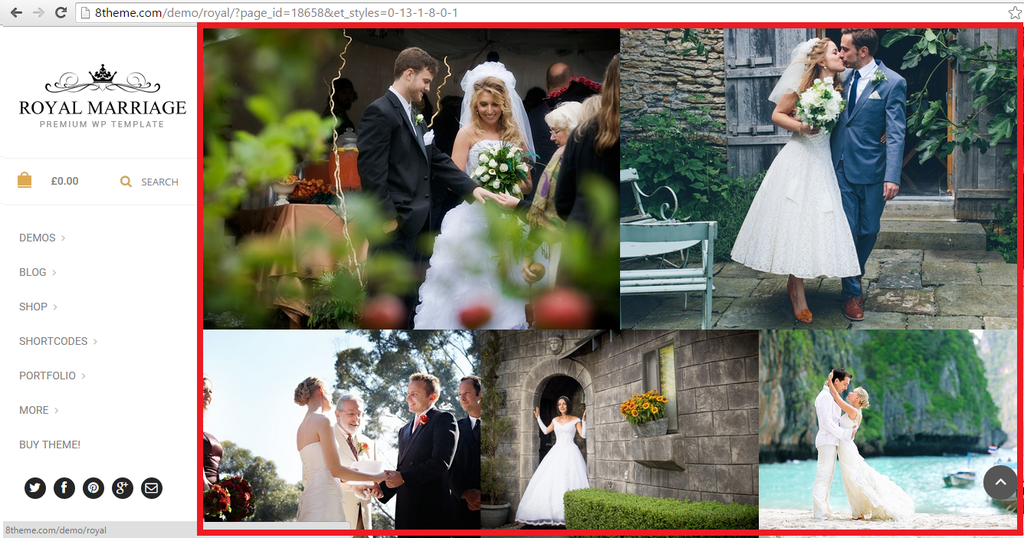
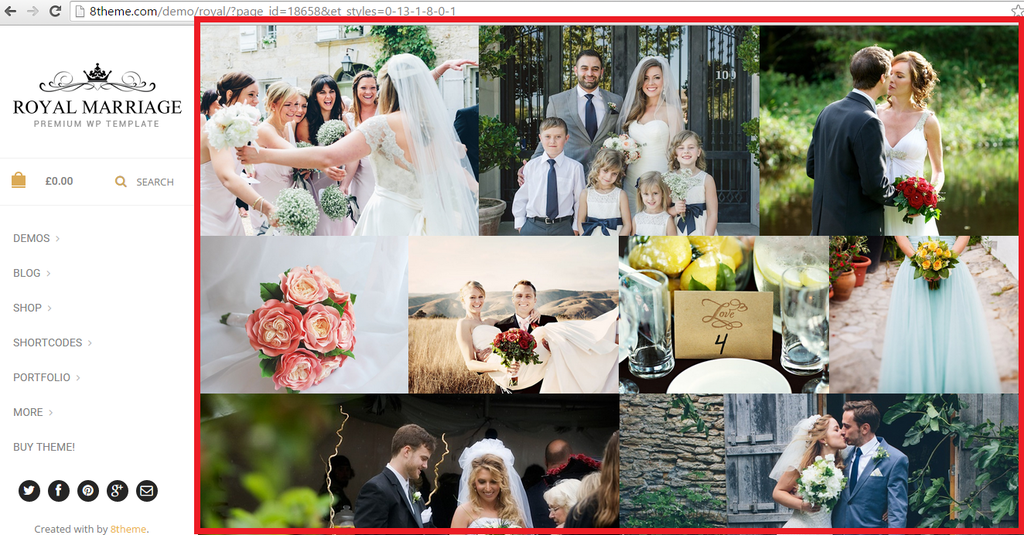
    Thanks maybe I am showing the wrong pictures all long. But what I want for this request is to have all the rows height/width/space etc… the same as the Royal theme Demo ( https://www.8theme.com/demo/royal/?page_id=18658&et_styles=0-13-1-8-0-1 )

    I’ve checked the changes but still not looks like the demo. I would like to have all these:

    http://i1340.photobucket.com/albums/o728/LibardoBarreto/3_zps2qznvrqe.png

    http://i1340.photobucket.com/albums/o728/LibardoBarreto/2_zpsewj8ynug.png

    The same structure as the demo is I would like to have it. Would this be possible? OR is there a way to import all the settings just like the Demo has into my page to make it easier? This way its guaranteed that what I have colored in red above is reflecting the same in my pictures.

    Avatar: Libardo
    Libardo
    Participant
    March 26, 2015 at 21:03

    Hi Eva,

    Just checking on you if you were able to login?
    Thanks..

    Avatar: Libardo
    Libardo
    Participant
    March 26, 2015 at 20:50

    Thank you Brian. I will check a hosted video and let you know ..

    Avatar: Libardo
    Libardo
    Participant
    March 26, 2015 at 15:56

    Hi Brian,

    Thank you for the assistance in looking into this case. I can see you are now able to login again :).
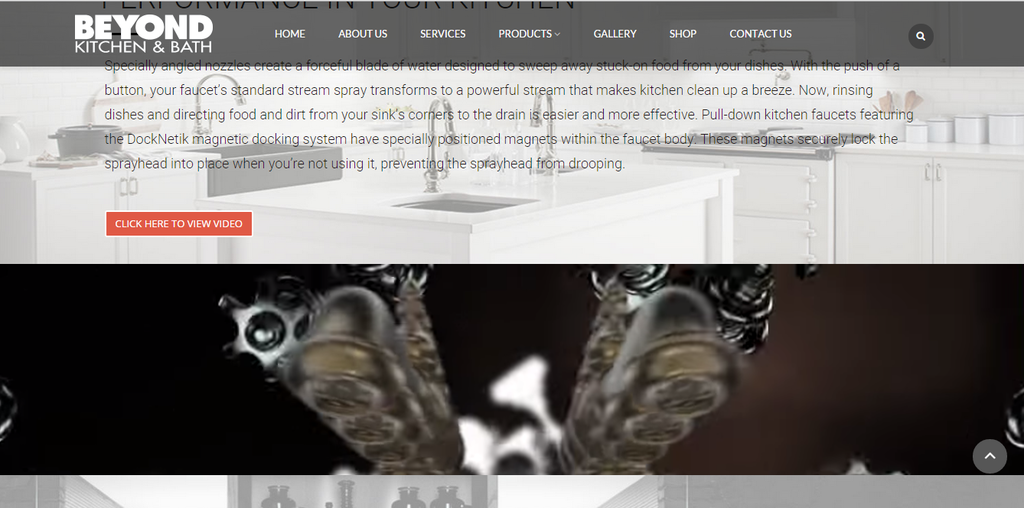
    Ok so I read your reply and understood. I will look for another video or host the video on my end. Now that I look at the website the video or the field has shrink vs what it was before:

    http://i1340.photobucket.com/albums/o728/LibardoBarreto/video_zpsifrrtwav.png

    I tried to play around with the padding or delete the code which was added but still showing the same way:

    http://i1340.photobucket.com/albums/o728/LibardoBarreto/pad_zpsicfdy2ri.png

    Can you please let this field looks identical just like the one below? I colored the red part where the field needs to be the same (space,height,with etc..):

    http://i1340.photobucket.com/albums/o728/LibardoBarreto/blo_zps77wpylc3.png

    I will look for another video and add this to see how it looks as soon as you make the changes for me. Thanks..

  • 1 2 3 10 11 12 17 18 19
    Viewing 330 results - 301 through 330 (of 563 total)
Viewing 30 posts - 301 through 330 (of 563 total)
We're using our own and third-party cookies to improve your experience and our website. Keep on browsing to accept our cookie policy.